
Rack depth and airflow are more critical than you might realize because they directly affect cooling efficiency, equipment lifespan, and future growth. Proper depth guarantees smooth hot and cold air separation, reducing hotspots and overheating risks. It also simplifies cable management and allows for better organization of power supplies. If you keep these factors in check, you’ll improve system reliability and scalability. Staying aware of these details helps you avoid costly upgrades and downtime later on.

Get business pricing on office and shipping supplies
- Business-only prices and quantity discounts
- Tax-exempt purchasing
- Multiple users, one account, clear invoices
Key Takeaways
- Proper rack depth ensures optimal airflow, preventing hotspots and overheating of equipment.
- Correct depth simplifies cable management, reducing airflow obstruction and improving cooling efficiency.
- Adequate rack depth accommodates future equipment growth without compromising cooling or organization.
- Proper airflow management extends hardware lifespan by maintaining consistent temperatures.
- Optimal rack depth supports containment systems, enhancing overall cooling and energy efficiency.

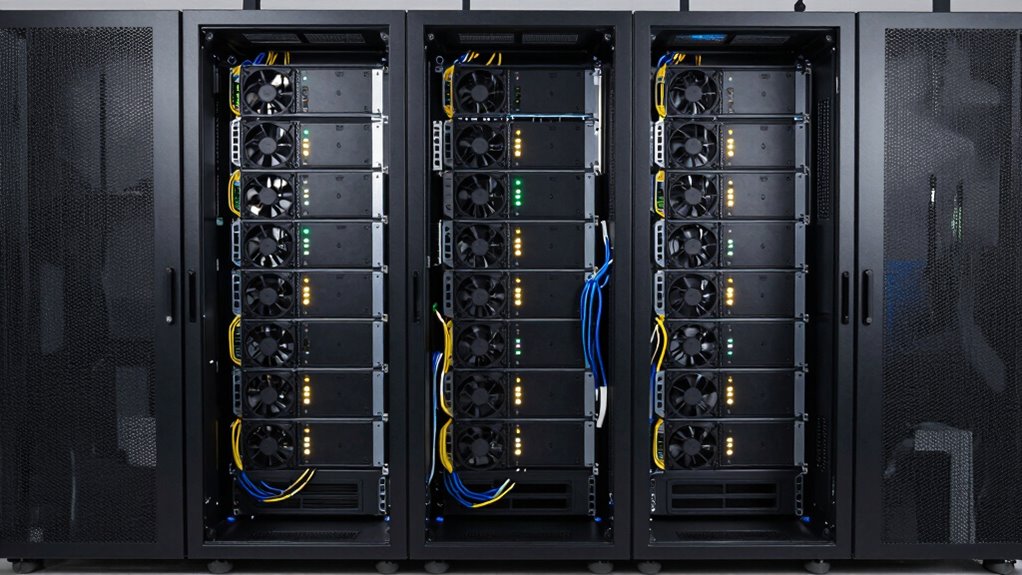
Proper rack depth is essential for guaranteeing effective airflow within your data center or server room. If your racks are too shallow or too deep, you risk disrupting the cooling process, which can lead to equipment overheating and failures. Maintaining the right depth allows you to maximize the placement of servers and networking gear, ensuring that hot air and cold air flow smoothly without obstruction. When racks are correctly sized, it becomes easier to implement efficient cable management, reducing clutter that can block airflow and cause hotspots. Good cable management isn’t just about neatness; it’s about creating a clear path for air to circulate freely, helping to maintain consistent temperatures across your equipment. Properly organized cables also simplify maintenance and troubleshooting, saving you time and reducing the chances of accidental disconnections. effective airflow is fundamental for preventing equipment failures and optimizing cooling efficiency. Power distribution plays a critical role in rack setup as well. With the right rack depth, you can better accommodate power distribution units (PDUs) and ensure that power cables are neatly routed alongside data cables. Proper placement of power sources reduces cable congestion and minimizes the risk of overheating due to tangled or cramped cables. When power and data cables are managed correctly, airflow isn’t obstructed, and your cooling system can operate at peak efficiency. This means your equipment runs cooler and more reliably, extending the lifespan of your hardware and preventing costly downtime. Additionally, understanding rack depth helps in planning for future expansion and avoiding the need for costly modifications later on. Proper planning and rack configuration can significantly improve overall airflow and cooling performance. Choosing the correct rack depth also influences how you configure your overall infrastructure. For example, deeper racks often provide more space for additional equipment, power supplies, and better cable routing options. Shallow racks might limit expansion and make it harder to implement organized cable management, which can compromise airflow and cooling. Additionally, the depth of your racks impacts the placement of hot and cold aisle containment systems, a critical factor in controlling airflow and temperature. When these systems are properly aligned with the rack depth, you can create a more efficient environment that minimizes hot spots and maximizes cooling efficiency. Understanding the importance of proper rack setup can help prevent airflow obstructions and create a more resilient infrastructure. Recognizing the role of airflow in maintaining optimal server temperatures is vital for ensuring long-term equipment reliability. Ultimately, understanding why rack depth and airflow matter more than you think helps you build a resilient, efficient, and cost-effective data center. It’s not just about fitting servers; it’s about ensuring those servers stay cool and operate reliably. Proper rack depth supports effective cable management and ideal power distribution, both of which are essential for maintaining ideal airflow. When you pay attention to these details, you set the foundation for a stable infrastructure that can scale and adapt to your growing needs while keeping your equipment safe and running at its best.
As an affiliate, we earn on qualifying purchases.
Frequently Asked Questions
How Does Rack Depth Affect Cable Management?
Rack depth directly impacts your cable management by influencing cable routing and rack organization. If the rack is too shallow, cables may be cramped, causing strain and making it difficult to route them neatly. Conversely, a deeper rack offers more space, helping you organize cables more effectively and reducing clutter. Proper rack depth guarantees easier maintenance, better airflow, and a cleaner, more professional setup overall.
What Are the Best Airflow Practices for Small Data Centers?
You should prioritize effective ventilation strategies and cooling technologies to optimize airflow in small data centers. Position hot and cold aisles properly, guarantee unobstructed airflow paths, and use blanking panels to prevent hot air recirculation. Incorporate smart cooling systems, like in-row cooling or liquid cooling, to boost efficiency. These practices prevent overheating, reduce energy costs, and extend equipment lifespan, making your data center run smoothly and reliably.
Can Improper Rack Depth Cause Equipment Overheating?
Improper rack depth can definitely cause equipment overheating by disrupting cooling efficiency. When racks are too shallow or deep, airflow becomes restricted, leading to hot spots and uneven cooling. You should carefully consider equipment placement to guarantee ideal airflow paths. Proper rack depth allows cool air to reach all components and hot air to escape efficiently, preventing overheating and maintaining reliable operation. Prioritizing correct rack depth is key for effective cooling.
How Do Airflow Patterns Influence Energy Efficiency?
Airflow patterns drastically impact energy efficiency, so don’t ignore them—unless you love throwing money into the wind. Proper airflow visualization reveals how hot air escapes and cool air enters, optimizing thermodynamic efficiency. When airflow moves smoothly, your equipment runs cooler and more efficiently, saving energy. Conversely, chaotic airflow wastes power. So, pay attention to airflow patterns—they’re the unsung heroes of a cost-effective, cool-running data center.
Are There Industry Standards for Optimal Rack Depth?
Yes, industry standards for ideal rack depth typically range between 36 to 48 inches, accommodating various equipment sizes. When choosing rack depth, you should consider your rack height and cooling zones, guaranteeing proper airflow and cooling efficiency. Properly sized racks help prevent hot spots, improve energy efficiency, and allow for effective airflow patterns. Meeting these standards ensures your data center stays cool, safe, and operationally efficient.
data center airflow management products
As an affiliate, we earn on qualifying purchases.
As an affiliate, we earn on qualifying purchases.
Conclusion
So, next time you’re tempted to ignore your rack’s depth and airflow, remember—they’re not just technical details, but the secret ingredients to a thriving, stress-free setup. Skimp on airflow, and you might as well invite chaos and overheating to your data center party. It’s almost like ignoring the rules of good hosting—sure, it’s your party, but don’t be surprised when everything crashes and burns. Play it smart, and your gear will thank you.
cable management racks for servers
As an affiliate, we earn on qualifying purchases.
As an affiliate, we earn on qualifying purchases.
hot and cold aisle containment systems
As an affiliate, we earn on qualifying purchases.
As an affiliate, we earn on qualifying purchases.
Evergreen bestsellers Picks
bestsellers
As an affiliate, we earn on qualifying purchases.