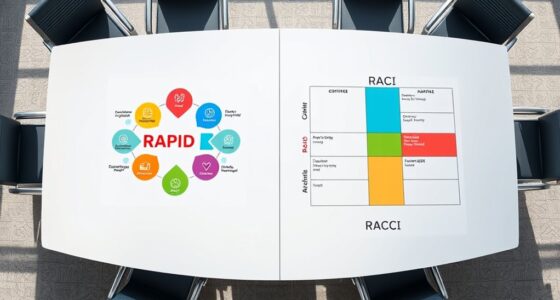

Shared definitions are more important than shared tools because they guarantee everyone understands key concepts uniformly, which prevents misunderstandings and miscommunication. When everyone interprets terms consistently, teams collaborate more smoothly, make better decisions, and stay aligned on goals. Without clear definitions, even the best tools can cause confusion or be misused. If you want to discover how clear terminology can boost your project’s success, keep exploring these ideas further.

Get business pricing on office and shipping supplies
- Business-only prices and quantity discounts
- Tax-exempt purchasing
- Multiple users, one account, clear invoices
Key Takeaways
- Shared definitions ensure consistent understanding, preventing misinterpretations regardless of different tools used.
- Clear terminology aligns team members’ perspectives, reducing confusion even when tools vary.
- Conceptual clarity enhances effective communication, making tools more impactful through shared understanding.
- Properly defined concepts guide appropriate tool selection and usage, maximizing their effectiveness.
- Unified definitions foster collaboration and project alignment, which tools alone cannot guarantee.

Have you ever noticed how misunderstandings often stem from different interpretations of the same term? It’s a common issue that can cause confusion, misaligned expectations, and even conflict within teams or organizations. This is where the importance of terminology consistency becomes clear. When everyone uses the same words to mean the same things, communication becomes smoother and more effective. But it’s not just about agreeing on words—it’s about achieving conceptual clarity. Without a shared understanding of key concepts, even the most advanced tools or systems can fall short because your team might be interpreting their purpose or function differently.
Shared definitions matter because they serve as the foundation for clear communication. If one person views a term one way and another person interprets it differently, you’re setting the stage for misunderstandings. For example, consider how a team might discuss “agility.” To some, it might mean quick responsiveness; to others, it could refer to flexibility in processes. Without establishing what “agility” truly means within your context, your discussions can become muddled, and progress stalls. Ensuring terminology consistency creates a common language that everyone can rely on, which boosts efficiency and reduces errors. Additionally, conceptual clarity helps prevent misconceptions that can derail project success. Establishing shared definitions fosters alignment, which is crucial for maintaining a unified direction.
You might think that tools are the main drivers of productivity, but without shared definitions, even the best tools can become barriers. When team members operate with different assumptions about key concepts, they may misuse tools or misinterpret data, undermining their effectiveness. The focus should be on fostering a shared understanding of core ideas first. Once everyone is aligned conceptually, selecting and implementing tools becomes more straightforward and impactful. Consistent terminology is essential for ensuring that everyone is working towards the same goals and understanding. Recognizing the significance of shared definitions can significantly enhance collaboration and success in your projects.
shared terminology glossary for teams
As an affiliate, we earn on qualifying purchases.
As an affiliate, we earn on qualifying purchases.
Frequently Asked Questions
How Do Shared Definitions Impact Team Communication?
Shared definitions improve your team’s communication by ensuring everyone understands key concepts the same way. Terminology consistency prevents confusion, making messages clearer and more efficient. When disagreements arise, you can use clarification strategies to resolve misunderstandings quickly. This approach minimizes misinterpretations, streamlines collaboration, and keeps projects moving smoothly. Ultimately, clear, shared definitions foster better teamwork and help your team achieve goals more effectively.
Can Shared Definitions Evolve Over Time?
Yes, shared definitions can evolve over time. As your team gains new insights or faces changing circumstances, terminology consistency becomes essential to guarantee everyone stays aligned. You should regularly revisit and update your shared definitions, allowing for concept evolution. This ongoing process helps prevent misunderstandings, fosters clearer communication, and keeps your team adaptable to new ideas and challenges.
What Are Common Challenges in Establishing Shared Definitions?
Think of shared definitions as the glue holding your team together. Common challenges include alignment issues, where differing interpretations cause confusion, and vocabulary consistency, which can be hard to maintain across diverse teams. You might find that establishing clear, universally understood terms takes time, patience, and ongoing dialogue. Without this, miscommunication spreads like wildfire, making collaboration chaotic instead of cohesive. Overcoming these hurdles requires deliberate effort and continuous refinement.
How Do Shared Definitions Influence Decision-Making?
Shared definitions improve decision-making by fostering semantic clarity and ensuring everyone understands key concepts similarly. When you have clear, aligned definitions, your team avoids misunderstandings and makes more consistent choices. Concept alignment streamlines communication, enabling quicker, more confident decisions. This shared understanding cuts through ambiguity, helping you evaluate options effectively and implement strategies that everyone supports. Ultimately, it strengthens collaboration and enhances the quality of your outcomes.
What Tools Best Support Shared Understanding?
Think of tools as the compass and map; they guide you, but shared understanding is the steady ground beneath your feet. You’ll find that tools supporting context consistency and terminology clarity, like collaborative glossaries or real-time communication platforms, foster this stability. These tools guarantee everyone’s on the same page, turning scattered signals into a clear chorus. With them, your team’s shared understanding becomes a navigable landscape, not a lost trail.
team communication clarity tools
As an affiliate, we earn on qualifying purchases.
As an affiliate, we earn on qualifying purchases.
Conclusion
By ensuring everyone shares the same definitions, you create a clear, unified understanding that fuels effective collaboration. Think of it as building a common language—without it, ideas get lost in translation. When your team agrees on key terms, you minimize misunderstandings and boost productivity. Visualize this as a well-oiled machine: each part must fit perfectly for the whole to run smoothly. Prioritize shared definitions, and watch your team work more seamlessly toward your goals.
project terminology management software
As an affiliate, we earn on qualifying purchases.
As an affiliate, we earn on qualifying purchases.
collaborative definition documentation tools
As an affiliate, we earn on qualifying purchases.
As an affiliate, we earn on qualifying purchases.
Fall Picks
fall essentials
As an affiliate, we earn on qualifying purchases.