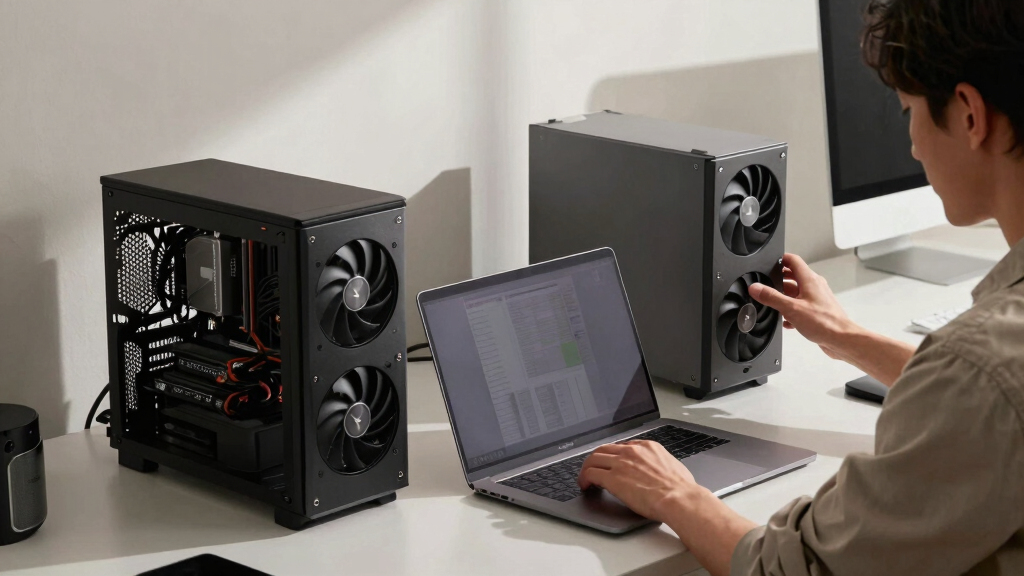

📊 Full opportunity report: Mac vs GPU Tower for Local LLMs: The Heat-and-Noise Tradeoff on ThorstenMeyerAI.com — validation score, market gap, and execution plan.

Get business pricing on office and shipping supplies
- Business-only prices and quantity discounts
- Tax-exempt purchasing
- Multiple users, one account, clear invoices
TL;DR
This article compares Mac Studio with Apple Silicon and GPU towers for running local large language models. It highlights the tradeoffs in heat, noise, capacity, and throughput, emphasizing that the choice depends on model size and performance needs.
Apple Silicon-based Mac Studio offers near-silent operation and low power consumption for local large language model inference, while GPU towers deliver higher throughput at the cost of significant heat and noise. This contrast underscores a fundamental choice for AI practitioners based on workload size and environmental constraints.
The core difference lies in architecture: GPU towers prioritize memory bandwidth, with RTX 5090 cards offering around 1,792 GB/s, enabling faster inference for models fitting within VRAM. However, they produce substantial heat—up to 800W in multi-GPU setups—and require extensive thermal management. Conversely, Apple Silicon chips like the M3 Ultra optimize memory capacity, offering up to 512GB of shared memory, allowing them to run large models (such as 70B parameter models) that cannot fit into GPU VRAM. These Macs operate quietly and consume minimal power, making them ideal for always-on, low-noise environments but with slower inference speeds.While GPU towers excel in throughput for models within VRAM limits and support native CUDA ecosystems, they demand ongoing thermal management and upgradeability efforts. Macs, by contrast, are fixed at purchase but provide a plug-and-play, silent experience for models that exceed GPU VRAM capacity. The choice hinges on whether the workload favors maximum speed or model size and environmental considerations.
Mac vs GPU tower
for local LLMs.
What if you sidestep the heat entirely with a different kind of machine? A tower is a high-bandwidth furnace you spend five levers quieting. Apple Silicon is near-silent by design — but asks for different tradeoffs. Match your priority in Part 2.
Put the loud, hot machine where its noise doesn’t matter, and the quiet one where you do. SSH into the tower when you need raw power; let the Mac handle everything else, silently.
Impact of Heat and Noise on AI Hardware Choices
This comparison highlights that the decision between a GPU tower and a Mac Silicon machine extends beyond raw performance. For environments where noise and heat are critical factors—such as shared offices or small labs—a Mac offers a compelling, low-maintenance solution. Conversely, high-throughput applications with models fitting within VRAM benefit from GPU towers, especially when leveraging CUDA ecosystems and upgrade paths. Understanding these tradeoffs informs better hardware investments aligned with specific AI workloads and operational constraints.As an affiliate, we earn on qualifying purchases.
Architectural Tradeoffs in AI Hardware Design
Historically, GPU towers have been the standard for local AI inference and training, emphasizing bandwidth and raw speed. NVIDIA’s RTX 5090 cards deliver high memory bandwidth but are power-hungry and produce significant heat, requiring elaborate thermal management. Apple Silicon’s approach, using unified memory architecture, sacrifices some speed for capacity and efficiency, enabling large models to run on a near-silent device. This shift reflects a broader trend toward energy-efficient, low-noise AI hardware, especially for users who prioritize convenience and environmental factors over maximum throughput."Our designs aim for near-silent operation and minimal power draw, making Apple Silicon ideal for continuous, low-noise AI inference at the expense of some speed."
— Apple hardware engineer
As an affiliate, we earn on qualifying purchases.
Unresolved Questions on Long-term Scalability
It remains unclear how future GPU architectures might improve thermal efficiency or how Apple Silicon will evolve in terms of raw inference speed and model size capacity. Additionally, the ecosystem support for large-scale AI development on Macs is still maturing, and real-world performance may vary based on specific workloads and software optimizations.
high performance local AI workstation
As an affiliate, we earn on qualifying purchases.
As an affiliate, we earn on qualifying purchases.
Anticipated Developments in AI Hardware Choices
Expect ongoing advancements in GPU cooling and power efficiency, potentially reducing heat and noise issues. Meanwhile, Apple’s hardware updates may increase capacity and inference speed, narrowing the performance gap. Users should monitor these developments to inform future hardware investments, especially as AI models continue to grow in size and complexity.
As an affiliate, we earn on qualifying purchases.
Key Questions
Can a Mac run the latest large language models effectively?
Yes, for models larger than 32GB VRAM capacity, a Mac can run large models like 70B parameters using unified memory, though inference may be slower compared to GPU towers.
Is heat and noise a significant issue with GPU towers?
Yes, GPU towers generate substantial heat and noise, requiring thermal management efforts. They are high-power, high-heat devices that often need careful cooling and noise mitigation.
Will future GPU or Mac hardware change this tradeoff?
Future GPU architectures may improve thermal efficiency, and Apple Silicon may increase capacity and speed. Both trends could shift the balance, but current choices depend on workload size and environmental constraints.
Which hardware is better for training models?
GPU towers with native CUDA support and upgradeability are currently better suited for training and fine-tuning large models, while Macs are more limited in this regard.
Source: ThorstenMeyerAI.com
Halloween Picks
halloween
As an affiliate, we earn on qualifying purchases.