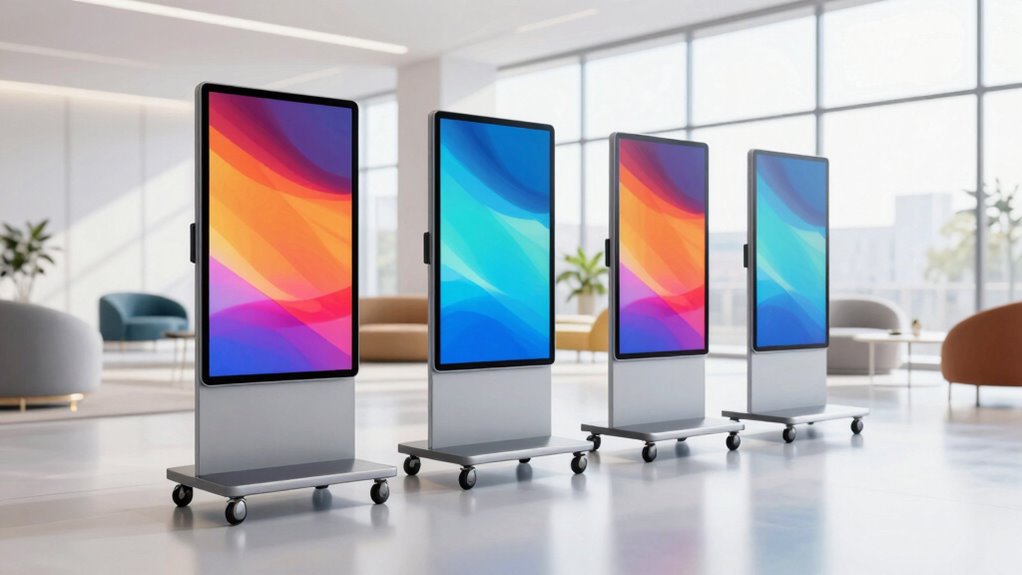

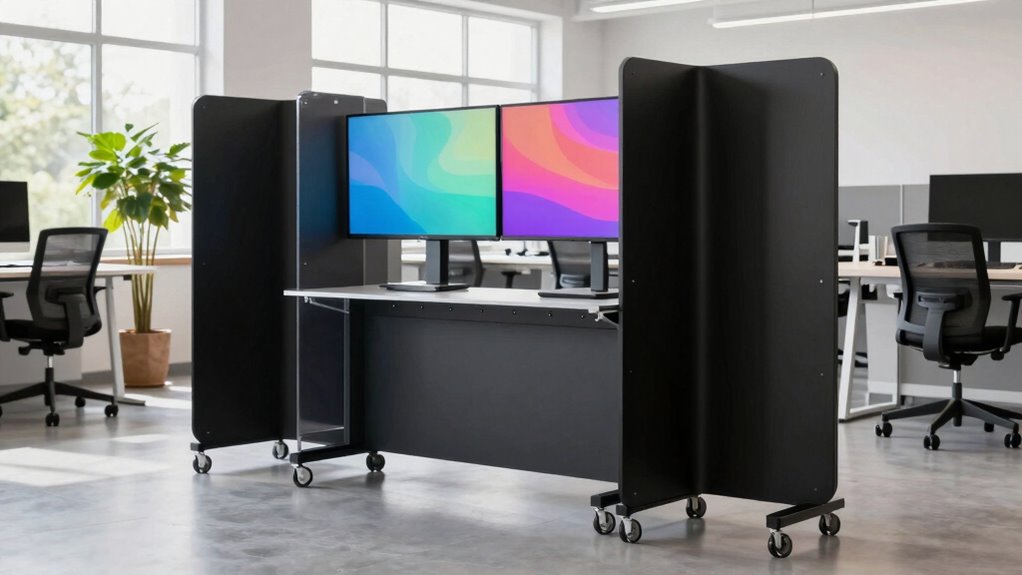
To plan a better rolling display setup for flexible spaces, focus on selecting lightweight, durable materials that support easy movement and stability. Secure your units with lockable casters and secure mounting options to prevent theft or accidents. Incorporate security features like surveillance or password protection, and manage cables to avoid tripping hazards. Design for quick reconfiguration by considering space, accessibility, and environmental factors, so your displays remain versatile and engaging. If you keep exploring, you’ll find even more ways to optimize your setup.
Key Takeaways
- Assess environmental factors and space layout to determine optimal display placement and mobility needs.
- Select lightweight, durable materials with secure locking mechanisms for stability and theft prevention.
- Incorporate accessible signage positioning and protective features to enhance engagement and safety.
- Implement security measures like surveillance, lockable compartments, and restricted access controls.
- Design for easy reconfiguration by testing different setups and managing cables effectively.
Ever wondered how to make your flexible space more functional and engaging? One of the most effective ways is by designing a rolling display setup that’s both adaptable and eye-catching. To do this successfully, you need to contemplate how interactive signage can enhance user experience and how security considerations play a vital role in safeguarding your displays. Interactive signage invites participation and makes your space more dynamic. It allows visitors to engage directly with content, whether through touchscreens, QR codes, or motion sensors. This not only captures attention but also provides a personalized experience that can be easily updated or reconfigured as your needs change. When planning, think about how the signage integrates into your rolling displays—choose units that support digital content and are easy to move without damaging cables or connections. This flexibility ensures your displays can adapt to different events or layouts, maximizing their utility. Additionally, considering technology reviews can help you select the most reliable and innovative signage options for your setup.
Furthermore, evaluating security considerations early in the planning process can prevent potential vulnerabilities and protect your investment from the outset. Security considerations are equally important when deploying rolling displays, especially if they contain sensitive or valuable content. You want to prevent theft, vandalism, or accidental damage, which means investing in sturdy lockable casters or secure mounting options. Additionally, think about installing surveillance or alarm systems near your rolling units if they hold confidential information or expensive equipment. Proper security also involves controlling access—restrict who can move or modify the displays, perhaps through keycards or password-protected screens. You should also ponder cable management to prevent tripping hazards or disconnections that could compromise your content or safety. Using lockable compartments for wiring or batteries adds another layer of protection, ensuring that your setup remains intact and secure during use. Incorporating security measures can further enhance the overall safety and protection of your display environment.
In planning your rolling display setup, focus on ease of mobility and stability. Select lightweight yet durable materials that make moving the display effortless, but don’t sacrifice sturdiness. Test different configurations to find what works best in your space, and always keep safety in mind. Additionally, think about the environment where you’ll be using these displays. If your space is busy or prone to accidental bumps, opt for bumpers or protective enclosures. Keep in mind that the placement of interactive signage should be accessible but not obstructive, encouraging engagement without clutter.
Ultimately, a well-thought-out rolling display setup balances interactivity with security, ensuring your space remains engaging, safe, and adaptable. By choosing the right signage technology, implementing security measures, and planning for mobility and safety, you turn your flexible space into a compelling environment that can evolve effortlessly with your needs.

WHARSTM Caster Wheels, 3" Locking Swivel Threaded Stem Casters Set of 4
- Easy to Install: Includes nuts and wrenches for quick setup
- Heavy Duty Load Capacity: Supports up to 400 lbs with four casters
- Smooth & Quiet Movement: Made of non-marring thermoplastic rubber
As an affiliate, we earn on qualifying purchases.
As an affiliate, we earn on qualifying purchases.
Frequently Asked Questions
What Are the Best Materials for Lightweight Rolling Displays?
For lightweight rolling displays, consider materials like aluminum, which offers excellent durability without adding much weight, making it easy to move around. Corrugated plastic is another great choice—it’s durable and very light. Fiberglass can be an option too, providing strength while remaining lightweight. When selecting materials, balance durability with weight considerations to guarantee your display stays sturdy yet easy to transport and set up.
How Do I Ensure Stability on Uneven Floors?
To guarantee stability on uneven floors, start by using wheel locks on your rolling display. These locks prevent unwanted movement and keep the display steady. Additionally, consider floor leveling solutions like adjustable feet or mats to even out surface irregularities. Regularly check and tighten wheel locks and leveling components. Doing this guarantees your display remains stable, safe, and functional across various floor conditions.
Can Rolling Displays Be Customized for Branding Purposes?
Absolutely, rolling displays are like blank canvases waiting for your brand’s signature touch. You can customize them with vibrant graphics, logos, or unique materials for standout visual appeal. Display customization allows you to tailor each element to fit your branding goals, transforming the mobile setup into a dynamic marketing tool. Think of it as giving your brand a portable billboard, ensuring your message moves seamlessly with your space.
What Safety Precautions Should I Consider During Setup?
You should wear safety gear like gloves and safety glasses during setup to protect yourself from potential injuries. Make sure all electrical safety protocols are followed, such as unplugging devices before handling wiring and checking cords for damage. Keep the workspace clear of obstacles, secure rolling displays properly to prevent tipping, and use appropriate tools. Taking these precautions helps create a safe environment and prevents accidents during your rolling display setup.
How to Maintain and Clean Rolling Display Components?
Think of your rolling display as a garden that needs regular tending. To maintain it, regularly check for loose parts and guarantee smooth movement. For cleaning techniques, use a soft cloth and mild cleaning solution to wipe surfaces, avoiding harsh chemicals that could damage finishes. Regular display maintenance keeps everything functioning smoothly and looking fresh, prolonging the life of your setup and ensuring it stays eye-catching and professional.

QIXZOCV MWE 32 Inch Indoor Digital Signage Display Monitor, Portable LCD Digital Kiosk, Advertising Display Poster, Android Kiosk with Auto Media Player, HDMI/USB
- High-Quality IPS Display: FHD resolution with 178° viewing angle
- Multiple Input Options: Supports USB, HDMI, and WiFi connectivity
- Automatic Loop Playback: Continuous content display without manual intervention
As an affiliate, we earn on qualifying purchases.
As an affiliate, we earn on qualifying purchases.
Conclusion
By planning your rolling display setup with care, you craft a space as adaptable as a chameleon in the jungle. Remember, a well-designed display isn’t just about flexibility; it’s about creating a stage where your ideas can flourish effortlessly. As the great artists and innovators knew, the key lies in harmony and adaptability. So, embrace the process, and let your space evolve as seamlessly as a story unfolding—ready for whatever chapter comes next.

XHF 120 PCS Adhesive Cable Wire Clips Black, Outdoor Christmas Light Clips, Cable Management Wire Organizer Cord Holder for Under Desk, Car, Wall, TV PC Ethernet Cable
- High-Quality Material: Strong adhesive and PA66 nylon construction
- Versatile Usage: Suitable for USB, Ethernet, lights, and more
- Size Details: Base 5/8" x 5/8", Inner diameter 1/4" x 2/5"
As an affiliate, we earn on qualifying purchases.
As an affiliate, we earn on qualifying purchases.
security lock for rolling display units
As an affiliate, we earn on qualifying purchases.
As an affiliate, we earn on qualifying purchases.