For Black Friday checkout, my best overall pick is the Zebra DS2278-SR Wireless 1D/2D Bluetooth Scanner, which pairs cordless movement with 2D code support. The Zebra DS2208-SR Corded Kit is a practical alternative for a fixed till, while the Honeywell Voyager XP 1472g is a standout wireless option for busy scanning workflows. The main tradeoffs are cordless flexibility versus the simplicity of a wired connection, and hands-free presentation scanning versus a handheld setup. Bundle contents also matter: a charging or presentation cradle can change how smoothly a scanner fits into a station. Read on for how all 15 options compare and which setup suits your checkout, inventory, or returns needs.

Get business pricing on office and shipping supplies
- Business-only prices and quantity discounts
- Tax-exempt purchasing
- Multiple users, one account, clear invoices
Key Takeaways
- The DS2278-SR is my overall choice because it offers wireless 1D/2D scanning; its listed bundles differ, so check whether the cradle and USB cable you need are included.
- The DS2208-SR suits a fixed checkout where a cable avoids battery management and cordless movement is not a priority.
- Cradle design changes the workflow: a presentation cradle can support hands-free scanning, while a charging dock mainly supports storage and charging.
- The lineup spans two-dimensional and laser-only options. Confirm that a scanner reads the codes on your products, coupons, and customer screens before choosing.
- Black Friday readiness depends on the whole station, not just scan speed. Host compatibility, connection type, mounting, and spare-device planning can matter as much as the scanner itself.
| Zebra DS2278-SR Wireless 1D/2D Bluetooth Barcode Scanner |  | Best Overall | Barcode types: 1D and 2D | Connectivity: Bluetooth, USB | Scanning range: Approximately 0.5–14.5 inches (1.23–36.8 cm) | VIEW LATEST PRICE | See Our Full Breakdown |
| Zebra DS2278-SR Wireless 1D/2D Barcode Scanner with Cradle and USB Cable |  | Best for POS Interface Options | Scanner type: 1D/2D imager | Connectivity: Bluetooth, RS232, USB | Power source: Listed as corded electric | VIEW LATEST PRICE | See Our Full Breakdown |
| NetumScan U820 Bluetooth Barcode Scanner with Charging Dock |  | Best Multi-Connection Value | Barcode types: 1D and 2D, including QR codes | Connectivity: Bluetooth, 2.4G wireless, USB | Compatible operating systems: Windows, Mac OS, iOS, Android | VIEW LATEST PRICE | See Our Full Breakdown |
| Symbol LS2208 Handheld Barcode Scanner with Stand and USB Cable, Black |  | Best for Fixed Checkout Stations | Model: LS2208 | Connectivity: USB cable | Power source: Corded electric | VIEW LATEST PRICE | See Our Full Breakdown |
| Zebra DS2278-SR Wireless 1D/2D Barcode Scanner with Presentation Cradle |  | Best for Long Shifts and Longer Reach | Barcode types: 1D, 2D, PDF417 | Wireless connectivity: Bluetooth Class 1 | Wireless range: Up to 330 ft (100 m) | VIEW LATEST PRICE | See Our Full Breakdown |
| Zebra DS2208-SR Corded 1D/2D Handheld Barcode Scanner Kit with Stand and USB Cable |  | Best for Reliable Checkout Scanning | Model: DS2208-SR7U2100SGW | Scanner type: Corded standard-range area imager | Barcode support: 1D and 2D | VIEW LATEST PRICE | See Our Full Breakdown |
| ScanAvenger Wireless 1D/2D Barcode Scanner with Charging Stand |  | Best for Flexible Wireless Use | Model: SA9000_FBA | Barcode support: 1D and 2D, including QR codes | Connectivity: Bluetooth, wireless, USB | VIEW LATEST PRICE | See Our Full Breakdown |
| NetumScan Desktop USB Barcode Scanner with QR Code Reader |  | Best Hands-Free Counter Pick | Scanner type: Desktop, hands-free | Barcode support: 1D, 2D, QR | Connectivity: USB cable | VIEW LATEST PRICE | See Our Full Breakdown |
| Tera HW0009 Wireless Barcode Scanner with Display and Charging Cradle |  | Best for On-Device Scan Controls | Model: HW0009 | Barcode support: 1D and 2D, including QR, Data Matrix, PDF417, and Aztec | Connectivity: Bluetooth, 2.4G wireless, USB | VIEW LATEST PRICE | See Our Full Breakdown |
| Zebra DS9308 Corded 1D/2D Barcode Scanner with USB |  | Best Compact Fixed-Counter Pick | Model: DS9308-SR00004ZZWW | Scanner type: 1D/2D imager | Scanning range: Standard range | VIEW LATEST PRICE | See Our Full Breakdown |
| Honeywell Voyager XP 1472g Wireless 2D Barcode Scanner |  | Best for Demanding Retail Counters | Barcode types: 1D and 2D | Connectivity: Bluetooth 4.2; USB cable | Wireless range: Up to 100 m line of sight with compatible Honeywell base | VIEW LATEST PRICE | See Our Full Breakdown |
| WoneNice WN3300 Wired USB Laser Barcode Scanner |  | Best for Simple 1D Checkout Scanning | Scanner type: Wired handheld laser | Barcode types: 1D | Connectivity: USB; 2 m (6 ft) cable | VIEW LATEST PRICE | See Our Full Breakdown |
| Eyoyo EYH2 Handheld Wired 1D/2D USB Barcode Scanner |  | Best Wired 2D Value | Barcode types: 1D and 2D; includes QR, DataMatrix, and PDF417 | Connectivity: USB cable | Operating systems: Windows, Mac, Android, Linux | VIEW LATEST PRICE | See Our Full Breakdown |
| Zebra Symbol LS2208 Corded Handheld Laser Barcode Scanner Kit with Gooseneck Stand and USB Cable, Twilight Black |  | Best for Hands-Free 1D Scanning | Scanner type: Corded handheld laser | Scanning range: Standard | Connectivity: USB cable | VIEW LATEST PRICE | See Our Full Breakdown |
| Tera Wireless 1D Laser Barcode Scanner with Battery Indicator |  | Best Wireless 1D Pick | Barcode types: 1D | Connectivity: 2.4 GHz wireless and USB cable | Wireless range: Up to 328 ft in a barrier-free environment | VIEW LATEST PRICE | See Our Full Breakdown |
| Black Friday barcode scanner | Connectivity | Dimensions | Weight |
|---|---|---|---|
| Zebra DS2278-SR Wireless 1D/2D | Bluetooth, USB | — | 16 oz |
| Zebra DS2278-SR Wireless 1D/2D | Bluetooth, RS232, USB | — | 1.7 lb |
| NetumScan U820 Bluetooth Barco | Bluetooth, 2.4G wireless, USB | 3.34 × 0.86 × 1.41 inches | 72 g |
| Symbol LS2208 Handheld Barcode | USB cable | 3.31 × 2.48 × 5.98 inches (D × W × H) | 5.3 oz |
| Zebra DS2278-SR Wireless 1D/2D | — | — | — |
| Zebra DS2208-SR Corded 1D/2D H | RS232, USB | 7.3 x 5 x 3.1 inches (D x W x H) | — |
| ScanAvenger Wireless 1D/2D Bar | Bluetooth, wireless, USB | 5.5 x 4.3 x 6.5 inches (D x W x H) | — |
| NetumScan Desktop USB Barcode | USB cable | 4.13 x 3.7 x 5.45 inches (D x W x H) | — |
| Tera HW0009 Wireless Barcode S | Bluetooth, 2.4G wireless, USB | 3.5 x 4.7 x 7.4 inches (D x W x H) | — |
| Zebra DS9308 Corded 1D/2D Barc | USB cable | — | 14.08 ounces |
| Honeywell Voyager XP 1472g Wir | Bluetooth 4.2; USB cable | — | 7.36 oz |
| WoneNice WN3300 Wired USB Lase | USB; 2 m (6 ft) cable | — | 0.1 kg |
| Eyoyo EYH2 Handheld Wired 1D/2 | USB cable | 3.7 × 2.7 × 6.2 in | — |
| Zebra Symbol LS2208 Corded Han | USB cable | 3.34 × 2.5 × 6 in | 5.3 oz |
| Tera Wireless 1D Laser Barcode | 2.4 GHz wireless and USB cable | 2.5 × 3.9 × 6.6 in | — |
More Details on Our Top Picks
Zebra DS2278-SR Wireless 1D/2D Bluetooth Barcode Scanner
For a Black Friday checkout that needs to handle both printed labels and digital coupons, I’d start with this Zebra DS2278-SR. Its omnidirectional 1D/2D imaging lets staff point at a code instead of carefully lining up a laser, while Bluetooth gives them room to scan items away from the counter. The stated 0.5–14.5-inch range suits routine checkout work, though it is not a long-distance warehouse tool. Compared with the corded Symbol LS2208, this Zebra offers more freedom of movement and reads 2D codes, but adds battery charging to the workday. Wi-Fi Friendly Mode may help reduce WLAN interference, and the included cradle, battery, and USB cable make the kit practical to set up. I’d choose it as the most balanced pick here, not as the best fit for buyers who want a simple wired scanner.
Pros:- Reads both 1D and 2D codes with point-and-shoot, omnidirectional scanning.
- Bluetooth supports cordless scanning away from the checkout counter.
- Wi-Fi Friendly Mode is designed to reduce interference with WLAN channels.
- Includes a cradle, battery, USB cable, and manual.
Cons:- Wireless use depends on a battery that must be kept charged.
- The stated scanning range ends at approximately 14.5 inches.
- Its added wireless features may be unnecessary for a fixed station that can use a corded scanner.
Best for: Retail teams handling a mix of printed barcodes, phone coupons, and loyalty codes who want cordless scanning without complicated initial setup.
Not ideal for: Buyers who want a wired-only scanner with no battery to manage, or workers who need to scan barcodes from beyond the stated 14.5-inch range.
- Barcode types:1D and 2D
- Connectivity:Bluetooth, USB
- Scanning range:Approximately 0.5–14.5 inches (1.23–36.8 cm)
- Battery:Included lithium-ion battery
- Included items:Scanner, cradle, battery, USB cable, manual
- Compatible devices:Desktop, laptop
- Weight:16 oz
- Model:DS2278-SR
Our verdict“Choose this Zebra for flexible retail checkout scanning across printed and screen-based 1D and 2D codes, unless you prefer the simplicity of a wired model like the Symbol LS2208.”
Zebra DS2278-SR Wireless 1D/2D Barcode Scanner with Cradle and USB Cable
This DS2278-SR listing stands out for its stated mix of Bluetooth, USB, and RS232 connectivity, a useful combination for shops matching a scanner to existing point-of-sale equipment. Like the other Zebra DS2278-SR in this roundup, it reads 1D and 2D codes and includes a cradle and USB cable. Compared with the NetumScan U820, it offers a more explicitly POS-oriented interface list, while the NetumScan names broader operating-system compatibility and 2.4G wireless. The tradeoff is uncertainty in the supplied listing: it calls the power source corded electric while also requiring a lithium-ion battery, and it gives no scan range or battery-runtime figure. I would verify the exact configuration and host connection before choosing it for a Black Friday register, rather than assume it matches the better-documented DS2278-SR kit.
Pros:- Supports 1D and 2D barcode scanning.
- Lists Bluetooth, USB, and RS232 connectivity for varied POS setups.
- Includes a cradle and USB cable.
- Designed for scanning printed and electronic checkout codes, according to the product description.
Cons:- The listed corded power source conflicts with the stated wireless operation and required battery.
- No scan-range or battery-runtime details are provided.
- The supplied compatibility information is limited to laptop use.
Best for: Retail operators whose POS setup may require RS232 or USB and who can confirm the scanner’s exact power and interface configuration before deployment.
Not ideal for: Shops that need published battery-runtime and scan-range details to plan busy shifts, or buyers who want a clearly specified cordless kit.
- Scanner type:1D/2D imager
- Connectivity:Bluetooth, RS232, USB
- Power source:Listed as corded electric
- Operating voltage:5 V
- Battery:1 lithium-ion battery required
- Included accessories:Cradle and USB cable
- Compatible device:Laptop
- Weight:1.7 lb
Our verdict“Consider this DS2278-SR when RS232 or USB support is a priority, but confirm its power configuration and runtime before relying on it for peak-season checkout.”
NetumScan U820 Bluetooth Barcode Scanner with Charging Dock
The NetumScan U820 is the flexible pick for buyers who want more than one way to connect: Bluetooth, 2.4G wireless, and USB let it adapt to different computers and mobile devices. It reads 1D and 2D codes, including QR codes, from paper or screens, and its dock doubles as a data receiver. At 72 g and just over 3 inches long, it is easier to carry between work areas than the larger-feeling Zebra DS2278-SR kits. That versatility comes with a compatibility catch: the listing says it does not work with Square, which rules it out for some small retailers. A four-hour full charge also calls for planning before a long seasonal shift. I’d pick it over the Zebra when connection flexibility and portability matter more than an established POS setup or clearly stated wireless range.
Pros:- Offers Bluetooth, 2.4G wireless, and USB wired connections.
- Reads 1D and 2D codes, including QR codes, from paper and screens.
- Compact 72 g design suits mobile or multi-station use.
- Charging dock also serves as a data receiver, with buzzer or vibration feedback.
Cons:- Not compatible with Square, according to the product description.
- A full charge takes four hours.
- The supplied data does not state wireless range or battery runtime.
Best for: Small businesses and mobile sellers using Windows, Mac OS, iOS, or Android who want a lightweight scanner with wired and wireless connection choices.
Not ideal for: Square users, or retail teams that need a confirmed Square-compatible scanner and do not have time to plan around a four-hour charge.
- Barcode types:1D and 2D, including QR codes
- Connectivity:Bluetooth, 2.4G wireless, USB
- Compatible operating systems:Windows, Mac OS, iOS, Android
- Battery:Included 1200 mAh lithium-ion
- Charging time:4 hours
- Dimensions:3.34 × 0.86 × 1.41 inches
- Weight:72 g
- Feedback modes:Buzzer or vibration
Our verdict“Pick the U820 for lightweight scanning across several connection types and operating systems, provided your checkout software is not Square.”
Symbol LS2208 Handheld Barcode Scanner with Stand and USB Cable, Black
For a stationary register that does not need cordless movement, the Symbol LS2208 keeps the setup straightforward: connect by USB, place it on the included stand, and leave it ready at the counter. Its 5.3-ounce weight and compact dimensions make it a modest fit for a crowded checkout, while the 35-degree viewing angle gives the scanner some latitude in how a barcode is presented. Compared with the wireless Zebra DS2278-SR, this model avoids battery charging and Bluetooth setup, but its listing does not specify barcode types or a scan range. That makes it a less informative choice for stores expecting phone-based coupons or varied 2D codes. I’d favor it for a dedicated workstation with a compatible host, not for staff who need to move around the sales floor during Black Friday traffic.
Pros:- USB connection provides a direct wired setup.
- Includes both a stand and USB cable.
- Compact size and 5.3-ounce weight suit a fixed counter.
- 35-degree viewing angle allows some flexibility in barcode presentation.
Cons:- Corded design limits movement around the checkout area.
- The supplied product data does not specify barcode types or scanning range.
- Lacks the stated 1D/2D capability and wireless flexibility of the Zebra DS2278-SR.
Best for: Retailers with a fixed, USB-equipped checkout station who want a light handheld scanner and stand without wireless battery management.
Not ideal for: Staff who need cordless scanning around the store, or buyers who require confirmed 2D and screen-code support from the listed specifications.
- Model:LS2208
- Connectivity:USB cable
- Power source:Corded electric
- Operating voltage:5 V
- Viewing angle:35 degrees
- Dimensions:3.31 × 2.48 × 5.98 inches (D × W × H)
- Weight:5.3 oz
- Included accessories:Stand and USB cable
Our verdict“Choose the LS2208 for a simple fixed USB station, but select a documented 1D/2D wireless model if you need screen-code scanning or mobility.”
Zebra DS2278-SR Wireless 1D/2D Barcode Scanner with Presentation Cradle
Among these options, this DS2278-SR kit has the clearest case for a busy store that needs cordless reach: its stated Bluetooth range is up to 330 feet, and its 2400 mAh battery is rated for up to 84 hours of operation. That gives staff more freedom to scan away from the register and reduces the need to recharge during a demanding holiday schedule. It also reads 1D, 2D, and PDF417 codes, including codes on smartphone screens, and includes a presentation cradle. Compared with the first DS2278-SR listing, this one provides more specific battery, durability, and host-interface data; compared with the portable NetumScan U820, it is better documented for extended cordless use but lacks that model’s stated operating-system breadth. The 14.5-inch scan limit and IP42 protection still call for sensible handling around dust and spills.
Pros:- Reads 1D, 2D, and PDF417 codes, including codes displayed on smartphone screens.
- Bluetooth wireless range is stated as up to 330 feet.
- 2400 mAh battery is rated for up to 84 hours of operation.
- Includes a presentation cradle and USB cable, with USB, RS-232, Keyboard Wedge, and IBM 46XX host interfaces listed.
Cons:- IP42 protection is limited to dust and dripping water.
- Maximum stated scan range is 14.5 inches.
- The 330-foot wireless range and 84-hour runtime are stated maximums, not guarantees for every setup.
Best for: Retail teams that move between register and sales floor, scan screen-based coupons, and want a stated long runtime for extended seasonal shifts.
Not ideal for: Workplaces needing strong protection from dust or water, or scanning beyond the stated 14.5-inch maximum distance.
- Barcode types:1D, 2D, PDF417
- Wireless connectivity:Bluetooth Class 1
- Wireless range:Up to 330 ft (100 m)
- Scan range:0.5–14.5 inches
- Battery:2400 mAh lithium-ion
- Runtime:Up to 84 hours
- Drop resistance:Multiple drops from 6 ft (1.8 m) to concrete
- Ingress protection:IP42
- Included accessories:CR2278-PC presentation cradle, USB cable
Our verdict“Choose this DS2278-SR kit when long cordless reach and stated extended runtime matter more than higher environmental protection or long-distance scanning.”
Zebra DS2208-SR Corded 1D/2D Handheld Barcode Scanner Kit with Stand and USB Cable
The Zebra DS2208-SR is my pick for a checkout that needs dependable scanning of both printed labels and codes on customer phones, without adding battery management. Its corded USB connection and included stand suit a fixed counter, while omnidirectional capture and an aim line can make presenting barcodes less fussy. It also offers beep, LED, and direct-decode feedback, which gives staff more than one way to confirm a successful scan.
Compared with the Zebra DS9308, this kit includes a stand and highlights multiple scan-success cues; the DS9308 is the more compact alternative. The tradeoff is the cable: this is less flexible for stockroom tasks than the cordless ScanAvenger SA9000, and its standard-range design is not intended for every long-distance scan.
Pros:- Reads 1D and 2D codes, including codes displayed on mobile devices.
- Omnidirectional scanning and a guided aim line support straightforward barcode presentation.
- Beep, LED, and direct-decode feedback offer several scan-confirmation cues.
- Stand and shielded USB cable are included for a fixed-counter setup.
Cons:- The cord restricts movement compared with cordless options such as the ScanAvenger SA9000.
- Standard-range scanning may not fit setups that require greater scanning distance.
Best for: Retail and hospitality counters that need a fixed, plug-in scanner for printed and mobile 1D and 2D barcodes.
Not ideal for: Staff who move between checkout, shelves, and stockroom, or operations that need to scan from farther away.
- Model:DS2208-SR7U2100SGW
- Scanner type:Corded standard-range area imager
- Barcode support:1D and 2D
- Connectivity:RS232, USB
- Field of view:60 degrees
- Compatible devices:Desktop, laptop
- Dimensions:7.3 x 5 x 3.1 inches (D x W x H)
- Included components:Stand, shielded USB cable
Our verdict“Choose the DS2208-SR for a fixed checkout that values clear scan feedback and broad barcode support over cordless mobility.”
ScanAvenger Wireless 1D/2D Barcode Scanner with Charging Stand
The ScanAvenger SA9000 suits buyers who want one scanner to move between a counter and nearby work areas. It reads a broad range of 1D and 2D formats and supports Bluetooth, wireless transmission, and USB, giving it more connection options than the corded Zebra DS2208-SR. The charging stand keeps the scanner in a set place when idle and charges it through contact points; vibration feedback can also help staff notice a successful scan in a noisy shop.
That flexibility makes it a stronger fit for mobile work than the DS2208-SR, but it brings compatibility checks of its own. The product does not support MaxiCode, and some POS systems that require proprietary hardware or direct app-level integration may not work with it. Buyers with a fixed checkout and confirmed USB needs may find a corded Zebra simpler.
Pros:- Bluetooth, wireless transmission, and USB provide several connection choices.
- Reads a broad selection of 1D and 2D codes, including QR codes.
- Charging stand holds the scanner and charges it through contact points.
- Vibration feedback can be useful where scan beeps are hard to hear.
Cons:- Does not support MaxiCode.
- Compatibility may be limited with POS systems requiring proprietary hardware or direct app-level integration.
- Battery-powered operation adds charging and battery upkeep absent from the corded Zebra DS2208-SR.
Best for: Small retailers and service counters that need a rechargeable scanner shared between checkout and nearby inventory tasks.
Not ideal for: Businesses whose workflow requires MaxiCode or a POS system with proprietary scanner hardware or direct app-level integration.
- Model:SA9000_FBA
- Barcode support:1D and 2D, including QR codes
- Connectivity:Bluetooth, wireless, USB
- Scan modes:Manual, auto sense
- Compatible devices:Desktop, laptop, POS, smartphone, tablet
- Battery:One included lithium-ion battery
- Feedback:Vibration
- Dimensions:5.5 x 4.3 x 6.5 inches (D x W x H)
Our verdict“Pick the ScanAvenger SA9000 if you need wireless movement and its supported barcode types and connections match your POS setup.”
NetumScan Desktop USB Barcode Scanner with QR Code Reader
The NetumScan desktop scanner is the clearest fit here for a counter where staff repeatedly present items rather than pick up a handheld reader. Its automatic sensing and 180-degree stated viewing angle support hands-free scanning, while USB plug-and-play keeps setup simple on compatible computers. It reads 1D, 2D, and QR codes from labels and screens, and its IP54 dust protection and drop-resistant design are useful in busy everyday work areas.
Compared with the handheld Zebra DS2208-SR, this trades aiming flexibility for a stationary workflow. That makes it less suitable for scanning bulky items or moving around a store. Compatibility is the bigger buying check: it is listed as incompatible with Square, Clover, and Shopify, and unlike the wireless ScanAvenger, it must remain connected by USB.
Pros:- Automatic sensing supports hands-free scanning at a fixed counter.
- Reads 1D, 2D, and QR codes from printed labels and device screens.
- USB plug-and-play setup is designed to avoid extra software or apps.
- IP54 dust protection and a non-slip, anti-shock design suit routine counter use.
Cons:- Not compatible with Square, Clover, or Shopify.
- USB connection tethers it to a compatible computer.
- Stationary desktop form is less practical than the Zebra DS2208-SR for scanning items away from the counter.
Best for: Computer-based retail or receiving counters that scan frequent items hands-free and do not rely on Square, Clover, or Shopify.
Not ideal for: Mobile staff, tablet-first setups without a suitable USB connection, or businesses using Square, Clover, or Shopify.
- Scanner type:Desktop, hands-free
- Barcode support:1D, 2D, QR
- Connectivity:USB cable
- Compatible devices:Desktop PC, laptop, Mac
- Operating systems:Windows XP/7/8/10, Mac OS, Linux
- Real angle of view:180 degrees
- Protection:IP54 dust protection
- Dimensions:4.13 x 3.7 x 5.45 inches (D x W x H)
Our verdict“Choose this NetumScan for hands-free scanning at a compatible, fixed USB workstation, not for mobile or unsupported POS setups.”
Tera HW0009 Wireless Barcode Scanner with Display and Charging Cradle
The Tera HW0009 stands out for putting settings and barcode counts on the scanner itself. Its display and keypad let operators adjust options and check counts without relying only on a host screen, a useful distinction from the ScanAvenger SA9000, which focuses on wireless connections, a charging stand, and vibration feedback. The Tera also supports Bluetooth, 2.4G wireless, and USB, with broad 1D and 2D format support that includes QR, Data Matrix, and PDF417.
The listed 2.4G range reaches up to 328 feet unobstructed, but walls and other obstacles reduce that figure, so I would not plan a workflow around the maximum alone. The product data also lists a 650 seconds scan rate, an unclear specification that buyers should verify before choosing it for fast, high-volume checkout. Its display and controls may be more than a simple fixed counter needs.
Pros:- Display and keypad allow setting changes and barcode-count viewing on the scanner.
- Bluetooth, 2.4G wireless, and USB support several connection setups.
- Reads 1D and 2D formats including QR, Data Matrix, and PDF417.
- Charging cradle includes a built-in 2.4G receiver.
Cons:- The listed scan rate of 650 seconds is unclear and should be checked with the seller or documentation.
- Wireless range can fall when obstacles are present.
- More on-device controls may be unnecessary for a basic fixed-counter workflow like the Zebra DS9308.
Best for: Inventory and order-processing teams that want wireless scanning plus on-device settings and barcode-count visibility.
Not ideal for: High-throughput checkout buyers who need a clearly specified scan rate, or users who do not need display-based controls.
- Model:HW0009
- Barcode support:1D and 2D, including QR, Data Matrix, PDF417, and Aztec
- Connectivity:Bluetooth, 2.4G wireless, USB
- 2.4G wireless range:Up to 328 ft unobstructed or 114 ft with obstacles
- Battery capacity:2500 mAh
- Compatible operating systems:Windows, macOS, iOS, Android, Linux
- Listed scan rate:650 seconds (as listed; unclear)
- Dimensions:3.5 x 4.7 x 7.4 inches (D x W x H)
Our verdict“Choose the HW0009 when its display and keypad are useful to your workflow, but verify the scan-rate specification before relying on it for rapid checkout.”
Zebra DS9308 Corded 1D/2D Barcode Scanner with USB
The Zebra DS9308 is the compact corded choice for a checkout that needs 1D and 2D scanning without a wireless battery to manage. It handles labels, receipts, and mobile screens, and is described as capable of reading damaged or poorly printed codes—a practical help when barcode quality varies. Its USB plug-and-play setup suits compatible desktop and laptop systems, while its 14.08-ounce weight and compact handheld form work well where counter space is limited.
Compared with the Zebra DS2208-SR, the DS9308 is the more compact option, while the DS2208-SR explicitly includes a stand and shielded USB cable and offers multiple scan-success indicators. Both are corded standard-range imagers, so neither suits roaming work particularly well. The DS9308’s cable and standard-range capability are the main limits for buyers who need mobility or longer-distance capture.
Pros:- Reads 1D and 2D codes from labels, receipts, and mobile screens.
- Designed to handle damaged or poorly printed barcodes.
- USB connection supports plug-and-play setup with compatible POS systems.
- Compact 14.08-ounce form is suited to crowded checkout counters.
Cons:- USB cable restricts movement compared with wireless models such as the ScanAvenger SA9000.
- Standard-range scanning may not fit every counter or stockroom setup.
- Unlike the Zebra DS2208-SR kit, the listed package does not include a stand.
Best for: Retail checkout operators who need a compact, corded scanner for mixed printed and mobile barcodes at a fixed counter.
Not ideal for: Staff who need cordless movement, longer-distance scanning, or a kit with a stand included.
- Model:DS9308-SR00004ZZWW
- Scanner type:1D/2D imager
- Scanning range:Standard range
- Connectivity:USB cable
- Compatible devices:Desktop, laptop
- Real angle of view:45 degrees
- Weight:14.08 ounces
- Color:Black
Our verdict“Pick the DS9308 for compact, fixed-counter scanning when you value its small form over cordless movement or an included stand.”
Honeywell Voyager XP 1472g Wireless 2D Barcode Scanner
For a Black Friday checkout where scanning damaged labels and phone-displayed codes matters, I’d put the Honeywell Voyager XP 1472g ahead of simpler 1D-only picks such as the Tera 5100. It handles both 1D and 2D barcodes, and its replaceable battery is rated for up to 100,000 scans and 28 hours of operation—useful when a busy shift leaves little room for charging pauses. The stated 100 m range gives staff room to move, but only with a compatible Honeywell charge and communication base, so I wouldn’t count on that distance from the scanner alone. It also adds drop and tumble resistance for retail handling. The tradeoff is a more specialized cordless setup than a basic USB scanner like the WoneNice WN3300; buyers who stay at one workstation may not benefit from the added mobility.
Pros:- Reads 1D and 2D codes, including damaged or low-quality barcodes.
- Scans codes from both printed labels and smartphone screens.
- Replaceable battery rated for up to 100,000 scans and 28 hours of operation.
- Designed to handle retail drops and tumbles, with IP52 protection.
Cons:- The stated 100 m wireless range requires a compatible Honeywell charge and communication base.
- Cordless operation adds setup considerations that a basic wired scanner such as the WoneNice WN3300 avoids.
Best for: Retail teams that need cordless 1D/2D scanning, including phone-screen codes, and expect heavy scanning across long shifts.
Not ideal for: Single-station users who want a simple wired scanner or buyers who need the 100 m range without a compatible Honeywell base.
- Barcode types:1D and 2D
- Connectivity:Bluetooth 4.2; USB cable
- Wireless range:Up to 100 m line of sight with compatible Honeywell base
- Battery:Replaceable 2400 mAh Li-ion
- Battery performance:Up to 100,000 scans per charge; up to 28 hours
- Drop and tumble durability:30 drops from 1.8 m; 1,000 tumbles from 0.5 m
- Ingress protection:IP52
- Weight:7.36 oz
Our verdict“Choose the Voyager XP 1472g if your Black Friday operation needs durable cordless 2D scanning and long battery runtime, not just a fixed USB checkout scanner.”
WoneNice WN3300 Wired USB Laser Barcode Scanner
The WoneNice WN3300 is the straightforward choice in this group for a fixed workstation that only needs 1D barcode support. Its USB connection is designed for plug-and-play use with Windows, Mac, and Linux, while the broad format list and configurable prefixes or suffixes give it more flexibility than its basic appearance suggests. The 200 scans per second rate suits repetitive checkout or inventory entry, and the six-foot cable lets the scanner reach around a counter without going wireless. Compared with the Eyoyo EYH2, however, it cannot read 2D codes such as QR codes or scan phone-screen codes. I’d skip it if Black Friday tasks include digital coupons or QR labels. Its wired simplicity is the point, but that same cable restricts movement around a store.
Pros:- Plug-and-play USB connection works with Windows, Mac, and Linux.
- Supports a broad range of 1D barcode formats.
- Configurable prefixes, suffixes, termination strings, and beep settings.
- Scans at up to 200 times per second.
Cons:- Laser scanning supports 1D formats only, unlike the 2D-capable Eyoyo EYH2.
- The wired connection limits movement around a busy checkout or stockroom.
Best for: Small retailers and stockrooms using a fixed Windows, Mac, or Linux workstation to scan printed 1D barcodes.
Not ideal for: Businesses that scan QR codes, phone screens, or 2D labels, or staff who need to move away from the workstation.
- Scanner type:Wired handheld laser
- Barcode types:1D
- Connectivity:USB; 2 m (6 ft) cable
- Scan rate:Up to 200 scans/s
- Compatible operating systems:Windows, Mac, Linux
- Light source:Visible laser, 650–670 nm
- Drop resistance:1.5 m drop onto concrete
- Weight:0.1 kg
Our verdict“Pick the WN3300 for economical, fixed-position 1D scanning; choose the Eyoyo EYH2 instead if your workflow includes QR codes or other 2D formats.”
Eyoyo EYH2 Handheld Wired 1D/2D USB Barcode Scanner
I’d choose the Eyoyo EYH2 when a Black Friday station needs 2D capability but does not need a cordless scanner. It reads common formats including QR, DataMatrix, and PDF417, and it can scan codes from smartphone screens—a practical difference from the 1D-only WoneNice WN3300. USB plug-and-play compatibility across Windows, Mac, Android, and Linux keeps setup simple, while auto-sensing and configurable output options let it fit different checkout habits. The cable is the main compromise: staff remain tethered to the workstation, unlike users of the wireless Honeywell Voyager XP 1472g. Small, blurry, or dense PDF417 codes may also be unreliable, so I wouldn’t make it the sole choice for unusually demanding 2D scanning. It is not compatible with Square POS or Square Register systems.
Pros:- Reads 1D and 2D formats including QR, DataMatrix, and PDF417.
- Can scan barcodes displayed on smartphone screens.
- USB plug-and-play support for Windows, Mac, Android, and Linux.
- Offers auto-sensing, mute, and configurable scan-output options.
Cons:- Requires a wired USB connection, unlike the cordless Honeywell Voyager XP 1472g.
- Small, blurry, or dense PDF417 codes may not scan reliably.
- Not compatible with Square POS or Square Register systems.
Best for: Small retailers or pop-up sellers who need wired 1D/2D scanning, including QR codes and phone-displayed barcodes, across common operating systems.
Not ideal for: Square POS or Square Register users, teams needing cordless movement, or operations that rely on consistently reading small or dense PDF417 codes.
- Barcode types:1D and 2D; includes QR, DataMatrix, and PDF417
- Connectivity:USB cable
- Operating systems:Windows, Mac, Android, Linux
- Scanning modes:Auto-sensing and key trigger
- Drop resistance:Up to 5 ft (1.5 m)
- Housing material:ABS
- Operating voltage:5 volts
- Dimensions:3.7 × 2.7 × 6.2 in
Our verdict“Choose the EYH2 for budget-conscious wired 2D scanning across common devices, provided Square compatibility and cordless use are not requirements.”
Zebra Symbol LS2208 Corded Handheld Laser Barcode Scanner Kit with Gooseneck Stand and USB Cable, Twilight Black
This Zebra Symbol LS2208 kit is the most workstation-focused pick here: it includes both a USB cable and a gooseneck stand, giving a fixed checkout counter the option of hands-free scanning. That included stand is a practical distinction from the WoneNice WN3300, which is also a wired 1D laser scanner but is supplied without a stand in the listed details. The LS2208’s compact, lightweight body is easy to handle when staff need to scan manually, while the standard scanning range fits ordinary counter use. Its limits are just as clear: it is corded and uses a laser scanner, so it does not offer the 2D or phone-screen reading of the Eyoyo EYH2. I’d choose it for printed 1D labels at a steady station, not for varied digital codes or mobile inventory work.
Pros:- Includes a gooseneck stand and USB cable.
- Compact 5.3-ounce design for handheld scanning.
- Corded USB connection suits a fixed checkout workstation.
Cons:- Laser scanning is limited to 1D barcode use, unlike the Eyoyo EYH2.
- Requires a wired connection and is less suited to mobile stock checks.
- Standard scanning range offers no stated extended-range advantage.
Best for: Retail counters that scan printed 1D barcodes and want a supplied stand for hands-free presentation scanning.
Not ideal for: Teams that need QR or other 2D scanning, phone-screen reading, or cordless movement around a shop floor.
- Scanner type:Corded handheld laser
- Scanning range:Standard
- Connectivity:USB cable
- Field of view:30 degrees
- Included accessories:Gooseneck stand and cable
- Dimensions:3.34 × 2.5 × 6 in
- Weight:5.3 oz
- Color:Twilight Black
Our verdict“Choose this LS2208 kit for a fixed 1D checkout that benefits from its included stand, but skip it if Black Friday workflows require 2D or cordless scanning.”
Tera Wireless 1D Laser Barcode Scanner with Battery Indicator
For buyers who want to leave the checkout cable behind but only scan printed 1D labels, the Tera 5100 fills a different niche from the 2D-capable Honeywell Voyager XP 1472g. It connects over 2.4 GHz wireless or USB, and its stated range reaches up to 328 feet in a barrier-free environment; walls and other obstructions make that figure a poor guide to a real shop floor. A battery indicator helps staff see when charging is needed, while IP54 dust protection and a silicone cover add practical safeguards against rough handling. It also reads damaged or smudged 1D codes. The tradeoff is format coverage: it cannot read QR codes or other 2D labels, so the Eyoyo EYH2 is a better match for mixed barcode workflows. The supplied scan-rate figure is unclear, so I would not use it to compare speed.
Pros:- Offers both 2.4 GHz wireless and USB wired connections.
- Battery indicator shows remaining charge.
- Reads a broad range of 1D codes, including damaged and smudged labels.
- IP54 dust protection and silicone cover help protect the scanner from handling wear.
Cons:- Supports 1D barcodes only, unlike the 2D-capable Eyoyo EYH2 and Honeywell Voyager XP 1472g.
- The stated 328-foot wireless range applies only in a barrier-free environment.
- The listed scan-rate figure is unclear and does not provide a useful speed comparison.
Best for: Retail or inventory staff who need wireless freedom for 1D barcode work, plus the option to connect by USB.
Not ideal for: Businesses scanning QR codes, other 2D formats, or codes from phone screens, and teams working where wireless signals are obstructed.
- Barcode types:1D
- Connectivity:2.4 GHz wireless and USB cable
- Wireless range:Up to 328 ft in a barrier-free environment
- Battery:One included lithium polymer battery
- Protection:IP54 dust protection; silicone cover protects against drops up to 6.56 ft
- Compatible devices:Desktop and laptop
- Dimensions:2.5 × 3.9 × 6.6 in
- Warranty:1 year
Our verdict“Choose the Tera 5100 for flexible wireless or USB 1D scanning with a battery indicator, but pick a 2D model if your Black Friday labels include QR codes.”
How We Picked
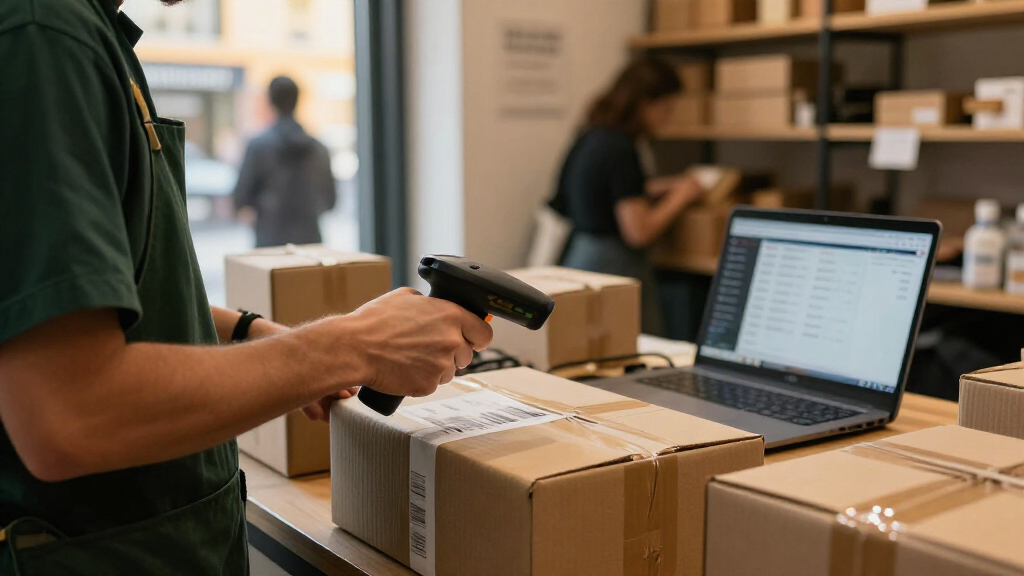
I ranked these scanners by how well their listed capabilities match a busy Black Friday workflow: 1D and 2D code support, wired or wireless connection, likely fit for handheld or hands-free checkout, and the usefulness of included accessories. I gave extra weight to versatile models that can support changing code types and station layouts, while accounting for the added setup and charging needs of wireless devices. Models with wired USB connections rank well for straightforward fixed counters, but they place below more flexible picks when their stated scanning capability is narrower.
Bundle variations matter in this group, especially among the Zebra DS2278-SR listings, so I treated the scanner and the included cradle, cable, or stand as separate buying factors rather than assuming every listing contains the same kit. I also considered how easily a buyer can match each product to a specific role: fixed checkout, handheld work, hands-free presentation, or basic 1D scanning. I did not use price, ratings, or claimed performance figures to set the order; buyers should confirm host compatibility, supported symbologies, and package contents before purchase.
Factors to Consider When Choosing Black Friday Barcode Scanners
My product picks can narrow the field, but a Black Friday scanner purchase should fit the whole checkout process, not just the barcode. Before choosing, map where the scanner will sit, what codes it must read, and who will use it during a rush. These factors help avoid buying a capable scanner that is awkward to connect, charge, mount, or share across shifts.
Match the scanner to the codes you actually use
Make a short list of the codes encountered at checkout: standard retail barcodes, QR codes, and codes displayed on phones may all appear in one shift. A scanner that reads 1D codes may not cover a workflow that relies on 2D codes, so do not infer support from a product name or brand alone. Ask your POS provider which symbologies and screen-based codes the software accepts. If the system uses only conventional 1D product labels, a laser model may be enough for that station. If coupons, loyalty passes, or digital receipts use 2D codes, confirm both scanner and software support before buying. Testing a sample of real codes ahead of the event is more useful than relying on a broad “barcode scanner” label.
Choose wired or wireless around the counter layout
Wireless scanners can move between a counter, a returns desk, and nearby stock, but they add batteries, charging, and pairing to the shift routine. A wired unit avoids those tasks and is a straightforward fit for a fixed till, though its cable can limit reach and movement. Consider where the host computer or POS terminal sits and whether staff need to scan bulky items that cannot be brought to the scanner. For wireless units, plan where devices will return between uses and who checks their charge. For wired units, route and secure cables so they do not snag or obstruct the counter. A mixed setup may make more sense than forcing one connection type onto every station.
Decide whether hands-free scanning earns its counter space
A stand or presentation cradle can let staff pass items in front of a scanner instead of lifting the device for each read. That can help with a steady flow of small, easy-to-present products, but it does not remove the need for handheld scanning on oversized or awkward items. Stands also occupy counter space and can affect where customers place purchases. Check whether a bundle includes a basic stand, a charging cradle, or a presentation cradle; those accessories serve different roles. Do not assume a charging dock makes a scanner hands-free, or that a stand charges a wireless model. Match the accessory to the actual motion staff will repeat during checkout.
Check compatibility before the busiest day
A scanner can read the right code and still fail to fit a checkout if the connection or setup is incompatible with the POS system. Confirm the required connection type, supported operating system, scanner interface, and any configuration steps with the retailer or system vendor. USB does not by itself guarantee that every application will accept the scanner’s input as expected. If the scanner supports configuration barcodes or software settings, identify who will configure it and when. Test a complete transaction, including any coupons or loyalty codes, on the actual terminal. A few minutes of validation before the event can prevent a last-minute scramble for adapters or settings.
Plan for charging, spares, and shift handoffs
Wireless models need a clear charging routine, especially when several employees share devices across long shifts. Count the scanners needed at peak periods, then decide whether a spare should remain charged and ready. Check the included charging accessories and whether each station has enough accessible outlets without creating cable clutter. Assigning a home location for each scanner reduces time spent searching during shift changes. Wired models sidestep battery planning, but keeping a spare cable or complete backup can still help if a connection is damaged. Treat maintenance and handoff plans as part of the scanner choice rather than an afterthought.
Compare complete kits, not just scanner names
Similar model names can refer to packages with different cables, stands, or cradles, so compare the exact listing contents. A bundle that includes the accessory needed for your station may be more useful than a bare scanner, while an unnecessary cradle can add clutter. Check whether a cable is included and whether its connector matches your setup. For a multi-lane store, consistent kits can simplify training and replacement, but only if the accessories suit each counter. Keep a written record of model numbers and package contents so future replacements match the installed equipment. This is especially useful when choosing among near-identical DS2278-SR listings.
Frequently Asked Questions
Should I choose a wireless scanner for a Black Friday checkout line?
Choose wireless if staff need to scan large items in carts, move between nearby work areas, or handle returns away from a fixed counter. For a stationary till where every item can be brought to the scanner, a wired model can reduce charging and pairing tasks. Think through how many wireless units will be active at once and where they will charge between shifts. Check that the wireless connection works with your POS setup and that the package includes the accessories you need. If movement is occasional rather than constant, a wired scanner at the main till plus a wireless unit for exceptions may be a sensible split.
Do I need a 2D scanner for coupons and mobile screens?
You may need one if your coupons, loyalty passes, or other checkout codes use QR or another 2D format. A 1D-only scanner is not a safe choice for those codes, even if it can read standard product labels quickly. Confirm the specific code types used by your POS software, since scanner capability alone cannot guarantee that the system will accept a code. Test a sample coupon from a phone screen as well as a printed label before the sales rush. If your workflow uses only 1D retail barcodes, paying for unused 2D capability may not be necessary.
Is a charging cradle the same as a presentation stand?
No. A charging cradle is for returning or charging a compatible wireless scanner, while a presentation stand is intended to hold a scanner for hands-free reads. Some accessories may serve more than one role, but buyers should not assume that from the word “cradle” alone. Check the exact package description and product documentation before planning a fixed, hands-free station. If staff will scan bulky goods, a handheld workflow may still be needed even when a presentation stand is available. Confirming accessory function before ordering can prevent a mismatch between the counter layout and the kit.
How can I tell whether a scanner will work with my POS system?
Start with the POS vendor’s requirements for connection type, operating system, and scanner interface, then compare those details with the scanner documentation. Ask whether the system accepts scanner input as keyboard-style entry or needs a particular driver or configuration. Do not rely on a USB plug alone as proof of compatibility. Test the scanner on the actual checkout terminal with product labels and every special code used in transactions. If you cannot test before ordering, confirm the return policy and get compatibility guidance from the POS provider or scanner seller.
Should I buy the scanner with the most accessories for a busy event?
Not automatically. A bundle is useful when its included cable, stand, or charging cradle matches your planned station, but unused accessories add no workflow value. First decide whether the scanner will be wired or wireless, handheld or hands-free, and fixed to one counter or shared. Then compare package contents against that plan rather than choosing the fullest-looking kit. For a multi-station setup, consistent accessories can make training and replacement simpler. Keep a spare scanner or compatible cable in mind as well, since backup readiness can matter more than an accessory that staff rarely use.
Conclusion
For most Black Friday retail stations, I’d choose the Zebra DS2278-SR Wireless 1D/2D as the best overall fit, after confirming the exact bundle includes the accessories needed. For best value in a fixed setup, the Zebra DS2208-SR Corded Kit keeps the workflow simple with a stand and USB cable. Buyers seeking a premium wireless alternative should compare the Honeywell Voyager XP 1472g against the DS2278-SR based on their POS compatibility and bundle needs. For beginners, a straightforward wired USB scanner such as the DS2208-SR or a listed USB model avoids battery and pairing routines. For hands-free checkout, focus on the Zebra DS9308 or a listing with a clearly specified presentation cradle; for basic 1D-only work, the LS2208 or another laser model may fit. The best choice depends on your code types, counter layout, and host system, so verify those details before committing to a kit.