When choosing the right monitor size for knowledge work, consider your workspace and how much screen real estate you need for multitasking and visual detail. Larger screens can boost productivity but require appropriate ergonomic adjustments like viewing distance and adjustable stands. Make sure the monitor has high resolution and accurate colors for clarity and true-to-life images. Balancing size, resolution, and comfort ensures long-term efficiency—continue exploring to find the perfect fit for your setup.

Get business pricing on office and shipping supplies
- Business-only prices and quantity discounts
- Tax-exempt purchasing
- Multiple users, one account, clear invoices
Key Takeaways
- Consider your workspace dimensions to ensure the monitor fits comfortably without cluttering your desk.
- Choose a monitor size that balances screen real estate with ergonomic comfort for prolonged use.
- Opt for higher resolution and accurate colors to enhance clarity and support detailed knowledge tasks.
- Ensure the monitor is adjustable in height, tilt, and swivel to maintain good posture and reduce strain.
- Determine an appropriate viewing distance based on monitor size to minimize eye fatigue during extended work sessions.
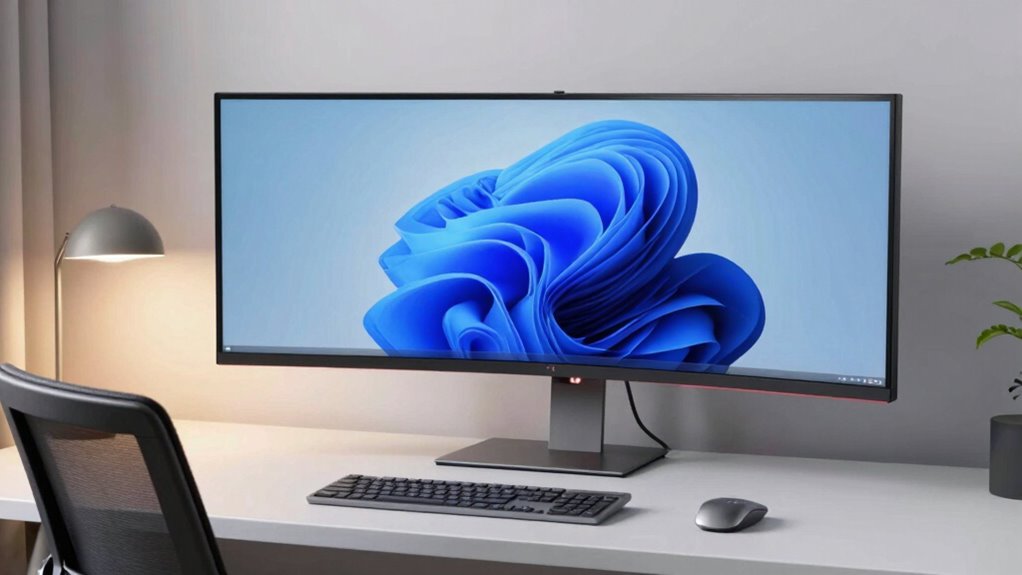
Selecting the right monitor size is essential for creating an efficient and comfortable workspace. When you’re working on knowledge tasks, whether drafting reports, analyzing data, or designing presentations, the size of your monitor impacts both your productivity and your comfort. A larger screen can boost your ability to view multiple windows side by side and reduce eye strain, but it’s important to choose a size that fits your workspace and personal preferences. Keep in mind that a monitor’s size isn’t just about inches; it also relates to its resolution, color accuracy, and ergonomic design, all of which influence how effectively you work.
Choosing the right monitor size enhances productivity and comfort by balancing workspace fit, resolution, and ergonomic features.
If you’re engaged in detailed tasks that require precise color reproduction—like photo editing, graphic design, or video work—you’ll want a monitor that offers high color accuracy. Larger monitors tend to provide more screen real estate, but they also need to deliver sharp images and true-to-life colors. A screen with good color accuracy ensures that your work looks consistent across different devices and outputs, which is especially critical for creative professionals. Additionally, ergonomic design becomes crucial as the monitor size increases; a larger monitor should be adjustable for height, tilt, and swivel, so you can maintain a healthy posture throughout your workday. Proper ergonomics help prevent neck and eye strain, making a bigger screen more comfortable to use over long periods. Moreover, considering the viewing distance can help optimize comfort and reduce fatigue, especially with larger screens. It’s also beneficial to pay attention to the monitor’s resolution to ensure sharp images and clear text, regardless of size. Understanding ergonomic features can further enhance your comfort and promote better posture during extended use.
27 inch 4K monitor with adjustable stand
As an affiliate, we earn on qualifying purchases.
As an affiliate, we earn on qualifying purchases.
Frequently Asked Questions
How Does Monitor Resolution Impact Perceived Size?
Monitor resolution affects perceived size by making images and text sharper and more detailed, even if the physical size remains the same. Higher resolution displays, like 4K, enhance clarity, but proper display calibration is essential to maintain accurate colors and avoid eye strain. When selecting a monitor, consider how resolution impacts your perception of size and detail, ensuring it supports your work with excellent color accuracy and a comfortable viewing experience.
Can Monitor Size Affect Eye Strain Over Long Periods?
Monitor size definitely affects eye strain during long work sessions, especially if ergonomic adjustments aren’t made. A larger screen allows you to see more detail without straining your eyes or neck, reducing fatigue. Keep color accuracy in mind, as poor display quality can cause eye discomfort over time. Choosing a monitor that fits your workspace and adjusting brightness, contrast, and position helps prevent eye strain, making long hours more comfortable.
What Role Does Desk Space Play in Monitor Size Choice?
Desk space plays a vital role in your monitor size choice because it directly impacts desk ergonomics and visual comfort. If your desk is compact, a smaller monitor helps prevent clutter and allows proper viewing distance, reducing eye strain. Conversely, a larger monitor suits spacious desks, offering better productivity without sacrificing comfort. Ensuring enough space for the monitor and other essentials enhances your overall workspace efficiency and minimizes discomfort during long work sessions.
How Does Monitor Size Influence Multitasking Efficiency?
A larger monitor can considerably boost your multitasking efficiency, but it’s not just about size. As you increase screen size, features like screen curvature help reduce eye strain and improve immersion. Plus, color accuracy becomes critical when juggling multiple projects or detailed data. You’ll find that a well-chosen size, complemented by curved screens and precise color, keeps your workflow seamless, letting you switch tasks effortlessly without missing a detail.
Is a Larger Monitor Better for All Types of Knowledge Work?
A larger monitor isn’t always better for all types of knowledge work, especially when considering ergonomics considerations and budget constraints. While bigger screens can boost multitasking, they might cause strain if not set up properly. If your budget is limited, prioritize a size that comfortably fits your workspace and allows for proper viewing angles. Ultimately, choose a monitor size that balances your work needs with ergonomic comfort and affordability.
ergonomic monitor with height tilt swivel
As an affiliate, we earn on qualifying purchases.
As an affiliate, we earn on qualifying purchases.
Conclusion
Choosing the right monitor size boosts your productivity and comfort, so don’t overlook it. Remember, a study found that users with larger screens experienced a 15% increase in work efficiency. By selecting a size that fits your workspace and workflow, you’ll work smarter, not harder. So, take the time to evaluate your needs and choose wisely—your eyes and your productivity will thank you.
color accurate professional monitor
As an affiliate, we earn on qualifying purchases.
As an affiliate, we earn on qualifying purchases.
large screen monitor for multitasking
As an affiliate, we earn on qualifying purchases.
As an affiliate, we earn on qualifying purchases.
Halloween Picks
halloween
As an affiliate, we earn on qualifying purchases.