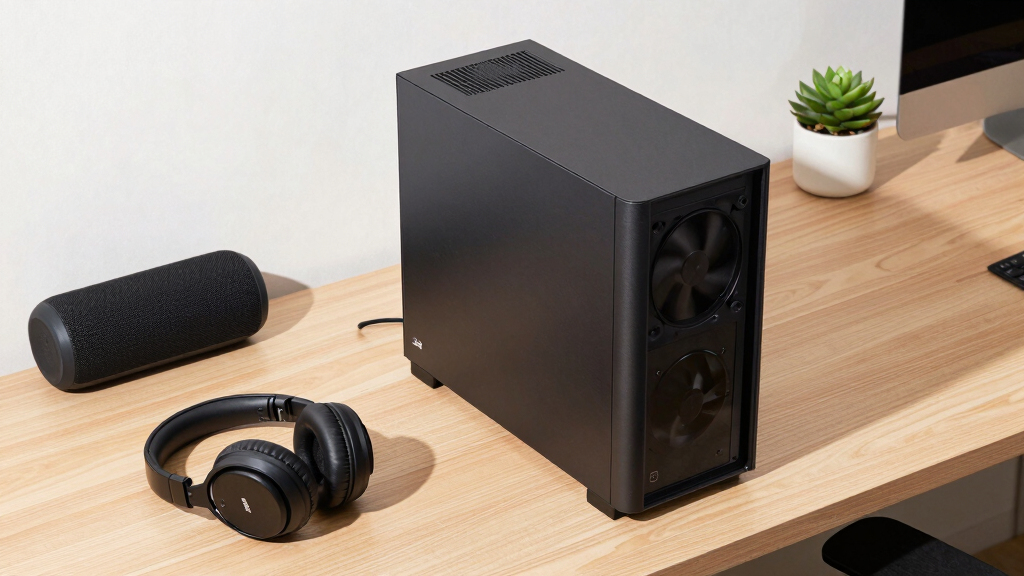
📊 Full opportunity report: How to Reduce Heat and Noise in a High-Power AI Workstation on ThorstenMeyerAI.com — validation score, market gap, and execution plan.

Get business pricing on office and shipping supplies
- Business-only prices and quantity discounts
- Tax-exempt purchasing
- Multiple users, one account, clear invoices
TL;DR
High-power AI workstations generate significant heat and noise due to continuous GPU load. Key solutions include undervolting GPUs, improving cooling, and optimizing airflow. This guide explains confirmed methods and what remains uncertain.
High-power AI workstations produce excessive heat and noise during continuous workloads, often turning quiet offices into noisy server rooms. Experts confirm that targeted cooling and power management techniques can significantly reduce these issues, improving both comfort and hardware longevity.
AI workstations handling sustained GPU loads generate more heat and noise than typical gaming PCs because of continuous high utilization. The main sources are the GPU, CPU, power supply, VRMs, and case airflow. The GPU accounts for over 70% of the thermal load and is usually the loudest component under load. Power draw can reach 800W or more in multi-GPU setups, contributing to heat and noise.
Confirmed solutions include undervolting GPUs to reduce power consumption and heat, capping power limits to prevent excessive thermal output, and optimizing case airflow. These measures can lower fan speeds and noise significantly without sacrificing performance. Additional improvements involve upgrading cooling systems and managing vibrations and coil whine, which also contribute to noise levels.
An AI workstation isn’t a gaming PC —
and that’s why it runs hot.
Local inference is a sustained load: the GPU sits near full power for hours with no loading screens, so the heat never dissipates and the fans never get a break. Here’s where the heat comes from — and the five levers that reduce it.
Practical Impact of Heat and Noise Reduction Techniques
Implementing these strategies allows users to operate high-power AI workstations more quietly and efficiently, reducing energy costs and extending hardware lifespan. For professionals working in shared or quiet environments, noise reduction enhances comfort and productivity. Moreover, lowering thermal stress can prevent hardware throttling, maintaining optimal inference speeds.
As an affiliate, we earn on qualifying purchases.
Understanding Heat Sources in AI Workstations
Unlike gaming PCs, AI workstations sustain near-maximum GPU utilization over long periods, leading to continuous heat generation. This sustained load causes components to run hotter, requiring more robust cooling solutions. Historically, many users rely on stock cooling, which is often insufficient for continuous workloads, resulting in throttling and loud fans. Recent advances in power management and cooling techniques have provided new avenues for mitigation, but adoption varies among users.
“Undervolting and optimizing airflow are proven, cost-effective ways to cut heat and noise in high-power AI setups.”
— Thorsten Meyer, AI hardware expert
high airflow PC case for AI workstation
As an affiliate, we earn on qualifying purchases.
As an affiliate, we earn on qualifying purchases.
Unconfirmed Advances and Ongoing Challenges
While undervolting and airflow optimization are well-supported, the exact benefits of liquid cooling versus high-quality air cooling in different setups remain somewhat variable. The impact of emerging cooling technologies and their cost-effectiveness is still under evaluation, and user-specific factors like case design influence results. The long-term effects of aggressive power capping on hardware lifespan are also not fully established.
liquid cooling system for high-performance PC
As an affiliate, we earn on qualifying purchases.
As an affiliate, we earn on qualifying purchases.
Next Steps for AI Workstation Optimization
Users should experiment with undervolting and power capping based on their specific hardware and workloads. Manufacturers may release more integrated cooling solutions tailored for continuous AI workloads. Future research may clarify optimal cooling configurations and power management settings, making quiet, efficient AI workstations more accessible.
quiet case fans for gaming and workstation
As an affiliate, we earn on qualifying purchases.
As an affiliate, we earn on qualifying purchases.
Key Questions
How can I safely undervolt my GPU?
Follow manufacturer guidelines and use trusted tools like MSI Afterburner or NVIDIA Inspector. Start with small adjustments and monitor stability and temperatures closely.
What cooling upgrades are most effective for reducing noise?
Upgrading to high-quality case fans, using liquid cooling solutions, and ensuring good case airflow are among the most effective options.
Does lowering power limits affect AI inference performance?
In most memory-bound inference workloads, reducing power limits has minimal impact on throughput but significantly reduces heat and noise.
Are liquid coolers worth the investment for AI workstations?
Liquid coolers can reduce noise and improve thermal performance, but their cost and maintenance should be weighed against the benefits for your specific setup.
Can I expect hardware longevity benefits from these cooling strategies?
Reducing thermal stress generally extends hardware lifespan, but long-term effects depend on proper implementation and hardware quality.
Source: ThorstenMeyerAI.com
Fall Picks
fall essentials
As an affiliate, we earn on qualifying purchases.