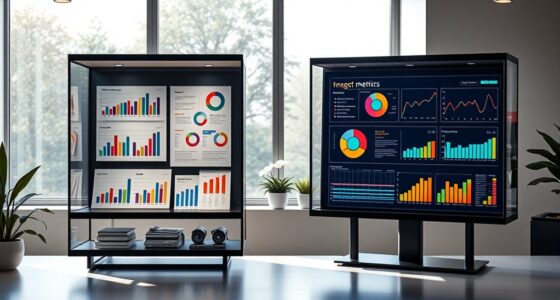
To standardize conference rooms without making them bland, focus on consistent design elements like color schemes, artwork, and branding accents that reflect your identity. Use high-quality, user-friendly technology to guarantee seamless meetings while adding subtle variations, such as different furniture or decor, to create visual interest. Incorporate natural and ergonomic features for comfort, and personalize touches like branded screens or lighting. Staying balanced between uniformity and creativity keeps your spaces professional yet inviting—there’s more to explore on how to perfect this balance.

Get business pricing on office and shipping supplies
- Business-only prices and quantity discounts
- Tax-exempt purchasing
- Multiple users, one account, clear invoices
Key Takeaways
- Incorporate consistent branding elements like colors, artwork, and accents while allowing subtle design variations for visual interest.
- Use high-quality, user-friendly technology that enhances functionality without sacrificing aesthetic cohesion.
- Add personalized touches such as branded splash screens or customizable lighting to create a unique yet unified environment.
- Integrate natural elements and ergonomic features to promote comfort and a lively, inviting atmosphere.
- Balance standardization with creative design details that reflect your company’s personality and foster engagement.
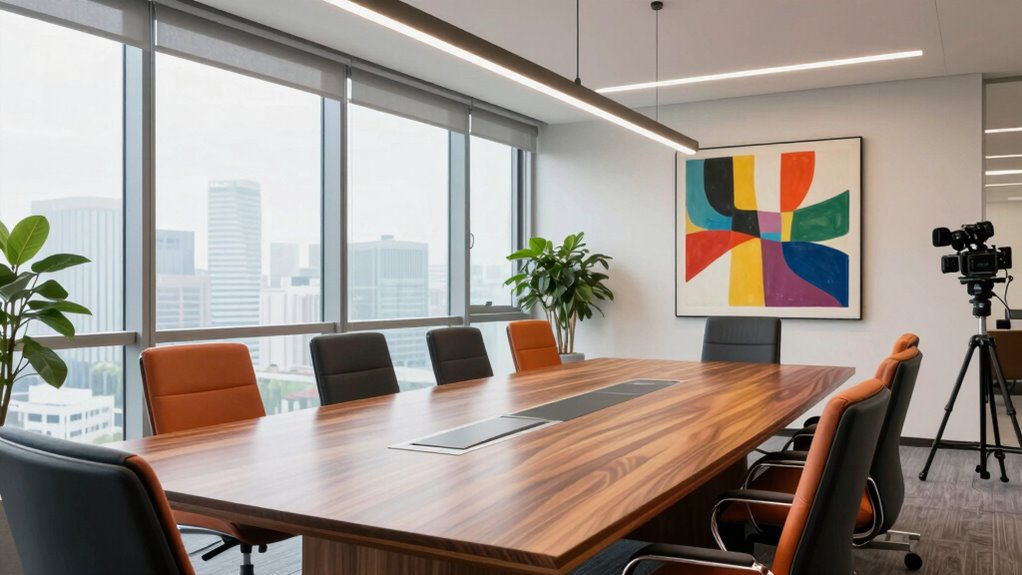
Personalize technology also plays a critical role in maintaining a standard yet dynamic environment. Equipping each conference room with high-quality, user-friendly devices—such as smart boards, wireless presentation tools, and video conferencing systems—ensures seamless communication. When you invest in personalized technology, you empower your team to connect effortlessly, regardless of their location. Customizing tech setups to suit the specific needs of each room allows you to maintain consistency without sacrificing individuality. For example, you can standardize the operating system and interface, but offer personalization options like branded splash screens or customizable lighting controls. This approach helps users feel comfortable and familiar with the equipment, reducing setup time and frustration. Incorporating high-quality, user-friendly devices not only enhances usability but also promotes a cohesive professional environment. To avoid the trap of bland uniformity, incorporate subtle design elements that reflect your company’s identity. Use colors, artwork, or branding accents that are consistent across all rooms but vary in specific details to add visual interest. For instance, you might choose a signature color palette for furniture or wall decor that aligns with your brand, ensuring each space is recognizable yet distinct. Additionally, consider integrating natural elements or ergonomic features that promote comfort and focus. These small touches make the environment inviting and lively, preventing the standardized rooms from feeling sterile or uninspired. Creating a cohesive visual identity across all spaces reinforces your company’s branding while allowing for creative variations. Incorporating design elements that reflect your brand’s personality further enhances the environment’s appeal. Recognizing the importance of technology integration in modern conference rooms can streamline workflows and enhance user experience. Ultimately, your goal is to create conference rooms that are both cohesive and engaging. By combining an innovative layout with personalized technology and thoughtful design details, you establish a professional atmosphere that encourages productivity and creativity. This way, your organization benefits from the efficiency of standardization without sacrificing the personality and vibrancy that keep your team motivated and engaged.
As an affiliate, we earn on qualifying purchases.
Frequently Asked Questions
How Can Technology Enhance Conference Room Standardization?
Technology enhances conference room standardization through smart integration, making setups seamless and consistent. You can enable virtual collaboration tools like video conferencing and shared screens, ensuring everyone stays connected regardless of location. Smart tech allows you to automate lighting, audio, and display controls, creating a uniform environment. This not only boosts productivity but also maintains a professional, modern look, all while keeping the conference rooms engaging and functional.
What Are Cost-Effective Ways to Upgrade Conference Rooms?
Imagine a bright, inviting space where ideas flow effortlessly. To upgrade your conference rooms cost-effectively, focus on lighting automation to create the perfect ambiance and acoustic treatments to reduce echo and noise. These enhancements improve functionality without breaking the bank. You’ll find that simple, strategic investments in lighting and sound make your conference rooms more professional, comfortable, and conducive to productive meetings, all while staying within budget.
How to Personalize Conference Rooms Without Losing Uniformity?
You can personalize conference rooms by incorporating visual branding elements like branded artwork, custom signage, and color accents that reflect your company’s identity. Use personalization strategies such as adjustable lighting or modular furniture that allows subtle variations while maintaining uniformity. This approach keeps the space cohesive and professional, yet inviting and unique. Balancing consistent branding with small personal touches guarantees your conference rooms feel tailored without compromising the overall standardized look.
What Are Common Mistakes in Conference Room Standardization?
A common mistake in conference room standardization is overusing decorative accessories, which can clutter the space and detract from professionalism. Additionally, sticking to a single, dull color scheme can make rooms feel uninspired. You should balance decorative accessories with a cohesive color palette that reflects your brand. Avoid extremes—too many accessories or overly vibrant colors—so the room remains functional, inviting, and aligned with your overall office aesthetic.
How Often Should Conference Room Updates Be Implemented?
You should update your conference rooms at least once a year to stay fresh and functional. Regular updates help maintain a cohesive look, especially with furniture layout and decor consistency, preventing the space from becoming outdated or dull. Keep an eye on technological needs and aesthetics, adjusting as necessary to guarantee the room remains inviting and efficient. Frequent refreshes can transform even the most mundane space into an inspiring hub of collaboration.
As an affiliate, we earn on qualifying purchases.
Conclusion
Imagine stepping into a conference room where every detail feels thoughtfully coordinated—vibrant accents, sleek furniture, and a welcoming glow that sparks creativity. You’ve found the perfect balance between consistency and personality, turning a bland space into a vibrant hub of ideas. By carefully standardizing elements without sacrificing charm, you create an environment that’s both professional and inspiring. Now, each meeting becomes an opportunity to ignite collaboration in a room that feels uniquely yours.
As an affiliate, we earn on qualifying purchases.
branded conference room lighting
As an affiliate, we earn on qualifying purchases.
As an affiliate, we earn on qualifying purchases.
Fall Picks
fall essentials
As an affiliate, we earn on qualifying purchases.