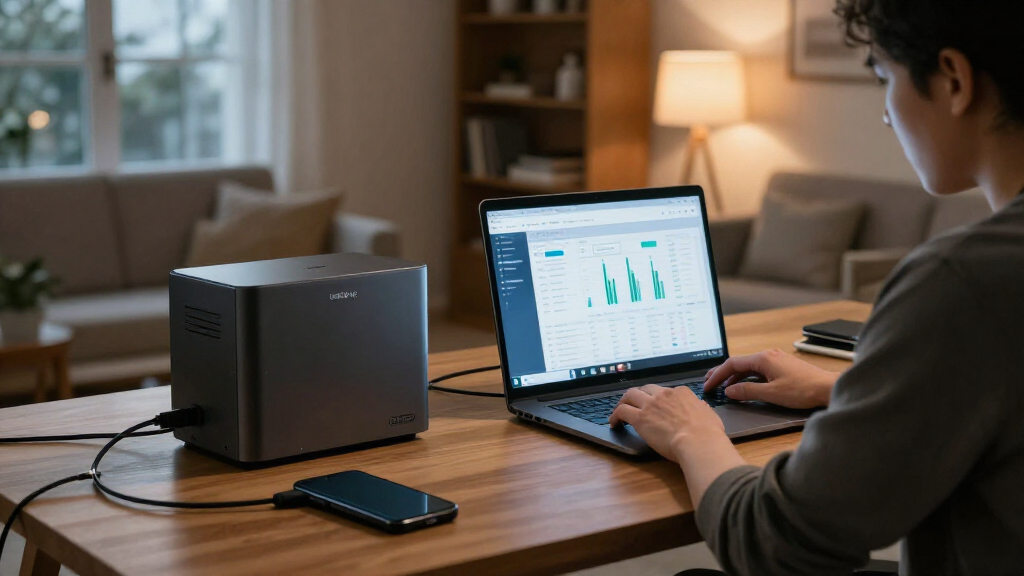

🔍 Read the full analysis: UGREEN NAS DXP4800 Pro Review: AI Use Cases And Other Options on ThorstenMeyerAI.com

Get business pricing on office and shipping supplies
- Business-only prices and quantity discounts
- Tax-exempt purchasing
- Multiple users, one account, clear invoices
TL;DR
The UGREEN DXP4800 Pro is a four-bay NAS with an Intel Core i3-1315U, expandable DDR5 memory, 10GbE and on-device AI photo organization. Those features suit users running services or moving large files, but the 144TB capacity depends on separately supplied drives, and two-bay alternatives may be a better fit for basic backups.
The UGREEN NAS DXP4800 Pro is a four-bay network storage system built for households and small teams that want to run more than backups and shared folders, as discussed in the original analysis. Its Intel Core i3-1315U, expandable memory and 10GbE networking provide room for self-hosted services and faster file transfers, but the system’s capabilities may be unnecessary for basic storage, and its advertised capacity depends on drives buyers install.
The DXP4800 Pro runs UGOS Pro and supports Docker containers and virtual machines, allowing it to act as a small home server as well as a place to store files. The processor has six cores and eight threads and a stated maximum frequency of 4.5GHz. The system includes 8GB of DDR5 memory, expandable to 96GB. That headroom is more relevant to users running multiple services or virtual machines than to people using the NAS only for backups.
For storage, the enclosure has four 3.5-inch drive bays and two PCIe 4.0 M.2 slots. The stated maximum of 144TB across four hard drives and two M.2 SSDs describes a possible configuration, not storage included in the box. The source material does not state that drives are supplied. The system supports RAID 0, 1, 5 and 10; RAID can preserve access after certain drive failures, but it does not replace a separate backup.
Its network connections are 10GbE and 2.5GbE, with a stated maximum transfer speed of 1.25GB/s. Reaching the potential of the faster port depends on compatible equipment across the network, including the client computer, cabling and switches, as well as the storage and workload. UGOS Pro also includes media, photo and cloud-sync features, with on-device AI photo organization among its tools. The supplied information does not detail how that photo feature works or how its results compare with other services.

UGREEN NAS DXP4800 Pro 4-Bay Network Attached Storage
- ✔ Processor: Intel Core i3-1315U, 6 cores, 8 threads, up to 4.5GHz
- ✔ Memory: 8GB DDR5, expandable to 96GB
- ✔ Graphics: 13th Gen Intel UHD Graphics
The 1 picks
- 1
 UGREEN NAS DXP4800 Pro 4-Bay Desktop NAS with Intel Core i3-1315U, 8GB DDR5,…View on Amazon →
Who Benefits From the Extra Hardware
The DXP4800 Pro’s appeal depends on what buyers plan to run. For a home-lab user, creator or small team, combining file storage, containers and virtual machines in one device can reduce the need for separate hardware. Multiple drive bays also offer more room to expand than a two-bay system, while the faster network options can help with large video files or shared project storage when the rest of the setup supports them.
That same specification can mean extra cost and setup decisions for someone seeking only automatic backups. Buyers must choose drives, decide how to arrange storage and configure their network. The review’s practical distinction is that the Pro is worth considering when its flexibility and speed will be used; a simpler two-bay NAS may make more sense for straightforward backups and shared folders.
On-device photo organization may appeal to people managing large image libraries on their own hardware. But the available information does not establish that it replaces a cloud photo service, nor does it provide a measured comparison of performance. Buyers should treat the feature as one part of the software package, not as proof of a particular privacy, accuracy or speed advantage.
How It Compares With Two-Bay NAS Models
The source review names the Synology DS223 and DS223j as simpler alternatives. They have two bays, compared with the DXP4800 Pro’s four, and are framed as options for compact backup and file-sharing needs. The comparison is about fit and hardware capability: the supplied material does not include prices, independent benchmark results or a direct software comparison among the devices.
A four-bay enclosure gives buyers more drive slots and additional ways to plan capacity and redundancy as a library grows. The two M.2 slots and expandable memory further position the UGREEN model for users who expect to add services or storage options. However, the headline 144TB ceiling depends on the installed drives, and the supplied facts do not provide a complete purchase cost with drives included. Tool-free trays may make installing or replacing drives easier, but they do not remove the need to choose and configure them.
“Worth buying for buyers who will use its speed and flexibility.”
— ThorstenMeyerAI.com review
Costs, Noise and AI Performance
The supplied review material does not state a price, confirm whether any drives are included, or provide a complete cost for a ready-to-use storage configuration. The 144TB figure is a potential configuration, and the buyer’s actual usable capacity will depend on the drives and storage arrangement selected.
There are also no supplied benchmarks for transfer speeds, Docker or virtual-machine workloads, or the on-device AI photo feature. The material does not establish long-term reliability or noise levels, and it does not provide enough detail to assess how the AI tools handle images or compare with other photo-management options. Network performance will vary with the other equipment and workload, so the stated maximum should not be read as a guaranteed everyday speed.
Check the Full Setup Before Buying
Prospective buyers should compare the NAS price with the cost of the drives they need, then check that their computers, cabling and switches can use 2.5GbE or 10GbE if faster transfers are a priority. They should also choose a storage arrangement and keep a separate backup of important files, since RAID is not a substitute for one.
For buyers deciding between the UGREEN and a two-bay alternative, the next step is to match the device to the intended workload: containers, virtual machines, large shared libraries and expansion favor the DXP4800 Pro’s capabilities, while basic backup and file sharing may not require them. A fuller comparison would need pricing, independent performance testing and more information on UGOS Pro and its AI photo tools; those details are not established in the supplied review material.
Key Questions
Does the UGREEN DXP4800 Pro include hard drives?
The supplied review material does not say that drives are included. The 144TB maximum depends on the drives installed, so buyers should check the specific listing and budget for storage.
What does the DXP4800 Pro’s AI feature do?
The source says UGOS Pro can organize photos using on-device AI. It does not give further details about the feature’s accuracy, speed or comparison with other photo services.
Will the 10GbE port make transfers faster on any home network?
No. The source says the fastest transfers require a compatible 10GbE network path. The computer, cabling, switches, storage and workload all affect the result.
Is the DXP4800 Pro suitable for basic backups?
It can serve as a storage and backup device, but the review says its hardware may be more than basic backups require. A simpler two-bay NAS, such as the alternatives named in the source, may be a better fit for straightforward file sharing and backups.
Source: ThorstenMeyerAI.com
Fall Picks

Samsung Essential S3 27-Inch Curved FHD Monitor
As an affiliate, we earn on qualifying purchases.