
🔍 Read the full analysis: How Signal’s Screenshot Policy Affects AI Agents And Users on ThorstenMeyerAI.com

Get business pricing on office and shipping supplies
- Business-only prices and quantity discounts
- Tax-exempt purchasing
- Multiple users, one account, clear invoices
TL;DR
Signal introduced screen protections on Nov. 20, 2026, to limit AI assistants’ access to messages displayed in its app. The protections block screenshots by default on supported iPhones and activate on Android when Signal detects an assistant trying to read the screen; they do not cover every device or access route.
Signal has added screen protections to its iPhone and Android apps to limit operating-system AI assistants’ ability to read chats displayed on a phone. Announced on Nov. 20, 2026, the controls block screenshots by default on supported iPhones and activate on Android when Signal detects an assistant trying to access the screen, giving users a new barrier against screen capture while leaving important gaps.
According to Signal’s support page, iPhones need Signal version 8.37 or later and iOS 27 or later. The setting, called “Block Siri AI,” is on by default. Signal says it blocks screenshots and screen recordings in the app, hides chats in the iPhone App Switcher and prevents on-device AI assistants from reading Signal’s screen. Users can select On, Off or “Off for 10 Minutes”; the temporary option restores protection automatically.
On Android, the feature is called Screen security and requires Signal 8.35.1 or later. Signal says it switches on automatically the first time it detects an AI assistant trying to read the app screen, and it can also be enabled manually. Turning it off from the alert brings the setting back after 90 days; turning it off in settings does not trigger a reminder, according to Signal. The menu is Settings → Privacy → App security → Screen security.
Signal says the controls affect screen capture and on-device scanning, not message encryption or who can otherwise see a conversation. The company cautions that disabling the feature may expose the user’s chats and their contacts’ messages to AI assistants. Its support material also says the protections do not reliably block screenshots on Mac and do not cover every route by which information could be seen or copied.
Screen Access Becomes a Privacy Boundary
End-to-end encryption protects messages as they travel between devices, but it cannot by itself prevent software from reading content after it appears on a screen. Signal’s change addresses that separate exposure point: an assistant with screen access may see message text even when the underlying conversation remains encrypted.
For users, the practical effect is a trade-off between keeping chats harder for automated assistants to inspect and retaining familiar functions such as screenshots. Signal offers temporary and permanent ways to disable the protection, but warns that doing so can expose both sides of a conversation. That matters because a person’s decision to let an assistant inspect a screen may affect messages sent by someone who did not make that choice.
The change also signals a limit for businesses building agents that operate through visual access to apps. If more services restrict screen capture, agents may be unable to complete tasks or extract information through that method. The limits may also affect people who use screenshots or screen-reading tools for accessibility; the supplied material does not explain how Signal’s protections interact with particular assistive technologies.
Products Worth Considering
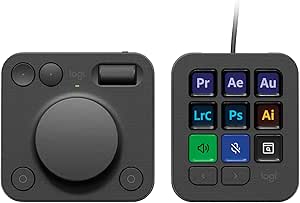
Logitech MX Creative Console with 9 Customizable Keys, Graphite

Logitech MX Mechanical Wireless Illuminated Keyboard, Tactile Quiet, Graphite

Dell UltraSharp U4025QW 40-Inch Curved 5K2K WUHD LED Monitor
As an affiliate, we earn on qualifying purchases.
From Windows Recall to Mobile Assistants
Signal has previously tried to block automated screen capture. On May 21, 2025, it enabled Screen security by default in Signal Desktop on Windows 11 to guard against Microsoft’s Recall feature. Signal’s explanation described Recall as capturing screens every few seconds, using optical character recognition to extract text and storing the results in a searchable on-device database.
The new controls address mobile assistants with screen awareness. Apple released Siri AI on Sept. 14, 2026, describing capabilities that include understanding screen content and acting on it. Google announced Gemini Intelligence for Android on May 12, 2026, saying app automation can use screen or image context. Signal’s Nov. 20 post, titled “Signal is Serious About Protecting Your Privacy,” asks Apple, Google and Microsoft to provide a documented way for apps to opt out of AI data access.
Signal president Meredith Whittaker described built-in operating-system AI agents as “an existential threat to Signal, and our ability to responsibly uphold our mission.” She also characterized the company’s response as “incomplete.” Those are Signal’s assessment and acknowledgment, not a guarantee that the feature blocks every form of data access.
Protection Has Clear Device Limits
The available details do not establish how effectively Signal can detect every AI assistant or screen-reading method. Signal says it cannot reliably block screenshots on macOS, and its description identifies gaps involving Android devices where it cannot detect an assistant. The protections also do not cover notifications and files, or the other person’s phone, according to the source material.
It is also unclear how the controls behave with specific accessibility tools, whether other apps or operating-system features can still capture information, and how broadly the feature is available beyond the stated app and operating-system versions. Signal’s warning that captured information may reach a local database or remote server describes a potential destination; the supplied material does not document particular data transfers by Apple’s or Google’s assistants in every case.
Users Can Review Privacy Settings
Users with supported versions can check Signal’s privacy settings and decide whether to leave screen protection on, disable it temporarily or turn it off. Signal says users should expect a warning when the feature activates on Android or when an iPhone screenshot is blocked. Anyone who relies on screen capture or assistive software may need to test how the setting affects their workflow, while weighing Signal’s stated privacy warning.
Signal says it is seeking a documented opt-out mechanism from Apple, Google and Microsoft. The supplied information does not give a response from those companies or a timetable for such a system. Further changes may depend on whether operating-system vendors provide app-level controls and whether Signal can extend protections to devices and capture methods it says it cannot currently block reliably.
Key Questions
Does Signal’s new setting change end-to-end encryption?
No. Signal says the feature affects screen capture and on-device scanning, not how messages are encrypted or who can otherwise see them.
Which iPhones support Block Siri AI?
Signal says it requires Signal 8.37 or later and iOS 27 or later. The setting is on by default and includes a 10-minute off option.
How does Screen security work on Android?
On Signal 8.35.1 or later, it activates when Signal detects an AI assistant trying to read the screen. Users can also enable it through Settings → Privacy → App security → Screen security.
Does the protection cover Mac, notifications or another person’s phone?
No, not fully. Signal says it cannot reliably block screenshots on macOS. The supplied details also say the feature does not cover notifications and files or the phone of the person receiving the messages.
Can users turn the protection off?
Yes. Signal provides controls on both platforms, but warns that disabling screen security may allow AI assistants to access chats displayed on the device.
Source: ThorstenMeyerAI.com