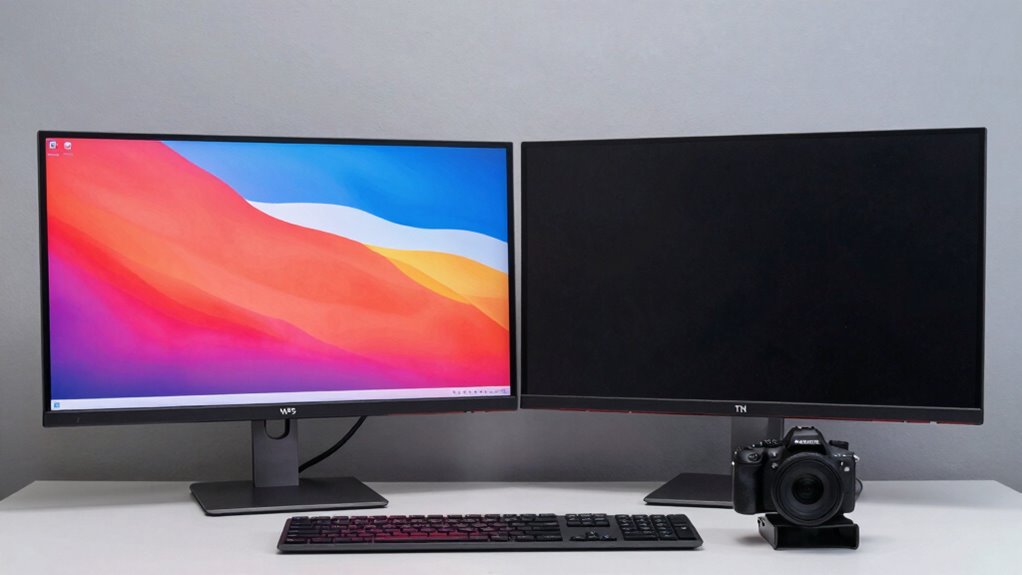

For office work, focus on monitor features like color accuracy, response time, and calibration, as they directly impact your visual comfort and productivity. High color accuracy ensures your documents and visuals look consistent across devices, while a quick response time reduces eye strain and visual distractions. Good calibration helps maintain consistent colors over time. If you keep exploring, you’ll discover more key specs that can make your workspace more efficient and comfortable.

Get business pricing on office and shipping supplies
- Business-only prices and quantity discounts
- Tax-exempt purchasing
- Multiple users, one account, clear invoices
Key Takeaways
- Color accuracy and calibration ensure consistent, professional-quality visuals across devices and over time.
- Response time of 5 ms or less provides smoother visuals and reduces eye strain during extended use.
- IPS panels typically offer better color reproduction and viewing angles for office tasks.
- Adjustable brightness and proper contrast enhance visual comfort during long hours.
- Additional ergonomic features like height and tilt adjustments improve overall productivity and reduce fatigue.

When choosing a monitor for office work, not all specs are equally important. Instead, focus on the features that directly impact your day-to-day tasks. Two of the most critical specs to consider are color accuracy and response time. While these may seem more relevant for creative professionals or gamers, they can influence your overall productivity and comfort, especially if you work with visuals or spend long hours in front of the screen.
Color accuracy matters because it determines how true the colors displayed on your monitor are to real life. If you’re involved with tasks that require precise color matching, such as graphic design, photo editing, or even presenting visuals to clients, a monitor with high color accuracy becomes essential. Even in standard office work, decent color accuracy ensures that your documents, spreadsheets, and presentations look professional and consistent across different devices. When your monitor produces accurate colors, you’ll spend less time correcting or second-guessing your work, which boosts efficiency and reduces frustration.
High color accuracy ensures professional, consistent visuals and reduces the need for corrections across devices.
Response time, on the other hand, might seem less crucial for office tasks, but it still plays a role in your daily experience. Response time refers to how quickly a pixel can change from one color to another. A lower response time results in smoother visuals and reduces motion blur, which can be helpful if you frequently switch between multiple windows, scroll through lengthy documents, or use applications that involve some level of animation or real-time updates. While response time isn’t as critical as in gaming or video editing, having a reasonably quick response time prevents eye strain caused by flickering or ghosting effects, especially during extended work sessions. Additionally, understanding the monitor technology behind response times can help you choose a model that best suits your needs.
Furthermore, understanding the importance of color calibration can help you select a monitor that maintains consistent and accurate color reproduction over time. When shopping for a monitor, pay attention to both color accuracy and response time, but prioritize based on your specific needs. If your work involves detailed visuals or color-sensitive projects, aim for a monitor with high color fidelity, such as one with an IPS panel and good color calibration. For general office tasks, a standard Response time of 5 milliseconds or less is sufficient to ensure smooth visuals and prevent distractions. Remember, investing in a monitor with the right specs can significantly improve your comfort, efficiency, and the quality of your work, making it well worth the attention these features deserve. Additionally, choosing a monitor with adjustable brightness can help reduce eye strain during long working hours.
Products Worth Considering

FLEXISPOT 36-Inch Height-Adjustable Standing Desk Converter, Black

Logitech MX Master 4 for Mac Wireless Ergonomic Mouse, Space Black

Samsung 34-Inch Odyssey G5 Ultra-Wide Curved Gaming Monitor
As an affiliate, we earn on qualifying purchases.
Frequently Asked Questions
How Does Monitor Refresh Rate Affect Office Productivity?
A higher refresh rate can boost your productivity by providing smoother visuals, reducing eye strain during long hours. Curved monitors with higher refresh rates offer ergonomic benefits, making viewing more comfortable and minimizing fatigue. This helps you focus better and work more efficiently. While standard refresh rates are fine for basic tasks, upgrading to 75Hz or higher can enhance your overall experience, especially during extended work sessions.
Are Curved Monitors Better for Prolonged Office Use?
Curved monitors can be better for prolonged office use because they promote an ergonomic posture by reducing neck and eye strain. Their immersive design helps you focus more easily, which can boost productivity. Plus, many curved models have an aesthetic appeal that enhances your workspace. Just make sure the monitor’s curvature suits your viewing distance and desk setup to maximize comfort and minimize fatigue during long work sessions.
What’s the Ideal Monitor Size for Multitasking?
The ideal monitor size for multitasking is around 27 inches, offering a balance of resolution clarity and workspace. It provides enough screen real estate without overwhelming your desk or causing eye strain. Look for an ergonomic design that lets you adjust height and tilt, ensuring comfort during long hours. This size allows you to view multiple windows simultaneously, improving productivity without sacrificing clarity or comfort.
How Important Is Color Accuracy for Office Work?
Color accuracy is pretty important for office work, especially if you handle design, editing, or presentations. You want good color calibration to guarantee colors look consistent and true to life. Screen resolution also matters because a higher resolution provides sharper text and images, reducing eye strain and making multitasking easier. Prioritizing these specs helps you work more efficiently and confidently, knowing your display accurately represents your content.
Do USB-C Ports Improve Office Monitor Usability?
You’ll find that USB-C ports considerably boost office monitor usability, with around 60% of users citing increased convenience. They offer USB-C versatility, allowing you to connect your devices with a single cable for charging, data transfer, and video. Plus, USB-C ports can enhance monitor ergonomics by reducing clutter, giving you more workspace and flexibility to position your monitor comfortably, which ultimately improves your productivity and comfort.
Conclusion
So, if you ignore the specs that truly matter, you’re basically signing up for eye strain, endless frustration, and a productivity nightmare. Choosing the wrong monitor could turn your workday into a never-ending battle with glare, pixelation, or sluggish performance. But if you pay attention to the specs that count—like resolution, refresh rate, and ergonomics—you’ll access a world where work feels effortless, smooth, and even a little bit enjoyable. Don’t settle for less—your perfect office monitor is waiting!