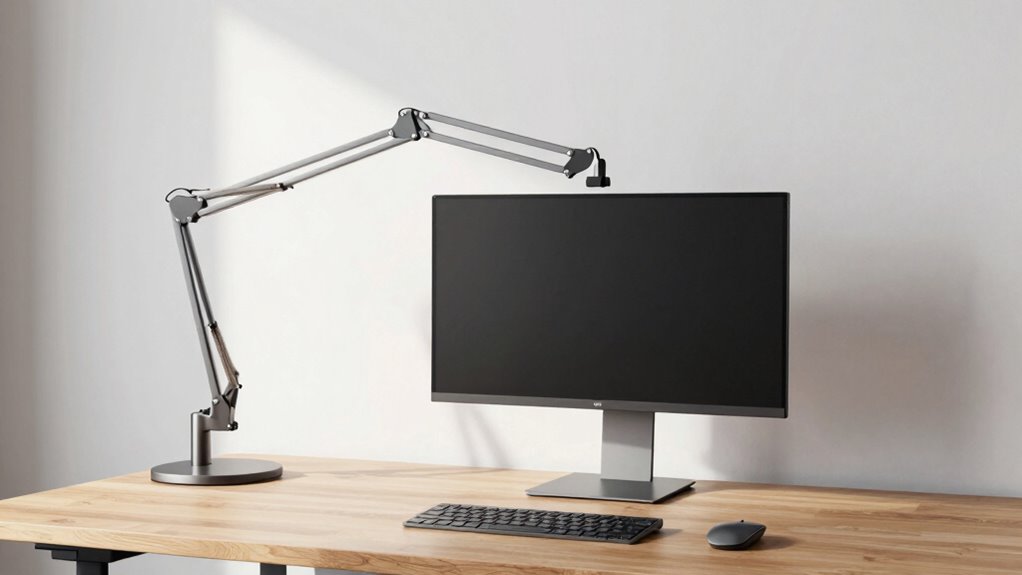

A well-installed monitor arm dramatically frees up desk space by elevating your screen off the surface and reducing bulky stands. It allows you to organize cables neatly and adjust your monitor to the perfect height, tilt, and swivel. This setup not only clears clutter but also promotes better posture and comfort, making your workspace feel larger and more efficient. If you keep exploring, you’ll discover how to maximize these benefits even further.

Get business pricing on office and shipping supplies
- Business-only prices and quantity discounts
- Tax-exempt purchasing
- Multiple users, one account, clear invoices
Key Takeaways
- Elevated monitor placement frees up desk surface for other essential items.
- Built-in cable management keeps cords organized and reduces clutter.
- Flexible repositioning allows quick workspace reconfiguration for different tasks.
- Eliminating bulky stands creates a cleaner, more streamlined workspace.
- Customizable adjustments improve ergonomics, reducing the need for additional workspace accessories.
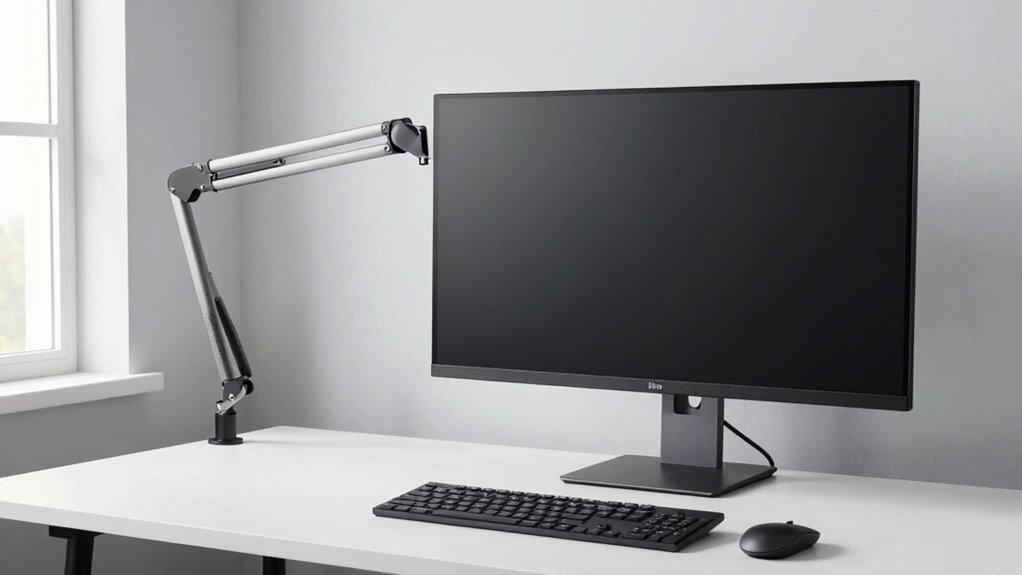
Setting up your monitor arm correctly is essential for creating an ergonomic workspace and reducing strain during long hours at your desk. When you position your monitor properly, you not only improve your comfort but also enhance your overall productivity. One of the key advantages of a well-installed monitor arm is its ability to free up valuable desk space. By elevating your monitor off the surface, you eliminate the need for bulky stands or multiple supports, giving you a cleaner, more organized workspace. This extra space makes it easier to keep essential items within reach and creates a more inviting environment that minimizes clutter.
A properly installed monitor arm frees desk space and creates a cleaner, more organized workspace.
In addition to freeing up space, an adjustable monitor arm offers significant ergonomic benefits. You can easily customize the height, tilt, and swivel of your monitor to match your eye level and sitting posture. This adjustment helps prevent neck and eye strain, which are common issues when working at a fixed or poorly positioned screen. Proper monitor placement promotes a healthier sitting position, reduces fatigue, and can even help prevent long-term musculoskeletal problems. With a monitor arm, you’re empowered to find the most comfortable setup, encouraging better posture throughout your workday. Incorporating a well-designed setup can further enhance your ergonomic health and support sustained comfort.
Using a monitor arm also supports ergonomic health, which is crucial for maintaining comfort during extended periods of work. Cable management is another vital aspect of an effective monitor arm setup. Many modern arms come with built-in features to route and conceal your cables neatly along the arm or through dedicated channels. Good cable management not only improves the aesthetic of your workspace but also reduces the risk of accidental disconnections or cable damage. When cables are organized and secured, you avoid clutter that can cause distractions or even interfere with your equipment. This streamlined approach helps you maintain focus and keeps your desk looking tidy, which can boost your efficiency.
Furthermore, the flexibility of a monitor arm allows you to easily reposition your screen as needed. Whether you’re switching between tasks, sharing your screen with colleagues, or adjusting for different working angles, the versatility of a good arm makes these transitions smooth and effortless. This adaptability means you won’t have to compromise on comfort or workspace organization, regardless of your workflow changes throughout the day.
ergonomic monitor arm with cable management
As an affiliate, we earn on qualifying purchases.
As an affiliate, we earn on qualifying purchases.
Frequently Asked Questions
Can Monitor Arms Support Multiple Monitors Simultaneously?
Yes, monitor arms can support multiple monitors simultaneously, enhancing your workspace with dual monitor synchronization. You can mount two or more screens on a single arm or use dual arms for better flexibility. This setup boosts multi-screen efficiency, allowing you to easily switch between screens, reduce clutter, and save desk space. Make sure to choose a sturdy arm designed for multiple monitors to guarantee stability and ideal viewing angles.
Are Monitor Arms Compatible With All Desk Types?
You’re amazed at how versatile monitor arms are—like they fit every desk imaginable. Most monitor arms are compatible with various desk types, including glass, wood, and metal, thanks to adjustable clamps and grommets. However, check your desk’s thickness and surface material for perfect compatibility. Properly installed, they seamlessly blend into your workspace, enhancing aesthetic integration and freeing up space, making your setup look sleek and organized.
How Much Weight Can a Typical Monitor Arm Hold?
A typical monitor arm can hold between 8 to 19 pounds, depending on its weight capacity. Check the mounting options, as some arms feature adjustable joints to support heavier monitors. Always verify the weight capacity before mounting your screen to guarantee stability and safety. If your monitor exceeds the weight limit, consider a heavy-duty arm designed specifically for larger screens to prevent accidents and damage.
Do Monitor Arms Require Professional Installation?
Monitor arms usually don’t require professional installation; most are easy to set up yourself. You’ll just need to attach the arm to your desk, often using a clamp or grommet mount. As you install, take advantage of cable management features to keep cords organized and enhance your workspace’s aesthetic. This simple setup saves space and creates a cleaner, more professional look without needing expert help.
Can Monitor Arms Be Adjusted for Ergonomic Comfort?
Yes, monitor arms can be adjusted for ergonomic comfort. You can easily modify the height, tilt, and swivel to promote an ergonomic posture, reducing strain on your neck and shoulders. Ensuring proper wrist alignment is simple by positioning the monitor at eye level and maintaining a neutral wrist position. These adjustments help you work comfortably and prevent discomfort during long hours at your desk.
adjustable monitor mount for desk
As an affiliate, we earn on qualifying purchases.
As an affiliate, we earn on qualifying purchases.
Conclusion
Imagine pulling your monitor arm, feeling the smooth glide as it frees up your desk like a gust of wind clearing away clutter. Suddenly, your space feels more open, your workspace more inviting. With each adjustment, you’re crafting a setup that not only improves your posture but transforms your environment into a sleek, organized haven. It’s more than just a mount—it’s the key to a brighter, more productive day, all within arm’s reach.
As an affiliate, we earn on qualifying purchases.
full motion monitor arm for ergonomic setup
As an affiliate, we earn on qualifying purchases.
As an affiliate, we earn on qualifying purchases.
Columbus Day / Indigenous Peoples' Day Picks
long weekend sales
As an affiliate, we earn on qualifying purchases.