🔍 Read the full analysis: Explore 11 AI Transcription Software Options For 2027 on ThorstenMeyerAI.com

Get business pricing on office and shipping supplies
- Business-only prices and quantity discounts
- Tax-exempt purchasing
- Multiple users, one account, clear invoices
TL;DR
A guide published by ThorstenMeyerAI.com compares 11 transcription software and hardware options for 2027, focusing on accuracy, workflow, integrations and cost models. It favors manual correction tools such as Express Scribe Pro for editing-intensive work and describes Philips SpeechExec as suited to regulated workflows, while noting that product-specific performance and privacy claims need independent verification.
ThorstenMeyerAI.com has published a guide to 11 AI transcription options for 2027, comparing desktop software and hardware-integrated recorders by workflow, editing features, ecosystem integration and cost model. The guide says the choice depends on whether users prioritize manual correction, industry-specific integrations or recording and transcription in one device; it does not provide enough detail in the supplied material to independently verify product rankings or performance claims.
The guide’s central distinction is between software that processes audio supplied by the user and devices that combine recording with transcription services. It describes dedicated recorders such as Vobot and OLZO as convenient for capture and processing, while warning that hardware bundles may offer less editing flexibility than desktop tools. It also names the OM SYSTEM AS-2700 as an example of a recording kit intended to bring hardware and workflow tools together. For more ideas on improving transcription outputs, see ways to get clearer notes with AI transcription.
For correction-heavy work, the guide singles out Express Scribe Pro, citing playback controls, hotkeys and support for workflows involving foot pedals. It presents Philips SpeechExec as a stronger fit for medical and legal users who need ecosystem integration and security features. Those descriptions reflect the guide’s assessment; the supplied source material does not include comparative test results, pricing, or independent validation. Readers comparing meeting transcription products can also review AI meeting transcription tool options.
The author says the options were assessed on transcription accuracy, workflow efficiency and integration. Other considerations include audio quality, export formats, language support, privacy, and whether a product uses a subscription or a one-time license. The guide cautions that its language-support figures may not reflect equal transcription quality across all listed languages.
The 11 picks
- 1
 Philips SpeechExec Transcription Kit with USB Foot Switch and HeadphonesView on Amazon →
- 2
 OM SYSTEM AS-2700 Audio Transcription Kit with USB Foot Pedal, Stereo Headpho…View on Amazon →
- 3
 Express Scribe Professional Transcription Software with Infinity IN-USB-3 Foo…View on Amazon →
- 4
 Philips SpeechExec Transcribe Software, 2-Year Subscription, Version 11.5View on Amazon →
- 5
 AI Voice Recorder with Automatic Transcription and 140+ Language TranslationView on Amazon →
- 6
 AI Podcast Summaries from Transcripted.aiView on Amazon →
- 7
 Vobot AI Voice Recorder with Transcription, Summaries, and NFC Business CardView on Amazon →
- 8
 Express Scribe Software Pro Transcription Software (CD-ROM)View on Amazon →
- 9
 OLZO AI Voice Recorder with Transcription and SummaryView on Amazon →
- 10
 Express Scribe Transcription SoftwareView on Amazon →
- 11
 AI VoiceWriter Dictation and AI Writing Assistant with USB Dongle and Mobile AppView on Amazon →
How the Choice Affects Editing and Privacy
The comparison matters because transcription software is not interchangeable across jobs. A quick meeting record, a field interview and a legal or medical transcript can require very different levels of editing control, accuracy review and data protection. A tool that produces a fast draft may still leave substantial work for someone who needs a checked record.
The guide’s emphasis on human correction is a practical reminder: AI output can contain errors, particularly with overlapping speakers, accents or specialized terminology. Users should account for the time needed to review audio and text, not just the speed of automated processing. For sensitive recordings, they also need to check where audio is processed and stored and whether the service fits their organization’s rules. The supplied material describes security strengths for some products but does not document compliance certifications or specific data-handling terms.
Cost comparisons also depend on use. The guide says subscriptions may include continuing updates and cloud features, while one-time licenses avoid recurring fees. Without current prices, usage limits and renewal terms, readers cannot determine which model is cheaper for their circumstances.
Products Worth Considering
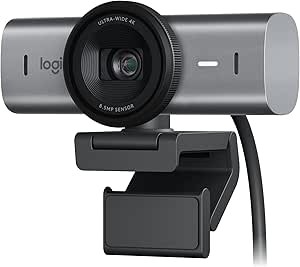
Logitech MX Brio Ultra HD 4K Webcam for Streaming and Collaboration

Apple MacBook Air 13-inch Laptop with M5 Chip, 16GB Memory, 512GB SSD, Midnight

Logitech MX Mechanical Mini for Mac Wireless Keyboard, Space Gray
As an affiliate, we earn on qualifying purchases.
The Guide’s Selection Criteria
The article frames its list as a practical buyer’s guide rather than a reported announcement about a new product launch. It says the evaluation considered software playback controls, customizable hotkeys and export options, along with recorder quality for hardware-based products. It also places weight on whether a tool allows a person to correct the transcript while listening.
That approach reflects a wider workflow tradeoff set out in the guide: standalone software offers flexibility when users already have suitable audio, whereas an integrated recorder may simplify capture and processing, especially away from a desk. The source does not provide a complete, item-by-item test methodology or explain how the 11 products were scored, so its ranking should be read as the publisher’s editorial judgment rather than a standardized benchmark.
“The main tradeoff lies between pure software flexibility and the convenience of hardware-software bundles.”
— ThorstenMeyerAI.com guide
What the Product Comparisons Do Not Establish
The supplied source material does not name all 11 options or provide a complete ranking, product-by-product specifications, test transcripts, accuracy scores or benchmark conditions. It also does not give the guide’s publication date, current product prices, subscription limits or the date on which features were checked. Those gaps make it difficult to assess how current or directly comparable the recommendations are.
Claims about security, language coverage, accuracy and long-term value require product-level verification. The guide notes that a device may advertise support for more than 140 languages while offering stronger transcription in a smaller group, but it supplies no test data or named language results here. It also does not specify which services process audio locally, which send it to cloud servers, or the retention and deletion terms that apply.
Check Current Features Before Choosing
Readers considering one of the tools should consult each vendor’s current documentation for supported languages, editing and export features, storage practices, security terms and pricing. For regulated or confidential work, they should confirm whether the specific deployment meets their organization’s requirements rather than relying on a general product description.
A useful next step is to test shortlisted options with representative audio, including the accents, background noise and terminology users encounter in practice. Comparing the time needed to correct each transcript may be more informative than an advertised language count or an unqualified accuracy claim. The guide does not announce a follow-up test or a later update schedule.
Key Questions
What is the main distinction among the transcription options?
The guide contrasts software that processes existing audio with recorder bundles that combine capture and transcription. It says the former can offer more editing flexibility, while integrated devices can simplify recording and processing.
Which option does the guide recommend for manual correction?
It identifies Express Scribe Pro as a fit for correction-heavy workflows, citing playback controls, hotkeys and foot-pedal support. This is the guide’s assessment, not an independently verified ranking.
Why does recording quality matter?
Noise, low-quality audio and unclear speakers can make transcripts harder to correct. The guide says microphone and recorder quality should be considered alongside the transcription software.
Does the guide establish which tool is most secure?
No. It describes Philips SpeechExec as offering options aimed at regulated industries, but the supplied material does not include certifications, specific data-processing terms or a product-by-product security comparison. Users should check current vendor documentation.
Are the guide’s 2027 recommendations independently tested?
The source says the products were assessed on accuracy, workflow and integration, but the supplied material does not include benchmark scores, test conditions or a complete scoring method. The rankings should be treated as the publisher’s editorial evaluation.
Source: ThorstenMeyerAI.com