TL;DR

Get office and shipping supplies delivered free — and shop member deals
- Fast, free delivery on millions of items
- Access to Prime Big Deal Days deals on October 6–7
- Prime Video, Amazon Music and more included
Building your own AI workstation offers control and customization but requires expertise and time. Buying a prebuilt is faster, less risky, and increasingly cost-competitive due to market shifts. The right choice depends on your workload, budget, and technical skills.
Imagine you’re ready to run your first massive AI model or set up local inference. You might think building your own machine is the way to go, saving money and customizing everything. But in 2026, that assumption is outdated. The market has shifted, and the choice between build and buy is more complicated than ever.
Today’s decision isn’t just about cost. It’s about speed, support, control, and future-proofing. You’ll learn exactly when building makes sense, when buying is smarter, and how market forces are changing the game. No fluff, just real talk about how to get your AI workstation up and running efficiently.
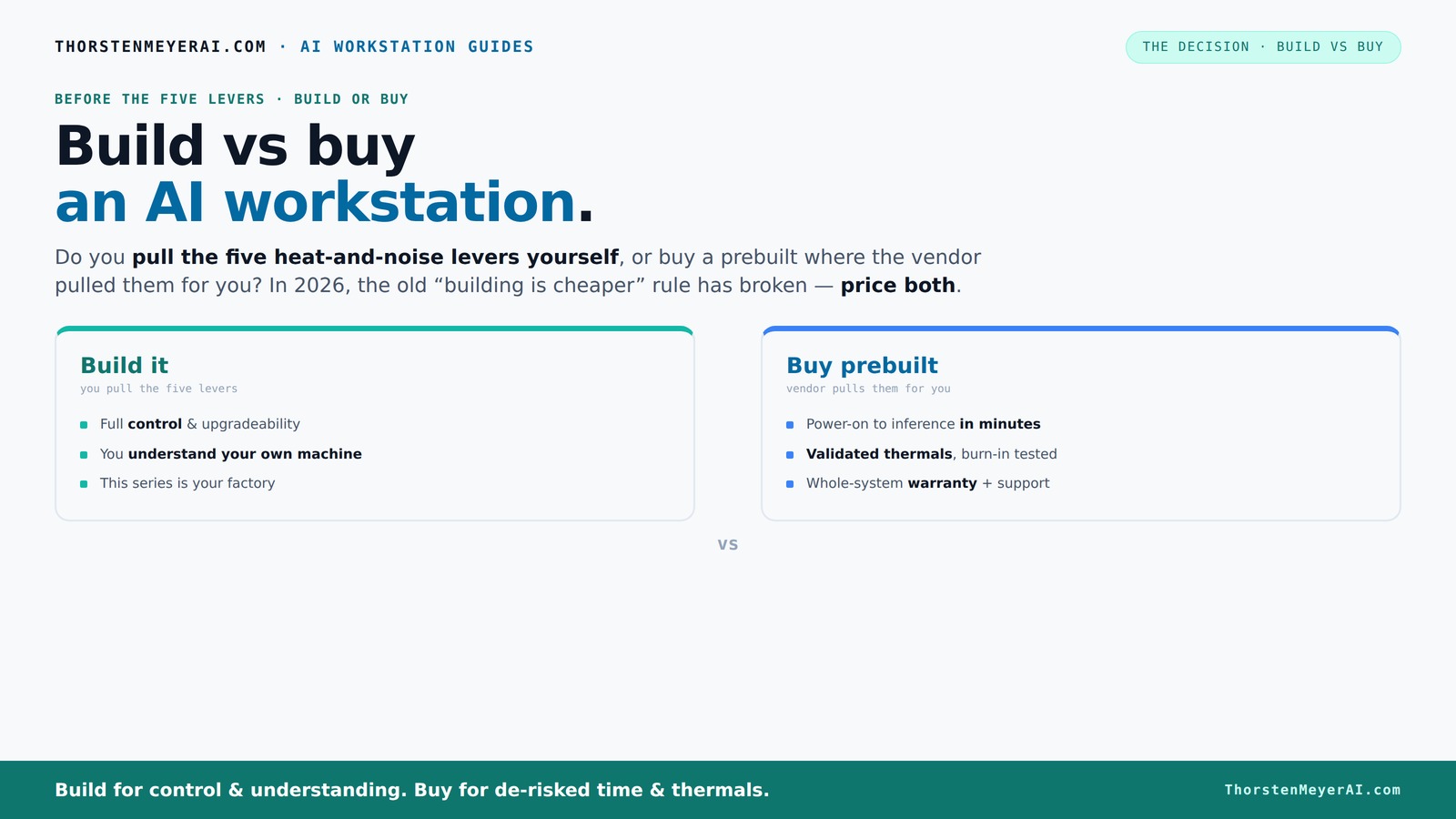
Build vs buy
an AI workstation.
The real question behind this whole series: do you pull the five heat-and-noise levers yourself, or buy a prebuilt where the vendor pulled them for you? And in 2026, the old “building is cheaper” rule has broken. Match your situation in Part 3.
Key Takeaways
- Component shortages in 2026 make prebuilt AI workstations often more cost-effective than DIY builds.
- Speed to deployment is crucial; prebuilt systems can be operational in weeks, not months.
- Building offers customization for specialized workloads but requires expertise and time.
- Prebuilt vendors validate thermals and include support, reducing your operational risk.
- Assess future upgrade paths and support options to avoid costly limitations later.
high performance AI workstation prebuilt
As an affiliate, we earn on qualifying purchases.
As an affiliate, we earn on qualifying purchases.
What Does 'Build' and 'Buy' Really Mean for an AI Workstation?
Building means sourcing each component—GPU, CPU, RAM, cooling, case—and assembling them yourself or through a trusted shop. Buying means choosing a preconfigured system from a vendor like Lambda or BIZON that’s already tuned for AI work.
For example, a DIY build might involve picking a high-end RTX 4090, 128GB of DDR5 RAM, and a custom water-cooling system. A prebuilt, on the other hand, might come fully assembled, tested, and ready to run in just a couple of weeks.
customizable AI GPU workstation build kit
As an affiliate, we earn on qualifying purchases.
As an affiliate, we earn on qualifying purchases.
Why Cost Isn’t the Whole Story in 2026
Here’s the punchline: building used to be cheaper, but now it’s often not. Component shortages have driven prices up—GPU prices soared by 20-30%, DDR5 RAM costs more than ever, and SSDs aren’t cheap either.
Meanwhile, prebuilt vendors bought in bulk before these spikes. They now offer systems that can cost the same or even less than assembling your own, especially if you factor in the time and effort you’d spend troubleshooting, sourcing parts, and tuning for thermal performance. According to recent market data, a custom build that used to cost around $1,000 is now often $1,250+ just to match current component prices.
This shift matters because it challenges the traditional assumption that DIY always saves money. When component prices spike, the cost advantage erodes or reverses, especially when you factor in your own time and potential mistakes. The implications are significant: many users might save money and reduce hassle by opting for prebuilt systems, which have become more cost-competitive and reliable.
professional AI workstation with NVIDIA GPUs
As an affiliate, we earn on qualifying purchases.
As an affiliate, we earn on qualifying purchases.
How Fast Can You Get Your AI System Running?
Time to deployment is a huge factor. Building your own can take months—ordering parts, waiting for delivery, assembling, troubleshooting, and tuning. That’s weeks or even months before you’re training models. Learn more about build vs buy options.
Prebuilt systems can be delivered in as little as 2-4 weeks. They come with everything installed—CUDA, deep learning frameworks, drivers—and are ready to go right out of the box. For teams racing to beat competitors, that speed often outweighs the cost savings.
This speed advantage can be the difference between hitting a project deadline or falling behind. In fast-moving fields like AI, waiting months for a custom build can mean missed opportunities or delayed research. Prebuilts streamline the process, allowing you to focus on your core work instead of hardware setup.
As an affiliate, we earn on qualifying purchases.
Who Gains the Most from Building Their Own AI Workstation?
If your workload is highly specialized or proprietary—like training a custom model with unique hardware needs—building makes sense. It allows you to choose the exact GPU architecture, memory size, and cooling setup to match your workload perfectly.
Beyond customization, building your own system offers a deeper understanding of your hardware. This knowledge can be invaluable for troubleshooting, optimizing performance, and planning future upgrades. For instance, if you need a specific cooling solution to sustain high loads during long training sessions, building allows you to tailor the cooling system precisely, which might be impossible with prebuilt options.
However, this comes with the tradeoff of increased complexity and time investment. For organizations with the expertise, the ability to fine-tune hardware can lead to better performance and longevity, especially in demanding AI tasks.
When is Buying the Smarter Move for Your AI Workstation?
If you need fast deployment, validated thermals, and reliable support, buying is often better. Vendors like Lambda or BIZON run extensive stress tests, optimize cooling, and offer warranties—saving you from months of setup and potential errors.
This approach reduces the risk of hardware incompatibility, thermal issues, or software conflicts that can plague DIY builds. For example, a startup aiming to deploy AI models quickly might prioritize a prebuilt system that has been tested under high loads, ensuring stability and performance from day one. The tradeoff here is less flexibility for customization, but the reliability and speed often outweigh this for many users.
The Hidden Costs of Building and Buying
Building your own system isn’t just hardware—it’s hours of research, assembly, troubleshooting, and ongoing maintenance. If you’re not experienced, you might waste weeks fixing compatibility or thermal issues, or worse, damage components.
Buying a prebuilt shifts some of that risk to the vendor, who has already optimized the system for performance and stability. However, it can come with hidden costs—such as limited upgrade paths, vendor lock-in, or support fees after the warranty expires. These costs can add up over time and impact the total cost of ownership.
For example, a DIY enthusiast might spend an extra $300 on thermal upgrades or custom cooling solutions to achieve optimal performance. Conversely, a prebuilt might have a support contract costing $200/year after the warranty, which can be a worthwhile investment for peace of mind and quick service during issues.
Your checklist for building the perfect AI workstation
- Powerful GPU with enough VRAM (e.g., RTX 4090 or A100)
- Sufficient CPU and RAM for data handling
- Reliable cooling—air or water cooling tailored for high loads
- Good airflow case with noise-dampening features
- Future upgrade options—extra PCIe slots, PSU headroom
Your Checklist for Buying the Ideal Prebuilt System
- Check GPU compatibility and VRAM size for your models
- Ensure thermal validation—ask vendors about stress testing
- Verify support and warranty terms
- Confirm upgradeability—extra slots, PSU capacity
- Review cooling and noise levels for your environment
Avoid These Common Pitfalls in Your Build vs Buy Decision
Overbuying compute power when you don’t need it wastes money. Underestimating cooling needs leads to thermal throttling. Ignoring upgrade paths limits future flexibility. Overlooking support options can leave you stranded during critical workloads.
For example, an overenthusiastic builder might install a 4090 with no room for expansion, while a buyer might settle for a system that can’t handle future model upgrades.
Frequently Asked Questions About Building vs Buying an AI Workstation
Is it cheaper to build or buy a prebuilt AI workstation? It depends. Market shifts mean prebuilt often costs the same or less now, especially when factoring in time and troubleshooting for DIY. Carefully compare prices for your specific config.
How quickly can I get started with a prebuilt? Usually within 2-4 weeks, with systems ready to run deep learning frameworks and inference stacks.
When does building make sense? When you need a highly customized setup, proprietary hardware, or want to learn the ins and outs of your system.
What hidden costs should I watch for? Building involves labor, troubleshooting, and potential downtime. Buying can have upgrade limitations and vendor support fees.
Can I upgrade a prebuilt later? Often yes, but check for spare slots, PSU capacity, and vendor restrictions before buying.
Conclusion
Choosing between build and buy isn’t just about initial costs. It’s about aligning your workload, timeline, and expertise with the right approach. In 2026, market shifts favor smarter buying for most users, but a custom build still holds value for niche or strategic needs.
Remember, the best AI workstation is the one that gets you to your goals without breaking the bank or wasting your time. Think carefully about where your priorities lie—speed, control, or cost—and act accordingly.
Halloween Picks
halloween
As an affiliate, we earn on qualifying purchases.