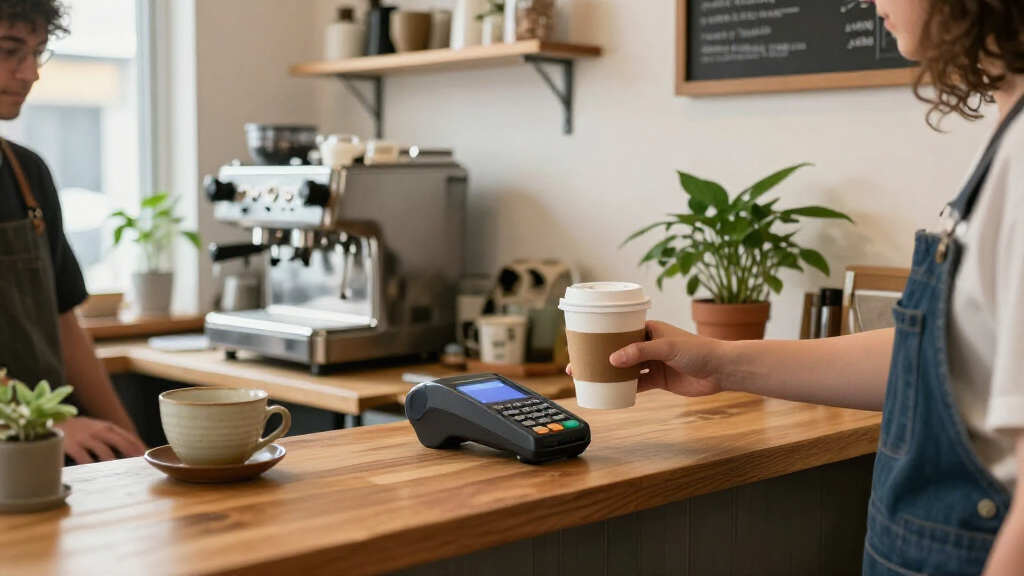

For most small businesses, I’d start with the Square Reader for Contactless and Chip (2nd Generation) as the best overall pick: its compact design supports common tap and chip payments while leaving the phone as the screen. The SumUp Solo with Charging Station stands out for owners who want a more self-contained reader, while the Clover Flex Pocket is better suited to businesses needing a handheld POS rather than a basic card reader. The main tradeoff is simplicity and portability versus a larger feature set, broader payment options, and less reliance on a smartphone. I compare all 15 options by how well they fit real small-business workflows, including their payment methods, setup, and hardware needs. Read on for the full breakdown and guidance on which type of reader fits your business.

Get business pricing on office and shipping supplies
- Business-only prices and quantity discounts
- Tax-exempt purchasing
- Multiple users, one account, clear invoices
Key Takeaways
- A phone-based reader is the lightest setup: Square’s contactless-and-chip reader and the Clover and SumUp Bluetooth options rely on a smartphone, which keeps hardware simple but makes phone availability and compatibility part of the checkout plan.
- Standalone terminals trade compactness for independence: The SumUp Solo, Square Terminal, Clover Compact, and Dejavoo Z9 can reduce reliance on a phone, but their larger or more specialized setups may be more than a low-volume seller needs.
- Contactless and chip support is a more flexible starting point than magstripe alone: The Square magstripe reader is a narrow fit for swipe-based payments; buyers should check the payment methods their customers use before choosing it.
- POS capability changes the job the device can do: The Square Handheld and Clover Flex Pocket are aimed at sellers who need more than a card attachment, while small mobile sellers may be better served by a compact reader paired with an existing phone.
- Brand families appear more than once, but the hardware is not interchangeable: The two Clover Go Bluetooth Reader listings are duplicates, while other Clover and Square products range from basic readers to standalone terminals. Compare the exact model and setup rather than choosing by brand name alone.
| Clover Compact Payment Terminal |  | Best for Clover Countertop Setups | Connectivity: Cloud-based network | Power: Plug-in; not battery-powered or mobile | Processor requirement: New processing account through Powering POS | VIEW LATEST PRICE | See Our Full Breakdown |
| Clover Flex Pocket Mobile POS System |  | Best All-in-One Mobile POS | Dimensions: 7.3 x 3.2 x 1.1 inches | Weight: 5 pounds | Battery: All-day battery life | VIEW LATEST PRICE | See Our Full Breakdown |
| Clover GO (3rd Generation) Mobile POS System |  | Best Smartphone-Paired Clover Reader | Model: Clover GO (3rd Generation) | Operating system: Clover POS | Compatible devices: iOS and Android smartphones | VIEW LATEST PRICE | See Our Full Breakdown |
| Square Reader for Magstripe (USB-C) |  | Best for Occasional Magstripe Payments | Brand: Square | Connectivity: USB Type-C | Compatible devices: Apple and Android devices with a USB-C connector | VIEW LATEST PRICE | See Our Full Breakdown |
| SumUp Plus Bluetooth Card Reader for Smartphones |  | Best Simple Bluetooth Reader | Brand: SumUp | Model: Plus Card Reader | Connectivity: Bluetooth | VIEW LATEST PRICE | See Our Full Breakdown |
| PayAnywhere 3-in-1 Mobile Credit Card Reader |  | Best for Swipe-and-Chip Basics | Connectivity: Bluetooth | Payment methods: Swipe and chip cards | Compatible devices: Android and iOS | VIEW LATEST PRICE | See Our Full Breakdown |
| Square Handheld POS Terminal |  | Best for Barcode-Driven Mobile Checkout | Dimensions: 7.04 x 3.12 x 0.86 inches | Weight: 2 pounds | Payment methods: EMV chip, contactless/NFC, Apple Pay, and Google Pay | VIEW LATEST PRICE | See Our Full Breakdown |
| Clover Go Bluetooth Reader (3rd Generation) |  | Best for Clover-Account Portability | Generation: 3rd | Connectivity: Bluetooth | Item weight: 8 ounces | VIEW LATEST PRICE | See Our Full Breakdown |
| Square Terminal Credit Card Payment Machine |  | Best for Cordless Checkout and Printed Receipts | Dimensions: 5.6 x 3.4 x 2.5 inches | Weight: 14.7 ounces | Manufacturer: Square | VIEW LATEST PRICE | See Our Full Breakdown |
| Clover Go Mobile POS System |  | Best for Staffed Mobile Sales | Connectivity: Bluetooth | Package dimensions: 5.28 x 4.8 x 1.65 inches | Item weight: 5.6 ounces | VIEW LATEST PRICE | See Our Full Breakdown |
| Square Handheld Portable POS and Credit Card Machine |  | Best for Tableside Selling | Dimensions: 7.04 x 3.12 x 0.62 inches | Weight: 2.11 ounces | Manufacturer: Square | VIEW LATEST PRICE | See Our Full Breakdown |
| Square Reader for Contactless and Chip (2nd Generation) |  | Best Simple Phone-Paired Reader | Compatible devices: Android, iPhone | Connectivity: Bluetooth | Power source: Battery powered | VIEW LATEST PRICE | See Our Full Breakdown |
| Clover Go Bluetooth Reader (3rd Generation) | | Best for Clover Account Users | Connectivity: Bluetooth | Compatibility: Clover Go account | Dimensions: 4 x 3 x 1 inches | VIEW LATEST PRICE | See Our Full Breakdown |
| SumUp Solo Credit Card Reader with Charging Station | 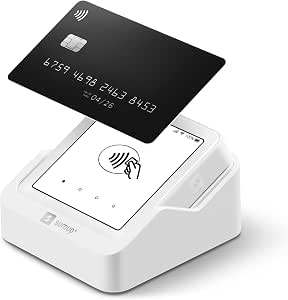 | Best Standalone Touchscreen Option | Brand: SUMUP | Model: SumUp Solo | Connectivity: Wi-Fi, SIM card with mobile data | VIEW LATEST PRICE | See Our Full Breakdown |
| Dejavoo Z9 4G EMV Contactless Portable Credit Card Terminal |  | Best for Multiple Connection Options | Brand and model: Dejavoo Z9 | Connectivity: 4G/3G and Wi-Fi | Display: 3.5-inch color touchscreen with backlight | VIEW LATEST PRICE | See Our Full Breakdown |
| portable credit card readers for small businesse | Connectivity | Weight |
|---|---|---|
| Clover Compact Payment Termina | Cloud-based network | — |
| Clover Flex Pocket Mobile POS | — | 5 pounds |
| Clover GO | Bluetooth and Wi-Fi | 4 ounces |
| Square Reader for Magstripe | USB Type-C | 6.53 grams |
| SumUp Plus Bluetooth Card Read | Bluetooth | — |
| PayAnywhere 3-in-1 Mobile Cred | Bluetooth | 1.05 ounces |
| Square Handheld POS Terminal | — | 2 pounds |
| Clover Go Bluetooth Reader | Bluetooth | — |
| Square Terminal Credit Card Pa | — | 14.7 ounces |
| Clover Go Mobile POS System | Bluetooth | — |
| Square Handheld Portable POS a | — | 2.11 ounces |
| Square Reader for Contactless | Bluetooth | 5.92 ounces |
| Clover Go Bluetooth Reader | Bluetooth | 13 ounces |
| SumUp Solo Credit Card Reader | Wi-Fi, SIM card with mobile data | — |
| Dejavoo Z9 4G EMV Contactless | 4G/3G and Wi-Fi | — |
More Details on Our Top Picks
Clover Compact Payment Terminal
The Clover Compact makes the most sense as an add-on for a Clover Mini or Station, rather than as a portable reader for taking payments around a shop. Its cloud connection links transactions and business data across compatible devices, so staff can keep sales activity coordinated through the Clover Dashboard. Compared with the Clover GO (3rd Generation), it is tied to a powered setup and does not connect to a phone for mobile checkout; the GO is the better fit for pop-ups or moving around a sales floor. The Compact also requires a new Powering POS processing account and cannot be used with another processor. That commitment narrows its appeal, but it may suit a business already building around Clover Mini or Station and seeking shared transaction management.
Pros:- Connects with Clover Mini and Station devices
- Shares transaction and sales information through the Clover Dashboard
- Provides access to business data across compatible devices
Cons:- Requires a new processing account through Powering POS
- Cannot be used with a different processor
- Must be plugged in and is not designed for mobile payments
Best for: Small businesses already using a Clover Mini or Station that want connected transaction and sales data at a fixed checkout.
Not ideal for: Market vendors, mobile service providers, and businesses that need a battery-powered reader or want to keep their existing payment processor.
- Connectivity:Cloud-based network
- Power:Plug-in; not battery-powered or mobile
- Processor requirement:New processing account through Powering POS
- Compatible devices:Clover Mini and Station
- Package dimensions:12 x 8 x 6 inches
- Item weight:5 pounds
Our verdict“Choose the Clover Compact if your checkout already centers on Clover Mini or Station and portability is not a priority.”
Clover Flex Pocket Mobile POS System
The Clover Flex Pocket is the most self-contained mobile option in this group: its all-day battery, built-in barcode and QR scanning, and inventory tools can support checkout without relying on a separate phone as the main interface. It accepts swipe, dip, tap, and contactless payments, giving it broader payment coverage than the Square Reader for Magstripe (USB-C), which handles magstripe only. That wider capability comes with a bigger commitment: the Flex Pocket requires a new Powering POS account and is limited to the US, Puerto Rico, and the US Virgin Islands. The listed weight is also 5 pounds, a surprising figure for a device described as lightweight, so I would verify the actual carrying setup before buying for frequent travel. It suits sellers who want POS tools and payment acceptance in one device.
Pros:- Accepts swipe, dip, tap, and contactless payments
- Supports barcode and QR scanning
- Includes sales reporting and inventory management tools
- Offers all-day battery life and digital receipt options
Cons:- Requires a new Powering POS processing account
- Available only in the US, Puerto Rico, and the US Virgin Islands
- Listed item weight is 5 pounds, which may limit carry-anywhere appeal
Best for: US-based retailers, mobile service businesses, and event sellers who want an all-in-one POS with scanning, inventory tools, and multiple payment methods.
Not ideal for: Businesses outside the supported regions, merchants who want to keep their current processor, or sellers seeking the lightest possible reader to carry.
- Dimensions:7.3 x 3.2 x 1.1 inches
- Weight:5 pounds
- Battery:All-day battery life
- Payment methods:Swipe, dip, tap, and contactless
- Scanning:Barcode and QR
- Receipt options:Email, text, or SMS
- Processor requirement:Powering POS processing account
- Supported regions:US, Puerto Rico, and US Virgin Islands
Our verdict“Pick the Clover Flex Pocket if you want a battery-powered POS with scanning and inventory functions, and accept its processor and regional limits.”
Clover GO (3rd Generation) Mobile POS System
At 4 ounces, the Clover GO is a more natural fit for a pocket or service bag than the Clover Flex Pocket, and it pairs with either iOS or Android phones. Bluetooth links the reader to a smartphone, while Wi-Fi or cellular service lets the phone handle connectivity; customizable tips and taxes, digital receipts, and employee permissions add useful POS controls for a small team. That setup makes it better suited to appointment-based businesses and sellers who already carry a phone than the fixed Clover Compact Payment Terminal. There are tradeoffs: processing must run through SwyftPAY, the dock is sold separately, and availability is limited to US businesses. I would choose it over a simpler reader when staff controls and checkout customization matter, but skip it if you want a standalone terminal or freedom to choose a processor.
Pros:- Very light at 4 ounces for carrying between customer locations
- Works with iOS and Android smartphones
- Supports customizable tips and taxes, paperless receipts, and employee permissions
- Includes end-to-end transaction security
Cons:- Requires processing through SwyftPAY
- Dock is sold separately
- Available only to US-based businesses
Best for: US-based solo operators and small teams who already use an iOS or Android phone and need a lightweight reader with basic staff controls.
Not ideal for: Businesses seeking a standalone battery-powered terminal, merchants outside the US, or owners unwilling to use SwyftPAY.
- Model:Clover GO (3rd Generation)
- Operating system:Clover POS
- Compatible devices:iOS and Android smartphones
- Connectivity:Bluetooth and Wi-Fi
- Wi-Fi standard:802.11n
- Security protocols:WPA2 and WPA3
- Weight:4 ounces
- Processing requirement:SwyftPAY
- Warranty:1 year
Our verdict“Choose Clover GO if you want a compact phone-paired reader with staff and checkout settings, and SwyftPAY fits your business.”
Square Reader for Magstripe (USB-C)
This Square reader is a minimal, phone-connected option for businesses that primarily need a way to take magstripe payments through the Square Point of Sale app. Its tiny 6.53-gram listed weight makes it easier to carry than a full terminal, while the app adds sales and inventory tracking, tips, and digital receipts. The limitation is substantial: it accepts magstripe only, unlike the Clover Flex Pocket, which supports chip and contactless as well as swiping. It also needs a compatible USB-C Apple or Android device, so the reader depends on the seller having the right phone or tablet available at checkout. I would treat it as a narrow-fit choice for businesses with customers who still use magnetic-stripe cards, not as a general-purpose reader for a modern mixed-payment line.
Pros:- Very light at a listed 6.53 grams
- Works with compatible USB-C Apple and Android devices
- Square POS app adds sales and inventory tracking
- Supports tips and digital receipts
Cons:- Accepts magstripe payments only
- Requires a compatible USB-C device
- Depends on the Square Point of Sale app for checkout functions
Best for: Square users who already have a compatible USB-C Apple or Android device and need a lightweight reader for occasional magstripe transactions.
Not ideal for: Businesses that need chip or contactless acceptance, or sellers whose phones and tablets do not have a USB-C connector.
- Brand:Square
- Connectivity:USB Type-C
- Compatible devices:Apple and Android devices with a USB-C connector
- Operating systems:iOS and Android
- Data transfer rate:1.5 megabits per second
- Dimensions:4.5 x 0.62 x 4.5 inches
- Weight:6.53 grams
- Warranty:1 year
- Model number:A-SKU-0862
Our verdict“Choose this reader only if magstripe acceptance covers your needs and you already use a compatible USB-C device with Square POS.”
SumUp Plus Bluetooth Card Reader for Smartphones
The SumUp Plus keeps the setup straightforward: pair the Bluetooth reader with a smartphone or tablet, then take major credit and debit cards through the free SumUp app. Unlike the USB-C Square magstripe reader, it is not tied to a physical phone port, which gives it a more flexible fit across compatible iOS and Android devices. The supplied information does not specify its supported card-reading methods, so I would check those against your customers’ payment habits before choosing it over the Clover GO (3rd Generation), whose swipe, dip, tap, and contactless support is described. SumUp lists a per-transaction fee of 2.6% plus 10 cents and requires a compatible phone or tablet. Its no-long-term-contract claim may appeal to small operators, but transaction charges remain part of the ongoing cost.
Pros:- Connects to smartphones and tablets over Bluetooth
- Works with iOS and Android through the free SumUp app
- Accepts major credit and debit cards
- No long-term contracts or hidden fees are stated in the product information
Cons:- Charges 2.6% plus 10 cents per in-person transaction
- Requires a compatible smartphone or tablet
- Product information does not specify supported card-reading methods
Best for: Solo sellers and small businesses that want a Bluetooth reader for an existing iOS or Android phone or tablet and prefer to avoid a long-term contract.
Not ideal for: Merchants who need a standalone terminal, want a reader with clearly specified chip and contactless support, or prefer not to pay a fee on each in-person transaction.
- Brand:SumUp
- Model:Plus Card Reader
- Connectivity:Bluetooth
- Compatible devices:Smartphones and tablets
- Operating systems:iOS and Android
- Item weight:142 grams
- Transaction fee:2.6% plus 10 cents per in-person transaction
- Manufacturer part number:815671001
Our verdict“Choose the SumUp Plus for a basic Bluetooth phone-based setup if its transaction fee and card-reading capabilities suit your business.”
PayAnywhere 3-in-1 Mobile Credit Card Reader
The PayAnywhere 3-in-1 is a small Bluetooth reader for businesses that want to take both swipe and chip payments using an existing Android or iOS device. At 1.05 ounces, it is easier to carry between appointments or pack for a market stall than the heavier Square Handheld POS Terminal, though it relies on your phone or tablet for the screen and checkout workflow. The included point-of-sale app gives it a more ready-to-use setup than a reader with no app specified, but the hardware is not a standalone terminal. A key catch is that a SwyftPAY processing account is required before shipping; buyers should be comfortable with that provider before ordering. Choose this over Clover Go when swipe support is a priority, but skip it if you need contactless payments or an all-in-one device.
Pros:- Accepts both swipe and chip card payments
- Works with Android and iOS devices
- Includes a point-of-sale app
- Compact 1.05-ounce body is easy to carry
Cons:- Requires a SwyftPAY processing account before shipping
- Smartphone or tablet is not included
- Contactless and mobile-wallet acceptance are not listed
Best for: Small vendors and appointment-based businesses with an Android or iOS device that need a lightweight reader for swipe and chip payments.
Not ideal for: Businesses that need contactless or mobile-wallet acceptance, a standalone checkout screen, or freedom to choose a processing provider.
- Connectivity:Bluetooth
- Payment methods:Swipe and chip cards
- Compatible devices:Android and iOS
- App:Point-of-sale app included
- Dimensions:2.3 x 2.3 x 0.6 inches
- Weight:1.05 ounces
- Battery:One included lithium-ion battery
- Processing account:SwyftPAY account required before shipping
Our verdict“Choose the PayAnywhere reader if you need a lightweight swipe-and-chip companion for a phone or tablet and are prepared to use SwyftPAY.”
Square Handheld POS Terminal
The Square Handheld POS Terminal suits retailers and food businesses that need more than a basic card reader while moving around a sales floor or service area. Its touchscreen and barcode scanning can make item lookup and checkout more direct than with the PayAnywhere 3-in-1, which depends on a separate phone or tablet and lists swipe and chip acceptance only. It also supports EMV chip, contactless/NFC, Apple Pay, and Google Pay, covering a wider set of payment habits than the Square Terminal listing, which emphasizes card payments and receipt printing. The tradeoff is size: at 2 pounds, it is portable for handheld work but much heavier than a pocketable Bluetooth reader. Signup with Square is required before shipping, and the reseller offering includes account setup and a processing consultation.
Pros:- Accepts EMV chip, contactless/NFC, Apple Pay, and Google Pay
- Touchscreen supports on-device checkout
- Barcode scanning can speed up item lookup
- Designed for mobile use across retail and service settings
Cons:- Two-pound weight is substantial compared with small Bluetooth readers
- Requires Square signup before the equipment ships
- Reseller offering includes merchant account setup and a processing consultation
Best for: Retailers, food trucks, and service businesses that need barcode scanning and a touchscreen for mobile checkout across a work area.
Not ideal for: Solo vendors who want a lightweight reader to pair with their own phone, or businesses that do not want to set up Square processing.
- Dimensions:7.04 x 3.12 x 0.86 inches
- Weight:2 pounds
- Payment methods:EMV chip, contactless/NFC, Apple Pay, and Google Pay
- Features:Touchscreen and barcode scanning
- Manufacturer:Square
- Signup requirement:Square signup required before shipping
Our verdict“Pick this Square terminal when barcode scanning and on-device checkout matter more than keeping your payment hardware lightweight.”
Clover Go Bluetooth Reader (3rd Generation)
The Clover Go Bluetooth Reader (3rd Generation) keeps the hardware simple: it pairs with a smartphone or tablet, making it a practical fit for pop-up shops and mobile sellers who already run a Clover account. Compared with the PayAnywhere 3-in-1, the supplied details do not specify payment methods or an included app, so buyers have less information to confirm about checkout capabilities before committing. Its Bluetooth pairing and compact reader format also mean the mobile device remains central to taking payments; unlike the Square Terminal, it does not combine checkout and receipt printing in one described unit. The main gate is account compatibility: an active Clover account is required. I would shortlist it for an existing Clover merchant seeking a carryable reader, but not for a new business still choosing a processor or wanting a standalone terminal.
Pros:- Bluetooth connection pairs with a smartphone or tablet
- Portable reader format suits pop-up and mobile selling
- Designed for small-business payment use
- Third-generation model designation helps distinguish it from older versions
Cons:- Requires an active Clover account
- Payment methods are not specified in the supplied product details
- A separate smartphone or tablet is needed for the described setup
Best for: Existing Clover merchants who sell at pop-ups, markets, or customer locations and want a Bluetooth reader to pair with a phone or tablet.
Not ideal for: New businesses still comparing processing providers, or sellers who need clearly specified payment methods and standalone checkout hardware.
- Generation:3rd
- Connectivity:Bluetooth
- Item weight:8 ounces
- Package dimensions:4.5 x 3.5 x 3.5 inches
- Manufacturer:SwyftPAY
- Account requirement:Active Clover account required
Our verdict“This is a sensible portable add-on for current Clover merchants, but less suitable for buyers who have not chosen a processor.”
Square Terminal Credit Card Payment Machine
The Square Terminal is the clearest fit here for businesses that want to take payments and print receipts from one cordless device. Its built-in battery frees checkout from a fixed counter, while the receipt printer avoids asking customers to rely on digital copies. That makes it more self-contained than the PayAnywhere 3-in-1 and Clover Go readers, both of which pair with a separate mobile device. The listing says chip transactions take about two seconds and includes fraud prevention and phone support, but it does not give a precise battery runtime; businesses planning long shifts away from power should confirm whether its all-day-use description suits their workflow. It also requires Square services, so it is a weaker fit for merchants seeking processor flexibility. Unlike the Square Handheld POS Terminal, barcode scanning is not listed.
Pros:- Accepts major credit and debit cards
- Combines payment processing and receipt printing
- Built-in battery supports cordless checkout
- Includes fraud prevention and phone support
Cons:- Requires Square services for payment processing
- Battery runtime is not specified beyond an all-day-use description
- Barcode scanning is not listed
Best for: Cafes, salons, and mobile service businesses that want a cordless Square checkout device with on-device payment processing and printed receipts.
Not ideal for: Merchants who need barcode scanning, want to select a different processor, or require a confirmed battery runtime for long shifts.
- Dimensions:5.6 x 3.4 x 2.5 inches
- Weight:14.7 ounces
- Manufacturer:Square
- Battery:One included lithium-ion battery
- Receipt printing:Built-in receipt printing
- Processing:Requires Square services
- Chip processing:Description says chip cards process in about two seconds
Our verdict“Choose the Square Terminal if printed receipts and cordless, self-contained checkout matter more than barcode scanning or processor choice.”
Clover Go Mobile POS System
The Clover Go Mobile POS System is a stronger match than the Clover Go Bluetooth Reader for businesses that need staff controls and flexible checkout settings alongside mobile payment acceptance. Its listed tools include custom tips, multiple tax rates, digital receipts, and employee permissions, features that can help a small team handle varied transactions without relying on one shared set of checkout settings. Like the PayAnywhere 3-in-1, it connects by Bluetooth to a separate mobile device, so it is not a standalone terminal. The added account and processing conditions narrow its audience: it requires processing through Powering POS and is limited to U.S.-based businesses. For a single-person vendor who only needs basic card acceptance, the Clover Go Bluetooth Reader may be the simpler choice; this system makes more sense when staff management and configurable sales are part of the daily workflow.
Pros:- Connects to a mobile device via Bluetooth
- Supports customizable tips and multiple tax rates
- Offers email or text receipts
- Employee permissions support staff-based operations
Cons:- Requires processing through Powering POS
- Limited to U.S.-based businesses
- Requires a separate mobile device for the Bluetooth setup
Best for: U.S.-based small businesses with multiple employees that need Bluetooth mobile checkout, staff permissions, configurable tips, and varied tax rates.
Not ideal for: Businesses outside the U.S., merchants who want to choose a different processor, or solo sellers who need only a basic reader.
- Connectivity:Bluetooth
- Package dimensions:5.28 x 4.8 x 1.65 inches
- Item weight:5.6 ounces
- Model number:GOv3
- Compatible region:U.S.-based businesses only
- Processing requirement:Powering POS
- Receipt options:Email or text receipts
- Staff controls:Employee permission management
Our verdict“Choose Clover Go when a U.S. business needs mobile checkout with staff controls and flexible tax and tip settings.”
Square Handheld Portable POS and Credit Card Machine
Square Handheld suits small businesses that need more than a basic card reader: it accepts payments, supports tableside orders, and scans barcodes in one compact device. That combination can help a food vendor or shop worker take payment and look up items without carrying a phone-and-reader setup. Its offline payment support and splash- and dust-resistant build are useful for busy shifts where connectivity or conditions may be unpredictable. Compared with the Square Reader for Contactless and Chip (2nd Generation), this is a fuller POS tool rather than a simple phone accessory, but that extra capability may be unnecessary if you only need occasional tap or chip payments. The listed weight is just 2.11 ounces, though buyers should note that a protective drop case is optional.
Pros:- Combines payment acceptance with tableside order support
- Built-in barcode scanner can speed up item lookup and checkout
- Offline payment support helps keep sales moving during internet interruptions
- Compact design is described as splash- and dust-resistant
Cons:- A protective case for accidental drops is optional
- Its broader POS capabilities may be more than occasional sellers need
Best for: Food trucks, market sellers, and small retailers who want barcode scanning and tableside order handling in a compact Square device.
Not ideal for: Sole proprietors who only need a basic card reader for a phone; the Square Reader for Contactless and Chip is a simpler fit, while this device’s POS functions may go unused.
- Dimensions:7.04 x 3.12 x 0.62 inches
- Weight:2.11 ounces
- Manufacturer:Square
- Payment methods:Major credit and debit cards
- Features:Barcode scanner, offline payments, splash- and dust-resistant design
- First available:May 13, 2025
Our verdict“Choose Square Handheld if you need a compact reader that can also scan items and support tableside orders.”
Square Reader for Contactless and Chip (2nd Generation)
For sellers who already carry a smartphone, the Square Reader for Contactless and Chip keeps the payment hardware small and focused. It pairs with compatible iPhone or Android devices over Bluetooth and takes contactless and chip payments, including Apple Pay and Google Pay. Its stated offline payment support for up to 24 hours gives a mobile seller some room to keep accepting payments during a connection outage. Compared with the Square Handheld, this reader depends on a separate phone and does not add barcode scanning or tableside order functions; that simpler setup is a benefit if checkout is all you need, but a limit for sellers who want an all-in-one device. The battery-powered design also means charging is part of regular operations, and the phone must remain compatible and available.
Pros:- Accepts contactless and chip cards, Apple Pay, and Google Pay
- Pairs with Android and iPhone devices through Bluetooth
- Supports offline payments for up to 24 hours
- Includes stated data security and 24/7 fraud prevention
Cons:- Requires a compatible Android or iPhone device
- Battery-powered hardware needs regular charging
- Does not include the standalone POS and barcode-scanning functions of Square Handheld
Best for: Market vendors, repair professionals, and pop-up sellers who already use a compatible iPhone or Android phone and want a small reader for tap and chip payments.
Not ideal for: Businesses seeking a standalone terminal or built-in item scanning; the Square Handheld offers more POS functionality without relying on a separate phone for the same role.
- Compatible devices:Android, iPhone
- Connectivity:Bluetooth
- Power source:Battery powered
- Battery:1 lithium-ion battery included
- Weight:5.92 ounces
- Model number:7227688
- Offline payments:Up to 24 hours
- Warranty:Limited 1-year
Our verdict“Pick this reader if you want a compact Square payment device to pair with a phone rather than carry a standalone POS.”
Clover Go Bluetooth Reader (3rd Generation)
The Clover Go Bluetooth Reader is most compelling for small businesses already using a Clover Go account. Its stated end-to-end transaction security, customizable tip percentages, and support for multiple tax rates address everyday checkout needs for service businesses and sellers with varied tax rules. Those settings can make checkout better suited to a shop’s workflow than a bare-bones reader. The main limitation is also the clearest point of difference: it requires a Clover Go account. By comparison, the Square Reader for Contactless and Chip (2nd Generation) is designed to pair with Android or iPhone devices, while Clover Go ties the reader to its own account setup. The product details do not specify payment types, battery life, or offline support, so buyers who need those assurances should check the account and device requirements before choosing it.
Pros:- End-to-end transaction security is specified
- Custom tip percentages can suit different service workflows
- Supports multiple tax rates
- Bluetooth connectivity allows a wireless reader setup
Cons:- Requires a Clover Go account
- Provided product details do not state supported payment methods
- Offline payment capability and battery details are not specified
Best for: Small service businesses and retailers already operating through Clover Go that need configurable tips and multiple tax rates at checkout.
Not ideal for: New sellers who want a reader with clearly stated phone compatibility or offline-payment details; the Square Reader for Contactless and Chip lists those capabilities more explicitly.
- Connectivity:Bluetooth
- Compatibility:Clover Go account
- Dimensions:4 x 3 x 1 inches
- Weight:13 ounces
- Transaction security:End-to-end transaction security
- Tip settings:Customizable tip percentages
- Tax settings:Multiple tax rates
- First available:October 19, 2022
Our verdict“Choose Clover Go Bluetooth Reader if your business already uses Clover Go and needs flexible tip and tax settings.”
SumUp Solo Credit Card Reader with Charging Station
The SumUp Solo is a practical choice for sellers who would rather use a touchscreen terminal than pair a separate reader with a phone. Its OLED touchscreen provides an on-device interface, while Wi-Fi and a SIM card with mobile data offer two ways to connect when selling at events or away from a fixed counter. The included charging station gives the device a designated place to recharge between transactions. Compared with the Square Reader for Contactless and Chip, which depends on a compatible smartphone, the Solo is presented as a more self-contained reader. The tradeoff is that setup requires registration through the SumUp website or app, and the supplied details do not specify offline payments or supported card types. Buyers who want those capabilities confirmed should check before committing.
Pros:- Touchscreen interface offers an on-device way to manage sales
- Wi-Fi and SIM-based mobile data support flexible connectivity
- Charging station is included
- Designed for portable use at events and mobile businesses
Cons:- Requires registration through the SumUp website or app
- Offline payment support is not specified in the provided product details
- Supported payment types are not listed in the provided details
Best for: Event sellers and mobile service businesses who want a touchscreen reader with mobile data and a charging station rather than a phone-paired accessory.
Not ideal for: Sellers who want to begin taking payments without account registration or who need clearly documented offline support; the provided details do not establish that capability.
- Brand:SUMUP
- Model:SumUp Solo
- Connectivity:Wi-Fi, SIM card with mobile data
- Display:OLED touchscreen
- Included:Charging station
- Warranty:12 months
- Unit count:1
Our verdict“Choose SumUp Solo if you want a touchscreen reader with mobile data and a charging station for on-the-go sales.”
Dejavoo Z9 4G EMV Contactless Portable Credit Card Terminal
The Dejavoo Z9 is aimed at small businesses that need a portable terminal with both cellular and Wi-Fi connectivity. It supports EMV and NFC contactless payments, including Apple Pay and Samsung Pay, and its 3.5-inch touchscreen supports signature capture. Compared with the SumUp Solo, which lists Wi-Fi and SIM-based mobile data, the Z9 specifies 4G/3G as well as Wi-Fi and names a broader set of payment standards. That flexibility comes with an important caveat: a monthly SIM plan may be needed for 4G, and the supplied specifications state that the terminal is not encrypted. The listed PCI and EMV certifications do not remove that stated limitation. I would prioritize confirming the seller’s security requirements and connectivity costs before choosing it for a business handling card data.
Pros:- Supports EMV and NFC contactless payments
- Offers 4G/3G and Wi-Fi connectivity
- Touchscreen supports signature capture
- Lists compatibility with Apple Pay, Samsung Pay, Visa payWave, and MasterCard PayPass
Cons:- Product specifications state that the terminal is not encrypted
- 4G connectivity may require a monthly SIM plan
- Memory and processor specifications may matter to buyers comparing terminal capabilities
Best for: Mobile businesses that need a terminal with cellular and Wi-Fi connectivity, EMV and NFC support, and touchscreen signature capture.
Not ideal for: Businesses that require an encrypted terminal or want to avoid a possible monthly SIM plan; the product data explicitly lists it as not encrypted and notes potential cellular costs.
- Brand and model:Dejavoo Z9
- Connectivity:4G/3G and Wi-Fi
- Display:3.5-inch color touchscreen with backlight
- Memory:192 MB (128 MB RAM / 64 MB DDR RAM)
- Payment support:EMV and NFC contactless; Apple Pay, Samsung Pay, Visa payWave, and MasterCard PayPass
- Processor:32-bit 400 MHz
- Certification:PCI PTS v5.x; EMV 4.x L1 and L2
- Encryption:Not encrypted
- Included items:Terminal and power supply
Our verdict“Consider the Z9 only if cellular flexibility and its listed payment support suit your setup and its stated encryption limitation meets your security requirements.”

How We Picked
I ranked these readers around the decisions that matter to a small business: how portable the setup is, which payment methods the hardware supports, whether it needs a compatible phone, and how much POS functionality it adds. A compact Bluetooth reader can be a strong fit for a market stall or mobile service, but it is a weaker choice if the owner wants to take payments without a phone nearby. Standalone terminals score well for self-contained checkout, though their additional hardware can add bulk and may not suit every seller.
The order reflects fit across a broad range of small businesses, not a claim that one device is right for every seller. I put flexible, commonly useful setups ahead of narrower options, then weigh specialized hardware against the specific job it serves. The magstripe-only reader ranks lower because it offers less payment-method flexibility than chip-and-contactless alternatives. Product details and availability can change, so I recommend checking current compatibility, supported payment types, connectivity, and account requirements before buying.
Factors to Consider When Choosing Portable Credit Card Readers For Small Businesses
Choosing a reader is less about finding the smallest device and more about matching checkout hardware to how and where your business takes payment. I’d start with the payment methods customers expect, then work through phone dependence, connectivity, checkout volume, and the POS tasks you actually need.
Choose Payment Methods for Your Customers
Check whether you need contactless, chip, and swipe acceptance before comparing device size. A reader that supports only one method can appear simple but leave you with an awkward fallback when a customer wants to pay another way. Contactless-and-chip readers offer a broader everyday fit than a magstripe-only option, while sellers with a known swipe-based workflow may have different priorities. Ask your payment provider which card types and digital wallets the exact reader accepts, since names within a product family can hide different capabilities. Don’t assume a device accepts every payment method just because it is marketed as a card reader. Match the hardware to your customers and keep a backup payment plan for outages or unsupported cards.
Decide Whether Your Phone Should Be Part of Checkout
Phone-paired readers reduce the amount of equipment you carry, but they make your checkout depend on a compatible, charged phone and the provider’s app. That can work well for appointment-based services, pop-up stalls, and occasional transactions. It may be less convenient when several staff members share checkout duties or when you need to keep a phone free for calls and business tasks. A standalone terminal adds another device to charge and maintain, yet it can make payment handling more self-contained. Before buying, verify which phone operating systems and versions are supported. Also check whether the reader requires a particular app, account, or connection method.
Plan for Connectivity at Your Selling Locations
Bluetooth pairing does not by itself mean a reader can process payments without internet access. Many phone-based setups depend on the phone’s Wi-Fi or mobile data, while some terminals offer their own cellular connection; capabilities vary by model and service plan. Think through the actual places you sell, including basement rooms, outdoor events, and customer sites with unreliable networks. Ask the provider what happens to transactions during an outage, whether offline payment processing is available, and what limits or risks apply. Don’t buy a cellular-capable device based only on the presence of 4G in its name; confirm coverage, activation, and ongoing service requirements. A dependable connection plan can matter more than a smaller device.
Pay for POS Features Only When They Solve a Real Task
A basic reader is usually enough when you only need to accept payments and already manage products, appointments, and records elsewhere. A handheld POS or terminal may be a better fit if staff need to ring up items, review transactions, or keep checkout tools together. More features can make daily work smoother, but they also create a larger learning and setup burden. List the tasks your current checkout process handles poorly before choosing a more capable system. Check whether the POS functions you need are included with the hardware or require separate software or account settings. This avoids buying an advanced device that adds complexity without changing your workflow.
Compare the Whole Setup, Not Just the Reader
The reader is one part of a payment system that may also involve a phone, charging station, receipt method, software, and payment account. A low-profile Bluetooth device may need a separate phone stand or a reliable charging routine, while a standalone unit can take up more counter space. Think about who will charge, pair, update, and troubleshoot the equipment during a busy day. For a business with multiple staff or checkout points, consistency across devices may matter more than the smallest footprint. Confirm what accessories are included and whether replacements are available. Comparing the complete checkout setup helps prevent a compact reader from turning into a collection of extra equipment.
Check Compatibility and Payment Terms Before Committing
Hardware choice can tie you to a particular payment provider, app, or account setup, so verify compatibility before ordering. Confirm that the exact model works with your operating system and that your business type is supported by the provider. Review transaction processing terms, funding timing, chargeback procedures, and any account or connectivity requirements directly with the provider; these can matter more to operating costs than the physical reader. If you already use a POS system, check whether the new reader integrates with it or would require a separate workflow. Keep the packaging and confirm the setup works promptly, since a device that cannot connect to your existing system is not a useful backup. A careful compatibility check can prevent a costly mismatch.
Frequently Asked Questions
Is a phone-based reader enough for a business that takes payments all day?
It can be, if the phone is compatible, stays charged, and remains available at checkout throughout the workday. The lighter setup suits a solo seller who already uses a phone for appointments or invoices. For frequent transactions, shared staff, or a busy counter, a standalone terminal or handheld POS may make checkout easier to manage. Compare the time spent pairing, opening the payment app, and keeping devices charged with the extra setup of a dedicated terminal. The right choice depends on your daily workflow, not only the number of transactions.
Should I choose a reader that accepts magstripe payments?
That depends on whether swipe acceptance is a real customer need and what other payment methods the reader supports. A magstripe-focused device can be limiting if customers commonly tap or insert a chip card. Before selecting one, check the provider’s current acceptance rules and the payment methods supported by the exact model. If you want one reader for varied situations, a contactless-and-chip option is generally a more flexible starting point. You can still keep a separate fallback plan for cards or circumstances the reader does not support.
Can I use these readers when my business has no reliable Wi-Fi?
Some setups may use a phone’s mobile data, and certain terminals may offer cellular connectivity, but the product name alone does not confirm how payments work offline. Ask the provider whether the specific model needs an active internet connection for authorization and what happens if the connection drops. Offline processing, where offered, can carry limits and risks, so read the provider’s terms before relying on it. Check network coverage at your usual selling locations rather than assuming cellular service will be dependable. For occasional events, a tested backup connection may be more practical than choosing a more complex terminal.
When is a standalone terminal a better choice than a Bluetooth reader?
A standalone terminal is a better fit when you want checkout to work without keeping a phone beside the reader or when staff need a dedicated payment device. It can also suit a counter where the payment setup stays in one place. A Bluetooth reader makes more sense when low weight and compact storage matter, or when a compatible phone is already central to the business. Compare the full setup, including charging, connectivity, and the POS tasks you need. Paying for a terminal is worthwhile only if its independence or added functions solve a regular problem.
Do I need a handheld POS, or will a basic card reader do?
A basic reader is often enough if you already have a simple way to track sales and only need to accept payments. A handheld POS is more useful when staff need to handle checkout tasks on the device, such as working through a product list or managing payment interactions away from a counter. The added capability can simplify operations, but may mean more setup and a larger device to carry. Write down which checkout tasks currently require switching between tools and see whether the POS handles those tasks. If you cannot name a specific workflow it improves, a basic reader may be the more practical choice.
Conclusion
My best overall pick is the Square Reader for Contactless and Chip (2nd Generation) for sellers who want a compact reader with common payment methods and already have a compatible phone. For best value, I’d look at a basic phone-paired reader such as the SumUp Plus or Clover Go Bluetooth Reader, then confirm current compatibility and payment terms before choosing between them. The best premium direction is a more self-contained device such as the Square Terminal or Clover Flex Pocket, especially when a business benefits from a dedicated checkout system. For beginners, a simple contactless-and-chip reader paired with a familiar smartphone keeps the setup easier to understand. For sellers who need a specific solution, choose the Dejavoo Z9 only after verifying its 4G service and provider requirements, and pick a POS-focused handheld when payment acceptance is just one part of the checkout job. Match the device to your payment methods, connection, and daily routine rather than buying extra hardware for features you may not use.