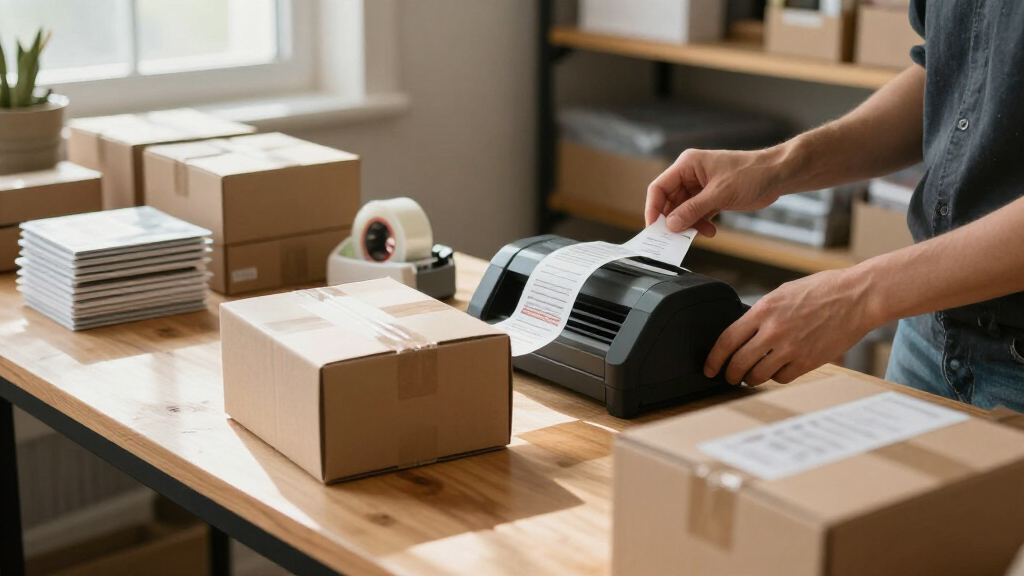

For small businesses that need both package labels and everyday organization, I’d choose the Rongta 4×6 Bluetooth Thermal Label Printer as the best overall pick for its wireless shipping workflow. The Brother P-Touch PT-D610BT is a stronger fit for professional product and asset labels, while the Brother PT-N10 keeps basic labeling simple. The main choice is between a dedicated 4×6 printer for shipping volume and a tape label maker for shelves, cables, and products. Compact Bluetooth models can bridge some of that gap, though they do not replace a full shipping-label printer. Read on for how the 15 options differ and which type of business each suits.

Get business pricing on office and shipping supplies
- Business-only prices and quantity discounts
- Tax-exempt purchasing
- Multiple users, one account, clear invoices
Key Takeaways
- Shipping labels and business organization call for different tools: the Rongta, Phomemo, NULLTONEX, and JADENS 4×6 models target parcel workflows, while Brother P-Touch and SUPVAN tape models suit shelves, equipment, and products.
- The Rongta 4×6 Bluetooth printer earns the overall role because a wireless thermal shipping format maps directly to common small-business fulfillment needs; it is less useful for narrow inventory labels.
- The Brother PT-D610BT is the premium organization pick: Bluetooth connectivity and a business-focused design suit varied labeling jobs, while its tape format does not make it a parcel-label printer.
- Supplied tape or label rolls can help a new owner get started, as with the PT-D210 bundle, SUPVAN E11, TYPONOS PM240, and Phomemo 241BT; ongoing media compatibility still matters more than the starter supply.
- Several Rongta and other 4×6 models overlap in purpose, so buyers should compare connection setup, included labels, and workspace fit rather than assume that similar formats offer identical workflows.
| Brother P-Touch PT-N10 Handheld Label Maker |  | Best for Simple, Screen-Free Setup | Tape compatibility: Brother P-touch Btag tapes only | Tape width: 12 mm (½ in) | Tape length: 4 m (13.1 ft) | VIEW LATEST PRICE | See Our Full Breakdown |
| Rongta 4×6 Bluetooth Thermal Label Printer, Wireless Shipping Label Printer for Small Business, Office, or Home (Pink) |  | Best for Phone-Based Shipping | Label size: 4 × 6 in; supports multiple sizes | Connectivity: Bluetooth and USB | Compatible devices: iPhone, Android, iPad, macOS, Windows | VIEW LATEST PRICE | See Our Full Breakdown |
| Ponek M100 Bluetooth Label Maker with Tape, 2-Inch, Black |  | Best for Barcodes and QR Codes | Model: M100 | Printing technology: Direct thermal | Label width: 0.78–2 in | VIEW LATEST PRICE | See Our Full Breakdown |
| TYPONOS PM240 Bluetooth Thermal Label Maker with 3 Label Rolls |  | Best for Batch Product Labeling | Printer type: Monochrome thermal | Resolution: 203 × 203 DPI | Included labels: 3 rolls: 40 × 30 mm white, 50 × 80 mm white, 50 × 50 mm pink round | VIEW LATEST PRICE | See Our Full Breakdown |
| Nelko P21 Label Maker Machine with Tape, Bluetooth Label Printer, White |  | Best Compact Pick | Model: P21 | Connectivity: Bluetooth with iOS and Android | Printing technology: BPA-free direct thermal | VIEW LATEST PRICE | See Our Full Breakdown |
| Rongta Wireless Bluetooth Thermal Shipping Label Printer, 4×6 |  | Best for Cross-Device Flexibility | Brand: Rongta | Label size: 4×6 inches and multiple other sizes | Connectivity: Bluetooth and USB | VIEW LATEST PRICE | See Our Full Breakdown |
| Phomemo 241BT Bluetooth Thermal Label Printer with 20 Labels |  | Best for Fast, Flexible Shipping | Print technology: Direct thermal | Connectivity: Bluetooth and USB | Supported label widths: 1–4.6 inches | VIEW LATEST PRICE | See Our Full Breakdown |
| Rongta RP425 Bluetooth Thermal Shipping Label Printer, 4×6 Wireless Label Printer |  | Best Compact Shipping Printer | Printer type: Direct thermal | Maximum label size: 4 x 6 inches | Supported label widths: 0.98–4.37 inches | VIEW LATEST PRICE | See Our Full Breakdown |
| NULLTONEX 4×6 Bluetooth Thermal Shipping Label Printer |  | Best Starter Shipping Bundle | Printing technology: Direct thermal | Resolution: 203 DPI | Print speed: Up to 150 mm/s | VIEW LATEST PRICE | See Our Full Breakdown |
| SUPVAN E11 Keyboard and Bluetooth Label Maker with 4 Tapes |  | Best for Everyday Inventory Labels | Battery capacity: 1200 mAh | Weight: 0.5 lb | Dimensions: 5.7 x 2.9 x 1.3 inches | VIEW LATEST PRICE | See Our Full Breakdown |
| Brother P-Touch PT-D210 Label Maker Bundle with 4 Label Tapes, White |  | Best for Low-Volume Organization | Model: PT-D210 | Tape widths: 3.5 mm, 6 mm, 9 mm, and 12 mm | Fonts: 14 | VIEW LATEST PRICE | See Our Full Breakdown |
| Rongta R22 Bluetooth Thermal Label Maker with Tape |  | Best Compact App-Based Pick | Maximum label width: 2.13 inches; 0.63–2.13 inch range | Weight: 250 g | Resolution: 203 dpi | VIEW LATEST PRICE | See Our Full Breakdown |
| JADENS Bluetooth Thermal Shipping Label Printer, Wireless 4×6 Label Printer |  | Best for Shipping Orders | Print technology: Thermal | Resolution: 203 DPI | Print head: Japanese thermal print head | VIEW LATEST PRICE | See Our Full Breakdown |
| Brother P-Touch PT-D610BT Business Professional Connected Label Maker with Bluetooth |  | Best for Shared Business Labeling | Connectivity: Bluetooth and USB | Maximum label width: 1 inch | Fonts and styles: 17 fonts and 17 styles | VIEW LATEST PRICE | See Our Full Breakdown |
| SUPVAN T50M Pro Bluetooth Label Maker |  | Best for Varied Small Labels | Connectivity: Bluetooth | Label width: 3/4–2 inches | Compatible label types: Square, round, address, cable, jewelry, and file labels | VIEW LATEST PRICE | See Our Full Breakdown |
| label makers for small businesse | Connectivity |
|---|---|
| Brother P-Touch PT-N10 Handhel | — |
| Rongta 4×6 Bluetooth Thermal L | Bluetooth and USB |
| Ponek M100 Bluetooth Label Mak | Bluetooth and USB |
| TYPONOS PM240 Bluetooth Therma | Bluetooth and USB; cannot be used at the same time |
| Nelko P21 Label Maker Machine | Bluetooth with iOS and Android |
| Rongta Wireless Bluetooth Ther | Bluetooth and USB |
| Phomemo 241BT Bluetooth Therma | Bluetooth and USB |
| Rongta RP425 Bluetooth Thermal | Bluetooth and USB Type-C |
| NULLTONEX 4×6 Bluetooth Therma | Bluetooth and USB |
| SUPVAN E11 Keyboard and Blueto | Bluetooth |
| Brother P-Touch PT-D210 Label | — |
| Rongta R22 Bluetooth Thermal L | Bluetooth for iOS and Android |
| JADENS Bluetooth Thermal Shipp | Bluetooth and USB |
| Brother P-Touch PT-D610BT Busi | Bluetooth and USB |
| SUPVAN T50M Pro Bluetooth Labe | Bluetooth |
More Details on Our Top Picks
Brother P-Touch PT-N10 Handheld Label Maker
The PT-N10 suits a small shop that needs quick, portable labels for bins, supplies, and basic product organization. Its full QWERTY keyboard and built-in cutter let staff make labels without opening an app, while two-line printing and saved label memory help with repeated tasks. Compared with the Nelko P21, it trades a larger design library and phone-based editing for a more direct, self-contained workflow. The tradeoff is tape flexibility: it accepts only Brother P-touch Btag tapes, and its 12-character display can make longer text harder to review before printing. Six AAA batteries are also sold separately. I’d choose it for straightforward shop labeling, but not for barcode-heavy inventory or high-volume shipping.
Pros:- Full QWERTY keyboard supports direct label creation without a phone
- Built-in cutter and easy-peel backing simplify on-the-spot labeling
- Stores up to 10 labels for repeat printing
- Fonts, frames, symbols, and two-line printing allow basic customization
Cons:- Works only with Brother P-touch Btag tapes
- Six AAA batteries are sold separately
- 12-character display limits the text visible before printing
Best for: Small retailers who want a standalone handheld maker for short, repeated labels on shelves, bins, and supplies
Not ideal for: Businesses that need computer or phone design tools, long text previews, or broad tape compatibility
- Tape compatibility:Brother P-touch Btag tapes only
- Tape width:12 mm (½ in)
- Tape length:4 m (13.1 ft)
- Power:6 AAA batteries, sold separately
- Keyboard and display:Full QWERTY keyboard; 12-character display
- Print capacity:Up to 2 lines; 7 mm combined text height
- Customization:3 fonts, 6 styles, 10 frames, 200 symbols
- Label memory:Up to 10 labels
Our verdict“Choose the PT-N10 for simple, app-free organization labels when its dedicated tape format fits your workflow.”
Rongta 4×6 Bluetooth Thermal Label Printer, Wireless Shipping Label Printer for Small Business, Office, or Home (Pink)
For a small business printing parcel labels, the Rongta 4×6 is the most shipping-focused pick in this group. It prints with inkless thermal technology and can receive jobs over Bluetooth from phones and tablets or USB from a computer, making it more useful for dispatch than compact tape makers such as the Ponek M100. The stated support for multiple label sizes also gives it some flexibility beyond standard shipping labels. That focus comes with limits: it prints on thermal labels only, and computer use requires a driver download while mobile printing depends on the RONGTA app. I’d shortlist it for a shop that packs orders from different devices; businesses looking mainly for durable shelf and equipment labels should look at a tape-based model instead.
Pros:- Bluetooth printing works with iPhone, Android, and iPad
- USB connection supports Windows and macOS computers
- Inkless thermal printing avoids ink and toner
- Supports multiple thermal label sizes
Cons:- Mobile printing requires the RONGTA app
- Computer setup requires downloading a driver
- Limited to thermal labels
Best for: Small online sellers who print shipping labels from a mix of phones, tablets, and Windows or Mac computers
Not ideal for: Retailers focused on narrow product, shelf, or equipment labels rather than thermal shipping labels
- Label size:4 × 6 in; supports multiple sizes
- Connectivity:Bluetooth and USB
- Compatible devices:iPhone, Android, iPad, macOS, Windows
- Printing technology:Inkless thermal
- Mobile software:RONGTA app
- Computer setup:Downloadable driver for PC and laptop
- Color:Pink
Our verdict“Choose the Rongta 4×6 when wireless parcel-label printing matters more than general-purpose shop labeling.”
Ponek M100 Bluetooth Label Maker with Tape, 2-Inch, Black
The Ponek M100 is a practical middle ground for small businesses that need more than basic name labels but do not need a dedicated 4 × 6 shipping printer. Its app can create barcodes and QR codes, and labels can be up to two inches wide, which suits stock identification, bins, and compact product labels. Compared with the Nelko P21, it also connects to PCs and offers USB alongside Bluetooth, so it fits a broader device mix. The rechargeable battery is specified for up to 4,200 labels per charge, though actual output will depend on use. The main caveat is app dependence: some templates require a premium membership, and it needs a full charge before first use. I’d favor it over a basic handheld maker when scannable labels matter.
Pros:- Creates labels, barcodes, and QR codes
- Supports Android, iOS, and PC through Bluetooth or USB
- Rechargeable battery is specified for up to 4,200 labels per charge
- Direct thermal printing requires no ink or toner
Cons:- Some app templates require a premium membership
- Requires a full charge before first use
Best for: Small retailers and makers who need compact inventory labels with barcodes or QR codes and may print from a PC
Not ideal for: Businesses wanting a standalone keyboard, large-format parcel labels, or every app template without a membership
- Model:M100
- Printing technology:Direct thermal
- Label width:0.78–2 in
- Print resolution:203 DPI
- Print speed:20 mm/s
- Battery capacity:Up to 4,200 labels per charge
- Connectivity:Bluetooth and USB
- Compatibility:Android, iOS, and PC
- Weight:0.6 lb
Our verdict“Choose the M100 if scannable small-format labels and cross-device connections are more useful than a simple standalone maker.”
TYPONOS PM240 Bluetooth Thermal Label Maker with 3 Label Rolls
The TYPONOS PM240 is built for a small business that labels products in batches. Its app can import Excel data, handle batch printing, and use OCR, which can cut repetitive setup when producing many similar labels. The included three label rolls offer different shapes and sizes for product packaging or identification, while the 207 g rechargeable unit stays compact on a worktable. Compared with the Ponek M100, the PM240 puts more emphasis on batch workflows and label-size detection; the M100’s stated strengths are barcodes, QR codes, and a larger maximum label width. The PM240 prints monochrome only, and reliable size detection and print quality depend on compatible TYPONOS labels. Its power adapter is not included, and Bluetooth and USB cannot operate at the same time.
Pros:- App supports batch printing and Excel import
- OCR and automatic label-size detection support repeat workflows
- Includes three rolls in different sizes and shapes
- Compact rechargeable design weighs 207 g
Cons:- Monochrome output cannot reproduce colored label designs
- Reliable size detection and print quality depend on compatible TYPONOS labels
- Power adapter is not included, and Bluetooth and USB cannot be used together
Best for: Small makers and retail teams producing batches of monochrome product or packaging labels from app-based data
Not ideal for: Businesses that need color printing, broad label-brand flexibility, or simultaneous Bluetooth and USB connections
- Printer type:Monochrome thermal
- Resolution:203 × 203 DPI
- Included labels:3 rolls: 40 × 30 mm white, 50 × 80 mm white, 50 × 50 mm pink round
- Connectivity:Bluetooth and USB; cannot be used at the same time
- Compatible devices:iOS and Android phones and tablets; PC
- Battery:1500 mAh rechargeable
- Standby time:Up to 100 days
- Supported label sizes:1–2 in square, round, and transparent labels
- Dimensions and weight:3.33 × 4.63 × 2.32 in; 207 g
Our verdict“Choose the PM240 for repeat batches of monochrome product labels when its app workflow and label format suit your operation.”
Nelko P21 Label Maker Machine with Tape, Bluetooth Label Printer, White
The Nelko P21 makes sense for a small shop that labels items in short runs and values a device that can travel between a counter, stockroom, and packing table. Its pocket-sized body, built-in rechargeable battery, and phone-based template library make quick organization labels less dependent on a computer. Compared with the Brother PT-N10, it offers much broader app customization, including QR codes, barcodes, and images, but gives up the Brother’s onboard keyboard and standalone operation. That means a compatible phone is part of the workflow. It prints monochrome only, does not support computers, and continuous label tapes are not supported. The listed Android 14 compatibility limitation may also rule it out for some teams. I’d pick it for mobile, occasional labeling, not as a shipping workstation.
Pros:- Pocket-sized design is easy to carry around a shop
- Built-in rechargeable battery supports portable use
- App offers templates, icons, borders, QR codes, and barcodes
- Direct thermal printing requires no ink or toner
Cons:- Not compatible with computers
- Prints monochrome only and does not support continuous label tapes
- Listed as incompatible with Google phones running Android 14
Best for: Solo sellers or small teams with compatible iOS or Android phones who need portable labels for products, bins, and supplies
Not ideal for: Businesses that print from computers, need continuous tape, or rely on Google phones running Android 14
- Model:P21
- Connectivity:Bluetooth with iOS and Android
- Printing technology:BPA-free direct thermal
- Resolution:203 DPI
- Output:Monochrome black text
- Battery:Built-in rechargeable
- Label sizes:14 × 40 mm, 14 × 50 mm, 14 × 75 mm, and more
- Computer compatibility:Not compatible with computers
- App features:3600+ icons, 700+ borders, 5500+ materials, 750+ templates, 29 languages
Our verdict“Choose the P21 for compact, phone-driven product and organization labels when computer printing and continuous tape are unnecessary.”
Rongta Wireless Bluetooth Thermal Shipping Label Printer, 4×6
For a small business that switches between phone and computer orders, this Rongta supports Bluetooth printing through its mobile app and USB printing through a computer driver. It handles 4×6 shipping labels and other label sizes, giving it more room for varied shipping tasks than a compact tape labeler such as the SUPVAN E11. Its inkless thermal process avoids ink purchases, though it limits use to compatible thermal labels. The broad support for Windows, macOS, Android, and iOS gives this model a flexible device range, but setup takes extra steps: mobile users need the RONGTA app, while computer users need to install a driver. Choose it for adaptable shipping workflows; skip it if you want a simple keyboard labeler for shelves and bins.
Pros:- Bluetooth and USB connections support mobile and computer workflows
- Works with Windows, macOS, Android, and iOS
- Supports 4×6 and multiple label sizes
- Inkless thermal printing avoids ink supplies
Cons:- Mobile printing requires the RONGTA app
- Computer printing requires a separately downloaded driver
- Direct thermal output restricts label material choices
Best for: Small online sellers who prepare shipping labels from a mix of phones, tablets, and computers
Not ideal for: Retailers who mainly need narrow product, shelf, or cable labels rather than thermal shipping labels
- Brand:Rongta
- Label size:4×6 inches and multiple other sizes
- Connectivity:Bluetooth and USB
- Compatible operating systems:Windows, macOS, Android, iOS
- Printing technology:Inkless thermal
- Color:White
Our verdict“Pick this Rongta if your small business needs 4×6 shipping labels from several kinds of devices and can accommodate app and driver setup.”
Phomemo 241BT Bluetooth Thermal Label Printer with 20 Labels
Speed and unusually broad computer support make the Phomemo 241BT a strong fit for small businesses processing a steady queue of parcels. Its listed speed reaches 150 mm/s, and its 1-to-4.6-inch label-width range can cover more formats than a printer limited to 4×6 shipping labels, such as the NULLTONEX. Bluetooth and USB give sellers a choice of phone or computer workflows, with support spanning iOS, Android, Windows, Mac OS, Chrome OS, and Linux. The tradeoff is monochrome output, which suits barcodes and shipping details but not color branding. Computer setup also requires a downloaded driver, so the SUPVAN E11 may be a better match for staff who want a standalone keyboard labeler for routine stock labels.
Pros:- Print speed reaches 150 mm/s
- Supports label widths from 1 to 4.6 inches
- Bluetooth and USB connections support different work setups
- Compatible with iOS, Android, Windows, Mac OS, Chrome OS, and Linux
Cons:- Black-and-white output cannot reproduce color branding
- Computer setup requires a driver download
- Direct thermal printing requires compatible labels
Best for: Small ecommerce teams that print batches of shipping and other labels from different operating systems
Not ideal for: Businesses that need color logos or a standalone keyboard for printing basic inventory labels
- Print technology:Direct thermal
- Connectivity:Bluetooth and USB
- Supported label widths:1–4.6 inches
- Printing speed:Up to 150 mm/s
- Output:Black and white
- Compatible systems:iOS, Android, Windows, Mac OS, Chrome OS, Linux
- Included labels:20
Our verdict“Choose the Phomemo 241BT for fast, varied label runs across a mixed-device shipping workflow where monochrome output is sufficient.”
Rongta RP425 Bluetooth Thermal Shipping Label Printer, 4×6 Wireless Label Printer
The RP425 pairs a small footprint with detailed shipping specs, making it the clearest choice here for a seller with limited packing space. It weighs 0.65 kg and measures 3 by 7 by 2 inches, while supporting 4×6 labels and narrower widths from 0.98 to 4.37 inches. Automatic label detection helps reduce manual adjustments when changing formats; the Phomemo 241BT offers faster listed output, but this Rongta adds that detection feature and USB Type-C. Bluetooth printing works from iOS and Android through the RONGTA app, while computer use relies on USB and a separately downloaded driver. Its 203 dpi monochrome thermal output suits shipping information, though direct thermal media limits label choices.
Pros:- Compact 0.65 kg body is easy to move or fit on a crowded desk
- Automatic label detection reduces manual format adjustments
- Supports Bluetooth and USB Type-C connections
- Works with iOS, Android, Windows, macOS, and Chrome OS
Cons:- Mobile printing requires the RONGTA app
- Desktop printing requires a separately downloaded driver
- Direct thermal printing only works with compatible thermal labels
Best for: Small sellers packing orders at a compact desk or needing a lightweight printer they can move between work areas
Not ideal for: Businesses that need color labels, broad media choices, or a setup that avoids app and driver downloads
- Printer type:Direct thermal
- Maximum label size:4 x 6 inches
- Supported label widths:0.98–4.37 inches
- Print speed:Up to 150 mm/s
- Resolution:203 dpi
- Connectivity:Bluetooth and USB Type-C
- Weight:0.65 kg (1.43 lbs)
- Dimensions:3 x 7 x 2 inches
Our verdict“Choose the RP425 if compact size and automatic label detection matter more to your shipping station than the Phomemo 241BT’s listed speed.”
NULLTONEX 4×6 Bluetooth Thermal Shipping Label Printer
Included labels make the NULLTONEX ready for a small seller’s first shipping run: the box includes 25 sheets of 4×6 thermal labels alongside the printer, power cord, and USB cable. It prints at up to 150 mm/s and supports widths from 1.57 to 4.3 inches, while Bluetooth and USB leave room for either mobile or computer workflows. Compared with the Rongta RP425, its supplied label sheets are a useful starting point, but the RP425 lists automatic label detection and USB Type-C. The NULLTONEX’s FlashLabel Pro app is required for Bluetooth printing, and its monochrome direct thermal output is suited to shipping details and barcodes rather than color packaging. Platform compatibility includes major marketplaces and carriers, though the listed operating systems are unspecified.
Pros:- Includes 25 sheets of 4×6 thermal labels
- Bluetooth and USB connectivity
- Supports label widths from 1.57 to 4.3 inches
- Compatible with major marketplaces and shipping carriers
Cons:- Bluetooth printing requires the FlashLabel Pro app
- Black-and-white output does not support color branding
- Compatible operating systems are not specified
Best for: New online sellers who want a 4×6 shipping printer with a small supply of labels included
Not ideal for: Businesses that need documented operating-system compatibility or color product and packaging labels
- Printing technology:Direct thermal
- Resolution:203 DPI
- Print speed:Up to 150 mm/s
- Connectivity:Bluetooth and USB
- Label width:1.57–4.3 inches
- App:FlashLabel Pro
- Included:Printer, power cord, USB cable, and 25 sheets of 4×6 thermal labels
- Listed compatibility:Amazon, Shopify, Etsy, USPS, UPS, FedEx, DHL
Our verdict“Pick the NULLTONEX to get a basic shipping setup with labels included, provided its app-based Bluetooth workflow and monochrome output fit your needs.”
SUPVAN E11 Keyboard and Bluetooth Label Maker with 4 Tapes
The SUPVAN E11 serves a different small-business job from the shipping printers: it is a portable tape label maker for stockrooms, desks, and cable runs rather than a 4×6 parcel-label station. Its built-in keyboard lets staff print without reaching for a phone, while Bluetooth app editing adds fonts, frames, icons, and 17 languages for more customized labels. At 0.5 lb with a rechargeable battery, it is easy to carry between shelves or work areas. Compared with the Brother P-Touch PT-D610BT, the E11 emphasizes compact keyboard-and-app convenience, but the supplied data gives no label width or print resolution. It includes four tapes and supports continuous and die-cut labels; buyers should confirm those formats suit their labeling needs.
Pros:- Keyboard printing works without a phone
- Bluetooth app offers fonts, frames, icons, and 17 languages
- Compact, lightweight design with a rechargeable battery
- Supports both continuous and die-cut labels and includes four tapes
Cons:- Label width and print resolution are not specified
- Stated battery life of up to one month depends on usage
- Tape labeling does not replace a 4×6 shipping-label printer
Best for: Small shops that need portable shelf, bin, cable, and equipment labels made at the point of use
Not ideal for: Online sellers seeking 4×6 shipping labels or businesses that need a specified print resolution and label width
- Battery capacity:1200 mAh
- Weight:0.5 lb
- Dimensions:5.7 x 2.9 x 1.3 inches
- Connectivity:Bluetooth
- Printing options:Built-in keyboard and app
- Label compatibility:Continuous and die-cut labels
- App features:30+ fonts, 50+ frames, 660+ icons, 17 languages
- Included tapes:4
Our verdict“Choose the E11 for portable stockroom and equipment labeling, while choosing a Rongta or Phomemo thermal printer for parcel labels.”
Brother P-Touch PT-D210 Label Maker Bundle with 4 Label Tapes, White
The PT-D210 suits a small business that needs shelf, file, cable, or storage labels without setting up a phone app or desktop workflow. Its built-in keyboard and preview display make quick edits straightforward, while 14 fonts, 98 frames, and 27 templates give more styling choices than a basic handheld labeler such as the Brother P-Touch PT-N10. The bundle’s four included tapes also let a new owner start labeling several areas right away. Its limit is scale: labels top out at 12 mm, so it cannot replace a 4×6 shipping printer like the JADENS Bluetooth Thermal Shipping Label Printer. It also runs on six separately purchased AAA batteries unless you buy the optional adapter. I’d choose it for occasional, narrow-format labels, not daily parcel fulfillment.
Pros:- Standalone keyboard and preview display simplify quick label edits
- Four included tapes provide several tape widths to start
- 14 fonts, 98 frames, and 27 templates support varied narrow labels
- Portable design fits occasional labeling around a shop or stockroom
Cons:- Six AAA batteries are not included
- Optional AC adapter and protective case are sold separately
- 12 mm maximum tape width rules out standard 4×6 shipping labels
Best for: Small-shop owners who label shelves, files, cables, and products in short batches and want a standalone keyboard
Not ideal for: Businesses printing frequent shipping labels or wide product labels, since it supports tape only up to 12 mm
- Model:PT-D210
- Tape widths:3.5 mm, 6 mm, 9 mm, and 12 mm
- Fonts:14
- Frames:98
- Symbols:600+
- Templates:27
- Power:Six AAA batteries (not included) or optional AD-24 AC adapter
- Included tapes:One sample tape and three full-length black-on-white TZe tapes
Our verdict“Choose the PT-D210 for straightforward, low-volume organization labels when a keyboard matters more than shipping-label capacity.”
Rongta R22 Bluetooth Thermal Label Maker with Tape
At 250 g, the R22 is the most portable fit here for a seller who moves between a packing table, market stall, and back office. Its rechargeable battery and thermal printing avoid disposable ink and let it work away from an outlet; the app adds 40+ fonts, 1,000+ icons, and 230+ borders for small labels. Compared with the JADENS Bluetooth Thermal Shipping Label Printer, the R22 is easier to carry and better suited to compact item or organization labels, while JADENS handles much wider shipping formats and computer workflows. The R22’s 2.13-inch maximum width and black-and-white output limit its usefulness for larger parcel labels. It also depends on a phone or tablet, and its four-hour continuous printing figure makes it less compelling for long, high-volume runs.
Pros:- Light 250 g body is easy to carry between work areas
- Rechargeable 1500mAh battery supports printing away from a desk
- Thermal printing requires no ink or toner
- App includes a large selection of fonts, icons, and borders
Cons:- Prints black and white only
- Not compatible with computers
- Charging adapter is not included and fast chargers are unsuitable
Best for: Market sellers and small online shops that need portable, phone-designed labels for products or small packages
Not ideal for: High-volume shippers who need 4×6 labels or a printer that connects to a computer
- Maximum label width:2.13 inches; 0.63–2.13 inch range
- Weight:250 g
- Resolution:203 dpi
- Battery:1500mAh rechargeable
- Charging:USB Type-C; 3.5-hour charge time
- Continuous printing:Up to 4 hours per charge
- Connectivity:Bluetooth for iOS and Android
- Printing method:Black-and-white thermal
Our verdict“Pick the R22 if portability and phone-based label design matter more than wide shipping labels or computer connectivity.”
JADENS Bluetooth Thermal Shipping Label Printer, Wireless 4×6 Label Printer
For a small business dispatching online orders, the JADENS is the clearest fit in this group: it prints wide labels up to 4.1 inches and works with shipping platforms such as ShipStation, eBay, Amazon, and Shopify. USB gives a dependable desktop connection, while Bluetooth adds wireless printing, so it supports a more established packing workflow than the phone-only Rongta R22. Thermal printing also removes ink and toner from the supply list. There are setup compromises: mobile printing requires the Jadens app, and changing label stock means manually calibrating the printer. Its 203 DPI output is suited to standard shipping labels, but buyers wanting built-in label design controls or a standalone keyboard may prefer the Brother PT-D610BT. This makes most sense as a shipping station printer, not a general-purpose handheld labeler.
Pros:- Supports label widths from 1.57 to 4.1 inches, including common shipping formats
- Bluetooth and USB offer both wireless and wired computer workflows
- Thermal printing avoids ink and toner purchases
- Works with major shipping platforms and supports roll and fanfold labels
Cons:- Mobile devices need the Jadens app for printing
- Label calibration must be performed manually when stock changes
Best for: Small online retailers printing shipping labels from a computer and using common ecommerce platforms
Not ideal for: Sellers who need a standalone portable label maker or expect direct Bluetooth printing from iOS and Android
- Print technology:Thermal
- Resolution:203 DPI
- Print head:Japanese thermal print head
- Label width:1.57–4.1 inches
- Label types:Fanfold and roll labels
- Connectivity:Bluetooth and USB
- Compatibility:Windows 7+, Mac OS 10.9+, iOS and Android via app
- Warranty:1 year
Our verdict“Choose the JADENS for a small-business packing desk that needs broad shipping-platform support and wide thermal labels.”
Brother P-Touch PT-D610BT Business Professional Connected Label Maker with Bluetooth
The PT-D610BT is the most capable choice here for a team that repeatedly creates consistent labels for bins, equipment, files, and products. Its Bluetooth and USB connectivity let staff design from computers or mobile devices, while the QWERTY keyboard, color preview, automatic cutter, and memory for 90 labels support quick repeat jobs. The 175 business templates and 900 symbols offer far more built-in design range than the Brother PT-D210, making it better suited to varied workplace labeling. That flexibility has a narrower format: tape is limited to one inch wide, so the JADENS is the better match for shipping labels. Advanced software editing may also take time to learn. I’d rank this above simpler handheld models for an organized team workflow, but not for broad-format parcel printing.
Pros:- Bluetooth and USB support shared mobile and computer workflows
- Color LCD preview helps catch layout errors before printing
- Automatic cutter and memory for 90 labels speed repeat tasks
- 175 business templates provide ready-made layouts
Cons:- Maximum label width is one inch
- Advanced software editing may involve a learning curve
Best for: Small teams that create recurring, polished labels for equipment, inventory, files, and workplace organization
Not ideal for: Businesses whose main need is 4×6 shipping labels or who want the simplest possible label workflow
- Connectivity:Bluetooth and USB
- Maximum label width:1 inch
- Fonts and styles:17 fonts and 17 styles
- Frames:160
- Symbols:900
- Display:20-character, two-line full-color LCD
- Memory:Up to 90 saved labels
- Templates and cutter:175 preloaded business templates; automatic label cutter
Our verdict“Choose the PT-D610BT when several people need repeatable, polished workplace labels from a connected desktop-style device.”
SUPVAN T50M Pro Bluetooth Label Maker
The T50M Pro covers a useful middle ground for small businesses that need more than narrow file tape but do not need a dedicated 4×6 shipping printer. Its 3/4–2-inch label range accommodates address, cable, jewelry, file, square, and round labels, giving a product seller more shape options than the Brother PT-D210. The phone app adds 30+ fonts, 50+ frames, and 660+ icons without requiring registration, and thermal printing keeps ink and toner out of the workflow. Compared with the Rongta R22, it offers a stated range of specialty label types, while the R22 specifies a rechargeable battery and stronger portability details. The tradeoff is app dependence: a phone, tablet, or PC is needed to edit labels, and the supplied data does not specify battery capacity or computer connection details.
Pros:- Supports label widths from 3/4 to 2 inches
- Compatible with several specialty formats, including round and jewelry labels
- App provides 30+ fonts, 50+ frames, and 660+ icons
- Thermal printing needs no ink or toner, and the app requires no registration
Cons:- A phone, tablet, or PC is required to edit labels
- Two-inch maximum width does not support standard 4×6 shipping labels
Best for: Small product businesses labeling jewelry, cables, files, and varied package or inventory items
Not ideal for: Teams that need a standalone keyboard, clearly specified computer connectivity, or standard 4×6 shipping labels
- Connectivity:Bluetooth
- Label width:3/4–2 inches
- Compatible label types:Square, round, address, cable, jewelry, and file labels
- App fonts:30+
- App frames:50+
- App icons:660+
- Ink or toner:Not required
- Color:Black
Our verdict“Pick the T50M Pro for small-batch product and organization labels in varied shapes when app-based editing suits your workflow.”

How We Picked
I ranked these models by how well their format and workflow fit a small business’s recurring jobs: shipping orders, marking products, organizing stock, or identifying equipment. I gave more weight to a clear business use and practical workflow than to a long feature list. A wireless 4×6 thermal printer ranks highly for a shop mailing parcels, but it is a poor match for cable tags or shelf labels; tape-based Brother and SUPVAN models serve those jobs better.
The ranking also reflects setup simplicity, connection options, included starter media, and the likely cost of maintaining a consistent supply of compatible labels or tapes. The PT-D610BT stands out for professional tape labeling, while the PT-D210 bundle offers a more approachable entry point. Models with overlapping shipping roles, including several Rongta printers alongside Phomemo, JADENS, and NULLTONEX, are separated by their stated workflow and supplied media; buyers should verify software and device compatibility for their own setup before choosing.
| label makers for small businesse | Connectivity |
|---|---|
| Brother P-Touch PT-N10 Handhel | — |
| Rongta 4×6 Bluetooth Thermal L | Bluetooth and USB |
| Ponek M100 Bluetooth Label Mak | Bluetooth and USB |
| TYPONOS PM240 Bluetooth Therma | Bluetooth and USB; cannot be used at the same time |
| Nelko P21 Label Maker Machine | Bluetooth with iOS and Android |
| Rongta Wireless Bluetooth Ther | Bluetooth and USB |
| Phomemo 241BT Bluetooth Therma | Bluetooth and USB |
| Rongta RP425 Bluetooth Thermal | Bluetooth and USB Type-C |
| NULLTONEX 4×6 Bluetooth Therma | Bluetooth and USB |
| SUPVAN E11 Keyboard and Blueto | Bluetooth |
| Brother P-Touch PT-D210 Label | — |
| Rongta R22 Bluetooth Thermal L | Bluetooth for iOS and Android |
| JADENS Bluetooth Thermal Shipp | Bluetooth and USB |
| Brother P-Touch PT-D610BT Busi | Bluetooth and USB |
| SUPVAN T50M Pro Bluetooth Labe | Bluetooth |
Factors to Consider When Choosing Label Makers For Small Businesses
Before choosing a label maker, map the jobs it will handle across a normal week. That simple inventory helps prevent a common mismatch: buying a shipping printer for internal organization or expecting a compact tape model to handle parcel labels.
Match the label format to the job
Start by listing the surfaces and label sizes your business uses most: parcels, product packaging, shelves, bins, or equipment. A 4×6 printer is designed around shipping labels, while tape models are better suited to narrower labels that fit on containers and tools. If you need both formats, decide which job happens most often and whether a second device is justified. Trying to make one format cover every task can leave labels too large, too small, or awkward to place. Check the destination platform’s accepted label dimensions before buying a shipping printer. For products that need branded or durable packaging, verify the media type and finish rather than relying on the word “thermal.”
Plan around how orders move through your workspace
Consider where staff create labels, pack orders, and hand parcels off. Bluetooth can let a phone or tablet print near a packing bench, while a desktop connection may better suit a fixed station with a computer. Wireless convenience depends on app quality, device compatibility, and reliable setup, so confirm these details for the phones or computers your team actually uses. A keyboard-equipped model can make one-off labeling straightforward without depending on an app. For several employees, think about who can access templates and whether each person can reproduce the same format. A smooth handoff between order management and printing may save more time than a printer’s advertised speed.
Check label and tape supply before committing
Supplied rolls and tape bundles help you start, but they do not tell you what ongoing use will involve. Check the supported widths, roll dimensions, cartridge style, and whether the maker accepts supplies you can readily reorder. Thermal printers avoid ink, yet they still require compatible label stock and may need more frequent roll changes during busy fulfillment periods. Tape label makers use cartridges that can differ in width, finish, or adhesive strength. A label that works on cardboard may not stay put on a cold bin or a textured container. Test the intended stock and surface on a small batch before standardizing your inventory labels.
Choose for the volume you expect to keep
Estimate ordinary daily output and seasonal peaks instead of buying around a single busy week. A high-volume shipper should look for a dedicated 4×6 workflow that keeps order fulfillment moving and places rolls within easy reach. A business that prints occasional parcel labels but frequently marks shelves may get more daily value from a tape model. Consider reload frequency, desk space, and how much time a staff member spends formatting each label. Extra connectivity features matter when they remove a repeated step; they add little when printing is rare. Leave room for growth if label volume is already rising, but avoid paying for a workflow your business does not use.
Prioritize readability and durability
Labels communicate information to customers, carriers, and staff, so legibility should guide design choices. Shipping labels need clear barcodes and enough contrast for scanning; product and storage labels may need larger text or a finish suited to handling. Check whether the chosen software supports the layouts and fonts your team needs, especially if several people will create labels. Adhesive performance can vary by surface, temperature, and handling, so match media to where the label will live. Tiny text may fit more detail but can slow down packing and stock checks. For regulated or safety-related identification, confirm the required material and print specifications with the relevant standards before selecting a consumer label maker.
Frequently Asked Questions
Can one label maker handle both shipping labels and product labels?
Sometimes, but the formats usually determine whether that is practical. A 4×6 thermal printer is a natural fit for parcel labels and can handle some larger product labels if the dimensions and label stock suit the packaging. A tape maker such as a Brother P-Touch model is better for shelves, cables, and small containers, but it is not a substitute for a standard parcel-label workflow. If both jobs happen often, compare the cost and space of two specialized devices against the inconvenience of adapting one device to both.
Should I choose Bluetooth or a keyboard label maker for a small team?
Bluetooth is useful when label creation already happens on a phone or tablet and staff need to print from more than one spot. A keyboard model can be simpler for quick, occasional labels and avoids making an app part of every print job. For a team, check whether the Bluetooth app allows shared templates and works with each employee’s device. Also consider who will maintain those templates as products or storage locations change. The best connection is the one that fits the existing routine with the fewest repeated steps.
Are thermal shipping printers suitable for labels that customers see on products?
They can work for some packaging labels, but shipping stock is not automatically suitable for long-term product presentation. Thermal printing avoids ink, while the label’s durability and appearance depend on the media and where it will be used. Check whether the printer supports the size and type of stock your packaging requires, then assess how the label looks after handling and storage. For brand-forward packaging or labels exposed to moisture, heat, or sunlight, investigate media specifications carefully. A tape label maker may suit small internal markings, but it may not provide the format or finish you want for retail packaging.
How much should the starter tape or label rolls influence my choice?
Starter supplies are helpful for setup and early jobs, but they should be a secondary factor. A bundle such as the Brother PT-D210 package or SUPVAN E11 can reduce the need to source a first cartridge right away, and the Phomemo 241BT includes labels to begin printing. Before choosing, confirm that compatible replacement media is available in the sizes and finishes you need. Then consider how quickly your normal workload will use the supplied stock. A device with an ideal ongoing supply fit can be a better business choice than one with a larger starter bundle.
When does a small business need separate shipping and organization label makers?
Separate devices make sense when parcel labels and internal labels are both frequent, have different formats, and interrupt each other’s workflow. A 4×6 printer can stay at the packing station, while a compact tape maker can serve shelves, cables, and equipment elsewhere. If labeling is occasional, one device may be enough; choose it around the task that causes the most friction. Include desk space, media storage, and staff training in the decision, not only the printer itself. The Rongta shipping models and Brother P-Touch range in this roundup illustrate how different these recurring jobs can be.
Conclusion
For a small shop that ships regularly, I recommend the Rongta 4×6 Bluetooth Thermal Label Printer as the best overall fit. The Brother PT-D210 bundle is my approachable choice for beginners who mainly need organization labels, while the Brother PT-D610BT suits businesses that want a more professional connected tape-label workflow. For a dedicated shipping station, compare the Rongta models with the Phomemo 241BT, JADENS, and NULLTONEX based on device compatibility, included media, and fit in your workspace; the listings alone do not establish a clear best value among them. If your priority is shelves, equipment, or compact product labels, choose a tape model such as the PT-N10 or a SUPVAN option. Match the machine to your most frequent label format first, then confirm that its supplies and connection method fit your day-to-day operation.
Halloween Picks
halloween
As an affiliate, we earn on qualifying purchases.