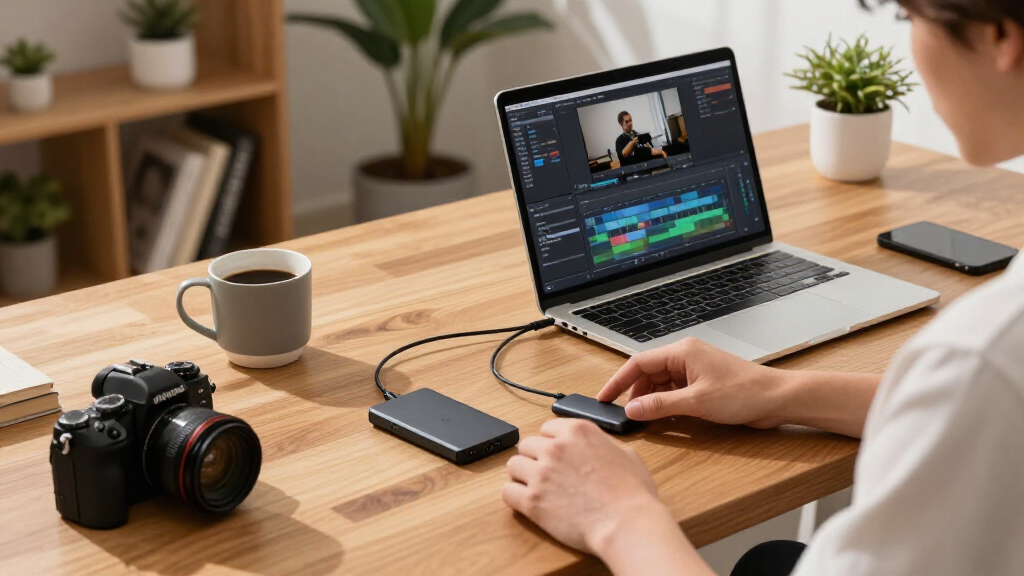

If you edit video, shoot photography, or shuffle massive RAW and ProRes files between locations, portable SSDs built specifically for content creation need to do more than just store data — they need sustained write speeds that won’t throttle mid-transfer, durability that survives a shoot bag, and enough capacity to hold a real project. The SanDisk Professional PRO-G40 earns my best overall pick thanks to its dual Thunderbolt/USB-C interface and pro-grade construction, while the Crucial X10 Pro stands out as the value play with 2,000 MB/s reads at a mid-tier cost. The main tradeoff you’ll face in this category is speed versus toughness versus price: the fastest 20Gbps drives rarely have the IP ratings of slower rubberized models, and pocket-sized drives like the ADATA SE880 trade thermal headroom for portability. Capacity strategy matters too — a fast 1TB drive fills up fast with 4K footage, while slower high-capacity options like the T5 EVO suit archival work instead of active editing. Read on for the full breakdown of all 14 drives and which one fits your workflow.

Get business pricing on office and shipping supplies
- Business-only prices and quantity discounts
- Tax-exempt purchasing
- Multiple users, one account, clear invoices
Key Takeaways
- Interface class was the single biggest differentiator in this lineup: USB 3.2 Gen 2×2 drives (Crucial X10 Pro, Samsung T9, the magnetic 1TB pick) roughly double the transfer speed of Gen 2 models like the SanDisk Extreme and T7 family — but only if your computer actually supports 20Gbps ports.
- The SanDisk PRO-G40 was the only drive with a Thunderbolt option, making it the clear choice for Mac-based editors and the reason it took best overall despite its premium positioning.
- Several drives in this roundup share nearly identical internal hardware — the SanDisk Extreme, Samsung T7 Shield, and SSK 250GB all hover around 1,050 MB/s — so buying decisions between them should come down to durability ratings, capacity pricing, and included cables rather than speed claims.
- Specialized form factors earned their spots: the Lexar Professional Go and Insta360 Quick Reader solve smartphone-first and action-cam workflows that generic SSDs handle poorly, but they’re poor choices as a primary editing drive.
- Sustained write performance, not peak read speed, separated the genuinely creator-ready drives from the spec-sheet champions — thinner drives like the ADATA SE880 can throttle during long 4K video offloads where the thicker T9 and PRO-G40 hold their rated speeds.
| SanDisk 1TB Extreme Portable SSD (New Model) |  | Best Overall | Capacity: 1TB | Transfer Speed: Up to 2000MB/s read | Durability: IP65 water/dust resistance, 3m drop protection | VIEW LATEST PRICE | See Our Full Breakdown |
| SanDisk Professional 2TB PRO-G40 SSD |  | Best Premium Pick | Capacity: 2TB | Read Speed: 2700 MB/s | Write Speed: 1900 MB/s | VIEW LATEST PRICE | See Our Full Breakdown |
| SSK Portable SSD 250GB |  | Best for iPhone Creators on a Budget | Capacity: 250GB (~232GB shown on Windows) | Read Speed: Up to 1050MB/s | Write Speed: Up to 1000MB/s | VIEW LATEST PRICE | See Our Full Breakdown |
| Crucial X10 Pro 1TB Portable SSD |  | Best Value | Capacity: 1TB | Read Speed: Up to 2100MB/s | Write Speed: Up to 2000MB/s | VIEW LATEST PRICE | See Our Full Breakdown |
| Samsung T9 Portable SSD 1TB |  | Best for Sustained Transfers | Capacity: 1TB | Read Speed: Up to 2000MB/s | Write Speed: Up to 1950MB/s | VIEW LATEST PRICE | See Our Full Breakdown |
| Samsung T7 Shield Portable SSD 1TB |  | Best Rugged Pick | Capacity: 1TB (up to 4TB available) | Read Speed: Up to 1,050 MB/s | Write Speed: Up to 1,000 MB/s | VIEW LATEST PRICE | See Our Full Breakdown |
| Samsung T7 Portable SSD 1TB – Titan Gray |  | Best Everyday Workhorse | Capacity: 1TB (up to 4TB available) | Read Speed: Up to 1,050 MB/s | Write Speed: Up to 1,000 MB/s | VIEW LATEST PRICE | See Our Full Breakdown |
| ADATA SE880 Portable External SSD 1TB |  | Best Pocket Speed | Capacity: 1TB | Interface: USB 3.2 Gen2 x2 | Max Read Speed: 2,000 MB/s | VIEW LATEST PRICE | See Our Full Breakdown |
| Sandisk 2TB Extreme Portable SSD |  | Best High-Capacity Field Drive | Capacity: 2TB | Read Speed: Up to 1,050 MB/s | Write Speed: Up to 1,000 MB/s | VIEW LATEST PRICE | See Our Full Breakdown |
| Insta360 Quick Reader 512GB Portable SSD |  | Best for Action Camera Workflows | Capacity: 512GB | Read/Write Speed: 420 MB/s | Interface: USB 3.0 / USB-C | VIEW LATEST PRICE | See Our Full Breakdown |
| Samsung T5 EVO Portable SSD 4TB |  | Best High-Capacity Value | Capacity: 4TB | Interface: USB 3.2 Gen 1 | Max Read Speed: 460MB/s | VIEW LATEST PRICE | See Our Full Breakdown |
| 1TB Magnetic Portable SSD, Up to 2000MB/s |  | Best for iPhone-Mobile Creators | Capacity: 1TB | Interface: USB 3.2 Gen 2×2 | Max Speed: Up to 2000MB/s | VIEW LATEST PRICE | See Our Full Breakdown |
| Lexar 2TB Professional Go Portable SSD |  | Best Ultra-Compact Mobile Drive | Capacity: 2TB | Read Speed: 1050MB/s | Write Speed: 1000MB/s | VIEW LATEST PRICE | See Our Full Breakdown |
| Samsung T9 Portable SSD 2TB (MU-PG2T0B) |  | Best Overall for Speed and Durability | Capacity: 2TB | Interface: USB 3.2 Gen 2×2 | Read Speed: Up to 2,000 MB/s | VIEW LATEST PRICE | See Our Full Breakdown |
| portable SSDs for content creator | Capacity | Interface | Read Speed | Write Speed |
|---|---|---|---|---|
| SanDisk 1TB Extreme Portable S | 1TB | USB-C | — | — |
| SanDisk Professional 2TB PRO-G | 2TB | — | 2700 MB/s | 1900 MB/s |
| SSK Portable SSD 250GB | 250GB (~232GB shown on Windows) | USB 3.2 Gen2 (10Gbps) | Up to 1050MB/s | Up to 1000MB/s |
| Crucial X10 Pro 1TB Portable S | 1TB | USB 3.2 Gen 2×2 (USB-C) | Up to 2100MB/s | Up to 2000MB/s |
| Samsung T9 Portable SSD 1TB | 1TB | USB 3.2 Gen 2×2 | Up to 2000MB/s | Up to 1950MB/s |
| Samsung T7 Shield Portable SSD | 1TB (up to 4TB available) | USB 3.2 Gen 2 | Up to 1,050 MB/s | Up to 1,000 MB/s |
| Samsung T7 Portable SSD 1TB | 1TB (up to 4TB available) | USB 3.2 Gen 2 | Up to 1,050 MB/s | Up to 1,000 MB/s |
| ADATA SE880 Portable External | 1TB | USB 3.2 Gen2 x2 | — | — |
| Sandisk 2TB Extreme Portable S | 2TB | USB-C, USB 3.2 Gen 2 | Up to 1,050 MB/s | Up to 1,000 MB/s |
| Insta360 Quick Reader 512GB Po | 512GB | USB 3.0 / USB-C | — | — |
| Samsung T5 EVO Portable SSD 4T | 4TB | USB 3.2 Gen 1 | — | — |
| 1TB Magnetic Portable SSD | 1TB | USB 3.2 Gen 2×2 | — | — |
| Lexar 2TB Professional Go Port | 2TB | USB 3.2 Gen 2, Type-C | 1050MB/s | 1000MB/s |
| Samsung T9 Portable SSD 2TB | 2TB | USB 3.2 Gen 2×2 | Up to 2,000 MB/s | Up to 2,000 MB/s |
More Details on Our Top Picks
SanDisk 1TB Extreme Portable SSD (New Model)
This drive earns the top spot because it balances speed, durability, and price without tipping too far in any one direction. At up to 2000MB/s read, it doubles the older SanDisk Extreme and moves a thousand high-res photos in under a minute — fast enough for editing 4K footage directly off the drive. The IP65 rating and 3-meter drop protection make it a safer companion on outdoor shoots than the Samsung T7 Shield, which caps out around 1050MB/s. Compared with the Crucial X10 Pro, the SanDisk gives up a little write speed but adds hardware encryption that content creators carrying client work will actually use. The tradeoff: hitting those peak numbers requires a modern USB connection, and sustained writes run slower than the headline read figure suggests.
Pros:- Read speeds up to 2000MB/s, roughly double the previous generation
- IP65 water and dust resistance with 3m drop protection for field work
- 256-bit AES hardware encryption protects client footage
- Pocket-sized and light enough to live in a camera bag
Cons:- Full speed demands a compatible high-bandwidth USB host connection
- Real-world write speeds fall below the advertised read speeds
Best for: Working photographers and videographers who need one dependable drive for editing, backup, and rough field conditions
Not ideal for: Creators who regularly move multi-hundred-gigabyte video archives — write speeds trail the advertised reads during long transfers
- Capacity:1TB
- Transfer Speed:Up to 2000MB/s read
- Durability:IP65 water/dust resistance, 3m drop protection
- Security:256-bit AES hardware encryption with password protection
- Form Factor:Pocket-sized portable SSD
- Interface:USB-C
Our verdict“If you want a single do-everything drive that survives the shoot and keeps pace in the edit bay, this is the safest pick in the lineup.”
SanDisk Professional 2TB PRO-G40 SSD
The PRO-G40 sits at the top of this roundup on performance and build, and it is not close. With 2700MB/s read and 1900MB/s write over Thunderbolt 3, it outpaces every USB-only drive here, including the Samsung T9, making it the right choice when you are shuttling massive RAW video files between a MacBook and a client workstation. The IP68 rating plus 4000lb crush resistance go well beyond the SanDisk Extreme’s IP65, and the aluminum core acts as a heatsink so speeds hold up during long transfers. That said, the tradeoffs are real: without a Thunderbolt port you are limited to 10Gbps USB-C speeds, which undercuts the reason you paid for this drive in the first place.
Pros:- Thunderbolt 3 speeds up to 2700MB/s read and 1900MB/s write
- IP68 sealing and 4000lb crush resistance — the toughest build in this lineup
- Aluminum heatsink core sustains performance during long transfers
- Dual Thunderbolt 3 / USB-C compatibility keeps it usable across mixed setups
Cons:- Full performance requires a Thunderbolt 3 host; falls back to 10Gbps USB otherwise
- Pro-grade pricing puts it well above the SanDisk Extreme or Crucial X10 Pro
Best for: Professional videographers on Thunderbolt-equipped machines who transfer huge 6K/8K files daily and need drive-armor durability
Not ideal for: Creators on USB-C-only laptops or consoles — you will pay a premium for speed you cannot access
- Capacity:2TB
- Read Speed:2700 MB/s
- Write Speed:1900 MB/s
- Interfaces:Thunderbolt 3 (40Gbps), USB-C (10Gbps)
- Durability:IP68 dust/water resistance, 4000lb crush, 3m drop
- Weight:4.32 ounces
- Dimensions:4.36″L x 2.28″W x 0.47″T
Our verdict“Buy this only if Thunderbolt is part of your workflow and drive failure is not an option — otherwise the cheaper picks cover the same basics.”
SSK Portable SSD 250GB
Not every creator needs terabytes. The SSK’s real appeal is as a dedicated ProRes capture drive for an iPhone — 250GB is enough for a day of 4K shooting, and the 36.6g aluminum body barely registers in a pocket. It records 4K ProRes directly from iPhone, a trick the larger Samsung T9 can also pull off but at more than triple the capacity and cost. Included USB-C and USB-A cables mean it plugs into everything from a phone to an older desktop, and S.M.A.R.T. diagnostics plus adaptive TRIM help it stay healthy as a scratch disk. Be realistic about limits: Windows reports roughly 232GB usable, and SLC caching means very large single transfers slow down once the cache fills.
Pros:- Supports iPhone 4K ProRes video recording straight to the drive
- Read speeds up to 1050MB/s rival the Samsung T7 Shield at a smaller scale
- Featherweight 36.6g aluminum build with good heat dissipation
- Ships with both USB-C and USB-A cables for cross-platform use
Cons:- Only ~232GB usable on Windows — capacity disappears fast with video
- SLC cache throttles sustained speeds on very large file transfers
Best for: Mobile-first creators and vloggers who want a small ProRes capture and offload drive for iPhone shooting days
Not ideal for: Anyone editing or archiving video on the drive itself — 250GB fills up after a couple of projects
- Capacity:250GB (~232GB shown on Windows)
- Read Speed:Up to 1050MB/s
- Write Speed:Up to 1000MB/s
- Interface:USB 3.2 Gen2 (10Gbps)
- Weight:36.6g
- Dimensions:2.6 x 1.5 x 0.5 inches
- Material:2mm aluminum alloy case
Our verdict“A smart, cheap add-on for iPhone videographers who need ProRes storage today, not a primary drive for a full editing workflow.”
Crucial X10 Pro 1TB Portable SSD
The X10 Pro quietly beats drives costing more by pairing 2100MB/s read with 2000MB/s write — that near-matched write speed is the standout, because most budget drives, including the SanDisk Extreme, advertise big reads and disappoint on writes. For creators dumping camera cards, writes matter most, and the X10 Pro holds its own there. Its IP55 rating and 7.5ft drop protection trail the SanDisk Extreme’s IP65 and fall well short of the PRO-G40’s IP68, so it is splash-ready rather than storm-ready. Add password protection, a lanyard loop, and USB-C plus USB-A connectivity across nearly every platform from Mac to PS5, and the value case is clear. The bundled software is a nice extra, though the plastic-feeling build reflects where corners were cut.
Pros:- Write speeds up to 2000MB/s, unusually strong at this price point
- Works across PC, Mac, iPad, Android, consoles, and more via USB-C and USB-A
- IP55 water/dust resistance with 2m drop protection
- Password protection plus Mylio Photos and Acronis software bundle
Cons:- IP55 durability is a step below the SanDisk Extreme’s IP65
- Peak speeds still require a modern 20Gbps-capable USB host
Best for: Budget-conscious editors who need fast sustained writes for offloading footage without paying pro-grade prices
Not ideal for: Creators shooting in genuinely wet or dusty environments — IP55 protection is lighter duty than rugged alternatives
- Capacity:1TB
- Read Speed:Up to 2100MB/s
- Write Speed:Up to 2000MB/s
- Interface:USB 3.2 Gen 2×2 (USB-C)
- Durability:IP55 water/dust resistance, 7.5ft drop resistance
- Security:SSD password protection
- Compatibility:Windows, Mac, iPad Pro, Chromebook, Android, Linux, PS4/PS5, Xbox
Our verdict“The smart money pick if write performance and broad compatibility matter more to you than maximum ruggedness.”
Samsung T9 Portable SSD 1TB
Where the T9 separates itself from the SanDisk Extreme and Crucial X10 Pro is thermal management under load. Samsung’s Dynamic Thermal Guard keeps the drive cool through long rendering sessions and marathon file moves, so its 2000MB/s speeds hold up when transfers stretch past a few minutes — exactly when cheaper drives start throttling. It is also the compatibility play: USB 3.2 Gen 2×2 on desktops, cameras, consoles, and direct 4K60 ProRes capture on iPhone 15 Pro and later. Magician software adds firmware updates, health monitoring, and extra encryption, which the SSK and Crucial do not match. The catches: Gen 2×2 means many Macs and older laptops top out around half the rated speed, and the rubberized body, while drop-tested to 9.8 feet, carries no water-resistance rating at all.
Pros:- Dynamic Thermal Guard sustains 2000MB/s speeds during extended heavy use
- Broad compatibility from desktops and cameras to consoles and iPhone ProRes capture
- Magician software provides firmware updates, health monitoring, and added encryption
- Drop-tested to 9.8 feet with in-house NAND and components
Cons:- USB 3.2 Gen 2×2 support is spotty on Macs and many laptops, capping real-world speeds
- No water or dust resistance rating, unlike the SanDisk Extreme or X10 Pro
Best for: Creators who run long exports, transfers, and edits straight off the drive and need consistent speed without thermal throttling
Not ideal for: Mac-only users — Apple’s USB ports generally cannot access the Gen 2×2 speeds you are paying for
- Capacity:1TB
- Read Speed:Up to 2000MB/s
- Write Speed:Up to 1950MB/s
- Interface:USB 3.2 Gen 2×2
- Durability:Drop resistance up to 9.8 ft
- Security:AES 256-bit hardware encryption
- Thermal Management:Dynamic Thermal Guard
- iPhone Support:4K60 ProRes on iPhone 15 Pro and later
Our verdict“Pick the T9 when sustained, heat-managed throughput across many devices matters more than weather sealing.”
Samsung T7 Shield Portable SSD 1TB
This option stands out as the toughest mainstream SSD in this lineup. Where the standard Samsung T7 offers a sleek aluminum shell with 6-foot drop protection, the T7 Shield adds an IP65 rating for water and dust resistance plus a 9.8-foot drop rating, wrapped in a grippy elastomer layer. For creators shooting near water, on trails, or in dusty studios, that extra sealing is the difference between a saved project and a corrupted card. Speeds match the regular T7 at up to 1,050/1,000 MB/s, so nothing is sacrificed for the rugged shell — you can still edit 4K footage directly off the drive. Dynamic Thermal Guard helps sustain transfers during long offloads. The tradeoff: the rubberized body makes it chunkier than the T7, and Samsung’s in-house NAND commands a slight premium over rivals like the SanDisk Extreme.
Pros:- IP65 water and dust resistance for harsh shooting environments
- 9.8-foot drop protection with durable elastomer shell
- Fast 1,050/1,000 MB/s read/write for editing directly from the drive
- Samsung Magician software for drive health monitoring and firmware updates
Cons:- Rubberized body is bulkier than the standard T7 or ADATA SE880
- Full speeds require a USB 3.2 Gen 2 host with UASP enabled
- Premium brand pricing compared to similarly rugged competitors
Best for: Outdoor photographers and adventure filmmakers who work in rain, dust, or rough terrain and need reliable offloads in the field
Not ideal for: Studio-based editors who want the slimmest possible drive — the added rugged bumpers make it thicker and heavier than the standard T7
- Capacity:1TB (up to 4TB available)
- Read Speed:Up to 1,050 MB/s
- Write Speed:Up to 1,000 MB/s
- Interface:USB 3.2 Gen 2
- Durability:IP65 water/dust resistance, 9.8-ft drop
- Compatibility:PC, Mac, Android, gaming consoles, iPhone 15/16
- Encryption:Hardware AES encryption
Our verdict“This pick makes the most sense for creators whose gear regularly faces weather and drops but who don’t want to give up T7-level transfer speeds.”
Samsung T7 Portable SSD 1TB – Titan Gray
The standard T7 is the drive most creators should start with: same 1,050/1,000 MB/s performance as the T7 Shield but in a slimmer, solid aluminum unibody that slips into any camera bag pocket. Compared with the rugged T7 Shield, you trade the IP65 sealing and taller drop rating for a thinner, more pocketable profile — a fair swap if your shoots stay indoors or in mild conditions. Both included cables (C-to-C and C-to-A) mean it hooks up to older laptops without adapters, something the ADATA SE880 and Insta360 Quick Reader can’t claim. Direct 4K 60fps recording from a camera or iPhone 15 Pro makes it viable as a capture target, not just a backup. The honest downside is that it lacks any water resistance, and sustained heavy writes can trigger thermal throttling more readily than the Shield’s cooler-running design.
Pros:- Slim aluminum unibody that’s easy to carry everywhere
- Fast 1,050/1,000 MB/s read/write suitable for direct 4K 60fps recording
- Both USB-C-to-C and C-to-A cables included for broad compatibility
- Works across PC, Mac, Android, consoles, and iPhone 15 Pro
Cons:- No water or dust resistance, unlike the T7 Shield or SanDisk Extreme
- Thinner chassis can throttle during long sustained transfers
- Maximum speeds depend on a USB 3.2 Gen 2 host with UASP enabled
Best for: Working editors and hybrid shooters who want a slim, fast, dependable drive for studio and light-travel use
Not ideal for: Anyone shooting around water or dust — no IP rating means one spill can end the drive and everything on it
- Capacity:1TB (up to 4TB available)
- Read Speed:Up to 1,050 MB/s
- Write Speed:Up to 1,000 MB/s
- Interface:USB 3.2 Gen 2
- Technology:PCIe NVMe
- Shock Resistance:Up to 6-ft drop protection
- Construction:Solid aluminum unibody
- Included Cables:USB C-to-C and C-to-A
Our verdict“The T7 is the sensible default for creators who prioritize portability and speed over extreme durability.”
ADATA SE880 Portable External SSD 1TB
The ADATA SE880 is the sleeper of this lineup: it delivers 2,000 MB/s reads over USB 3.2 Gen2 x2 — nearly double the throughput of the Samsung T7 and T7 Shield — in a body smaller than most car keys. For creators dumping large 4K or 6K footage batches, that headroom cuts offload sessions roughly in half, provided your laptop has a Gen2 x2 port. That’s the central tradeoff: plug it into a standard 10Gbps port and it drops back to T7-level speeds, so the advantage only exists on modern hardware. It also lacks any IP rating or meaningful drop protection, which places it closer to the standard T7 than to the SanDisk Extreme in toughness. Compared with the Crucial X10 Pro, another Gen2 x2 drive, the SE880’s appeal is its tiny footprint and lighter asking weight, at the cost of a shorter cable ecosystem and no bundled encryption software.
Pros:- 2,000 MB/s read speeds over USB 3.2 Gen2 x2
- Extremely compact and lightweight titanium-finished body
- Works with new-generation game consoles and multiple operating systems
- Roughly doubles the offload speed of 1,050 MB/s drives on supported ports
Cons:- Full speed only on USB 3.2 Gen2 x2 hosts
- No water, dust, or meaningful drop protection
- Tiny body can be easy to misplace in a busy kit bag
Best for: Traveling creators with a modern USB 3.2 Gen2 x2 laptop who want minimal bulk and fast large-file offloads
Not ideal for: Users with older USB-A-only computers or 10Gbps ports — the speed advantage disappears and adapters become mandatory
- Capacity:1TB
- Interface:USB 3.2 Gen2 x2
- Max Read Speed:2,000 MB/s
- Form Factor:Compact and lightweight, titanium finish
- Compatibility:New-generation game consoles, Windows, macOS
Our verdict“If your machine has a Gen2 x2 port and you value raw speed per gram, the SE880 beats the T7 line for moving huge files.”
Sandisk 2TB Extreme Portable SSD
This 2TB SanDisk Extreme splits the difference between the Samsung T7 Shield and pricier professional options like the SanDisk PRO-G40. You get the same 1,050/1,000 MB/s speeds, an IP65 rating, and 3-meter drop protection — but double the base capacity of the Shield reviewed here, which matters enormously for multi-day shoots where 1TB fills before the trip ends. The carabiner loop is a genuinely practical touch for creators who clip storage to a backpack strap rather than digging through a bag. Compared with the Shield, the rubberized shell is a bit softer and less premium-feeling, and SanDisk’s durability ratings have been revised over time, so treat the numbers as good-but-not-inviolate. The bundled 256-bit AES hardware encryption and Memory Zone app for automated space management round out a well-rounded field kit — something the T7 line handles only through Samsung’s own software.
Pros:- 2TB capacity for multi-day shoots without swapping drives
- IP65 water and dust resistance with 3-meter drop protection
- 256-bit AES hardware encryption for client-sensitive footage
- Carabiner loop for clipping to bags and belts in the field
Cons:- 1,050 MB/s ceiling trails Gen2 x2 drives by nearly half
- Durability ratings were revised from earlier versions, so treat specs with modest caution
- Rubberized finish attracts lint and shows wear over time
Best for: Travel and documentary creators who need 2TB of weatherproof storage and encrypted backups across long shoots
Not ideal for: Creators whose laptop has USB 3.2 Gen2 x2 ports — 1,050 MB/s caps well below what drives like the SE880 or T9 can deliver
- Capacity:2TB
- Read Speed:Up to 1,050 MB/s
- Write Speed:Up to 1,000 MB/s
- Interface:USB-C, USB 3.2 Gen 2
- Durability:IP65 water/dust resistance, 3-meter drop
- Security:256-bit AES hardware encryption
- Extras:Carabiner loop, SanDisk Memory Zone app
Our verdict“This model is better suited to creators who prioritize capacity and field durability over cutting-edge transfer speeds.”
Insta360 Quick Reader 512GB Portable SSD
The Insta360 Quick Reader solves a problem none of the other drives here address: getting footage off an action camera without a laptop, a card reader, or Wi-Fi. At 5.4 grams and coin-sized, it plugs straight into Insta360 Ace Pro 2, X5, X4, and Air bodies, letting you offload on a peak or a kayak while the included all-weather covers protect the connection. Its 420 MB/s read/write is modest next to the Samsung T7 or ADATA SE880, but that comparison misses the point — those drives need a card reader and a computer to be useful in the field, while this one eliminates the memory card shuffle entirely. The 512GB capacity covers a full day of 360-degree footage. The real constraints are narrow: it’s USB-C only, it’s purpose-built for Insta360’s ecosystem, and general-purpose creators will find better speed and value elsewhere.
Pros:- Plugs directly into Insta360 cameras with no laptop, power, or Wi-Fi needed
- Ultralight 5.4g coin-sized design disappears in a pocket
- 512GB capacity replaces carrying multiple memory cards
- Includes all-weather covers for X5/X4/Air and Ace Pro 2 bodies
Cons:- 420 MB/s speeds trail mainstream SSDs by more than half
- USB-C only; older USB-A devices require an adapter
- Ecosystem-locked value — most useful if you own Insta360 gear
Best for: Insta360 shooters and travel creators who want camera-direct offloads without carrying a laptop or spare cards
Not ideal for: General-purpose editors — 420 MB/s and a single USB-C connector make it slow and awkward next to a T7 or SanDisk Extreme
- Capacity:512GB
- Read/Write Speed:420 MB/s
- Interface:USB 3.0 / USB-C
- Weight:5.4g
- Compatible Devices:Insta360 Ace Pro 2/X5/X4/Air, iPhone, Android, PC
- Co-Developer:Lexar
Our verdict“If you shoot on an Insta360 and hate the card-to-laptop dance, this is the purpose-built offload tool the rest of this list can’t replace.”
Samsung T5 EVO Portable SSD 4TB
This option stands out for raw storage per dollar rather than speed, and that tradeoff defines it. With 4TB of capacity in a pocket-sized shell, it makes sense for creators who archive finished projects, B-roll libraries, or console-sized game builds where sheer volume matters more than transfer time. Compared with the Samsung T9, the T5 EVO tops out at 460MB/s — roughly a quarter of the T9’s throughput — so moving a 100GB timeline will take noticeably longer. Intelligent TurboWrite helps sustain large sequential transfers, and the 6-foot drop protection gives it real survivability in a camera bag. For editors working off the drive daily, that speed ceiling becomes painful; for archival and offload-and-forget workflows, it’s a trade worth making.
Pros:- 4TB capacity in a genuinely compact form factor
- 6-foot drop protection and shock resistance for bag life
- Broad compatibility with cameras, consoles, desktops, and laptops
- Intelligent TurboWrite sustains large sequential file transfers well
Cons:- 460MB/s ceiling is far below NVMe-class portable SSDs like the T9 or Crucial X10 Pro
- USB 3.2 Gen 1 interface bottlenecks any speed upgrades elsewhere in your chain
Best for: Creators who need massive archive capacity for finished projects and footage libraries without paying NVMe prices
Not ideal for: Editors who edit directly off the drive or move multi-hundred-GB timelines daily — the 460MB/s ceiling will frustrate them
- Capacity:4TB
- Interface:USB 3.2 Gen 1
- Max Read Speed:460MB/s
- Durability:Shock-resistant, fall protection up to 6 feet
- Available Capacities:2TB to 8TB
- Compatibility:Desktops, cameras, gaming consoles
Our verdict“Buy this if capacity and budget outrank speed; skip it if you edit or transfer huge files against the clock.”
1TB Magnetic Portable SSD, Up to 2000MB/s
The magnetic mounting is what separates this drive from everything else in the lineup. Snapping it straight onto an iPhone 15/16/17 Pro back turns it into a recording target for Apple ProRes capture, which is a genuinely different workflow from the Lexar Professional Go — the Lexar is smaller and IP65-rated, but this drive’s USB 3.2 Gen 2×2 speeds up to 2000MB/s dwarf the Lexar’s 1050MB/s when you’re back at a desktop. The aluminum shell doubles as a heat sink, and the magnet sticks to laptop lids and monitor frames, keeping storage visible rather than buried in a bag. The catch: reaching those headline speeds demands a Gen 2×2 port, which many Macs and older laptops lack — plug into a standard 10Gbps port and performance drops accordingly.
Pros:- MagSafe-compatible magnetic attachment to iPhone and metal surfaces
- Up to 2000MB/s over USB 3.2 Gen 2×2 for fast offloads
- Supports direct ProRes recording to the drive on compatible iPhones
- Slim aluminum alloy shell aids cooling and survives daily bumps
Cons:- Full speed requires a Gen 2×2 port that many computers still lack
- 1TB is the only capacity, limiting for long-form video work
Best for: iPhone-first shooters and vertical-video creators who record ProRes externally and want a drive that physically lives on the phone
Not ideal for: Laptop editors without USB 3.2 Gen 2×2 ports — they’d pay for speed their machine can’t deliver
- Capacity:1TB
- Interface:USB 3.2 Gen 2×2
- Max Speed:Up to 2000MB/s
- Mounting:Built-in magnet, MagSafe-compatible
- Enclosure:Aluminum alloy, pocket-sized
- Weight:48.3 g
- Format:Pre-formatted exFAT
Our verdict“This pick makes the most sense for mobile-first iPhone creators who want recording storage that snaps onto the device itself.”
Lexar 2TB Professional Go Portable SSD
Where the magnetic 1TB SSD wins on peak speed, the Lexar Professional Go wins on presence and simplicity: a built-in Type-C connector means no cable to lose, and it’s small enough to live permanently on a keyring or in a jacket pocket. Read/write speeds of 1050MB/s and 1000MB/s comfortably sustain 4K 60fps ProRes recording, matching the SanDisk Extreme’s real-world performance while being easier to carry. The IP65 rating and silicone case give it more environmental protection than most bare drives here. One real caveat: known compatibility issues with iPhone 17 devices due to Apple’s updated power requirements — if your upgrade path leads there soon, the magnetic Gen 2×2 drive or Samsung T9 is the safer buy.
Pros:- Built-in Type-C connector eliminates cables entirely
- 1050MB/s read and 1000MB/s write sustain 4K 60fps ProRes without dropped frames
- IP65 dust/water resistance plus 1m drop resistance and silicone case
- Five-year limited warranty
Cons:- Confirmed compatibility issues with iPhone 17 Series devices
- Connector must be pressed fully home or the drive can read as disconnected
Best for: Videographers and run-and-gun shooters who want a cable-free 2TB drive that survives weather and lives in a pocket
Not ideal for: iPhone 17 owners or anyone planning to upgrade soon, given the documented compatibility problems
- Capacity:2TB
- Read Speed:1050MB/s
- Write Speed:1000MB/s
- Interface:USB 3.2 Gen 2, Type-C
- Durability:IP65 dust/water-resistant, drop-resistant to 1 meter
- Compatibility:iPhone 15/16, iPads, Macs, PCs, cameras (not iPhone 17)
- Warranty:5-year limited warranty
Our verdict“The most pocketable 2TB workhorse here — provided your phone isn’t an iPhone 17.”
Samsung T9 Portable SSD 2TB (MU-PG2T0B)
This model makes the strongest all-around case in the roundup: 2,000MB/s read and write over USB 3.2 Gen 2×2, 3-metre drop resistance, and thermal management that holds up during long transfer sessions. Compared with the Crucial X10 Pro, the T9 matches its speed class while adding both USB-C to C and C to A cables in the box plus Samsung’s Magician software for drive health monitoring — practical extras a working editor actually uses. Set against the T5 EVO, the performance gap is dramatic: a multi-hour 4K shoot offloads in a fraction of the time. The honest tradeoff is the price per terabyte — it costs more per TB than slower drives — and like the magnetic 1TB SSD, it needs a Gen 2×2 port to hit its rated speeds. On a 10Gbps port, expect roughly half the headline figure.
Pros:- Up to 2,000MB/s read and write over USB 3.2 Gen 2×2
- 3-metre drop resistance with Dynamic Thermal Guard against overheating
- Works with PC, Mac, Android, consoles, and up to 12K cameras
- Includes both USB-C to C and USB-C to A cables plus 5-year warranty and Magician software
Cons:- Requires a Gen 2×2 port for full speed; older ports cut throughput roughly in half
- Higher cost per TB than slower options like the T5 EVO
Best for: Professional editors and videographers who transfer massive footage volumes regularly and want one drive that does everything well
Not ideal for: Budget-limited buyers with only standard 10Gbps USB ports — they’d pay a premium for speed they can’t access
- Capacity:2TB
- Interface:USB 3.2 Gen 2×2
- Read Speed:Up to 2,000 MB/s
- Write Speed:Up to 2,000 MB/s
- Drop Resistance:Up to 3 metres
- Dimensions:88 x 60 x 14 mm
- Weight:122 g
- Included Cables:USB-C to C and USB-C to A
- Warranty:5-year limited manufacturer’s warranty
Our verdict“If one drive has to handle every stage from camera offload to client delivery, this is the one to buy.”
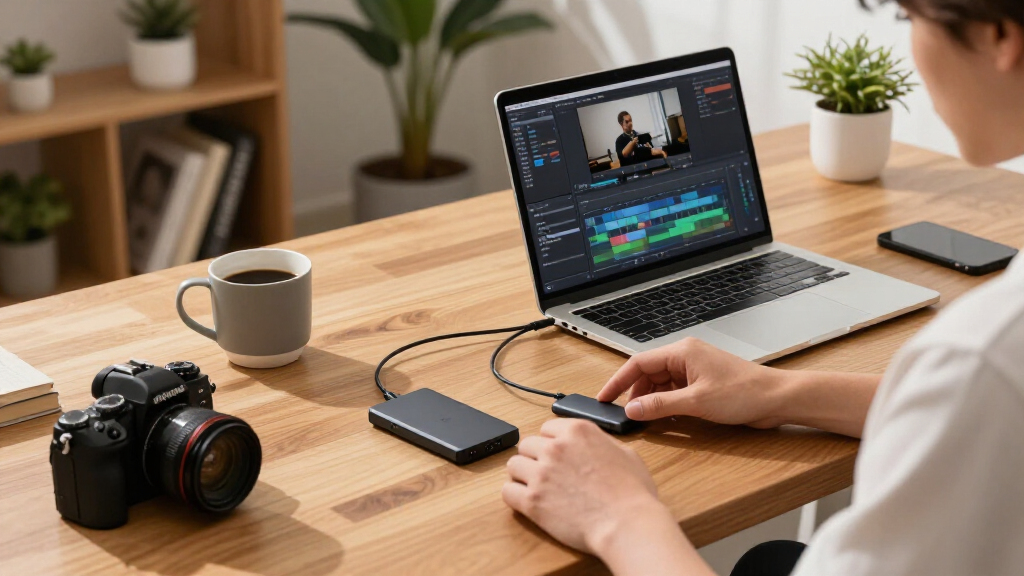
How We Picked
Because this roundup is aimed at content creators rather than general consumers, I weighted the evaluation toward the factors that actually break or make a working drive on set: sustained write speeds (moving 100GB of footage is a different stress test than copying a few documents), interface compatibility across the USB 3.2 and Thunderbolt generations, physical durability including drop ratings and IP water/dust resistance, and capacity-per-dollar logic appropriate for 4K and 6K workflows. Software extras like hardware encryption and drive-management apps counted, but only modestly — most creators lean on their editing platform, not drive utilities.
The ranking follows a simple principle: the higher a drive sits, the better it serves as a primary working drive for professional media work. Value picks like the Crucial X10 Pro ranked high because they deliver near-flagship speed without flagship cost. Specialized tools — the smartphone-oriented Lexar Professional Go, the Insta360 Quick Reader — ranked lower not because they’re weak products but because they solve narrow problems, and I judged every drive against the broad creator use case first, then by how well they fit their specific niche second.
Factors to Consider When Choosing Portable SSDs For Content Creators
The reviews above tell you which specific drives won. This section covers the decisions you need to make before comparing any models at all — getting these wrong is how creators end up with a drive that’s technically fast but wrong for their workflow.Match the Interface to Your Actual Computer, Not the Box Claims
The most common and expensive mistake in this category is buying a USB 3.2 Gen 2×2 drive (2,000 MB/s class) for a computer that only has 10Gbps ports — you’ll pay a speed premium and get Gen 2 performance anyway. Check your machine’s port specs first: many Macs skip Gen 2×2 entirely in favor of Thunderbolt, which makes drives like the PRO-G40 the better architectural fit even when their USB-mode numbers look lower. Windows laptops vary wildly, and older machines may cap out at 5Gbps, where every drive in this roundup performs identically. A 1,050 MB/s drive on a properly matched port will beat a 2,000 MB/s drive on a bottlenecked one every time. The reverse also matters: if you upgrade laptops every few years, a faster drive today is forward compatibility you won’t have to rebuy.
Sustained Writes Are What Matter for Video, Not Peak Reads
Manufacturers advertise read speeds because they’re higher, but creators live on the write side — that’s the direction your footage travels when you offload cards. Sustained write performance depends heavily on the drive’s thermal design: slim drives with no heatsink mass can slow dramatically a minute or two into a large transfer, which matters when you’re dumping 200GB between takes. Physically larger drives like the Samsung T9 and SanDisk PRO-G40 hold their rated speeds longer precisely because they have more material to absorb heat. If you regularly move full card offloads rather than small batches, prioritize drives with a track record of consistent writes over models chasing peak benchmark numbers. Drives with dynamic SLC caching show inflated short-transfer speeds that collapse once the cache fills — a pattern worth checking in any detailed performance review.
Size Your Capacity Around Your Project Cycle, Not Your Budget
Working capacity for creators follows a rough rhythm: you need room for the current project, the previous one (for client revisions), and headroom for the unexpected. A 1TB drive is comfortable for photography and 1080p work but fills within a few shoots of 4K video; 2TB is the practical sweet spot for most active video work in this lineup. Very high capacities like the 4TB Samsung T5 EVO make sense as an edit-in-place or nearline archive, not a speed-critical scratch drive. A common budget mistake is buying one huge slow drive when two faster mid-capacity drives — one for field, one for backup — would serve the workflow better. Remember the editor’s rule of thumb: if the footage only exists in one place, it doesn’t exist yet, and that argues for two drives over one premium one.
Durability Ratings Translate Directly to Shoot Conditions
IP ratings get treated as marketing fluff until the first time a drive sits in a wet camera bag or takes a drop onto concrete during a location move. An IP65 rating like the SanDisk Extreme and T7 Shield’s means dust-tight and protected against water jets — enough for rain, sand, and the general abuse of field production. What the ratings don’t cover equally is impact: rubberized and ridged designs absorb corner drops far better than smooth aluminum shells, which transmit shock straight to the NAND board. Creators working from a desk-to-desk studio routine can safely deprioritize toughness and pocket the savings toward speed or capacity. But if your drive rides in the same bag as light stands and water bottles, treat the durability tier as insurance on footage you can’t reshoot.
Know When Niche Form Factors Earn Their Keep
Two distinct niches appear in this roundup, and both are easy to misjudge. Smartphone-first capture — shooting ProRes on an iPhone or high-bitrate Android video — is genuinely hampered by generic SSDs because of connector awkwardness and power draw; purpose-built drives like the Lexar Professional Go exist specifically to make phone footage workflows seamless. Action-camera shooters face a parallel problem: the Insta360 Quick Reader pairs storage with instant card reading so you can preview and offload without a laptop. The mistake to avoid is buying these as your only drive — most are slower and less capacious than general-purpose models at the same price. The right structure is a niche drive for capture in the field plus a fast conventional drive for the edit bay.
Encryption and Longevity: The Boring Factors That Protect Your Business
If you handle client work, 256-bit AES hardware encryption stops being optional — a lost unencrypted drive with a commercial shoot on it is a contractual and reputational problem, not just a hardware loss. Hardware encryption (standard on SanDisk and Samsung models here) is also transparent in use, unlike software encryption which taxes your CPU during transfers. On longevity, check the manufacturer’s warranty as a proxy for expected endurance: three to five years is the norm in this class, and drives with longer warranties typically use better NAND. Avoid the trap of treating any portable SSD as permanent archival — flash cells lose charge over years of cold storage, so real archives belong on redundant media with periodic refresh. For active work, though, any of these drives will outlast several project cycles if you keep them cool, dry, and backed up.
Frequently Asked Questions
Is a 2,000 MB/s USB 3.2 Gen 2×2 drive worth it over a 1,050 MB/s Gen 2 drive for video editing?
Only if both your computer and your workflow can actually exploit the extra bandwidth. If you edit from a modern desktop or a Windows laptop with 20Gbps ports, the Gen 2×2 drives in this roundup — the Crucial X10 Pro, Samsung T9, and the magnetic 1TB pick — cut large offload times nearly in half, which compounds across every card dump in a project. If you’re on a Mac, the calculus changes completely: Apple skips Gen 2×2 support, so those drives run at Gen 2 speeds anyway, and a Thunderbolt drive like the SanDisk PRO-G40 is the only way to go faster. For editing directly off the drive, even 1,050 MB/s comfortably handles multicam 4K ProRes, so the speed premium mainly pays off in transfer time rather than timeline performance. Editors moving 6K or 8K footage are the group for whom the faster class is close to mandatory.
Should a content creator buy one big 4TB drive or two smaller fast drives?
Two drives is almost always the better structure for working creators, because redundancy protects you in ways capacity cannot. A single 4TB Samsung T5 EVO holding everything is a single point of failure — one lost bag and an entire client relationship is at risk. Splitting the same budget across two 2TB fast drives gives you a field drive and an edit-bay copy, and the 3-2-1 backup principle (three copies, two media types, one offsite) becomes achievable without much extra spend. The exception is the archival use case: if you already have a backup routine and need one big volume for nearline storage or an edit-in-place media library, the 4TB option makes sense precisely because it’s cheaper per terabyte. Speed matters too — the T5 EVO is noticeably slower than the 2TB picks here, so pair big-and-slow with fast-and-small rather than expecting one drive to do both jobs.
Can I edit 4K video directly off a portable SSD, or are these just for transfers?
Direct editing works well on nearly every drive in this roundup, provided you match the codec to the drive’s speed class. 4K ProRes and standard H.264 timelines play smoothly from any 1,000 MB/s-class drive — that bandwidth rivals or exceeds internal SATA SSDs from a few years ago, so the timeline experience is fine. Where it gets strained is heavily layered projects with multiple streams of 4K, high-bitrate RAW footage, or 6K/8K material; those workloads start to benefit from the 2,000 MB/s class or from moving to an internal NVMe scratch disk. Thermal behavior matters here too, since an editing session keeps the drive under load for hours — the physically larger T9 and PRO-G40 handle sustained playback better than slim drives like the ADATA SE880. A practical middle path is editing proxies off the portable drive while the full-resolution media lives on your desktop array.
Are the smartphone-oriented drives like the Lexar Professional Go actually useful, or a gimmick?
They’re legitimately useful, but only for a specific and increasingly common workflow: shooting serious video on a phone. Modern iPhones and flagship Android phones can record ProRes or high-bitrate footage that chews through internal storage, and recording straight to an external SSD solves that — but generic SSDs often have the wrong connector, draw too much power, or physically block the phone’s handling during a shoot. The Professional Go is built around those constraints, and the Insta360 Quick Reader does the same for action-cam users who want card-less offloading in the field. Where these drives fall short is as a primary editing drive: they’re slower than the mainstream picks and their capacity ceilings are modest. The right way to think about them is as a capture-stage tool that feeds your fast conventional drive back at the edit bay — buy one because of how you shoot, not as a replacement for a general-purpose SSD.
Do I need IP65 water and dust resistance, or is that overkill for an editing drive?
It depends entirely on where your drive travels between shoots, not where it sits while you edit. A drive that lives in a studio drawer gains nothing from an IP rating, and the same budget buys more speed or capacity in a non-rated model like the Crucial X10 Pro. But field workflows change the math: the SanDisk Extreme and Samsung T7 Shield carry IP65 ratings because dust, rain, and spilled coffee in a camera bag are ordinary hazards, not exotic ones. Remember that IP ratings cover ingress, not impact — a water-resistant drive can still die from a drop, so factor the rubberized build and drop rating together rather than reading the IP number alone. One caution applies to every drive in this class: none of these ratings make a drive waterproof when unplugged, since an open port can still let moisture in. If your work is mostly desk-based, deprioritize the rating; if it travels to sets, treat it as cheap insurance.
Conclusion
The right pick from this lineup depends on which creator you are. For best overall, the SanDisk Professional PRO-G40 stands above the field for professionals who need Thunderbolt speeds, sustained write performance, and a build that tolerates real production abuse — it’s the drive that least often needs to be replaced as your gear evolves. The Crucial X10 Pro takes best value, delivering 2,000 MB/s-class performance at a price that leaves room in the budget for a second backup drive. For beginners and casual creators, the Samsung T7 Shield hits the sweet spot of proven reliability, forgiving durability, and enough speed for 1080p and light 4K work without paying for bandwidth you may not use yet.
Specific needs round out the map: premium buyers who live in the Apple ecosystem should match the PRO-G40 with their Thunderbolt ports and skip the Gen 2×2 alternatives entirely; archival and large-library builders get more per dollar from the 4TB Samsung T5 EVO than from any fast small drive; smartphone-first shooters should add the Lexar Professional Go for capture while keeping a faster drive for the edit; and action-cam creators will find the Insta360 Quick Reader transforms field offloads. Whatever you choose, buy capacity for your next two projects, not your last one, and never let client footage live on a single drive.
Fall Picks
fall essentials
As an affiliate, we earn on qualifying purchases.