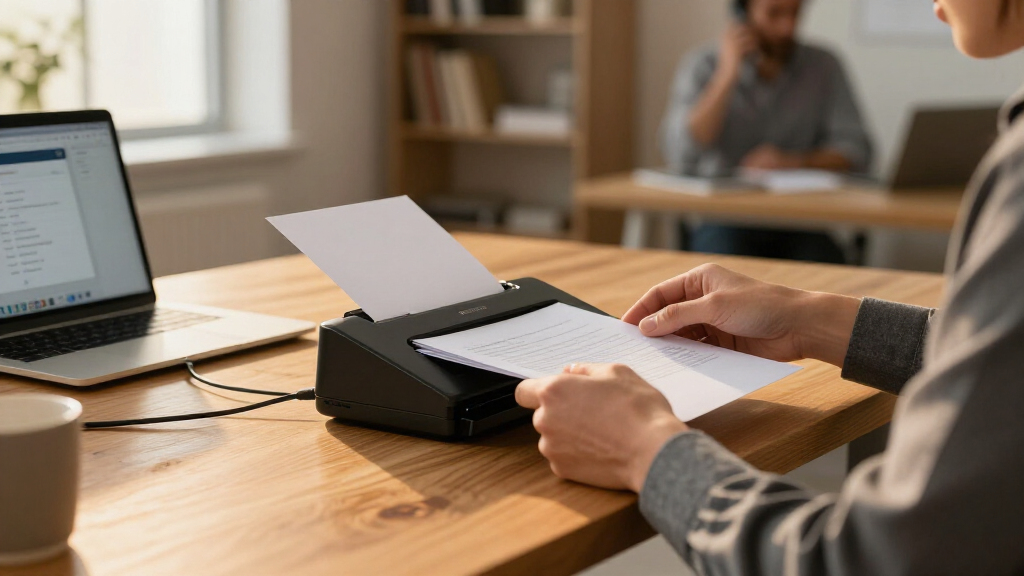

Portable document scanners for business span a wide range, from handheld wands under $100 to compact duplex sheet-fed machines that rival desktop performance. The ScanSnap iX1300 earns my best overall pick for combining a tiny footprint with fast, wireless, double-sided scanning that handles real workloads. If budget leads the decision, the Brother DS-640 delivers reliable single-sided scanning at a lower cost, while the Canon imageFORMULA R10 stands out for buyers who need duplex speed in a bag-friendly design. The core tradeoff in this category is speed and duplex capability versus size and price — and software quality matters as much as hardware. Read on for the full breakdown of all 13 options.

Get business pricing on office and shipping supplies
- Business-only prices and quantity discounts
- Tax-exempt purchasing
- Multiple users, one account, clear invoices
Key Takeaways
- Duplex capability is the single biggest dividing line: models like the ScanSnap iX1300, Canon R10, and Brother DS-740D halve scanning time for two-sided documents, while cheaper single-fed options like the HP HPPS100 and Brother DS-640 force manual re-feeds.
- Handheld wand scanners (the 900 DPI A4 model and AOZBZ) are the cheapest path but only make sense for flat, loose pages — they struggle with bound documents, receipts, and anything requiring straight, consistent passes.
- Software is a hidden differentiator: ScanSnap and Epson models bundle robust business-grade apps with OCR and cloud integration, while budget brands often ship clunkier utilities that add friction to daily workflows.
- The Plustek PS188 and ScanSnap iX2500 blur the line between portable and desktop — better suited to a fixed satellite desk than a travel bag, despite strong specs.
- Battery and wireless features varied dramatically: some models run bus-powered off USB alone, others offer Wi-Fi to scan straight to phones and cloud services without a laptop in the loop.
| CZUR Shine Ultra Portable Document Scanner |  | Best for Oversized Documents and Books | Supported document sizes: Up to A3 and A4 | Scanning speed: About 1 second per page | Camera resolution: 13MP (4160 × 3120) | VIEW LATEST PRICE | See Our Full Breakdown |
| Portable A4 Handheld Document and Photo Scanner, Up to 900 DPI, with 16GB MicroSD Card |  | Best Budget On-the-Go Option | Scan size: A4 | Resolution: 300, 600, or 900 DPI | File formats: JPEG, PDF | VIEW LATEST PRICE | See Our Full Breakdown |
| ScanSnap iX1300 Wireless or USB Duplex Color Document Scanner, Black |  | Best Overall | Connectivity: USB or Wi-Fi | Scanning: Duplex color | Speed: Up to 30 pages per minute | VIEW LATEST PRICE | See Our Full Breakdown |
| Plustek Mobile Scanner S410 Plus Portable Document Scanner |  | Best for OCR Workflows | Scanner type: Portable sheet-fed document scanner | Power: USB-powered | Weight: Less than 1 lb | VIEW LATEST PRICE | See Our Full Breakdown |
| Canon imageFORMULA R10 Portable Duplex Document Scanner |  | Best Plug-and-Scan Simplicity | Power: USB powered | Duplex scanning speed: Up to 12 pages per minute | Automatic document feeder: 20 sheets | VIEW LATEST PRICE | See Our Full Breakdown |
| Plustek PS188 High-Speed Double-Sided Color Document Scanner with Automatic Document Feeder |  | Best for High-Volume Batch Scanning | Scanner Type: Document scanner with ADF | Scanning Speed: 30 pages per minute | Scanning Modes: Double-sided (duplex) | VIEW LATEST PRICE | See Our Full Breakdown |
| HP HPPS100 Small USB Document & Photo Scanner, Portable 1-Sided Sheetfed, PC & Mac Compatible |  | Best Cross-Platform Budget Portable | Model: HPPS100 | Scan Type: Simplex (1-sided) sheetfed | Scan Speed: 15 ppm (approx. 4 seconds per page) | VIEW LATEST PRICE | See Our Full Breakdown |
| ScanSnap iX2500 Wireless or USB High-Speed Document Scanner, Black |  | Best Premium Office Performer | Scanning Speed: 45 pages per minute, double-sided | Document Feeder Capacity: 100 sheets | Connectivity: Wi-Fi 6 and USB-C | VIEW LATEST PRICE | See Our Full Breakdown |
| Brother DS-640 Compact Mobile Document Scanner |  | Best for Frequent Travelers | Model: DS-640 | Maximum Scan Speed: Up to 16 ppm | Weight: Approximately 1.5 lbs | VIEW LATEST PRICE | See Our Full Breakdown |
| Epson RapidReceipt RR-60 Compact Mobile Document Scanner |  | Best for Receipts and Expense Tracking | Power: USB-powered | Weight: Under 10 oz | Scanning Speed: Up to 10 pages per minute | VIEW LATEST PRICE | See Our Full Breakdown |
| Brother DS-740D Duplex Compact Mobile Document Scanner |  | Best Duplex for the Road | Scan type: Duplex, single-pass | Scan speed: Up to 16 ppm | Power: Micro USB 3.0 connection to a PC or laptop | VIEW LATEST PRICE | See Our Full Breakdown |
| Epson WorkForce ES-50 Portable Document Scanner |  | Best Ultralight One-Touch Option | Scanner type: Portable, single-sheet-fed document scanner | Scanning speed: As fast as 5.5 seconds per page | Maximum document size: 8.5 × 72 inches | VIEW LATEST PRICE | See Our Full Breakdown |
| AOZBZ Portable Handheld Document Scanner with 16GB SD Card |  | Best Budget Standalone Scanner | Scanner type: Handheld document scanner | Resolution: 300 / 600 / 900 dpi | Connection: USB 2.0 | VIEW LATEST PRICE | See Our Full Breakdown |
| portable document scanners for business | Power |
|---|---|
| CZUR Shine Ultra Portable Docu | — |
| Portable A4 Handheld Document | 2 AA batteries (not included) |
| ScanSnap iX1300 Wireless or US | — |
| Plustek Mobile Scanner S410 Pl | USB-powered |
| Canon imageFORMULA R10 Portabl | USB powered |
| Plustek PS188 High-Speed Doubl | — |
| HP HPPS100 Small USB Document | USB 2.0 bus-powered (cable included) |
| ScanSnap iX2500 Wireless or US | — |
| Brother DS-640 Compact Mobile | Micro USB 3.0 cable |
| Epson RapidReceipt RR-60 Compa | USB-powered |
| Brother DS-740D Duplex Compact | Micro USB 3.0 connection to a PC or laptop |
| Epson WorkForce ES-50 Portable | — |
| AOZBZ Portable Handheld Docume | — |
More Details on Our Top Picks
CZUR Shine Ultra Portable Document Scanner
Most sheet-fed scanners in this roundup—including the ScanSnap iX1300 and Canon imageFORMULA R10—are built around letter-sized pages. The CZUR Shine Ultra takes a different approach: an overhead 13MP camera that captures A3 and A4 pages in about one second, making it the only pick here that handles oversized documents, bound materials, and fragile pages without feeding them through rollers. Its OCR covers more than 180 languages, and the doubling as a USB document camera adds value for training sessions or client demos. The tradeoff is accuracy: at roughly 340 DPI for A4, it falls short of dedicated sheet-fed scanners for fine print, and the page-flattening tech only works on thinner books. No Android or iOS support also limits mobile workflows.
Pros:- Scans A3 and A4 pages in about one second
- Handles oversized and bound documents without a feeder
- OCR in more than 180 languages
- Doubles as a USB document camera for presentations
- Foldable design with adjustable neck and foot pedal
Cons:- Not compatible with Android or iOS devices
- Page-flattening technology only works on thinner books
- Lower effective resolution (around 340 DPI for A4) than sheet-fed alternatives
Best for: Businesses digitizing large-format documents, contracts, or bound reference materials that won’t fit a sheet feeder
Not ideal for: Mobile-first teams or anyone needing Android/iOS compatibility—it’s desktop-only
- Supported document sizes:Up to A3 and A4
- Scanning speed:About 1 second per page
- Camera resolution:13MP (4160 × 3120)
- Effective resolution:Approx. 340 DPI (A4); 245 DPI (A3)
- OCR languages:More than 180 (Thai, Hebrew, Arabic not supported)
- Compatibility:Windows XP–11; macOS 10.13 or later
- Weight:4 lbs
- Design:Two-level adjustable neck; folds 90 degrees
Our verdict“Choose this if oversized pages or bound documents are a regular part of your workflow and a sheet-fed scanner physically can’t handle them.”
Portable A4 Handheld Document and Photo Scanner, Up to 900 DPI, with 16GB MicroSD Card
When cost and portability matter more than speed, this handheld wand scanner is the simplest entry point in the roundup. Unlike the Brother DS-640 or Epson ES-50, it needs no computer at all—scans save directly to the included 16GB MicroSD card as JPEG or PDF, then transfer over USB when convenient. The selectable 300/600/900 DPI output is respectable for a device this basic. The obvious compromise is effort: you physically sweep it across each page, so a steady hand determines quality, and multi-page document jobs become tedious fast. Compared with the Plustek S410 Plus, which feeds pages automatically, this option makes sense only for occasional, low-volume scanning where a laptop isn’t available.
Pros:- No computer or software installation required
- Three scan resolutions up to 900 DPI
- Saves as JPEG or PDF to included 16GB MicroSD card
- Highly compact for bag or vehicle storage
Cons:- Requires manually moving the scanner over each page
- Runs on two AA batteries that aren’t included
- MicroSD support caps at 32GB
Best for: Field workers or solo professionals who need occasional scans without carrying a laptop or paying for a feeder-based scanner
Not ideal for: Anyone processing multi-page documents regularly—manual sweeping is slow and inconsistent
- Scan size:A4
- Resolution:300, 600, or 900 DPI
- File formats:JPEG, PDF
- Storage:Included 16GB MicroSD (supports up to 32GB)
- Power:2 AA batteries (not included)
- Compatibility:Windows XP/7/Vista; Mac OS 10.4 or later
- Software installation:Not required
Our verdict“A low-commitment backup scanner for rare, on-site digitization—not a primary machine for daily document volume.”
ScanSnap iX1300 Wireless or USB Duplex Color Document Scanner, Black
The iX1300 earns the top spot because it removes the most friction from everyday business scanning. Its 30 pages-per-minute duplex speed is the fastest in this portable lineup, and the versatile paper path handles everything from receipts and business cards to thick items and plastic cards—media that jams lesser feeders. Compared with the Canon imageFORMULA R10, which tops out at 12 pages per minute, the iX1300 more than doubles throughput while adding Wi-Fi scanning to computers, mobile devices, and cloud services. ScanSnap Home software ties everything together with automatic organization. Two caveats: the compact upright design means a smaller feed capacity than desktop units like the ScanSnap iX2500, and the software-locked ecosystem frustrates buyers who need standard TWAIN drivers for third-party applications.
Pros:- Fast duplex scanning at up to 30 pages per minute
- Handles documents, photos, receipts, thick items, and plastic cards
- USB and Wi-Fi connectivity with cloud service support
- ScanSnap Home software organizes files automatically
Cons:- Feed capacity is limited compared with desktop models like the iX2500
- Closed software ecosystem without standard TWAIN driver support
Best for: Busy small offices and hybrid workers who scan mixed media daily and want wireless cloud workflows
Not ideal for: Users who rely on TWAIN-compatible third-party scanning software—the ScanSnap ecosystem is closed
- Connectivity:USB or Wi-Fi
- Scanning:Duplex color
- Speed:Up to 30 pages per minute
- Compatible media:Documents, photos, receipts, business cards, thick items, plastic cards
- Supported devices:Mac, PC, mobile devices, Chromebook via mobile app
- Software:ScanSnap Home
Our verdict“The most complete portable package for high-volume, multi-device business scanning—if you can live inside the ScanSnap ecosystem.”
Plustek Mobile Scanner S410 Plus Portable Document Scanner
Where the ScanSnap iX1300 prioritizes speed and wireless freedom, the Plustek S410 Plus prioritizes what happens after the scan. Its included OCR software generates searchable PDFs plus editable Word and Excel files, which is a genuine advantage for accounting, expense reporting, and records management—competitors like the handheld wand scanner here can’t produce editable output at all. At under a pound and powered entirely by USB, it travels well and starts scanning automatically once paper is inserted, no button presses required. The tradeoff is platform lock-in: officially listed support covers Windows only, so Mac-based offices should look at the Canon R10 instead. And unlike battery-powered handhelds, it must remain tethered to a computer to function, making it a poor fit for laptop-free field work.
Pros:- OCR creates searchable PDFs and editable Word/Excel output
- USB-powered with no batteries or external adapter
- Weighs under 1 lb for easy travel
- Automatic scanning without button presses
Cons:- Windows-only official support; other platforms unspecified
- Requires a live computer connection to operate
Best for: Windows-based professionals who need scans converted into editable Word and Excel files, not just images
Not ideal for: Mac users or anyone needing standalone laptop-free scanning—it requires a Windows computer connection
- Scanner type:Portable sheet-fed document scanner
- Power:USB-powered
- Weight:Less than 1 lb
- Supported media:Letter and Legal documents, business cards, plastic ID cards, invoices, receipts
- OCR output:Searchable PDF, Word, Excel
- Operating systems:Windows 7, 8, 10, and 11
Our verdict“A smart pick for Windows-centric offices where editable, searchable output matters more than raw speed or cross-platform support.”
Canon imageFORMULA R10 Portable Duplex Document Scanner
The Canon R10 wins on friction-free setup: its built-in software requires no installation, so it works the moment it’s plugged into a Windows or Mac machine—something neither the Plustek S410 Plus (Windows-only) nor the software-dependent ScanSnap iX1300 can claim. A 20-sheet automatic feeder handles documents, receipts, business cards, and even embossed plastic cards, with duplex scanning at up to 12 pages per minute. That’s half the iX1300’s speed, but for a suggested 500 scans per day, it comfortably covers typical small-office volume. Know its limits before buying: the feeder capacity is modest for large batch jobs, and Canon is explicit that it’s not designed for photographic media, so businesses archiving photos should choose a photo-capable unit like the HP HPPS100 or the iX1300 instead.
Pros:- Built-in software requires no installation on Windows or Mac
- 20-sheet automatic document feeder
- Duplex scanning in a single pass
- Handles plastic and embossed cards
- ENERGY STAR certified with low power draw
Cons:- Not intended for photographic media
- 20-sheet feeder limits batch sizes
- 12 ppm duplex speed lags faster competitors
Best for: Cross-platform users and mixed Windows/Mac offices that want zero-setup duplex scanning with a real document feeder
Not ideal for: Photo-archiving workflows or large batch jobs—photos aren’t supported and the feeder holds only 20 sheets
- Power:USB powered
- Duplex scanning speed:Up to 12 pages per minute
- Automatic document feeder:20 sheets
- Suggested daily volume:500 scans
- Compatibility:Windows and Mac
- Supported media:Documents, receipts, business cards, plastic and embossed cards
- Certification:ENERGY STAR
Our verdict“The easiest portable scanner to share across mixed-platform offices, provided photos aren’t on your scanning list.”
Plustek PS188 High-Speed Double-Sided Color Document Scanner with Automatic Document Feeder
The Plustek PS188 stands out as the batch-workhorse of this lineup. With a 50-sheet ADF and 30 ppm duplex scanning, it handles stacks of contracts and invoices in a single pass — something no mobile unit in this roundup, like the Brother DS-640 or Epson RR-60, can match. Its 255 customizable scan profiles and barcode recognition for automatic file naming make the most sense for offices that scan the same document types repeatedly and want one-button consistency across a team. Compared with the ScanSnap iX2500, the PS188 trades wireless connectivity and a larger feeder for profile depth, which matters more for standardized workflows than for desk flexibility. The tradeoffs are real: 600 dpi optical resolution limits fine-detail reproduction, and Windows-only support rules out Mac shops entirely.
Pros:- Fast 30 ppm duplex scanning with a 50-sheet automatic document feeder
- Barcode recognition automates file naming for consistent, searchable archives
- Up to 255 one-button scan profiles standardize workflows across a team
- Handles diverse media, from cards up to documents 200 inches long
Cons:- 600 dpi optical resolution limits detail for graphics-heavy or archival scans
- No macOS or Linux compatibility — Windows only
- USB-only connection with no wireless option
Best for: Windows-based offices that scan large, recurring batches of standardized business documents and need automation
Not ideal for: Mac or Linux users, and travelers — it’s a deskbound batch machine, not a mobile scanner
- Scanner Type:Document scanner with ADF
- Scanning Speed:30 pages per minute
- Scanning Modes:Double-sided (duplex)
- Sheet Capacity:50 sheets (ADF)
- Optical Resolution:600 dpi
- Connection Type:USB
- Dimensions (D x W x H):5″ x 11″ x 6″
- OS Compatibility:Windows 7/8/10/11
Our verdict“Buy this if your team processes high-volume, repetitive document batches on Windows and needs profile-driven automation rather than portability.”
HP HPPS100 Small USB Document & Photo Scanner, Portable 1-Sided Sheetfed, PC & Mac Compatible
The HP HPPS100 earns its spot as the easiest entry point for buyers who want a no-frills, plug-and-play scanner that works identically on Windows and macOS. Unlike the Plustek PS188, which locks out Mac users, the bundled HP WorkScan software covers both platforms with auto-scan and image cleanup, so occasional scanners don’t need training. Its 1200 dpi resolution actually beats the PS188, making it the better pick when scan sharpness matters more than throughput. The obvious compromise is simplex-only scanning — double-sided documents must be fed twice — and its 15 ppm speed with no ADF means it’s built for small batches, not the pile-clearing sessions the ScanSnap iX2500 handles. For a reception desk or a home office digitizing a few pages a day, that tradeoff is easy to accept.
Pros:- True cross-platform support with HP WorkScan software for Windows and macOS
- USB 2.0 bus power means no external adapter to carry
- 1200 dpi resolution delivers sharper output than many faster rivals
- Compact and lightweight design travels easily between workspaces
Cons:- Single-sided (simplex) scanning only
- No automatic document feeder — built for small- to medium-batch jobs
Best for: Home offices and small businesses on mixed PC/Mac setups who scan modest batches and want simple setup
Not ideal for: Anyone with double-sided documents or stacks over 10–15 pages — simplex scanning and no feeder make it tedious
- Model:HPPS100
- Scan Type:Simplex (1-sided) sheetfed
- Scan Speed:15 ppm (approx. 4 seconds per page)
- Resolution:1200 dpi
- Paper Size Range:2″ x 2.9″ to 8.5″ x 14″
- Power:USB 2.0 bus-powered (cable included)
- Compatibility:Windows and macOS
- Output Formats:PDF, JPG, and others
Our verdict“This pick makes the most sense for Mac-and-PC households or desks that need occasional, quality scans without batch machinery.”
ScanSnap iX2500 Wireless or USB High-Speed Document Scanner, Black
The ScanSnap iX2500 is the most capable all-around scanner in this batch, and its ranking reflects that. At 45 ppm duplex with a 100-sheet feeder, it triples the throughput of the HP HPPS100 and doubles the capacity of the Plustek PS188, clearing entire file drawers without babysitting. What separates it from the PS188 isn’t just speed: Wi-Fi 6 and USB-C connectivity plus a touchscreen with personalized profiles let it serve multiple users without touching a computer, and its brake roller, multi-feed sensor, and skew detection actively protect fragile originals during long jobs. The tradeoff is footprint and positioning — this is a dedicated desk unit, not something that rides in a laptop bag like the Epson RR-60, and buyers pay a premium for the automation depth. For a busy office digitizing mixed materials daily, that premium buys real time back.
Pros:- Blazing 45 ppm double-sided scanning clears large archives quickly
- 100-sheet feeder handles big jobs unattended
- Wi-Fi 6 and USB-C connectivity support cable-free, multi-user setups
- Brake roller, multi-feed sensor, and skew detection minimize jams and damaged originals
Cons:- Larger footprint than mobile scanners — not travel-friendly
- Premium positioning puts it above what light-duty users need
Best for: Busy offices or departments that scan high volumes of mixed documents, receipts, and cards daily and want wireless, multi-user operation
Not ideal for: Mobile professionals and occasional scanners — it’s a deskbound unit with more capability (and cost) than light users need
- Scanning Speed:45 pages per minute, double-sided
- Document Feeder Capacity:100 sheets
- Connectivity:Wi-Fi 6 and USB-C
- Display:Touchscreen
- Feed Mechanism:Brake roller with multi-feed and skew detection
- Color:Black
Our verdict“If your business scans serious volume every day and wants walk-up wireless convenience, the iX2500 justifies its place at the top of this list.”
Brother DS-640 Compact Mobile Document Scanner
The Brother DS-640 is the pick for people whose scanner lives in a briefcase rather than on a desk. At roughly 1.5 pounds and powered entirely by its micro USB 3.0 cable, it’s genuinely outlet-free — the same bus-powered convenience as the HP HPPS100, but with broader reach: unlike the HPPS100 or the Windows-only Plustek PS188, the DS-640 supports Windows, Mac, and Linux with full TWAIN/WIA/ICA/SANE driver coverage, which matters for mixed-environment IT departments. Scanning to cloud services, email, and networks directly, with OCR included, it turns a hotel desk into a functioning capture station. It’s faster than the Epson RR-60 at 16 ppm versus 10, though it lacks the RR-60’s receipt-specific intelligence. Compromises: image rotation works on PC only, and because the USB cable supplies power, a weak laptop port can slow or stall scans.
Pros:- True cross-platform support including Linux, with TWAIN/WIA/ICA/SANE drivers
- Scans directly to computers, networks, cloud services, and email
- USB bus power eliminates the need for an outlet
- Same 16 ppm speed in color and black-and-white
Cons:- Image rotation is available on PC only
- Requires a computer USB connection for power — no standalone use
Best for: Frequent travelers and field workers, especially in Linux-friendly or mixed-OS environments, who scan from a laptop
Not ideal for: Buyers doing high-volume or double-sided batch work — no ADF or duplex capability
- Model:DS-640
- Maximum Scan Speed:Up to 16 ppm
- Weight:Approximately 1.5 lbs
- Power:Micro USB 3.0 cable
- Compatible Operating Systems:Windows, Mac, Linux
- Driver Support:TWAIN/WIA, ICA, SANE
Our verdict“This model is better suited than most to road warriors who need reliable, driver-friendly scanning wherever their laptop goes.”
Epson RapidReceipt RR-60 Compact Mobile Document Scanner
The Epson RapidReceipt RR-60 plays a different game than the rest of this lineup: it’s built specifically for financial document capture. Where the Brother DS-640 is a generalist that scans to the cloud, the RR-60 automatically extracts and organizes receipt and invoice data into searchable, editable digital records — effectively automating expense reporting rather than just digitizing paper. At under 10 ounces, it’s the lightest dedicated sheetfed option here, and its ability to swallow pages up to 72 inches long handles receipts rolls and banner-length documents no competitor in this group can. The compromises are speed and power: at 10 ppm it trails the DS-640’s 16 ppm, and it needs a USB connection for power, with financial-software integration limited to supported applications. For accountants, mileage-heavy sales teams, and small-business owners drowning in receipts, none of that matters much.
Pros:- Automatically organizes receipts and invoices into searchable digital data
- Featherweight design under 10 ounces — the most travel-friendly sheetfed here
- Creates searchable and editable PDFs for accounting workflows
- Handles long pages up to 72 inches, ideal for receipt rolls
Cons:- 10 ppm speed is the slowest among the powered sheetfed models in this lineup
- Requires USB connection for power
- Financial software integration limited to supported applications
Best for: Accountants, bookkeepers, and road-warrior professionals who need receipts and invoices converted into organized, searchable expense data
Not ideal for: General-purpose or higher-volume document scanning — 10 ppm and single-feed operation make it slow for bulk files
- Power:USB-powered
- Weight:Under 10 oz
- Scanning Speed:Up to 10 pages per minute
- Maximum Page Length:72 in
- Maximum Page Width:8.5 in
- Compatible Operating Systems:Windows and Mac
- Cloud Services:OneDrive, Dropbox, Google Drive
Our verdict“Choose the RR-60 if receipt-driven expense tracking is your primary job; choose the Brother DS-640 if you scan a broader mix of documents.”
Brother DS-740D Duplex Compact Mobile Document Scanner
Among the single-pass portables in this lineup, the DS-740D stands out for duplex scanning — it captures both sides of a page in one feed at up to 16 ppm, which is the difference between a two-second job and flipping every sheet by hand. Compared with the Epson WorkForce ES-50, it trades raw single-page speed for the ability to handle double-sided contracts and two-sided invoices without refeeding. Power comes straight from the USB 3.0 connection, so there is no adapter to carry, and TWAIN, ICA, and SANE driver support means it plays well outside the Windows-only world most competitors occupy — Linux users take note. The tradeoff is that it cannot operate without a computer, and some bundled features lean on software installs and an internet connection, so truly offline workflows lose a bit of polish.
Pros:- Single-pass duplex scanning at up to 16 ppm saves time on double-sided documents
- Powered over USB, so no wall outlet or adapter is needed on the road
- Broad driver support including Linux via SANE, not just Windows and Mac
- Bundled OCR, image enhancement, and document management software
Cons:- Requires a live PC or laptop connection for both power and scanning
- Some advertised features depend on software installation and an internet connection
Best for: Business travelers and field workers who regularly scan two-sided contracts, receipts, and invoices from a laptop
Not ideal for: Buyers who want standalone or wireless operation — this scanner is tethered to a computer for both power and control
- Scan type:Duplex, single-pass
- Scan speed:Up to 16 ppm
- Power:Micro USB 3.0 connection to a PC or laptop
- Compatible operating systems:Windows, Mac, Linux
- Supported drivers:TWAIN/WIA for PC, ICA for Mac, SANE
- Software:Brother iPrint&Scan desktop app; document management and OCR software
- Warranty:One-year limited warranty
Our verdict“If two-sided documents are a regular part of your mobile workflow, this is the portable duplex pick that justifies itself immediately.”
Epson WorkForce ES-50 Portable Document Scanner
At roughly the size of a rolled-up magazine, the ES-50 is the lightest sheet-fed option here and the easiest to slip into a laptop bag permanently. A page moves through in as little as 5.5 seconds, and the 8.5 × 72-inch paper path means long receipts or delivery manifests feed without jamming mid-run. Where the Brother DS-740D pulls ahead on duplex work, the ES-50 counters with simplicity: included software handles searchable PDFs, editable documents, cloud uploads, and multi-page stacking, so occasional scanners aren’t wrestling with settings. It also handles ID cards and receipts — media that trips up beefier feeders like the ScanSnap iX1300 workflow for single items. The real limitation is the single-sheet manual feed; anyone processing stacks of paper daily will feel the friction quickly.
Pros:- Extremely compact and lightweight for constant laptop-bag carry
- Fast single-page throughput at as little as 5.5 seconds per sheet
- Handles long receipts, full-size documents, and ID cards
- USB-powered with included OCR and cloud-scanning software
Cons:- Feeds one sheet at a time with no duplex capability
- Cannot operate without a computer connection
Best for: Consultants, sales reps, and home-office professionals who scan a handful of pages per day and value carry-anywhere weight
Not ideal for: High-volume users or anyone regularly digitizing multipage double-sided reports — one sheet at a time gets tedious fast
- Scanner type:Portable, single-sheet-fed document scanner
- Scanning speed:As fast as 5.5 seconds per page
- Maximum document size:8.5 × 72 inches
- Connectivity:USB 2.0; USB-powered
- Compatibility:Windows and Mac
- Software features:OCR, cloud storage scanning, automatic multi-page scanning
Our verdict“This model makes the most sense for light daily scanning where portability matters more than throughput.”
AOZBZ Portable Handheld Document Scanner with 16GB SD Card
The AOZBZ takes a completely different approach from the sheet-fed models here: you manually glide it across the page, and scans save directly to the included 16GB microSD card as JPEG or PDF — no computer required at capture time. That makes it the only truly standalone option among budget picks in this roundup, useful for scanning books, bound ledgers, or wall-mounted documents that would never fit through a Brother DS-740D or Epson ES-50 feed slot. Resolution options of 300, 600, or 900 dpi give it enough headroom for archival photo work. The compromises are real, though: hand movement means scan quality depends on a steady sweep, and the listed compatibility tops out at Windows 7/Vista-era systems and Mac OS 10.4, which modern offices may find limiting when transferring files.
Pros:- Works standalone — scans save directly to the included 16GB SD card
- Selectable resolution up to 900 dpi for detailed captures
- Handles bound books and oversized originals that can’t feed through a slot
- Very light at 170 g and barely larger than a pen
Cons:- Scan quality depends on manually moving the scanner steadily by hand
- Listed operating system compatibility only covers older Windows and Mac versions
Best for: Budget-minded users who need to scan bound books, fragile pages, or non-feedable originals without a computer attached
Not ideal for: Offices running current operating systems or anyone needing consistent, hands-off sheet-fed throughput
- Scanner type:Handheld document scanner
- Resolution:300 / 600 / 900 dpi
- Connection:USB 2.0
- File formats:JPEG, PDF
- Storage:microSD up to 32GB; 16GB card included
- Optical sensor:CIS with LED light source
- Weight:170 g
- Dimensions:10 x 1 x 1 in
- Compatible operating systems:Windows XP/7/Vista; Mac OS 10.4 or later
Our verdict“A niche but genuinely useful pick if your originals can’t go through a feeder and your budget can’t stretch to a proper overhead scanner.”

How We Picked
I evaluated each scanner against what actually matters in a business context: scan speed in pages per minute, duplex capability, daily duty expectations, software ecosystem, and physical portability. A scanner that wins on raw specs but ships with unreliable software ranks lower than one with a smoother end-to-end workflow, because in a business setting the time spent wrestling with drivers costs more than the hardware saves. I also weighed power options — USB bus power and Wi-Fi connectivity earn credit for true road-warrior flexibility.
The ranking logic favors versatile duplex machines for general business use first, then value-oriented single-fed scanners, then specialized options like handheld wands and receipt-focused models. Where two products overlap heavily, the one with better software, build quality, or a more realistic daily workload takes the higher spot. Every product here earned a place for a specific buyer type — none are filler.
Factors to Consider When Choosing Portable Document Scanners For Business
Before settling on a model, it helps to understand the broader tradeoffs in this category. These are the factors that most often make or break a purchase after the box is opened.Duplex Versus Simplex: The Real Cost Difference
Duplex (double-sided) scanning sounds like a luxury until you process a 40-page contract printed on both sides — a simplex scanner means 40 manual flips and a second pass, doubling your labor and doubling the chance of misfeeds and out-of-order pages. For businesses handling contracts, invoices, and legal paperwork, duplex capability pays for itself within weeks. The common mistake is buying simplex to save money upfront, then discovering that the savings evaporate in staff time. If your documents are mostly single-sided — receipts, incoming mail, ID cards — a simplex model is a perfectly rational choice. But if two-sided paper is even an occasional part of your workflow, budget for duplex from day one.
Software Ecosystem and OCR Quality
The scanner is only half the product; the software determines whether scanned documents become searchable, editable, and properly filed or just image files cluttering a folder. Premium brands like Fujitsu (ScanSnap) and Epson invest heavily in OCR accuracy, multi-page PDF assembly, and direct integration with cloud services like Google Drive, Dropbox, and QuickBooks-compatible receipt tools. Budget brands often bundle generic utilities with weaker OCR that stumbles on mixed text and handwriting. Before buying, check whether the software supports your operating system natively — a few budget models are Windows-only, which blindsides Mac users after purchase. Also consider whether you need searchable PDFs at all; if you do, weak OCR is a dealbreaker regardless of hardware quality.
True Portability: Weight, Power, and Durability
‘Portable’ means different things to different products — a sub-one-pound wand fits a jacket pocket, while a 3-pound sheet-fed scanner still needs a dedicated bag compartment. Beyond weight, look at how the scanner gets power: USB bus-powered models eliminate a separate adapter and one more cable to lose, which matters enormously on the road. Durability is the underrated factor; scanners that ride in luggage face impacts and pressure that desk-bound units never encounter, and models with protective covers or robust feed mechanisms handle travel better. A common mistake is buying the fastest portable scanner available, then leaving it at the office because it’s a hassle to pack. Match the form factor to how often it actually travels.
Speed Ratings Versus Real-World Throughput
Manufacturer pages-per-minute figures are measured under ideal conditions: clean, uniform paper at standard settings. Real documents include thick contracts, thin receipts, stapled sets, and wrinkled pages, all of which slow feeding and trigger jams. A scanner rated at 25 ppm might realistically sustain 15–18 ppm across a mixed stack. The gap matters most for businesses doing batch scanning — if you process hundreds of pages daily, a slightly slower ADF-equipped desktop-style unit like the Plustek PS188 beats a faster-rated portable that needs constant hand-feeding. For occasional scanning of five to twenty pages, speed differences of a few ppm are barely noticeable and shouldn’t drive the decision.
Wireless Connectivity and Mobile Workflows
Wi-Fi-enabled scanners like the ScanSnap iX1300 can send documents directly to phones, tablets, and cloud services without a computer in the loop — a genuine workflow change for field workers, real estate agents, and anyone scanning on client sites. The tradeoff is setup complexity and occasionally finicky initial configuration. USB-only models are simpler and more reliable but tether you to a laptop. Think honestly about where scanning happens: if it’s always at a desk, skip wireless and save money. If documents originate away from your desk — trade shows, site visits, vehicles — wireless moves from nice-to-have to the deciding factor.
When to Skip Portable Altogether
If your scanning volume exceeds a few hundred pages per day, portability becomes a liability rather than a feature — compact feed mechanisms simply aren’t built for continuous duty. Some buyers in this roundup would be better served by a full desktop ADF scanner and a cheap portable as a secondary unit. A useful rule: portable scanners excel at irregular, on-the-go, or low-volume scanning; desktop units excel at scheduled batch processing. Splitting the budget across both often beats forcing one device to do two jobs badly. The most expensive mistake in this category isn’t buying the wrong model — it’s buying a portable scanner for a desktop workload.
Frequently Asked Questions
Is a duplex scanner worth the extra cost for a small business?
For most small businesses, yes — if two-sided documents appear in your workflow even weekly. Duplex scanners like the Canon imageFORMULA R10 and Brother DS-740D capture both sides of a page in a single pass, which means no manual flipping, no out-of-order pages, and roughly half the handling time on double-sided stacks. Single-fed models like the Brother DS-640 or HP HPPS100 are cheaper, but every two-sided document becomes a two-step job. If your paper is overwhelmingly single-sided — receipts, mailed invoices, signed one-page forms — the savings from simplex are real and reasonable. The mistake to avoid is guessing: audit a week of your actual documents before deciding.
Can a handheld wand scanner replace a sheet-fed scanner for business use?
Rarely, and only for very specific use cases. Wands like the 900 DPI A4 handheld and the AOZBZ work acceptably for flat, single loose pages scanned occasionally — but they demand a steady, consistent hand speed, and any wobble or uneven pressure produces skew, blur, or cut-off edges. Receipts, crumpled paper, and multi-page documents are where wands fall apart, and there’s no automatic feeding, so every page is manual labor. They shine as an emergency tool or for scanning items too large or fragile for a feeder, like book pages or posters. For regular business paperwork, a compact sheet-fed model will save hours of frustration.
What’s the realistic difference between a mobile scanner and a desktop ADF scanner?
Mobile scanners prioritize size and power efficiency, which caps their feed mechanisms, motors, and daily duty cycles — they’re built for tens of pages per session, not thousands. Desktop-style units like the Plustek PS188 and ScanSnap iX2500 hold larger stacks, feed more reliably through mixed paper, and sustain their rated speeds across long batches. The practical dividing line is volume and location: if scanning happens at a fixed desk in batches, a desktop unit wins on speed and durability despite being less portable. If scanning happens wherever the paper is — client offices, vehicles, home and office splits — a mobile scanner’s convenience outweighs its throughput limits.
Do I need wireless scanning, or is USB enough?
USB is enough if a laptop or desktop is always part of your scanning process — it’s simpler, faster to set up, and one less thing to misconfigure. Wireless earns its keep when you want to scan directly to a phone or cloud service without booting a computer, which is common for field sales, site inspections, and shared office devices used by multiple people. The ScanSnap iX1300’s wireless workflow is the strongest example in this lineup. The tradeoff is initial setup friction and occasional connectivity troubleshooting, which frustrates non-technical users. A reasonable compromise: choose wireless if more than one person or device will use the scanner; stick with USB if it’s a personal tool.
How important is included software versus buying third-party tools?
Bundled software matters more than most buyers expect, because it determines whether scans arrive as searchable PDFs with accurate OCR or as flat images you can’t search or edit. Fujitsu and Epson include genuinely capable suites with reliable OCR, multi-page assembly, and cloud export; replacing that with third-party software typically costs more than the price gap between scanner tiers. Budget scanners sometimes pair decent hardware with weak utilities, pushing you toward paid tools anyway. Before choosing, verify the software supports your platform — some budget models skip macOS entirely — and check whether OCR handles your document languages. Strong bundled software effectively lowers the total cost of ownership; weak software quietly raises it.
Conclusion
The right pick depends entirely on how and where your business scans. For the best overall choice, the ScanSnap iX1300 balances duplex speed, wireless flexibility, and superb software in a genuinely travel-friendly body. The Canon imageFORMULA R10 is the strongest premium alternative if you prefer Canon’s software ecosystem and a slightly different feeding design. For best value, the Brother DS-640 covers dependable single-sided scanning at an accessible price, while the Brother DS-740D is the value pick if you need duplex. Beginners and casual users will find the Epson WorkForce ES-50 the simplest path to good scans with minimal setup. For specific needs: the Epson RapidReceipt RR-60 targets expense and receipt workflows, the Plustek PS188 and ScanSnap iX2500 suit semi-portable batch scanning at a satellite desk, and the handheld wands serve occasional or oversized-page scanning on a tight budget. Match the machine to your paper volume and travel habits, and any of these will serve your business well.
Evergreen bestsellers Picks
bestsellers
As an affiliate, we earn on qualifying purchases.