📊 Full opportunity report: Build A Simple Digital Filing Routine For A Small Office on IdeaNavigator AI — validation score, market gap, and execution plan.

Get business pricing on office and shipping supplies
- Business-only prices and quantity discounts
- Tax-exempt purchasing
- Multiple users, one account, clear invoices
TL;DR
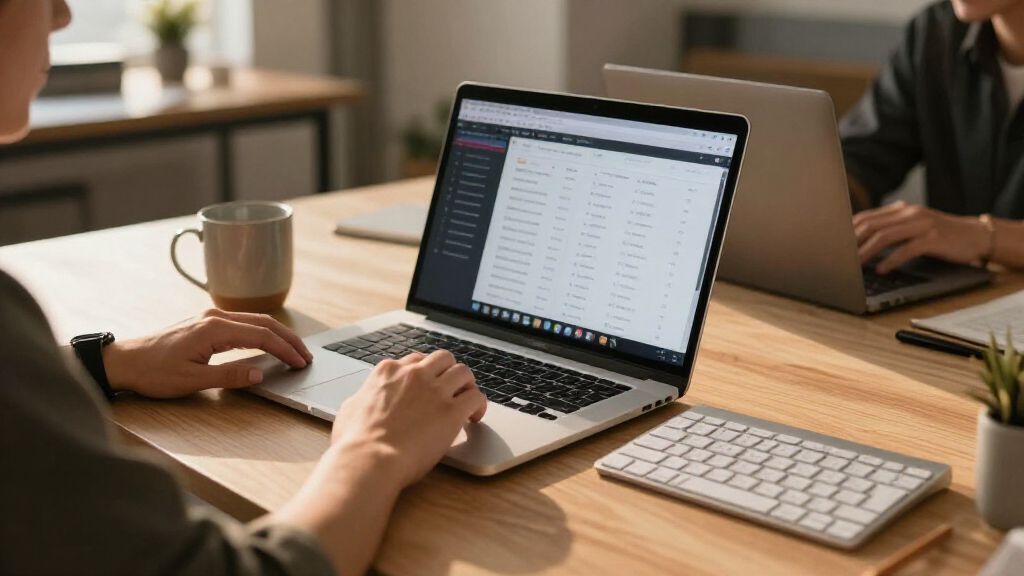
A proposed digital filing tool would let small offices photograph paper documents, then use text recognition to suggest document types and filenames and save searchable PDFs. The proposal calls for a one-week pilot at five offices to test classification accuracy and willingness to pay; no pilot results or product launch are reported.
IdeaNavigator AI has proposed a digital filing workflow for paper-heavy small offices that would turn phone photographs of documents into searchable, automatically named PDFs. The proposal recommends testing the service with five small offices for one week, but reports no completed pilot, accuracy results or confirmed customer demand.
The suggested users are office managers at small nonprofits, clinics and law offices. The proposal identifies a common operational problem: offices accumulate intake forms, invoices and records in filing cabinets, while basic scanning apps may save image files without useful names or searchable text. These are the proposal’s stated pain points, not findings from a published survey.
For a minimum viable product, staff would photograph a stack of papers with a phone. The app would use optical character recognition (OCR) to read the pages, suggest a document category and filename, and save each item as a searchable PDF in a shared folder. An example naming format is an invoice labeled with its date and vendor. The proposal does not specify a particular platform, security design or integrations.
The suggested business model is a monthly per-seat subscription with a page limit and extra charges for use above that limit. To test the idea, it proposes asking five offices to process a real backlog of 200 documents each over one week. The proposed measures are the rate of correct automatic classification and whether offices would pay per seat; no measurements or pricing figures are supplied.
Testing Office Filing Automation
For a small office, a system that reliably names and sorts scans could make stored records easier to retrieve and reduce the manual work of filing backlogs. That could matter where staff handle paper records without dedicated information-technology support. These are potential benefits, not demonstrated outcomes: the proposal contains no time-saved figures, user feedback or evidence that the tool improves record access.
The practical test is whether automatic suggestions are accurate enough to help rather than create more review work. Errors in document type, dates or vendor names could leave files harder to find. Offices handling sensitive records would also need to evaluate privacy, access controls and retention practices before using a shared digital filing system. Those safeguards are not described in the proposal.
The proposed pilot ties the product’s usefulness to two measurable questions: whether it classifies a real batch of paperwork correctly and whether office managers see enough value to pay for it. Until those questions are tested, the idea remains a product concept, not a confirmed service or proven business opportunity.
Products Worth Considering

FLEXISPOT Electric Adjustable Workbench, 48 x 30 in, Maple

LG 27UP650K-W 27-inch Ultrafine 4K UHD IPS Monitor with HDR400, Reader Mode, Flicker Safe, HDMI & DisplayPort, Adjustable Stand (White)

Logitech MX Mechanical Wireless Illuminated Keyboard, Tactile Quiet, Graphite
As an affiliate, we earn on qualifying purchases.
From Paper Backlogs to Searchable PDFs
The concept is aimed at organizations that still receive or keep paper documents but may lack staff or equipment for a dedicated digitization project. Its stated examples—intake forms, invoices and records—can require different labels and extracted details, making a generic scan folder less useful than documents that can be searched and identified by name.
The proposal says newer on-device and API-based OCR and layout-aware models may make automated reading and sorting affordable for small organizations. It gives no benchmark, vendor comparison or cost analysis to support a specific accuracy or affordability claim. The proposed workflow is therefore framed as something to validate through a limited test, rather than as a capability already proven for the intended offices.
Accuracy, Privacy and Pricing
No test results are available for how often the app would identify document types or extract details correctly across different offices and paperwork. It is also unclear how much human checking would be required, how the tool would handle handwritten or poor-quality pages, and whether users could correct and retrain its suggestions.
The proposal does not name a product developer, set a launch schedule or provide subscription prices. It also leaves open how documents would be protected, who could access the shared folder, where files would be stored, and how long they would be retained. Those questions are particularly relevant to clinics and law offices, but the proposed plan provides no operational or compliance details.
A Pilot Would Test Demand
The next stated step is a one-week trial with five small offices, each scanning a backlog of 200 documents. The test would need to record classification accuracy and ask participating offices whether they would pay per seat. The proposal does not say that participants have been recruited or that the trial has been scheduled.
If a pilot proceeds, its results could clarify whether automated naming works across real office paperwork and whether staff consider the service useful enough to buy. Until those findings, along with details on pricing and data protection, are available, the scanner remains an unvalidated proposal.
Source: IdeaNavigator AI
Key Questions
Has the digital filing app launched?
The available proposal describes a product concept and a suggested pilot. It does not report a launch or identify a released app.
How would the proposed scanner work?
Staff would photograph documents with a phone. OCR would read the pages, suggest a document type and filename, and save searchable PDFs in a shared folder.
What would the pilot measure?
The proposed one-week test would involve five small offices scanning 200 documents each. It would measure correct auto-classification and willingness to pay per seat.
How much would the service cost?
No price is given. The suggested model is a monthly fee per seat, with a page-volume cap and additional charges for overages.
What is still unknown about using it for sensitive records?
The proposal does not describe storage, access controls, data retention or other privacy safeguards. Offices would need those details before deciding whether to use the system for sensitive documents.
Source: IdeaNavigator AI