Before buying smart office devices, ask about their encryption methods, such as AES-256, and how they manage encryption keys. Find out if they support multi-factor or biometric authentication, and if they integrate with your existing security systems. Check whether firmware updates are secure and automatic. Make certain they meet standards like ISO 27001 or GDPR. Finally, inquire about physical security features like tamper resistance and remote wipe options. Continue to explore essential questions to keep your business protected.
Key Takeaways
- Verify the device uses industry-standard encryption (like AES-256) and secure key management for data protection.
- Confirm support for multi-factor authentication and integration with enterprise identity systems (e.g., Active Directory).
- Ensure regular, secure firmware and security updates are provided and easily managed.
- Check for compliance with relevant standards (e.g., ISO 27001, GDPR) and security certifications.
- Assess physical security features such as tamper resistance and remote wipe capabilities.
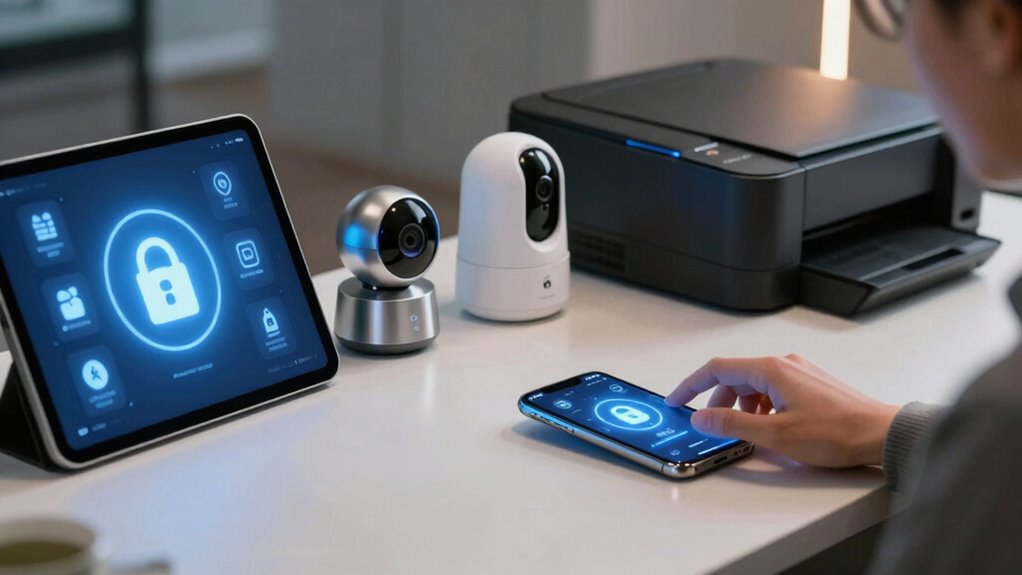
When purchasing smart office devices, asking the right security questions is essential to protect your organization’s data and network. One of the first things you should inquire about is how the device handles device encryption. Ensure that the device employs robust encryption protocols to secure data both at rest and during transmission. Without proper encryption, sensitive information could be vulnerable to interception or unauthorized access. Confirm whether the device supports industry-standard encryption methods, like AES-256, and if those encryption keys are managed securely. Understanding the encryption standards helps you gauge how well the device can safeguard your organization’s confidential data. It’s also important to verify if the device’s security measures are tested and validated by independent security assessments, which can provide additional assurance of its resilience. Additionally, inquire whether the device’s encryption keys are stored securely to prevent potential breaches. Proper key management is crucial for maintaining overall security.
Another critical question centers around user authentication. You need to know what methods the device offers to verify user identities. Strong user authentication mechanisms, such as multi-factor authentication (MFA) or biometric verification, substantially reduce the risk of unauthorized access. Ask whether the device supports integration with your existing identity management systems, like Active Directory or Single Sign-On (SSO). This integration simplifies user management while increasing security. Also, find out if the device allows for customizable access levels, so you can restrict sensitive functions or data to only trusted personnel. Effective user authentication not only prevents breaches but also ensures accountability by tracking access logs. Moreover, understanding how authentication data is protected during transmission enhances overall security. Implementing secure authentication protocols can further mitigate risks associated with identity theft and impersonation.
Beyond device encryption and user authentication, it’s paramount to explore how the device receives security updates. Devices with built-in security patching capabilities are better equipped to address emerging threats. Ask if the manufacturer provides regular firmware updates and how those updates are delivered—automatically or manually. Staying current with security patches is critical to prevent vulnerabilities from being exploited. It’s also wise to verify whether the update process is secure and tamper-proof, ensuring that updates cannot be compromised during delivery. Regular updates backed by a robust update mechanism help maintain the device’s security over time. Consistent firmware management is vital for defending against evolving cyber threats.
You should also inquire about the device’s compliance standards and certifications. Certifications like ISO 27001 or GDPR compliance indicate that the manufacturer follows recognized best practices for data security and privacy. These standards can give you peace of mind that your smart office devices adhere to strict security policies.
Finally, don’t overlook physical security features. Ask whether the device has tamper-evident or tamper-resistant hardware, which can prevent physical attacks. In addition, verify if the device supports remote wipe capabilities in case of loss or theft, allowing you to erase sensitive data remotely. Incorporating physical security measures complements digital protections and enhances overall device security.
AES-256 encryption smart office device
As an affiliate, we earn on qualifying purchases.
As an affiliate, we earn on qualifying purchases.
Frequently Asked Questions
How Often Are Security Updates Released for These Devices?
Security updates for smart office devices vary, but typically, manufacturers release firmware patches regularly—sometimes monthly or quarterly—to address vulnerabilities. These updates often include improvements to encryption standards, helping protect your data. You should check with the device provider for their update schedule and guarantee you enable automatic updates if possible. Staying current with firmware patches and encryption standards ensures your devices remain secure against new threats.
Can These Devices Be Integrated With Existing Cybersecurity Protocols?
Imagine your office as a fortress; you want every brick to work harmoniously. You can integrate these devices with existing cybersecurity protocols by ensuring they support strong device encryption and user authentication. Check if they seamlessly connect to your current systems, acting like loyal guards. This integration safeguards your digital gates, maintaining the fortress’s strength and protecting sensitive information from breaches.
What Are the Warranty and Support Options for Security Issues?
You should check if the device offers extensive warranty and support options for security issues. Make certain it has robust device encryption and user authentication features to protect your data. Confirm whether the manufacturer provides timely updates and responsive customer service, so you can quickly address vulnerabilities. Good support ensures you stay protected against threats, while encryption and user authentication add essential layers of security for your smart office environment.
Are There Any Known Vulnerabilities Specific to These Devices?
You might suspect vulnerabilities in smart office devices, especially concerning device encryption and firmware vulnerabilities. Investigations reveal that some devices have weak encryption protocols or outdated firmware, making them susceptible to hacking. Visualize these vulnerabilities as accessible doors—if device encryption isn’t robust or firmware isn’t regularly updated, hackers can exploit these gaps. Always verify that the device uses strong encryption and that firmware updates are prompt and frequent to minimize security risks.
How Is User Data Protected During Device Setup and Operation?
During setup and operation, your user privacy is protected through robust data encryption, ensuring sensitive information remains secure. You should verify that the device employs end-to-end encryption for data transmission and storage. Additionally, look for features like secure authentication methods and privacy controls, which help prevent unauthorized access. By ensuring these protections are in place, you can confidently use your smart office device without risking your user data.
multi-factor authentication security device
As an affiliate, we earn on qualifying purchases.
As an affiliate, we earn on qualifying purchases.
Conclusion
Just as Sherlock Holmes would scrutinize every detail before solving a case, you should ask the right security questions before purchasing smart office devices. Protecting your workspace isn’t just about innovation; it’s about foresight and vigilance. Remember, the wise man once said, “The best defense is a good offense.” Stay proactive, ask the tough questions, and safeguard your office like a detective on the trail—because your security depends on it.
enterprise security firmware update tool
As an affiliate, we earn on qualifying purchases.
As an affiliate, we earn on qualifying purchases.
tamper resistant smart office hardware
As an affiliate, we earn on qualifying purchases.
As an affiliate, we earn on qualifying purchases.