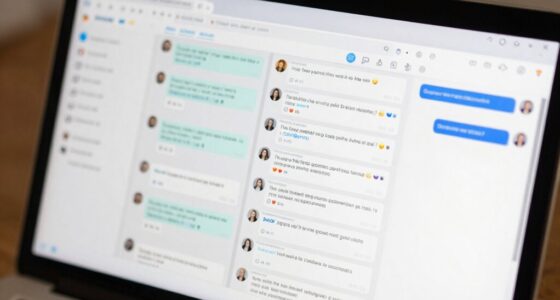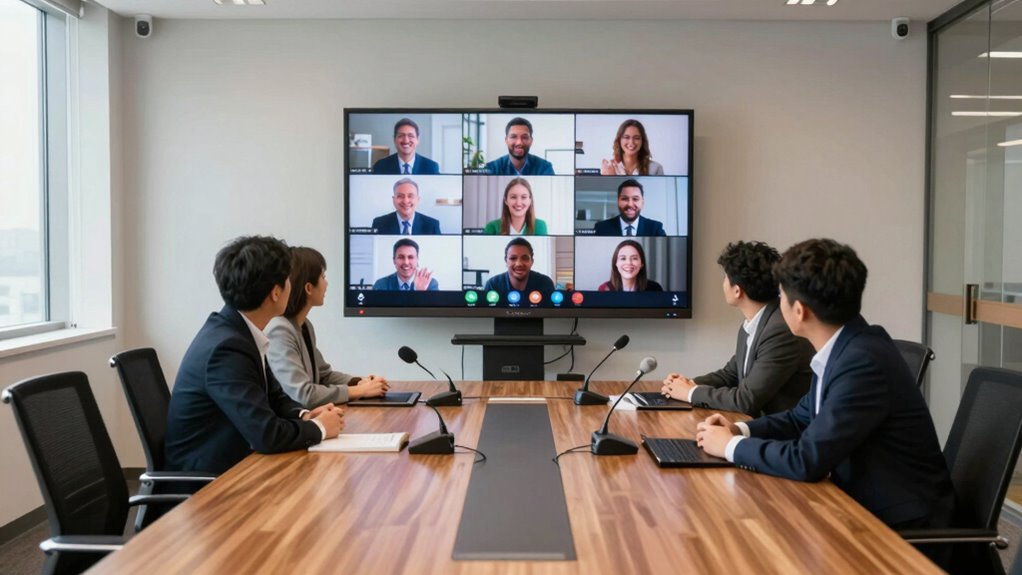

To make remote participants feel included in hybrid meetings, you should use high-quality cameras and microphones to capture everyone’s voice and expressions clearly. Position screens to show shared content and speakers, and encourage active involvement through digital tools like chat, polls, or shared whiteboards. Regularly check technical setups and invite remote attendees to share their input. Paying attention to these details will help create a seamless, engaging experience for all — keep exploring to learn how to perfect your setup.

Get business pricing on office and shipping supplies
- Business-only prices and quantity discounts
- Tax-exempt purchasing
- Multiple users, one account, clear invoices
Key Takeaways
- Use high-quality cameras, microphones, and conferencing platforms to ensure clear audio and visual experience for remote participants.
- Position cameras and screens to capture both speakers and audience, fostering a sense of presence and engagement.
- Assign a dedicated moderator to facilitate discussions and actively include remote attendees.
- Incorporate shared digital tools like whiteboards and polls to encourage active remote participation.
- Test all technology beforehand and troubleshoot issues to ensure smooth, disruption-free hybrid meetings.

Ever wondered how to make hybrid meetings seamless and effective? It all starts with creating a setup that fosters genuine virtual collaboration, guaranteeing everyone, whether in the room or dialing in remotely, feels equally engaged. To achieve this, you need a thoughtful approach to technology integration. The right tools can bridge the gap between physical and virtual attendees, making participation smooth and natural. When you prioritize technology that supports real-time interaction, you eliminate common frustrations like audio lag, disconnected screens, or unclear visuals. This means investing in quality cameras, microphones, and conferencing platforms designed for hybrid environments. These tools should allow remote participants to see and hear clearly, as if they’re physically present.
You should also position your hardware thoughtfully. Place cameras where everyone is visible, capturing both the speaker and the audience. Microphones need to be omnidirectional or strategically placed to pick up voices from all directions, preventing remote attendees from missing out on conversations. Make sure your screens are large and visible from all angles, displaying shared content and participant videos simultaneously. This visual setup encourages natural interaction and keeps everyone connected, regardless of their location. Additionally, technology compatibility with various devices and internet speeds is crucial to ensure smooth communication and prevent technical difficulties during meetings. Ensuring your setup can adapt to different network conditions helps avoid disruptions that hinder collaboration.
Beyond hardware, it’s essential to establish a clear process for virtual collaboration. Set ground rules to make sure remote voices are heard—perhaps designating a moderator to facilitate discussions and monitor chat channels for questions or comments from online participants. Incorporate shared digital tools like collaborative whiteboards, document editing, and polling software, so everyone can contribute in real time. This helps remote team members feel like active partners rather than passive observers. Additionally, choosing the right technology that is compatible with various devices and internet speeds further enhances inclusivity and smooth communication.
Another key aspect is encouraging inclusivity from the start. During meetings, explicitly invite remote participants to contribute, and regularly check in with them to ensure they’re involved. Use video whenever possible, as seeing facial expressions and gestures creates a more personal connection. Keep the agenda focused and concise, respecting everyone’s time and attention span, and provide clear instructions for using the tech tools you’ve integrated. Regularly testing your setup before meetings can prevent unexpected disruptions and ensure everything runs smoothly, allowing everyone to focus on collaboration rather than technical issues. Practicing these procedures beforehand can significantly reduce potential frustrations.
Finally, test your setup before every meeting. Run through the technology, check audio and video quality, and troubleshoot any issues ahead of time. When you put effort into thoughtful technology integration and fostering an environment of genuine virtual collaboration, your hybrid meetings won’t just run smoothly—they’ll truly bring everyone together, no matter where they’re located.
Products Worth Considering

FLEXISPOT 36-Inch Electric Standing Desk Converter, Black

HP Sprocket Photo Booth Machine Instant Color Photo Printer with 10.1 Touchscreen, LED Ring Light, 250+ Frames, 3×4 ZINK Paper, QR Code Shar

Dell UltraSharp 27 Thunderbolt Hub Monitor (U2726DER)
As an affiliate, we earn on qualifying purchases.
Frequently Asked Questions
How Can I Ensure Remote Participants Feel Equally Engaged?
You can guarantee remote participants feel equally engaged by fostering inclusive communication and prioritizing virtual collaboration. Use video to create face-to-face connections, encourage everyone to share their ideas, and regularly check in with remote team members. Incorporate collaborative tools like shared documents or chat features, and set clear agendas. By actively involving remote attendees and emphasizing inclusive communication, you make certain everyone feels valued and engaged, regardless of location.
What Technology Best Supports Hybrid Meeting Inclusivity?
Ironically, the best tech for hybrid meetings isn’t just about fancy gadgets but seamless virtual collaboration tools. You should prioritize platforms with easy screen sharing, clear audio, and video integration, ensuring remote participants feel like they’re in the room. Invest in quality webcams and microphones, and use tech that integrates smoothly with your existing systems. This way, everyone stays connected, engaged, and truly part of the conversation.
How Should Seating Be Arranged for Hybrid Meetings?
You should arrange seating to foster equal visual perspective, with remote participants positioned so they can see and hear everyone clearly. Use a circular or U-shaped seating arrangement to promote engagement and guarantee the camera captures all attendees. Place remote participants at the center or in a prominent position on screens, so on-site and virtual attendees feel equally included and connected through a balanced seating arrangement.
What Are Common Challenges in Hybrid Meetings?
You might face challenges like ensuring remote attendees stay engaged and connected. Virtual icebreakers can help break the ice and foster interaction, but in person gestures like nodding or smiling are sometimes missed by remote participants. To overcome these issues, actively include remote voices, use reliable technology, and encourage in-person participants to acknowledge remote colleagues. This approach helps create a balanced, inclusive environment where everyone feels valued.
How Can I Encourage Remote Participants to Contribute Actively?
Imagine your remote team as a garden waiting to bloom—encouragement is the sunshine they need. You can foster participation by starting with interactive icebreakers that break down barriers. Use visual collaboration tools to make ideas visible and engaging, inviting remote participants to contribute actively. When you create an inclusive environment that values their input, remote members will feel more connected, inspiring them to speak up and share their insights confidently.
Conclusion
Creating an inclusive hybrid meeting setup isn’t just about technology—it’s about ensuring everyone feels heard and valued. Implementing features like dedicated microphones and strategic seating can dramatically improve engagement. Did you know that meetings with inclusive setups see a 25% boost in participant satisfaction? By prioritizing these strategies, you’ll foster a collaborative environment where remote team members feel just as involved as those in the room. Embrace these tips, and watch your meetings become more productive and connected.