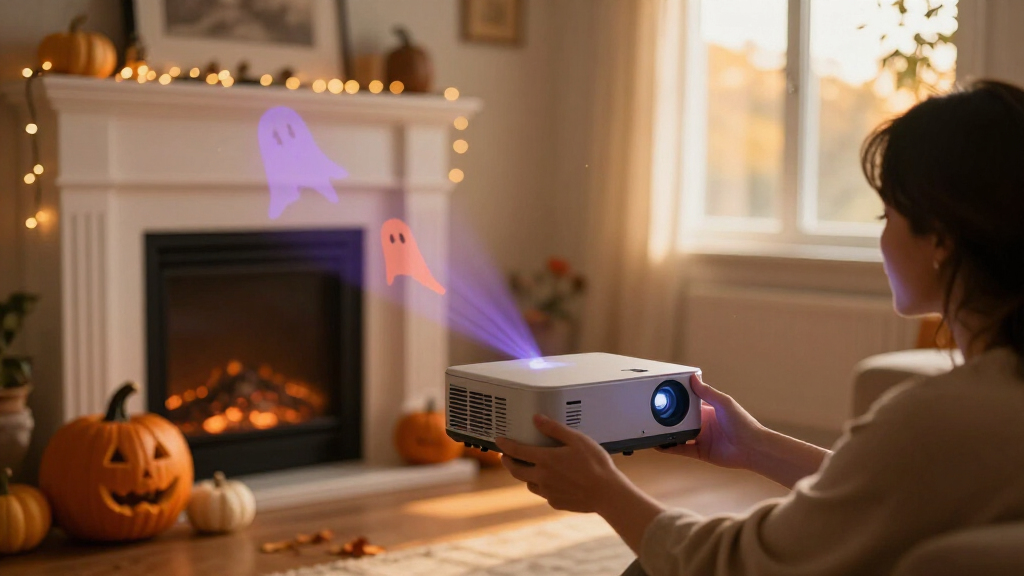

🔍 Read the full analysis: AI And Halloween Decor: Ideas For A Spooky Space on ThorstenMeyerAI.com

Get business pricing on office and shipping supplies
- Business-only prices and quantity discounts
- Tax-exempt purchasing
- Multiple users, one account, clear invoices
TL;DR
A new guide on AI-powered Halloween decor explains how to distinguish genuine AI features — generative visuals, speech recognition, computer vision — from ordinary motion-sensor automation. It recommends simple, well-timed scenes, checking whether features run locally or online, and planning for privacy and connectivity failures.
A new guide from ThorstenMeyerAI.com walks consumers through the growing market of AI-powered Halloween decorations, warning that many products marketed as intelligent rely on nothing more than a motion sensor and a prerecorded sound. The guide, timed for the Halloween season, explains how to identify which decorations genuinely use artificial intelligence, how to build effects that fit a specific space, and where safety, privacy, and reliability concerns come into play.
The central distinction the guide draws is between automation and artificial intelligence. A prop that shrieks whenever someone walks past is ordinary sensor-triggered automation, according to the guide, even if it delivers a satisfying scare. Genuine AI-powered decor uses technology such as generative AI to create custom media, voice recognition to respond to spoken phrases, or computer vision to analyze camera images. The difference matters after the first trigger: a recording repeats identically every time, while an AI feature may interpret input or produce different content on each interaction.
The guide frames these capabilities as a toolbox with distinct compartments, each carrying its own costs. Generated content — such as a haunted portrait or a witch’s dialogue — needs human review before display. Speech recognition can fail in noisy outdoor environments. Image analysis through a camera can raise privacy concerns, particularly when data is sent to an online service rather than processed locally. The guide advises buyers to check whether a device’s features work locally or depend on cloud connectivity, since that affects both reliability and what information leaves the home.
For planning a display, the guide recommends a four-step approach: pick one clear moment for visitors, create the content using image or audio tools and then edit it, choose the trigger and output devices, and test the scene from a visitor’s point of view. It cautions that generated voices and visuals often require cleanup, and that licensing terms on AI-generated material may restrict commercial use or sharing. A technically polished line of dialogue, the guide notes, can still sound out of character or be inappropriate for the intended audience.
A motion-triggered recording is automation; AI usually means a system generates or interprets content.
Use generated art, voices, or dialogue to personalize a scene, then review the results and usage terms.
Plan one clear visitor moment before choosing sensors, lights, speakers, or controllers.
Test offline behavior, sensor timing, audio, cable placement, and outdoor protection before Halloween night.
Tell visitors when a display processes faces or voices, limit collection, and provide a way to pass without interacting.
Why the AI Label Matters for Shoppers
The Halloween decor market has followed the broader consumer trend of attaching AI branding to products with widely varying levels of intelligence. For shoppers, the practical stakes are financial and functional: an AI-labeled prop that only replays a recording offers no more capability than a cheaper motion-activated model, while genuinely responsive features — such as a porch character that answers a visitor’s question — may cost more, require additional setup, and behave less predictably.
The guide’s advice also touches on a wider debate about smart home privacy. Decorations that process audio or video, especially through cloud services, can transmit data from a home’s entryway — the exact spot where trick-or-treaters and deliveries pass through. The guide’s recommendation to verify whether processing happens locally or online reflects concerns familiar from smart speakers and doorbell cameras.
Reliability is the third consideration. The guide notes that a display needing to run through a crowded Halloween evening may be better served by a simple local trigger than a cloud feature that stalls when Wi-Fi drops. As an example, it describes a smart bulb scheduled to shift color as guests reach the door — a cue that fails if the internet connection does.
The Range of AI Decor Options
The guide organizes AI-assisted Halloween effects into four categories. Motion-triggered props play a set sound or movement when someone approaches and suit simple jump scares. Generated media — custom art, dialogue, or audio the user edits afterward — fits themed backdrops or characters. Responsive characters use speech tools to vary replies, working well for short porch conversations. Connected effects coordinate lights, speakers, or plugs to build a timed scene across a room.
It also describes how these layers combine in practice. In one example, a dim entryway features a portrait that whispers a welcome as guests approach: generated visuals give the portrait a cracked, candlelit look, a speaker supplies the voice, and a smart bulb shifts from warm amber to cold blue. The guide emphasizes that one striking moment usually lands better than a yard full of competing sounds and lights, because visitors need time to notice and understand each cue. More effects add variety but also create more opportunities for delays, conflicting triggers, and troubleshooting.
For beginners, the guide notes that a modest display is possible with just a smart light, speaker, and trigger, while elaborate builds may require hobby electronics, coding, and extra troubleshooting time.
“A motion sensor that triggers a prerecorded shriek can still make an excellent scare, but by itself it is ordinary automation.”
— ThorstenMeyerAI.com guide
Questions Buyers Still Face
The guide itself acknowledges several unknowns. It does not evaluate specific branded products, and it warns that marketing language frequently fails to specify which technologies a device actually uses. Product availability, capabilities, pricing, and privacy settings can change, so the guide directs buyers to verify current details directly before purchasing.
Beyond labeling, real-world performance of AI features in outdoor Halloween conditions — wind, cold, darkness, and crowd noise — is not guaranteed by any specification sheet. The guide notes that speech recognition can fail in noise, but how individual products perform in a given yard remains something buyers must test themselves. Licensing terms on generated content also vary by tool, and the guide does not catalog which services permit public display of their outputs.
Planning Ahead for Halloween Night
Readers planning a display this season can follow the guide’s sequence: define one visitor moment, draft and edit generated content, select triggers and outputs, and test from the sidewalk rather than the living room. The guide recommends preparing a fallback — a local recording or a simple light cue — so the scene survives a connectivity failure on the night itself.
Buyers comparing products should confirm three things before purchasing, according to the guide: what the AI feature actually does, whether it runs locally or through an online service, and what data the device collects. As consumer AI tools continue to spread through seasonal and smart-home products, the gap between marketed intelligence and actual capability is likely to remain a shopping issue beyond Halloween.
Key Questions
How can I tell if a Halloween decoration really uses AI?
Check whether the product creates content, recognizes speech, or adapts its responses — those are AI functions. A prop that only plays the same recorded sound when someone passes a sensor is automation, not AI, regardless of the label. The ThorstenMeyerAI.com guide recommends verifying the specific feature list and whether processing happens locally or online before buying.
Do I need AI to make a scary Halloween display?
No. The guide states that a motion-triggered prop can still deliver an excellent scare, and that timing and atmosphere matter more than any label. Its four-category breakdown includes simple sensor-triggered props alongside AI-generated media, responsive characters, and connected effects.
What are the privacy risks of AI Halloween decor?
Devices that use microphones or cameras — especially those sending data to cloud services — can collect audio or video from around your home’s entrance. The guide advises checking privacy settings and whether features work locally, which keeps data in the home rather than transmitting it.
What happens if my Wi-Fi goes down on Halloween night?
Connected features that depend on online services can stall, losing their timing. The guide recommends planning a fallback, such as a local recording or a simple light cue, so the scene continues even if the more flexible cloud-based feature fails.
Can I use AI-generated images or voices in my display commercially?
It depends on the tool. The guide notes that licensing terms on generated content may limit commercial use or sharing, and that generated voices and visuals often need review for quality, tone, and audience appropriateness. Check each service’s terms before public or commercial use.
Source: ThorstenMeyerAI.com
Fall Picks
fall essentials
As an affiliate, we earn on qualifying purchases.