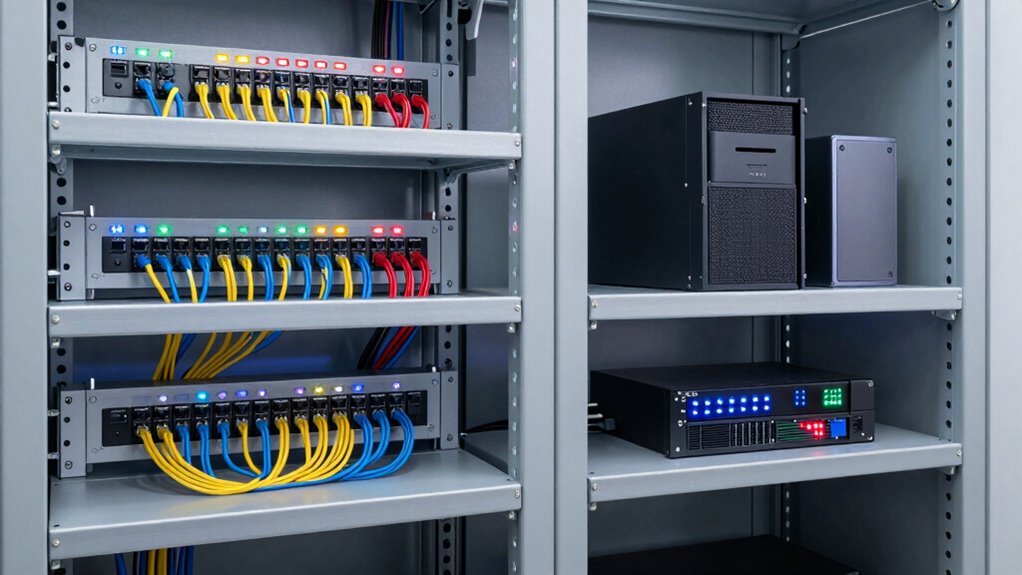

To plan a better small-office network closet, start by evaluating your space and identifying where to position your access points for maximum coverage, avoiding interference from walls or electronics. Organize cables neatly using labels and management tools to prevent clutter and guarantee airflow. Design with scalability in mind, allowing for future hardware growth, and include proper cooling, power sources, and safety measures. For effective troubleshooting and upgrades, maintain detailed documentation—continue to explore these tips for a well-structured network setup.

Get business pricing on office and shipping supplies
- Business-only prices and quantity discounts
- Tax-exempt purchasing
- Multiple users, one account, clear invoices
Key Takeaways
- Design the layout for optimal airflow, cooling, and easy access to equipment for maintenance.
- Use structured cabling and label all cables for organization and quick troubleshooting.
- Position access points centrally to ensure seamless wireless coverage throughout the office.
- Incorporate surge protectors, UPS units, and proper ventilation for equipment safety and longevity.
- Maintain detailed documentation of device placement, IP addresses, and cable routes for efficient management.
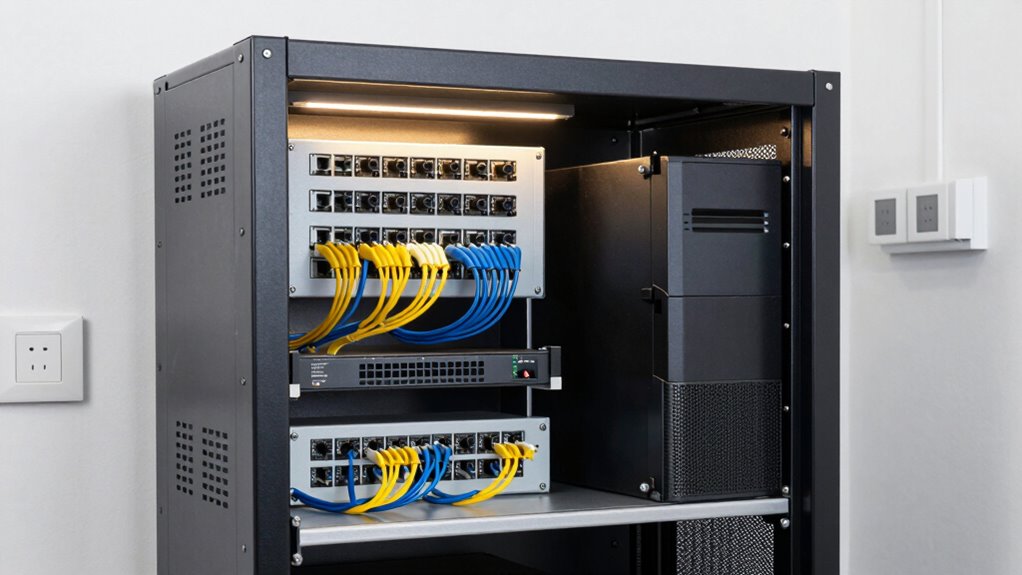
Setting up a small-office network closet requires careful planning to guarantee reliable connectivity and easy maintenance. Your goal is to create a space that supports seamless wireless coverage and keeps cables organized, so your network runs smoothly without chaos. To achieve this, start by assessing your office’s layout and understanding where your wireless devices are located. Proper placement of wireless access points (APs) is essential. Position them centrally and at ideal heights to maximize coverage, making sure every corner of your office gets a strong, consistent signal. Think about potential sources of interference, like thick walls or electronic devices, and plan your AP locations accordingly. This proactive approach helps avoid dead zones and guarantees everyone stays connected without frustration.
Carefully place access points to ensure strong, consistent wireless coverage throughout your office space.
Cable management is equally important. When cables are tangled or cluttered, troubleshooting becomes a nightmare, and airflow is restricted, which can cause equipment to overheat. Use cable organizers like clips, sleeves, or raceways to route cables neatly along walls or ceilings. Label each cable so you can quickly identify connections during maintenance or upgrades. Proper cable management not only improves the appearance of your network closet but also enhances safety by reducing tripping hazards and preventing accidental disconnections. Additionally, understanding network topology helps in designing a more efficient and resilient setup. Knowing how devices are interconnected allows for better planning around redundancy and scalability, which is vital for maintaining network stability as your office grows. Implementing a structured cabling system can greatly improve overall organization and future-proof your network.
As you plan your closet, consider future expansion. Leave some space for additional hardware, and choose a rack or cabinet that’s scalable. This way, adding new switches, routers, or access points down the line won’t require a complete overhaul. Also, think about ventilation. Small offices generate heat, so make sure your closet has adequate airflow, perhaps with a small fan or vent, to keep equipment cool and functioning efficiently. Incorporating cooling solutions ensures your hardware remains within optimal operating temperatures, extending its lifespan. To help with power management, install surge protectors and uninterruptible power supplies (UPS) to safeguard your devices from power surges and outages. Additionally, a well-documented setup is invaluable; keep a detailed diagram of your network, including device placements, IP addresses, and cable routes. This documentation simplifies troubleshooting and future upgrades. Including a comprehensive network plan as part of your documentation can streamline maintenance and help in quick diagnosis of issues. By carefully planning your network closet with attention to wireless coverage, cable management, scalability, and cooling, you set yourself up for reliable performance. A well-organized, thoughtfully designed space minimizes downtime, simplifies maintenance, and guarantees your small office stays connected and productive.
As an affiliate, we earn on qualifying purchases.
Frequently Asked Questions
How Often Should I Upgrade My Network Equipment?
You should upgrade your network equipment every 3 to 5 years to guarantee peak performance and security. Regular upgrades support wireless expansion, allowing you to add new devices seamlessly, and improve power redundancy, reducing downtime. Keep an eye on technological advancements and any signs of hardware slowing down or becoming outdated. Upgrading proactively helps maintain a reliable, efficient network that adapts to your growing business needs.
What Security Measures Are Essential for a Small-Office Closet?
You should implement security measures like controlling physical access to your network closet to prevent unauthorized entry. Use lockable doors, security cameras, and access logs to monitor who enters. Theft prevention is vital, so consider installing alarm systems and securing equipment with lockable racks. Regularly update your security protocols, restrict access to essential personnel, and guarantee only trusted staff can access sensitive networking hardware, keeping your network safe from threats.
Can I DIY Cable Management for My Network Closet?
Yes, you can DIY cable management for your network closet. Start by labeling your cables clearly to avoid confusion later. Use cable ties or Velcro straps to keep cables organized and prevent tangling. Implement proper rack organization by installing shelves or panels to separate different types of equipment. Regularly check and adjust your setup to maintain a tidy, efficient space, making future troubleshooting or upgrades much easier.
How Do I Prevent Overheating in a Small Network Closet?
To prevent overheating in your small network closet, you should improve ventilation by installing vents or exhaust fans to promote airflow. Additionally, set up temperature monitoring devices to keep track of heat levels and identify issues early. Regularly check and clean existing vents, and consider rearranging equipment to avoid blocking airflow. These steps guarantee your equipment stays cool, reducing the risk of overheating and potential failures.
What Are Cost-Effective Solutions for Small-Office Networking?
Think of your small-office network as a vintage radio needing a tune-up. To keep costs low, focus on wireless expansion with affordable access points and leverage cloud integration for easy management. These solutions reduce wiring and hardware expenses while boosting connectivity. You get flexible, scalable networking that’s simple to maintain, saving you money. With smart planning, you can modernize your setup without breaking the bank, making your office both efficient and budget-friendly.
As an affiliate, we earn on qualifying purchases.
Conclusion
By thoughtfully planning your small-office network closet, you set the foundation for reliable, efficient connectivity—much like a well-constructed bridge supports the journey across a river. Remember, a solid infrastructure isn’t just about today’s needs but preparing for future growth. When you build with care and foresight, you create a space that sustains your business’s momentum, ensuring your network stands strong through the currents of change. Your office’s digital backbone depends on it.
As an affiliate, we earn on qualifying purchases.
uninterruptible power supply for network
As an affiliate, we earn on qualifying purchases.
As an affiliate, we earn on qualifying purchases.
Halloween Picks
halloween
As an affiliate, we earn on qualifying purchases.