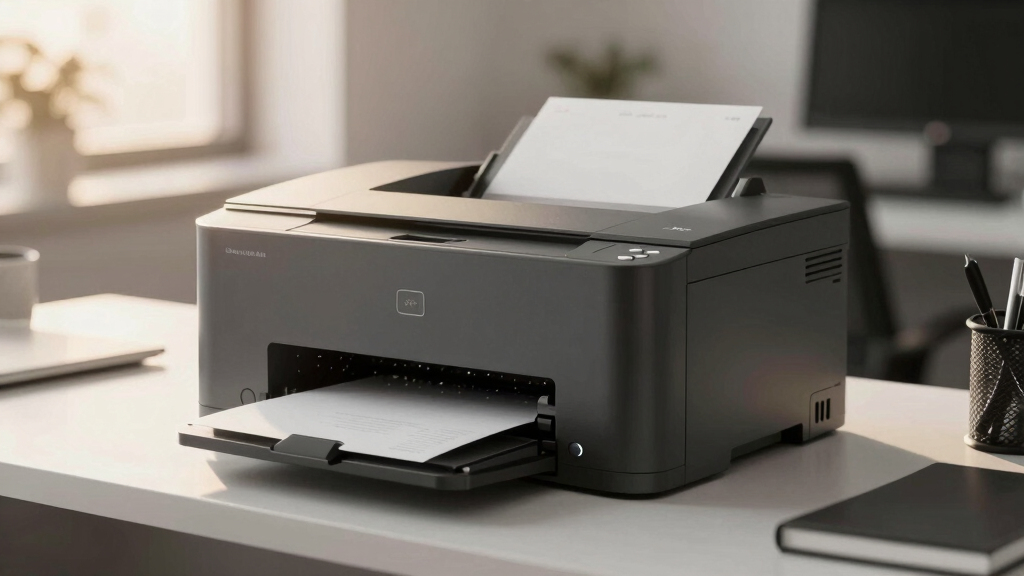
Choosing the best monochrome laser printer for high-volume printing requires balancing speed, durability, and cost per page. The HP LaserJet Pro M501dn stands out as the best overall for its reliable performance and fast duplex printing. For larger enterprise needs, the HP LaserJet Enterprise M507dn offers robust features like built-in Ethernet and high duty cycles, while the Brother HL-L6250DW provides excellent value with duplex and wireless options. All these models face tradeoffs between upfront cost, ongoing supplies, and feature set. Keep reading to see how these options compare and which one fits your specific printing demands.
Key Takeaways
- The top picks balance high duty cycles with efficient toner use, reducing long-term costs.
- Features like duplex printing and wireless connectivity are common among high-volume models but vary in implementation.
- Build quality and manufacturer support are key for maintaining performance over years of demanding use.
- Higher upfront costs often correlate with lower cost per page and better durability, but not always necessary for smaller high-volume needs.
- Choosing the right model depends heavily on the specific volume, network needs, and whether multifunction capabilities are essential.
| HP LaserJet Pro M501dn Duplex Printer with One-Year Next-Business Day Onsite Warranty |  | Best Overall Monochrome High-Volume Laser Printer | Printer Type: Laser | Print Media: Plain paper | Maximum Copy Speed: 43 pages per minute | VIEW LATEST PRICE | See Our Full Breakdown |
| HP LaserJet Enterprise M507dn Monochrome Printer with Built-in Ethernet & 2-Sided Printing | 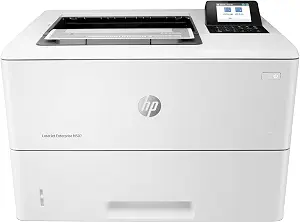 | Best for Growing Business Security & Connectivity | Printer Type: Laser | Output Type: Monochrome | Weight: 25.3 pounds | VIEW LATEST PRICE | See Our Full Breakdown |
| HP LaserJet Pro MFP 3101sdw Wireless Black and White All-in-One Laser Printer |  | Best Compact Multi-Function for Small Teams | Printer Type: Laser | Printer Output Type: Monochrome | Wireless: Yes | VIEW LATEST PRICE | See Our Full Breakdown |
| Brother HL-L6250DW Laser Printer with Duplex |  | Best for High-Speed, Large Capacity Workgroups | Printer Type: Laser monochrome | Print Speed: 48 ppm | Media Handling: 520-sheet input tray, optional add-ons | VIEW LATEST PRICE | See Our Full Breakdown |
| Brother HL-L2480DW Wireless Monochrome Multi-Function Laser Printer with Copy and Scan |  | Best for Small Offices and Home Use | Printer Type: Laser | Functions: Print, Copy, Scan | Connectivity: Wi-Fi, Ethernet, USB 2.0 | VIEW LATEST PRICE | See Our Full Breakdown |
| HP LaserJet Enterprise M507n Monochrome Printer with Built-in Ethernet |  | Best for High-Security, Network-Managed Environments | Printer Type: Laser | Output Type: Monochrome | Item Weight: 24.7 pounds | VIEW LATEST PRICE | See Our Full Breakdown |
| Brother HL-6210DW Monochrome Duplex Wireless Laser Printer |  | Best for Fast, Large-Volume Office Printing with Wireless Flexibility | Print Speed: 50 ppm | Main Tray Capacity: 520 sheets | Maximum Paper Capacity: 1,660 sheets with optional trays | VIEW LATEST PRICE | See Our Full Breakdown |
| Brother MFC-L2820DW XL Wireless Monochrome All-in-One Laser Printer with Copy, Scan, Fax, Duplex, 4,200 Pages Toner Included |  | Best for Small Offices Needing All-in-One Functionality in Compact Form | Print Speed: up to 36 ppm | Scan Speed: up to 23.6/7.9 ipm | Toner Yield: up to 4,200 pages | VIEW LATEST PRICE | See Our Full Breakdown |
| Brother MFC-L5915DW All-in-One Monochrome Laser Printer with Scanner and Copier |  | Best for Fast, High-Capacity Office Workflow in Larger Spaces | Print Speed: 50 ppm | Auto Document Feeder: 70 pages | Connectivity: Gigabit Ethernet, Dual-band WiFi | VIEW LATEST PRICE | See Our Full Breakdown |
| monochrome laser printer high volume | Printer Type | Print Speed | Connectivity |
|---|---|---|---|
| HP LaserJet Pro M501dn Duplex | Laser | — | — |
| HP LaserJet Enterprise M507dn | Laser | — | — |
| HP LaserJet Pro MFP 3101sdw Wi | Laser | 35 pages per minute | — |
| Brother HL-L6250DW Laser Print | Laser monochrome | 48 ppm | Ethernet, Wi-Fi, USB |
| Brother HL-L2480DW Wireless Mo | Laser | 36 ppm | Wi-Fi, Ethernet, USB 2.0 |
| HP LaserJet Enterprise M507n M | Laser | — | — |
| Brother HL-6210DW Monochrome D | — | 50 ppm | Gigabit Ethernet, dual band wireless |
| Brother MFC-L2820DW XL Wireles | — | up to 36 ppm | Wireless, Ethernet, USB |
| Brother MFC-L5915DW All-in-One | — | 50 ppm | Gigabit Ethernet, Dual-band WiFi |
More Details on Our Top Picks
HP LaserJet Pro M501dn Duplex Printer with One-Year Next-Business Day Onsite Warranty
The HP LaserJet Pro M501dn stands out for its combination of speed, security, and large capacity, making it ideal for demanding office environments. Its ability to print 43 pages per minute and handle 650 sheets reduces downtime and refills, which is a significant advantage over models like the Brother HL-L6250DW, which offers slightly faster speeds but with a smaller paper capacity. The advanced security features add value for businesses handling sensitive data, but the bulkier size and higher initial cost may be a consideration for smaller spaces or tighter budgets. Compared to the HP M507n, this model’s duplex and security features offer more convenience for high-volume workflows. However, it’s limited to monochrome, and its size demands dedicated space.
Pros:- High-speed 2-sided printing up to 43 ppm reduces wait times
- Large 650-sheet capacity minimizes paper refills
- Advanced security features protect sensitive data
- Energy-efficient design lowers power use
Cons:- Bulky size requires dedicated space
- Higher initial purchase price compared to basic models
- Limited to monochrome printing, not suitable for color needs
Best for: Large offices needing high-speed, secure, and high-capacity printing with minimal interruptions.
Not ideal for: Small workgroups or home offices with limited space or budget constraints, due to its size and cost.
- Printer Type:Laser
- Print Media:Plain paper
- Maximum Copy Speed:43 pages per minute
- Item Weight:25.6 pounds
- Item Dimensions:14.8″D x 16.46″W x 11.38″H
- Warranty:One-Year Warranty
Our verdict“This printer is best suited for large offices prioritizing speed, security, and capacity over compactness.”
HP LaserJet Enterprise M507dn Monochrome Printer with Built-in Ethernet & 2-Sided Printing
The HP LaserJet Enterprise M507dn is tailored for expanding companies that need robust security and fast throughput. It offers impressive speeds of up to 45 ppm, slightly surpassing the M501dn, with a large 650-sheet input tray for sustained high-volume printing. Its security options are extensive, with over 200 protections, making it suitable for industries with strict data handling requirements. Compared to the HP M501dn, this model simplifies network integration via Ethernet and adds mobile printing capabilities, though it is bulkier and more complex to set up. Its monochrome focus limits versatility, but it excels in environments where security and speed are paramount.
Pros:- Fast printing of up to 45 ppm enhances productivity
- Over 200 security protections safeguard sensitive info
- Automatic duplex printing cuts paper costs
- Large 650-sheet input tray minimizes refills
Cons:- Bulkier and heavier, needing ample space
- Setup complexity may challenge less tech-savvy users
- Limited to monochrome, no color support
Best for: Mid-sized businesses with high-volume, security-sensitive printing needs and networked environments.
Not ideal for: Small offices or home users who don’t require advanced security features or large input capacities, as setup can be complex.
- Printer Type:Laser
- Output Type:Monochrome
- Weight:25.3 pounds
- Dimensions:15.5″D x 19.5″W x 18″H
- Controller Type:Amazon Alexa, Vera
- Print Media:Card stock, Envelopes, Labels, Plain paper, Transparencies
Our verdict“This device is ideal for growing organizations prioritizing security, speed, and network integration in a high-volume setting.”
HP LaserJet Pro MFP 3101sdw Wireless Black and White All-in-One Laser Printer
The HP LaserJet Pro MFP 3101sdw offers a compact yet capable option for small teams needing printing, scanning, and copying in a single device. Its ability to print at 35 ppm makes it suitable for moderate volume, with wireless connectivity enabling flexible placement. Compared to the Brother HL-L2480DW, it provides the added benefit of scanning and copying, making it more versatile for office workflows. However, its 250-sheet input tray may require frequent refilling under heavy use, and it’s limited strictly to monochrome output. Its small footprint and multifunctionality make it a practical choice for space-constrained environments, but not for high-volume, heavy-duty needs.
Pros:- Compact design fits small spaces
- Wireless connectivity for mobile printing
- All-in-one functions streamline workflows
- Automatic duplex printing saves paper
Cons:- Limited input capacity for high-volume printing
- Relatively slower at 35 ppm compared to larger models
- No color printing support
Best for: Small offices or home-based teams requiring a space-saving, all-in-one monochrome printer with wireless features.
Not ideal for: Larger workgroups or environments with high-volume printing demands that would outgrow the 250-sheet tray and moderate speed.
- Printer Type:Laser
- Printer Output Type:Monochrome
- Wireless:Yes
- Print Speed:35 pages per minute
- Maximum Copies Per Run:999
- Item Weight:23.1 pounds
Our verdict“This printer is suited for small teams needing versatile, space-efficient monochrome printing with wireless convenience.”
Brother HL-L6250DW Laser Printer with Duplex
The Brother HL-L6250DW shines in workgroup environments that demand rapid, high-volume printing. Its impressive 48 ppm speed outpaces many competitors, including the HP M501dn, making it ideal for fast-paced offices. The expandable paper capacity to 1,610 sheets provides long stretches between refills, a clear advantage for large print jobs. Multiple connectivity options, including Wi-Fi, Ethernet, and USB, add flexibility, while the high-yield toner reduces ongoing costs. Unlike the HP models, it’s designed solely for monochrome output, but its speed and capacity make it a prime choice for demanding workflows. Its weight and size, however, may be a hurdle for smaller spaces or less permanent setups.
Pros:- Exceptional speed of 48 ppm accelerates large jobs
- Expandable paper capacity to 1,610 sheets reduces downtime
- Multiple connectivity options including Wi-Fi and Ethernet
- Low cost per page with high-yield toner cartridges
Cons:- Limited to monochrome printing only
- Relatively heavy and large, requiring space
- No integrated scanning or copying functions
Best for: High-volume workgroups needing fast, reliable, and expandable paper handling in a networked environment.
Not ideal for: Small offices or users who need multifunction capabilities like scanning or fax, as this is a print-only device.
- Printer Type:Laser monochrome
- Print Speed:48 ppm
- Media Handling:520-sheet input tray, optional add-ons
- Max Paper Capacity:1610 sheets
- Connectivity:Ethernet, Wi-Fi, USB
- Weight:12,380 g
Our verdict“This model is perfect for high-volume, fast-paced environments that prioritize speed and capacity over multifunctionality.”
Brother HL-L2480DW Wireless Monochrome Multi-Function Laser Printer with Copy and Scan
The Brother HL-L2480DW offers a compact, all-in-one solution for small offices and home environments. Its 36 ppm speed is adequate for moderate workloads, and wireless plus Ethernet connectivity simplifies placement and mobile printing. Its multifunction design—adding copying and scanning—makes it more versatile than single-function printers like the Brother HL-L6250DW. However, it sacrifices some capacity with a 250-sheet tray, which may require frequent refilling under high load, and it’s limited strictly to monochrome output. The need for a subscription service for toner savings might be a concern for cost-conscious users. Still, its small footprint and multifunctionality make it a well-rounded choice for lighter volume needs.
Pros:- Compact design fits small spaces
- Fast printing at 36 ppm
- Wireless and Ethernet connectivity for convenience
- Includes copying and scanning features
Cons:- Limited 250-sheet input tray may require frequent refills
- No color printing support
- Toner subscription required for savings, adding ongoing cost
Best for: Small offices or home users prioritizing multifunctionality and space-saving design in a monochrome printer.
Not ideal for: High-volume or large workgroups that need extended capacity and faster throughput, as the tray size is limited.
- Printer Type:Laser
- Functions:Print, Copy, Scan
- Connectivity:Wi-Fi, Ethernet, USB 2.0
- Print Speed:36 ppm
- Paper Capacity:250 sheets
- EPEAT Rating:Silver
Our verdict“This multifunction printer is ideal for small teams looking for versatile, space-efficient monochrome printing with wireless options.”
HP LaserJet Enterprise M507n Monochrome Printer with Built-in Ethernet
The HP LaserJet Enterprise M507n stands out for its combination of high-speed output—up to 45 pages per minute—and robust security features, making it ideal for sensitive business environments. Compared with the Brother MFC-L5915DW, this model offers easier centralized management and built-in security, but it sacrifices some flexibility with its lack of duplex printing and slightly heavier weight. This printer is less suited for small offices or those on a tight budget, given its focus on enterprise-level features and absence of color options. Its security protocols and mobile printing capabilities streamline workflows for organizations that prioritize data protection and ease of use.
Pros:- High-speed printing up to 45 ppm for large workloads
- Advanced security features to safeguard sensitive info
- Seamless mobile printing without additional setup
- Centralized management system simplifies fleet control
Cons:- Heavy at 24.7 pounds, less portable
- Limited to monochrome printing, not suitable for color jobs
- No duplex printing option, which could increase paper costs
Best for: IT managers and office administrators needing secure, high-volume printing with centralized control
Not ideal for: Small teams or startups with limited security needs or budget constraints
- Printer Type:Laser
- Output Type:Monochrome
- Item Weight:24.7 pounds
- Dimensions:15.4″D x 19.2″W x 18″H
- Controller Type:Amazon Alexa, Vera
- Print media:Envelopes, Paper (plain), Transparencies
Our verdict“This model is best suited for large organizations that need secure, high-volume monochrome printing with centralized management.”
Brother HL-6210DW Monochrome Duplex Wireless Laser Printer
The Brother HL-6210DW is designed for busy offices that demand quick turnaround, boasting a print speed of up to 50 ppm and large capacity trays, including a 520-sheet main tray and optional additional trays for a maximum of 1,660 sheets. Its wireless and Ethernet connectivity make sharing straightforward, and its security features safeguard sensitive documents. Compared with the Brother MFC-L2820DW XL, this model offers higher speed and larger paper capacity but lacks multifunction features like scanning and copying, making it less versatile for small offices needing all-in-one functionality. However, the initial investment is higher, and setup can be intimidating due to multiple advanced features.
Pros:- Fast print speeds up to 50 ppm for heavy workloads
- High-capacity trays and toner reduce downtime
- Wireless and Ethernet connectivity for easy sharing
- Triple Layer Security protects sensitive data
Cons:- Additional costs for expanding paper capacity
- Complex setup with many features may challenge some users
- Higher initial purchase price compared to simpler models
Best for: High-volume offices needing rapid, secure monochrome printing with network sharing
Not ideal for: Small teams or those seeking an all-in-one device with scanning and fax capabilities
- Print Speed:50 ppm
- Main Tray Capacity:520 sheets
- Maximum Paper Capacity:1,660 sheets with optional trays
- Connectivity:Gigabit Ethernet, dual band wireless
- Toner Yield:up to 18,000 pages
- EPEAT Rating:Silver
Our verdict“Ideal for large, security-conscious offices that prioritize speed and capacity over multifunctionality.”
Brother MFC-L2820DW XL Wireless Monochrome All-in-One Laser Printer with Copy, Scan, Fax, Duplex, 4,200 Pages Toner Included
The Brother MFC-L2820DW XL combines compactness with high-yield toner, making it a strong choice for small businesses or home offices. Its 36 ppm speed is solid, and the included 4,200-page toner helps keep running costs manageable for high-volume tasks. Unlike the Brother HL-L6250DW, it offers built-in scanning and faxing, adding versatility. The 2.7-inch touchscreen simplifies operation, but its monochrome-only output limits its use to black-and-white documents. Setup can be straightforward, but some users may find the full feature set overwhelming. It’s perfect for those who need a multifunction device without sacrificing space or budget.
Pros:- High-yield toner for up to 4,200 pages reduces replacement frequency
- Versatile connectivity including wireless, Ethernet, and USB
- Compact design fits limited spaces
- Intuitive touchscreen interface improves usability
Cons:- Limited to monochrome printing, not suitable for color needs
- Requires compatible toner for optimal performance
- Limited paper capacity of 250 sheets may require refill more often
Best for: Small business owners and home offices needing an all-in-one, space-saving monochrome printer
Not ideal for: Environments requiring color printing or larger paper capacity for very high volumes
- Print Speed:up to 36 ppm
- Scan Speed:up to 23.6/7.9 ipm
- Toner Yield:up to 4,200 pages
- Paper Capacity:250-sheet tray
- Auto Document Feeder:50 pages
- Connectivity:Wireless, Ethernet, USB
Our verdict“This printer is ideal for small offices needing multifunctionality without sacrificing space or cost-efficiency.”
Brother MFC-L5915DW All-in-One Monochrome Laser Printer with Scanner and Copier
The Brother MFC-L5915DW offers impressive speeds of up to 50 ppm and a 70-page auto document feeder, making it well-suited for demanding office environments. Its 5-inch touchscreen simplifies operation, and its flexible connectivity—Ethernet and dual-band WiFi—supports seamless network integration. Compared with the HL-6210DW, this model includes scanning and copying, adding versatility for document management. Its large footprint, however, requires significant space, and setup can be complex for some users. The high-yield toner and security features make it a reliable choice for busy offices that need fast, secure, multifunctional printing.
Pros:- Fast print and copy speeds of up to 50 ppm
- High-capacity auto document feeder for efficient scanning and copying
- Flexible connectivity including Ethernet and WiFi
- Low-cost printing with high-yield toner cartridge
Cons:- Large size may require substantial space
- Complex setup for some users
- Monochrome-only output limits use cases to black-and-white documents
Best for: Large offices or busy workgroups that need fast, high-volume monochrome printing with multifunction capabilities
Not ideal for: Small offices with limited space or users primarily needing simple print-only functions
- Print Speed:50 ppm
- Auto Document Feeder:70 pages
- Connectivity:Gigabit Ethernet, Dual-band WiFi
- Toner Cartridge:TN920UXXL, 18,000 pages
- Included Toner:3,000 pages
- Display:5-inch touchscreen
Our verdict“Best suited for busy offices needing rapid, secure, multifunction monochrome printing with high capacity.”

How We Picked
These printers were evaluated based on their maximum monthly duty cycle, print speed, connectivity options, and overall build quality. Cost efficiency, toner capacity, and ease of maintenance were also critical factors, as high-volume users need reliable, long-lasting performance. We prioritized models with proven track records in demanding environments and balanced features against price. The ranking reflects a combination of performance, value, and suitability for different types of high-volume users, from small offices to large enterprises.| monochrome laser printer high volume | Printer Type | Connectivity |
|---|---|---|
| HP LaserJet Pro M501dn Duplex | Laser | — |
| HP LaserJet Enterprise M507dn | Laser | — |
| HP LaserJet Pro MFP 3101sdw Wi | Laser | — |
| Brother HL-L6250DW Laser Print | Laser monochrome | Ethernet, Wi-Fi, USB |
| Brother HL-L2480DW Wireless Mo | Laser | Wi-Fi, Ethernet, USB 2.0 |
| HP LaserJet Enterprise M507n M | Laser | — |
| Brother HL-6210DW Monochrome D | — | Gigabit Ethernet, dual band wireless |
| Brother MFC-L2820DW XL Wireles | — | Wireless, Ethernet, USB |
| Brother MFC-L5915DW All-in-One | — | Gigabit Ethernet, Dual-band WiFi |
Factors to Consider When Choosing Best Monochrome Laser Printer High Volume
When selecting a high-volume monochrome laser printer, understanding key factors can prevent costly mistakes and ensure your investment meets your needs. Beyond initial price, consider ongoing costs, durability, and features that improve your workflow. Here are some essential points to keep in mind:Duty Cycle and Speed
Look for a printer with a duty cycle that exceeds your maximum monthly printing volume. This ensures the device can handle your workload without excessive wear. Print speed is also vital; high-volume environments benefit from models that offer fast pages-per-minute rates, reducing wait times during busy periods. Balancing duty cycle and speed prevents breakdowns and keeps productivity high.
Cost per Page and Toner Capacity
High-volume printing can become expensive if toner costs are high or toner cartridges are small. Opt for models with large toner capacity and low cost per page to save money over time. This consideration is often overlooked but has a direct impact on your ongoing expenses, especially if you print thousands of pages monthly.
Connectivity and Compatibility
Wireless and Ethernet options are standard for modern high-volume printers, enabling multiple users to share the device easily. Check compatibility with your existing network and whether the printer supports mobile printing or cloud services. These features can streamline workflows and reduce setup headaches.
Build Quality and Support
Durability is essential for high-volume models, which must withstand continuous use. Choose brands known for reliable performance and solid customer support, especially if you operate in a mission-critical environment. Extended warranties or on-site support can also mitigate downtime and maintenance costs.
Additional Features
Multifunction capabilities like scanning, copying, and faxing can add value but also complexity and cost. Consider whether these features are necessary for your workflow, and choose models that integrate seamlessly with your existing office setup. Sometimes, a dedicated printer with fewer features can be more reliable for high-volume printing.
Frequently Asked Questions
How do I estimate the right duty cycle for my needs?
To determine the appropriate duty cycle, review your average monthly print volume and add a buffer for peak periods. Most high-volume printers list their maximum duty cycle, which should be significantly higher than your typical usage to prevent premature wear. Overestimating your needs ensures the printer remains reliable over years of demanding use.
Are multifunction printers worth it for high-volume environments?
Multifunction models can be valuable if your office benefits from scanning, copying, or faxing in addition to printing. However, these added features may introduce complexity and potential points of failure, which could impact reliability. For dedicated high-volume printing, a simpler, single-function printer often offers better durability and lower maintenance costs.
What is the typical lifespan of a high-volume monochrome laser printer?
With proper maintenance, most high-volume monochrome laser printers can last between 5 to 10 years. Key factors influencing lifespan include build quality, usage intensity, and how well toner and parts are maintained. Choosing a reputable brand with strong support can extend the life of your printer and protect your investment.
Should I prioritize upfront cost or long-term savings?
While a lower upfront cost may be tempting, investing in a model with a lower cost per page and larger toner capacity often yields better savings over its lifespan. High-volume environments benefit from durability and efficiency, so balancing initial expenditure with ongoing operating costs is essential for making the most economical choice.
How important is network connectivity for high-volume printers?
Network connectivity is vital in multi-user environments, allowing everyone to access and share the printer efficiently. Wireless options provide flexibility, while Ethernet ensures stable, high-speed connections for large print jobs. Assess your office’s network infrastructure and choose a model that integrates seamlessly to avoid bottlenecks or setup issues.
Conclusion
The best overall choice for most demanding environments is the HP LaserJet Pro M501dn for its combination of speed, reliability, and ease of maintenance. For those seeking the best value, the Brother HL-L6250DW offers excellent features at a lower price point. High-volume users with enterprise-level needs should consider the HP LaserJet Enterprise M507dn for its advanced connectivity and durability. Beginners or smaller offices might find the Brother HL-L2480DW sufficient, providing essential features without overwhelming complexity. Matching your specific volume, feature needs, and budget will ensure you select the right high-volume monochrome laser printer in 2026.