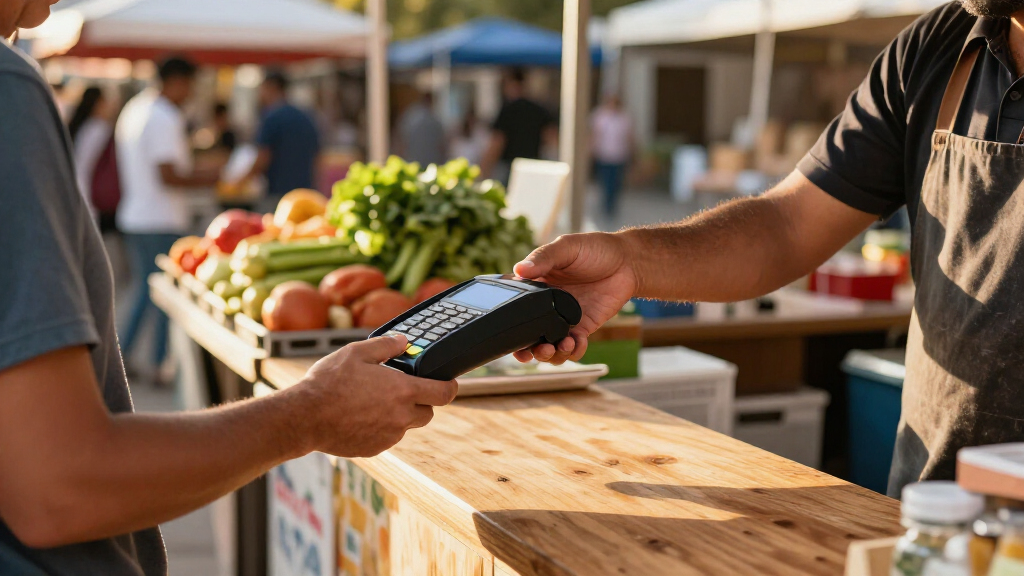

Among these portable credit card readers, I’d make the Square Reader for Contactless and Chip (2nd Generation) my best overall pick for businesses that want to accept tap and chip payments in a compact device. The SumUp Plus is a standout for smartphone-based Bluetooth use, while the Square Terminal is better for sellers who want a standalone touchscreen terminal. The main tradeoff is between a small, phone-dependent reader and a larger device that can handle more of the checkout process itself. Payment methods, phone connection, and whether you need a display all affect which reader makes sense. Read on for how the seven options compare and which one fits your way of selling.

Get business pricing on office and shipping supplies
- Business-only prices and quantity discounts
- Tax-exempt purchasing
- Multiple users, one account, clear invoices
Key Takeaways
- Square Reader for Contactless and Chip (2nd Generation) takes the lead for broad everyday use because it accepts tap and chip payments in a small reader, unlike the magstripe-only Square options.
- SumUp Plus stands apart as a Bluetooth reader for smartphone-based checkout, but that phone connection makes it a different choice from the self-contained Square Terminal.
- The three Square Magstripe readers are narrow-use picks: choose among them based on your device connector, and don’t mistake them for chip or contactless readers.
- Square Terminal is the strongest fit when a built-in screen and a more complete checkout device matter more than pocket-sized portability.
- Clover Compact Wireless Payment Terminal offers an alternative to phone-led readers, but buyers should weigh its larger terminal format against the convenience of carrying a small reader.
| Square Reader for Magstripe (USB-C) |  | Best for USB-C Magstripe Acceptance | Brand: Square | Connectivity: USB-C | Compatible devices: Apple and Android devices with a USB-C connector | VIEW LATEST PRICE | See Our Full Breakdown |
| Square Reader for Contactless and Chip (2nd Generation) |  | Best Overall for Phone-Based Checkout | Payment methods: Contactless, chip cards, Apple Pay, Google Pay | Connectivity: Bluetooth | Compatible devices: Android, iPhone | VIEW LATEST PRICE | See Our Full Breakdown |
| Clover Compact Wireless Payment Terminal |  | Best Standalone Wireless Terminal | Payment methods: Tap, swipe, and insert | Connectivity: Wireless | Display: Touchscreen digital display | VIEW LATEST PRICE | See Our Full Breakdown |
| Square Reader for Magstripe with Lightning Connector |  | Best for Older Lightning iPhones and iPads | Brand: Square | Model: A-SKU-0523 | Connectivity: Lightning connector | VIEW LATEST PRICE | See Our Full Breakdown |
| Square Reader for Magstripe (Headset Jack) |  | Best for Legacy Headphone-Jack Devices | Brand: Square | Model name: Square Reader | Connectivity: Wired, 3.5mm audio slot | VIEW LATEST PRICE | See Our Full Breakdown |
| SumUp Plus Bluetooth Card Reader for Smartphones |  | Best for Smartphone-Based Portability | Brand: SumUp | Model: Plus Card Reader | Connectivity: Bluetooth | VIEW LATEST PRICE | See Our Full Breakdown |
| Square Terminal All-in-One Payment Terminal |  | Best for Cordless Checkout with Printed Receipts | Manufacturer: Square | Model number: 8.17044E+11 | Dimensions: 5.6 x 3.4 x 2.5 inches | VIEW LATEST PRICE | See Our Full Breakdown |
| portable credit card reader | Connectivity | Compatible devices | Weight | Brand |
|---|---|---|---|---|
| Square Reader for Magstripe | USB-C | Apple and Android devices with a USB-C connector | 6.53 g | Square |
| Square Reader for Contactless | Bluetooth | Android, iPhone | 5.92 ounces | — |
| Clover Compact Wireless Paymen | Wireless | — | 2 pounds | — |
| Square Reader for Magstripe wi | Lightning connector | Smartphones | 2.08 ounces | Square |
| Square Reader for Magstripe | Wired, 3.5mm audio slot | Apple and Android devices with a 3.5mm headphone jack | 1.6 ounces | Square |
| SumUp Plus Bluetooth Card Read | Bluetooth | Smartphones and tablets | — | SumUp |
| Square Terminal All-in-One Pay | — | — | — | — |
More Details on Our Top Picks
Square Reader for Magstripe (USB-C)
For a seller who needs a small, wired magstripe reader, this Square model pairs with compatible USB-C Apple and Android devices and works through the Square Point of Sale app. That app adds sales tracking, inventory tools, tips, and digital receipts, so the reader can support basic checkout without a separate terminal. Its 6.53-gram weight is a practical advantage for a kit that needs to stay light. Compared with the Square Reader for Contactless and Chip (2nd Generation), though, this one accepts only magstripe payments; it does not add chip or tap acceptance, and it depends on a physical connector rather than Bluetooth. It also requires a Square account and app. I’d choose it for a compatible USB-C device and customers who still pay by swipe, not as a reader for broad payment-method coverage.
Pros:- Very light at 6.53 g, making it easy to carry with a phone
- Works with compatible USB-C Apple and Android devices
- Square Point of Sale app includes inventory and sales tracking
- App supports tips and digital receipts
Cons:- Accepts magstripe payments only, unlike the Square Reader for Contactless and Chip (2nd Generation)
- Requires the Square Point of Sale app and an account
- A wired USB-C connection limits placement compared with a Bluetooth reader
Best for: Square sellers using a USB-C iPhone, Android phone, or tablet who need a lightweight reader for occasional magstripe transactions.
Not ideal for: Businesses that need chip or contactless acceptance, or sellers whose phones lack a compatible USB-C connector.
- Brand:Square
- Connectivity:USB-C
- Compatible devices:Apple and Android devices with a USB-C connector
- Operating systems:iOS, Android
- Weight:6.53 g
- Dimensions:4.5 x 0.62 x 4.5 in
- Data transfer rate:1.5 megabits per second
- Warranty:1 year
Our verdict“Choose this reader for lightweight, swipe-only checkout on a compatible USB-C device, but not if you need chip or tap payments.”
Square Reader for Contactless and Chip (2nd Generation)
This is the most versatile phone-paired option in this group: it accepts contactless payments, chip cards, Apple Pay, and Google Pay, covering more everyday payment preferences than the magstripe-only Square readers. Bluetooth pairing frees the reader from a phone’s port, while its battery-powered design and offline payments for up to 24 hours can help sellers keep checkout moving when connectivity is interrupted. Compared with the standalone Clover Compact Wireless Payment Terminal, it is lighter and designed to work alongside an iPhone or Android device, rather than providing its own display and keypad. That means the phone remains part of the checkout setup, and the reader needs charging. I’d rank it first for sellers who want broad payment acceptance in a compact mobile arrangement, but it is not a self-contained terminal or a no-charge solution.
Pros:- Accepts contactless and chip cards, Apple Pay, and Google Pay
- Bluetooth connection avoids occupying the phone’s charging port
- Supports offline payments for up to 24 hours
- Includes a lithium-ion battery
Cons:- Requires a compatible Android phone or iPhone
- Battery needs charging
- The phone remains necessary for the checkout setup, unlike the Clover Compact Wireless Payment Terminal
Best for: Mobile vendors, service providers, and small retailers who use an iPhone or Android phone and want chip, tap, and digital-wallet acceptance.
Not ideal for: Sellers seeking a standalone terminal with its own screen and keypad, or a reader that never needs charging.
- Payment methods:Contactless, chip cards, Apple Pay, Google Pay
- Connectivity:Bluetooth
- Compatible devices:Android, iPhone
- Power source:Battery powered
- Battery:1 lithium-ion battery, included
- Weight:5.92 ounces
- Offline payments:Up to 24 hours
- Warranty:Limited 1-year
Our verdict“Pick this Square reader for broad payment acceptance and phone-based mobility, provided you are comfortable charging it and using a separate phone.”
Clover Compact Wireless Payment Terminal
The Clover Compact Wireless Payment Terminal suits sellers who want a screen and numeric keypad built into the payment device, rather than relying on a phone to run checkout. It accepts tap, swipe, and chip payments, and its touchscreen, color-coded buttons, and digital receipts support routine transactions in retail, restaurant, and service settings. Compared with the Square Reader for Contactless and Chip (2nd Generation), Clover is more self-contained at the counter, while Square is the lighter phone-connected choice. The tradeoff is portability: Clover weighs 2 pounds, a substantial step up from pocket-sized readers, and the product data does not specify battery life or wireless range. A processing account is also required. I’d favor it for moving checkout around a business when an onboard interface matters, but not for sellers who prioritize a minimal, phone-sized carry kit.
Pros:- Accepts tap, swipe, and chip payments
- Built-in touchscreen and numeric keypad support device-based checkout
- Wireless design can move checkout around a business
- Supports digital receipts and transaction tracking
Cons:- At 2 pounds, it is much heavier than the phone-paired Square Reader for Contactless and Chip
- Battery life and wireless connection range are not specified
- Requires a processing account to accept payments
Best for: Retail, restaurant, and service businesses that need staff to take payments away from a fixed counter using a terminal with its own screen and keypad.
Not ideal for: Solo vendors and highly mobile sellers who need a lightweight reader, or buyers who need confirmed battery-life and wireless-range details before choosing.
- Payment methods:Tap, swipe, and insert
- Connectivity:Wireless
- Display:Touchscreen digital display
- Keypad:Numeric keypad with color-coded function buttons
- Weight:2 pounds
- Digital receipts:Supported
- Color:White and gray
- Package dimensions:10.4 x 6 x 3.3 inches
Our verdict“Choose Clover when you want an onboard screen and keypad for mobile checkout within a business, not when minimum weight is the priority.”
Square Reader for Magstripe with Lightning Connector
This reader is aimed at businesses that already use a compatible Lightning-equipped iPhone or iPad and only need to accept magstripe cards. It plugs directly into the device and works with compatible Square point-of-sale apps, which support tips, signatures, discounts, digital receipts, and payment tracking. That makes it a simple fit for a legacy iOS setup. Compared with the Square Reader for Magstripe (USB-C), the main distinction is the connector: Lightning here, USB-C on the newer-compatible option. Both are limited to swipes, so neither matches the chip and contactless coverage of the Square Reader for Contactless and Chip (2nd Generation). This model also specifies iOS 10.0.2 or later, narrowing compatibility. I’d choose it only when the existing Apple device makes Lightning useful; otherwise, its magstripe-only acceptance is a meaningful limitation.
Pros:- Connects directly to compatible iPhone and iPad devices through Lightning
- Works with Square point-of-sale apps
- App supports tips, signatures, discounts, digital receipts, and payment tracking
- Accepts major card networks, including Visa, Mastercard, Discover, and American Express
Cons:- Accepts magstripe payments only, unlike the Square Reader for Contactless and Chip (2nd Generation)
- Requires a Lightning connector and iOS 10.0.2 or later
- Does not suit Android or USB-C-only devices
Best for: Small businesses with a compatible Lightning iPhone or iPad that need a simple Square reader for magstripe transactions.
Not ideal for: Buyers with USB-C or Android devices, or businesses that need chip, contactless, or digital-wallet payments.
- Brand:Square
- Model:A-SKU-0523
- Connectivity:Lightning connector
- Compatible devices:Smartphones
- Operating system:iOS 10.0.2 or later
- Weight:2.08 ounces
- Supported cards:Visa, Mastercard, Discover, American Express
- Warranty:1-year limited
Our verdict“Choose this only if you have a compatible Lightning iPhone or iPad and swipe-only acceptance meets your needs.”
Square Reader for Magstripe (Headset Jack)
This compact Square reader has a narrow use case: it connects through a 3.5mm headphone jack and needs no charging, making it a straightforward option for businesses still using an older Apple or Android device with that port. It works with the Square Point of Sale app for earnings and sales-history tracking, and supports major card networks. Compared with the Square Reader for Magstripe (USB-C), it avoids charging but depends on a connector that many current phones no longer include. Like that USB-C model and the Lightning reader, it handles magstripe cards only; the Bluetooth Square Reader for Contactless and Chip supports a much wider range of payment methods. Its wired connection can also limit how far the reader sits from the phone. I’d pick it for a legacy device already in use, not for a new mobile checkout setup.
Pros:- Wired connection requires no charging
- Compatible with Apple and Android devices that have a 3.5mm headphone jack
- Works with the Square Point of Sale app for sales history and earnings tracking
- Supports Visa, Mastercard, Discover, and American Express
Cons:- Depends on a headphone jack that many modern phones lack
- Reads magnetic-stripe cards only, unlike the Square Reader for Contactless and Chip (2nd Generation)
- Wired connection can restrict reader placement and movement
Best for: Businesses using an older Apple or Android phone or tablet with a 3.5mm headphone jack that need a no-charge reader for swipe payments.
Not ideal for: Owners of modern phones without a headphone jack, or sellers who need chip, tap, or wireless reader placement.
- Brand:Square
- Model name:Square Reader
- Connectivity:Wired, 3.5mm audio slot
- Compatible devices:Apple and Android devices with a 3.5mm headphone jack
- Weight:1.6 ounces
- Dimensions:4.5 x 0.62 x 4.5 in
- Supported cards:Visa, Mastercard, Discover, American Express
- Warranty:6 months
Our verdict“Buy this for a compatible legacy device when no-charge swipe acceptance is enough, and skip it for current phones or broader payment coverage.”
SumUp Plus Bluetooth Card Reader for Smartphones
The SumUp Plus Bluetooth Card Reader keeps the payment hardware small and lets a smartphone or tablet handle the app and transaction flow. Bluetooth pairing and support for iOS and Android make it a flexible fit for pop-up sellers, mobile services, and stalls where carrying a separate terminal would get in the way. Compared with the Square Terminal, this reader is lighter and simpler to carry, but it does not combine processing and receipt printing in one device. You will need a compatible device running the SumUp app, and the stated 2.6% plus 10 per in-person transaction fee is an ongoing cost to account for. I’d choose it for a compact phone-based setup, not for sellers who want a standalone checkout station.
Pros:- Accepts major credit and debit cards for in-person payments
- Bluetooth connection pairs with compatible smartphones and tablets
- Supports both iOS and Android devices
- Compact 142 g reader is easy to carry between selling locations
Cons:- Requires the SumUp app and a compatible smartphone or tablet
- In-person transactions incur the stated 2.6% plus 10 fee
- Does not include an integrated receipt printer
Best for: Market vendors, mobile service providers, and pop-up sellers who already carry an iOS or Android smartphone or tablet and want a small Bluetooth reader.
Not ideal for: Businesses that need a standalone terminal, printed receipts from the payment device, or a setup that works without a compatible smartphone or tablet.
- Brand:SumUp
- Model:Plus Card Reader
- Connectivity:Bluetooth
- Compatible devices:Smartphones and tablets
- Operating systems:iOS and Android
- Item weight:142 g
- Color:White
- In-person transaction fee:2.6% plus 10 per transaction
Our verdict“Choose the SumUp Plus if you want a lightweight reader that works through your phone, and skip it if you need a self-contained terminal with printed receipts.”
Square Terminal All-in-One Payment Terminal
The Square Terminal is the more self-contained choice here: it accepts major credit and debit cards, processes chip cards, and prints receipts from the same device. Its built-in battery supports cordless use, which can make checkout easier at a counter or when moving around a service area. Compared with the SumUp Plus Bluetooth Card Reader, it is heavier and less dependent on a separate phone for the reader itself, but it also takes more room and is designed for use with Square services. The listing describes battery life as lasting all day without giving a specific runtime, so sellers with long shifts should check whether that suits their workflow. I’d favor this terminal when receipts and an integrated checkout device matter more than minimizing carry weight.
Pros:- Combines card processing and receipt printing in one device
- Accepts major credit and debit cards and processes chip cards
- Built-in battery supports cordless operation
- Includes fraud prevention and phone support
Cons:- Designed to work with Square services
- At 14.7 ounces, it is heavier than the SumUp Plus reader
- The listed all-day battery description gives no specific runtime
Best for: Square-based shops, food sellers, and service businesses that want a cordless device for card payments and printed receipts without relying on a separate reader.
Not ideal for: Sellers who prioritize the smallest possible reader, want to use a different payment service, or need a stated battery runtime before choosing equipment.
- Manufacturer:Square
- Model number:8.17044E+11
- Dimensions:5.6 x 3.4 x 2.5 inches
- Item weight:14.7 ounces
- Battery:1 included lithium-ion battery
- Card acceptance:Major credit and debit cards
- Payment functions:Chip card processing
- Receipt printing:Built in
- First available:February 12, 2019
Our verdict“Pick the Square Terminal if you want a portable, battery-powered checkout device with receipt printing, and choose a smaller reader if minimizing bulk is the priority.”
How We Picked
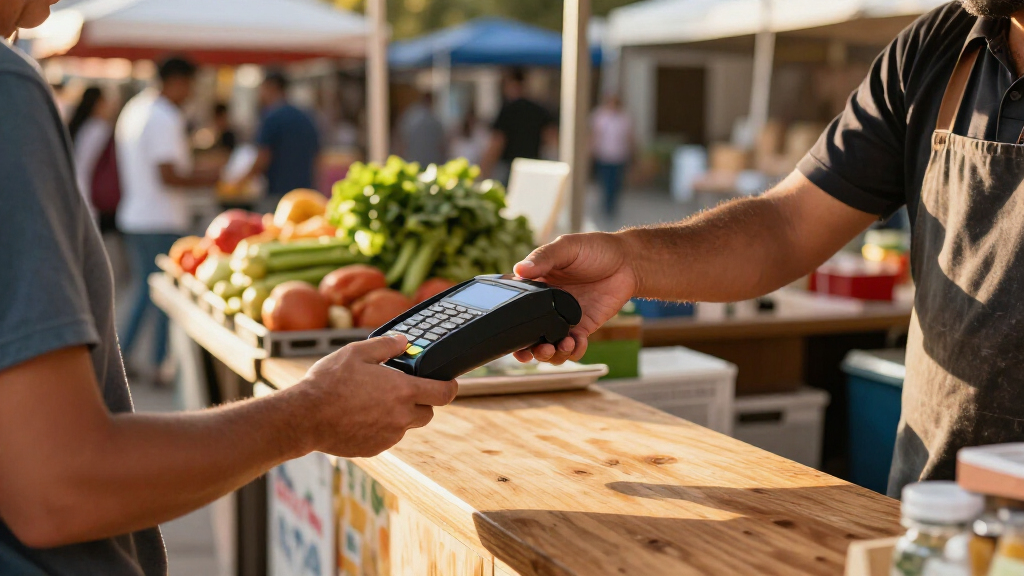
I ranked these options around the needs that define a portable card reader: payment methods accepted, connection and device compatibility, and ease of taking payments away from a fixed counter. I also weighed how much hardware a seller must carry, whether checkout depends on a smartphone, and whether the device has its own display. These factors matter more than a long feature list if a reader cannot accept the payment types customers use or does not fit the seller’s existing setup.
The ranking favors readers that balance practical portability with broader payment acceptance. That puts the Square Reader for Contactless and Chip (2nd Generation) first for general use, while phone-dependent Bluetooth and magstripe-only options rank lower because they suit narrower workflows. The Clover and Square Terminal models remain useful for sellers who prefer a dedicated terminal, but their larger form factors make them less pocketable. I also treat connector variants as a compatibility choice, not as separate upgrades in payment capability.
| portable credit card reader | Brand | Connectivity | Compatible devices |
|---|---|---|---|
| Square Reader for Magstripe | Square | USB-C | Apple and Android devices with a USB-C connector |
| Square Reader for Contactless | — | Bluetooth | Android, iPhone |
| Clover Compact Wireless Paymen | — | Wireless | — |
| Square Reader for Magstripe wi | Square | Lightning connector | Smartphones |
| Square Reader for Magstripe | Square | Wired, 3.5mm audio slot | Apple and Android devices with a 3.5mm headphone jack |
| SumUp Plus Bluetooth Card Read | SumUp | Bluetooth | Smartphones and tablets |
| Square Terminal All-in-One Pay | — | — | — |
Factors to Consider When Choosing Portable Credit Card Readers
Before choosing a portable reader, I’d start with the way you actually take payments, not the device name or size alone. These options range from simple magstripe attachments to dedicated terminals, and that difference affects what customers can pay with and what you need to carry.
Match the Reader to the Payment Methods Your Customers Use
A reader that handles only magstripe payments is a narrower tool than one that also accepts chip and contactless payments. Before buying, think about whether customers commonly tap a card or phone, insert a chip card, or still swipe. A compact device can be easy to carry but frustrating if it cannot take the payment method someone presents. Don’t assume that products in the same brand family accept the same payment types; check each model’s supported transactions. If you sell in settings where checkout must move quickly, broader acceptance can be worth more than shaving a little space from your kit. A magstripe reader makes the most sense when that limitation fits your customer base and workflow.
Check Phone and Connector Compatibility Before Ordering
Portable readers often depend on another device, so compatibility affects day-to-day use as much as portability does. A connector-based reader must match the phone or tablet port you intend to use; a Bluetooth model avoids that physical connection but still relies on a compatible phone and software setup. Check the exact device requirements rather than assuming an adapter will solve every mismatch. If staff share checkout devices, account for the time and friction involved in pairing or switching connections. A reader that works with one person’s phone may not suit a team with several device types. Choosing around the devices you already use can prevent a small reader from becoming an awkward extra step at checkout.
Decide How Much Checkout Hardware You Want to Carry
“Portable” can mean a reader that fits in a pocket, or a terminal that can be moved between tables and sales locations. Small readers keep the kit light but generally depend more on a phone or tablet for the checkout experience. A dedicated terminal adds a screen and can make the payment process feel more self-contained, at the cost of extra size and weight. Think about where the device will live between transactions: a market stall, a service bag, or a staffed counter that needs to move occasionally. Buyers sometimes choose the smallest reader without accounting for the phone, cable, and other gear that must travel with it. Compare the full setup you’ll carry, not just the reader by itself.
Choose Between a Phone-Led Reader and a Dedicated Terminal
A phone-led reader makes sense when you already use a smartphone to manage sales and want payment hardware to stay minimal. A dedicated terminal may suit a team that wants a visible checkout screen and fewer steps involving a personal device. The tradeoff is not simply convenience versus cost: it also affects who controls the checkout, how easily staff can share equipment, and how much space the device takes up. Consider whether sales records, item selection, and payment happen in one place or across separate devices in your current process. A standalone terminal can simplify the physical checkout setup, while a small reader can be easier to carry between appointments. Pick the arrangement that fits the full transaction, not only the moment when the card is presented.
Treat Magstripe-Only Readers as a Specific-Need Choice
Magstripe models can appeal when a seller wants a compact attachment for a particular phone connector, but they should not be treated as interchangeable with chip-and-contactless readers. Their role depends on the payment methods the business needs to accept and the device being used. A common mistake is choosing one because it looks like the simplest option, then discovering that its payment method or connector does not match the actual checkout routine. Compare the USB-C, Lightning, and headset-jack versions by the device you plan to pair with them, not by assuming one connector is universally more useful. If you need broader payment acceptance, a different reader in this roundup is a better starting point. Narrow-purpose hardware can be a sensible fit only when its limits are deliberate.
Frequently Asked Questions
Which reader should I choose if I want to accept tap, chip, and swipe payments?
Start by checking each reader’s supported payment methods rather than choosing by brand or size. In this roundup, the Square Reader for Contactless and Chip (2nd Generation) is the clearest compact choice for tap and chip acceptance. The Square magstripe variants are more limited and should not be treated as substitutes for a reader that handles contactless and chip transactions. If swipe acceptance is also a priority, verify the model’s current supported methods and your payment setup before ordering. That check helps avoid buying a portable reader that cannot handle the ways your customers want to pay.
Do I need a smartphone to use a portable credit card reader?
Not always, but several compact readers in this lineup rely on a smartphone or another compatible device to support checkout. The SumUp Plus is a Bluetooth option designed to pair with a smartphone, while connector-based Square Magstripe models attach to a compatible device. Square Terminal and Clover Compact Wireless Payment Terminal are dedicated terminal-style choices, so they are more suited to buyers seeking hardware with its own checkout interface. Check the setup requirements for the payment service as well as the reader itself. A reader that does not plug into a phone may still depend on an account, network access, or other business software.
Is a magstripe-only reader a sensible choice for a new business?
It can be, but only if its supported payment method fits your customers and the reader’s device connection fits your setup. The magstripe readers here are compact options, yet they do not offer the broader tap-and-chip role of the Square Reader for Contactless and Chip (2nd Generation). A new business may prefer flexibility if it has not learned which payment methods customers use most. Check the requirements of your payment provider and consider whether you will need to replace the reader as your sales channels change. A simple attachment is most appealing when its limits are acceptable, not merely because it is small.
Should I pick a Bluetooth reader or a dedicated payment terminal?
Choose based on whether you want a phone to manage the checkout or prefer a separate device with a built-in screen. Bluetooth readers such as the SumUp Plus can keep the payment hardware small, but they make a compatible smartphone part of the setup. A dedicated terminal like Square Terminal takes up more room but can make checkout less dependent on a personal phone. For occasional mobile sales, carrying one phone and a compact reader may be convenient; for shared staff checkout, a separate terminal may be easier to hand over. Compare the complete workflow, including device sharing and where you accept payments, before deciding.
What should I verify before buying a reader for a phone I already own?
Confirm the reader’s connector or wireless requirements, the phone’s operating-system compatibility, and support from the payment app you plan to use. This is especially important for the Square Magstripe options, since USB-C, Lightning, and headset-jack versions are not the same fit for every device. For Bluetooth hardware, check pairing and app requirements rather than assuming that any Bluetooth phone will work. Also review how the reader is powered and what equipment you need to carry during a typical sale. Checking the full setup first is more useful than choosing a reader based on its connector label alone.
Conclusion
For most sellers who want a compact reader with tap and chip acceptance, I’d choose the Square Reader for Contactless and Chip (2nd Generation) as the best overall. The best value-style fit is a Square Magstripe reader only for a business whose payment needs are limited to magstripe and whose phone connector matches the model; it is not the right pick for broader acceptance. For a more complete, dedicated checkout setup, Square Terminal is my best premium-style choice, while Clover Compact Wireless Payment Terminal suits buyers who prefer a separate terminal. Beginners already using a compatible smartphone may find the SumUp Plus approachable as a Bluetooth-based option, while sellers needing a specific connector can choose among the Square Magstripe variants. Match the reader to your payment methods and device first, then decide how much hardware you want to carry.
Black Friday Picks

Vari ComfortEdge Electric Standing Desk, 60 x 30 in, Black/Slate
As an affiliate, we earn on qualifying purchases.