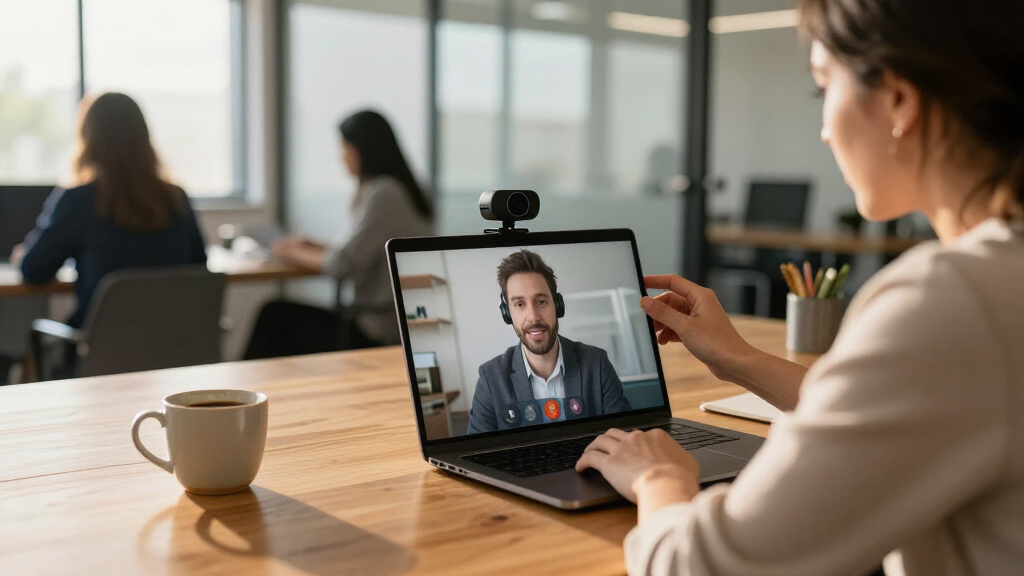

For most business meetings, I’d start with the Logitech Brio 505: its Full HD image and automatic light correction suit everyday calls without making setup complicated. The Insta360 Link 2 stands out for 4K video and AI tracking, while the Logitech C920e is a practical choice for teams that value meeting-platform certification. The main tradeoffs are whether you need 4K, how well the camera handles your room’s lighting, and whether built-in microphones or a separate audio setup make more sense. A higher-resolution camera is not automatically the better office choice if your connection, framing, or lighting is the real bottleneck. Read on for how all 15 webcams compare and which fits your meeting setup.

Get business pricing on office and shipping supplies
- Business-only prices and quantity discounts
- Tax-exempt purchasing
- Multiple users, one account, clear invoices
Key Takeaways
- The Brio 505 is the most balanced business pick: Full HD and automatic light correction address everyday meeting needs without the added complexity of 4K-focused models.
- The Insta360 Link 2 is the specialist choice: AI tracking and 4K make it better suited to presenters who move, but those features are less useful for a fixed desk call.
- Several Logitech 1080p models serve different priorities: the C920e emphasizes meeting-platform certification, while the C920S adds a privacy cover and the Brio 101 keeps the setup simple.
- 4K brings a real tradeoff: models such as the MX Brio, Brio Ultra, EMEET NOVA, and NexiGo N680E Pro offer more image detail, but buyers should weigh bandwidth and workflow needs.
- Built-in audio and lighting can reduce desk clutter: the BCC950 combines a webcam and speakerphone, while the N680E Pro adds a ring light; neither replaces a dedicated setup for every room.




| webcams for business meeting | Connectivity | Focus | Weight | Microphones |
|---|---|---|---|---|
| Logitech BCC950 Desktop Video | USB | Autofocus | 2.3 pounds | — |
| NexiGo N60 1080P Webcam with M | USB 2.0/3.0 | Fixed focus | — | — |
| NexiGo N680E Pro 4K Webcam wit | USB | PDAF autofocus | 0.22 kg | Dual noise-canceling |
| Razer Kiyo V2 Webcam for Strea | USB-C | Autofocus and manual focus | 1.1 pounds | — |
| Acer A610 1080p Webcam for PC | USB | Fixed focus | 4.8 ounces | Dual noise-reduction |
| Logitech C920S HD Pro Webcam F | USB; USB 2.0 compatible | Autofocus | 5.76 ounces | — |
| EMEET C960 4K Webcam for PC wi | USB | — | 4.8 ounces | Dual omnidirectional |
| Insta360 Link 2 4K Webcam for | USB | Autofocus | — | — |
| Logitech C920e HD 1080p Webcam | USB | Autofocus | 5.71 ounces | Dual omnidirectional |
| Logitech Brio 505 Full HD 1080 | USB-C | Autofocus | 4.2 ounces | Noise-reducing microphones |
| Logitech MX Brio Ultra HD 4K W | USB-C | Autofocus | — | Dual beamforming noise-reducing microphones |
| EMEET NOVA 4K Webcam for PC | USB; USB 2.0 stated in product details | — | 4.64 ounces | Dual omnidirectional |
| Logitech C920x HD Pro Webcam F | USB | Autofocus | 5.7 ounces | Stereo |
| Logitech Brio 101 Full HD 1080 | USB-A | Fixed focus | — | — |
| Logitech Brio Ultra 4K HD Webc | USB-A and USB-C | Autofocus | — | Dual omnidirectional noise-canceling |
More Details on Our Top Picks
Logitech BCC950 Desktop Video Conferencing Webcam & Speakerphone – Black
The Logitech BCC950 is the clearest fit here for a small meeting room where several people need to be seen and heard from one desktop setup. Unlike the individual-desk NexiGo N60, it pairs a 1080p camera with a full-duplex speakerphone and noise-canceling microphone, so a team does not have to rely on a laptop’s built-in audio. Its pan, tilt, and zoom controls also help adjust the view for a group. The tradeoff is its limited scale: it is described for rooms of roughly one to four people, not larger conference spaces. It also needs external power, making it less convenient to move between desks than compact USB-only options. I’d choose it for a fixed, small-room meeting setup, not as an everyday personal webcam.
Pros:- Combines a 1080p webcam, speaker, and noise-canceling microphone
- Full-duplex audio supports natural two-way conversation
- Pan, tilt, and zoom controls help frame a small group
- USB plug-and-play setup works with major conferencing platforms
Cons:- Intended for small groups of about one to four people
- Requires an external power source as well as a compatible computer
- Bulkier and less suited to portable desk-to-desk use than compact webcams
Best for: Small teams that meet around one table and want a camera and speakerphone in a single desktop unit
Not ideal for: Solo remote workers or larger conference rooms that need a portable camera or broader room coverage
- Video resolution:Maximum FHD, 1080p
- Sensor:CCD
- Connectivity:USB
- Focus:Autofocus
- Lens:Zoom
- Audio:Full-duplex speakerphone and noise-canceling microphone
- Form factor:Freestanding
- Weight:2.3 pounds
Our verdict“Choose the BCC950 for a small fixed meeting room where built-in group audio matters more than portability.”
NexiGo N60 1080P Webcam with Microphone, Privacy Cover, and USB Plug and Play
The NexiGo N60 suits people who want straightforward 1080p video for routine one-to-one business calls without paying for advanced framing or lighting features. Its privacy cover gives a clear physical way to block the lens between meetings, while plug-and-play USB and broad operating-system support keep setup simple. The 110-degree field of view can include more of a desk or a second person, but it may show more background than a tighter meeting view. Unlike the Acer A610, the N60’s focus is fixed, so it offers less flexibility if the subject moves toward or away from the camera. Its built-in noise-canceling mic is convenient, though neither model includes a dedicated speakerphone. I’d pick the N60 for a stationary home-office setup where easy installation and lens privacy matter more than autofocus.
Pros:- Full HD 1080p video at 30 fps
- Physical privacy cover blocks the camera when not in use
- Plug-and-play USB connection and broad operating-system compatibility
- Built-in noise-canceling microphone avoids relying on a computer mic
Cons:- Fixed-focus lens cannot adjust as the subject changes distance
- Wide 110-degree view may include more background than some business setups need
- No built-in speakerphone for hands-free group calls
Best for: Remote employees who need an uncomplicated USB webcam with a physical privacy cover for regular desk calls
Not ideal for: People who move around during meetings or need autofocus to adjust when they change distance from the camera
- Video resolution:1920 × 1080 at 30 fps
- Sensor:CMOS
- Lens:3.6 mm glass lens
- Field of view:110 degrees
- Focus:Fixed focus
- Connectivity:USB 2.0/3.0
- Microphone:Built-in noise-canceling
- Privacy:Privacy cover
Our verdict“Choose the N60 for a stationary desk and simple 1080p meetings, but pick an autofocus model if you shift position often.”
NexiGo N680E Pro 4K Webcam with Ring Light, PDAF Autofocus, 1080p 60FPS, Dual Noise-Canceling Mics, Privacy Shutter, USB Plug-and-Play
The NexiGo N680E Pro brings several useful adjustments to a business call: PDAF autofocus can keep the image sharp as you shift position, and its tri-tone ring light gives you a built-in way to manage uneven desk lighting. It also offers 4K video and 1080p at 60 fps, giving it more resolution and motion options than the 1080p Acer A610. That flexibility comes with a caveat: the product details say output resolution depends on camera software, so buyers should check their conferencing app and system support rather than assume every call will run at 4K. Dual noise-canceling microphones and a privacy shutter round out the meeting-focused package, but the USB connection may call for an adapter on some devices. I’d favor it for people whose lighting or position changes during calls, not those who want a bare-bones fixed setup.
Pros:- PDAF autofocus can maintain sharpness as the subject moves
- Tri-tone adjustable ring light helps compensate for changing room light
- Supports 4K and 1080p at 60 fps
- Dual noise-canceling microphones and a built-in privacy shutter
Cons:- Available output resolution depends on camera software
- USB connection may require adapters for some devices
- More lighting and video options than many basic meeting setups need
Best for: Presenters and remote workers who change position or need adjustable fill light for inconsistent desk lighting
Not ideal for: Buyers seeking a simple low-adjustment webcam or those whose computer and conferencing software cannot support their preferred video mode
- Video resolution:4K and 1080p
- Sensor:CMOS, Sony sensor per product description
- Focus:PDAF autofocus
- Lighting:Tri-tone adjustable ring light
- Microphones:Dual noise-canceling
- Privacy:Built-in privacy shutter
- Connectivity:USB
- Weight:0.22 kg
Our verdict“Choose the N680E Pro if you want autofocus and adjustable light in one webcam, and verify software support before relying on 4K.”
Razer Kiyo V2 Webcam for Streaming and Collaboration 4K 30FPS, Black
The Razer Kiyo V2 is the premium choice in this group for buyers who want more control over how they appear on calls. Its 4K-at-30-fps capture, HDR, and AI auto-framing offer a more polished presentation than the straightforward 1080p NexiGo N60, while manual focus and customizable software settings give advanced users room to tune the image. Auto-framing can help keep a moving presenter centered, but the camera’s wide 93-degree viewing angle may also show more of the surrounding space than a tightly framed business call requires. The USB-C connection is another practical hurdle for computers without a compatible port or adapter. This model makes the most sense for frequent presenters who value framing controls and high-resolution video; a simpler webcam is a better fit for routine calls where those adjustments will go unused.
Pros:- 4K video capture at 30 fps with HDR support
- AI auto-framing can keep a moving presenter centered
- Autofocus and manual focus provide extra image control
- Integrated privacy shutter
Cons:- USB-C may require an adapter with some computers
- 93-degree viewing angle can include more background than a tight desk shot
- Advanced framing and image settings may be unnecessary for routine calls
Best for: Frequent presenters and hybrid professionals who want 4K capture, AI framing, HDR, and adjustable image controls
Not ideal for: People who need a basic plug-in webcam, lack USB-C or an adapter, or prefer a tighter view of their workspace
- Video resolution:4K at 30 fps
- Sensor:Sony STARVIS sensor per product description
- Connectivity:USB-C
- Field of view:93 degrees
- Focus:Autofocus and manual focus
- Features:AI auto-framing and HDR
- Privacy:Integrated privacy shutter
- Weight:1.1 pounds
Our verdict“Choose the Kiyo V2 for presentation-focused calls where 4K, HDR, and framing controls justify a more involved setup.”
Acer A610 1080p Webcam for PC with Microphones
The Acer A610 is a compact 1080p option for employees who want a basic camera that can be repositioned easily. Its 360-degree rotation helps when shifting the camera between a laptop screen and a nearby display, while automatic low-light correction can help when desk lighting is less than ideal. Compared with the autofocus-equipped NexiGo N680E Pro, the A610 keeps things simpler, but its fixed-focus lens cannot adapt when you move closer or farther from the camera. Dual noise-reduction microphones support calls without a separate mic, though the webcam has no built-in speakers, so meeting audio still needs a computer or headset. I’d pick it for a compact personal workstation and flexible placement, but skip it if autofocus or an all-in-one audio setup is a priority.
Pros:- 1080p video with automatic low-light correction
- Dual noise-reduction microphones are built in
- 360-degree rotation makes repositioning easier
- Compact 4.8-ounce design
Cons:- Fixed-focus lens cannot adjust when the subject moves closer or farther away
- No built-in speakers, so meeting audio needs another device
- Microphone may need to be selected in system settings
Best for: Employees with compact workstations who want a repositionable 1080p webcam with microphones and low-light correction
Not ideal for: People who change their distance from the camera or need built-in speakers for hands-free meeting audio
- Video resolution:Maximum FHD
- Sensor:CMOS
- Connectivity:USB
- Focus:Fixed focus
- Viewing angle:83 degrees
- Microphones:Dual noise-reduction
- Rotation:360 degrees
- Weight:4.8 ounces
Our verdict“Choose the A610 for a compact, repositionable personal webcam, but look elsewhere if you need autofocus or built-in speakers.”
Logitech C920S HD Pro Webcam Full 1080p/30fps Video Calling with Stereo Audio
The Logitech C920S is a sensible pick for individual callers who want dependable Full HD meetings without paying for features they may not use. Its automatic light correction helps keep your face visible when room lighting is uneven, while the built-in stereo microphones cover routine calls without a separate mic. Compared with the newer Logitech Brio 505, the C920S skips auto-framing and uses USB 2.0, but it retains a useful privacy shutter and a wider 78-degree view than the Brio 505’s listed 65 degrees. That makes it a practical fit for a fixed desk setup, not a flexible room system. The tradeoff is a basic feature set and 1080p video rather than the 4K offered by the EMEET C960; buyers needing framing adjustments or higher resolution should look elsewhere.
Pros:- Full HD 1080p video with automatic light correction
- Built-in stereo microphones for routine calls
- Privacy shutter for covering the lens between meetings
- 78-degree viewing angle suits a single-person desk setup
Cons:- USB 2.0 connectivity is less current than the Brio 505’s USB-C
- No auto-framing or 4K video
- Fixed field of view offers limited flexibility for changing setups
Best for: Individual remote workers who want a USB webcam with Full HD video, built-in stereo microphones, and a physical privacy shutter for everyday meetings.
Not ideal for: Teams that need auto-framing, 4K detail, or a camera that can adapt to several presenters sharing a room.
- Video resolution:Maximum Full HD
- Frame rate:1080p at 30 fps
- Connectivity:USB; USB 2.0 compatible
- Focus:Autofocus
- Lens:Glass
- Viewing angle:78 degrees
- Audio:Built-in stereo microphones
- Weight:5.76 ounces
Our verdict“Choose the C920S for uncomplicated one-person meetings where Full HD video and a privacy shutter matter more than newer framing features.”
EMEET C960 4K Webcam for PC with Auto Focus and Dual Microphones
The EMEET C960 brings a 4K option to the meeting desk, with PDAF autofocus and automatic light correction aimed at keeping the picture clear as conditions change. Its dual omnidirectional microphones can capture voices without requiring a separate desktop mic, and the camera works across Windows, macOS, Android TV, and Linux. Compared with the Logitech C920S, the C960 offers a higher maximum resolution and broader operating-system support, but its video defaults to 1080p and switching to 4K requires software. Its listed 66-degree viewing angle is also narrower than the C920S’s 78 degrees, so it suits a single speaker better than a small group. Buyers should pick it for resolution flexibility, not assume every meeting app will use 4K automatically.
Pros:- Supports 4K video at up to 30 fps
- PDAF autofocus and automatic light correction
- Dual omnidirectional microphones are built in
- Listed compatibility includes Windows, macOS, Android TV, and Linux
Cons:- Defaults to 1080p; software is required to switch to 4K
- 66-degree viewing angle is narrower than the C920S’s
- No image stabilization
Best for: Remote workers with a compatible computer who want the option of 4K video, autofocus, and built-in microphones in a compact USB webcam.
Not ideal for: People who need a wide view for multiple participants or want 4K to work without changing software settings.
- Maximum resolution:2160p (4K) at 30 fps
- Connectivity:USB
- Autofocus:PDAF autofocus
- Viewing angle:66 degrees
- Microphones:Dual omnidirectional
- Operating systems:Windows, macOS, Android TV, Linux
- Dimensions:3.9 x 2.3 x 2.2 inches
- Weight:4.8 ounces
Our verdict“Pick the C960 if you want a compact webcam with a 4K option and can accept software setup and a tighter field of view.”
Insta360 Link 2 4K Webcam for PC/Mac with AI Tracking and HDR
The Insta360 Link 2 is the most presentation-focused option here: its AI tracking can keep a moving speaker centered, while DeskView and Whiteboard modes support meetings that involve showing notes or materials. The 1/2-inch sensor, 4K video, and HDR give it a stronger image-making toolkit than the fixed-view Logitech C920S, which is better suited to someone sitting at one desk. That flexibility comes with a learning curve; the Link 2’s modes and controls are more involved than a basic plug-in webcam, and the product data lists no ARM-based Windows compatibility. Its advanced features make the most sense when a presenter will use them regularly, rather than for routine calls where the Logitech Brio 505 offers a simpler business-focused setup. It is also not designed for outdoor use.
Pros:- 4K video with a 1/2-inch sensor and HDR
- AI tracking can follow a presenter during a meeting
- DeskView and Whiteboard modes support visual demonstrations
- Autofocus and noise-canceling microphone features are included
Cons:- More setup and controls than a basic webcam such as the C920S
- Not compatible with ARM-based Windows systems
- Advanced modes may be unnecessary for routine seated calls
Best for: Presenters, trainers, and hybrid teams that regularly move on camera or need to show a desk, documents, or whiteboard during calls.
Not ideal for: People seeking a simple plug-and-play webcam for a fixed desk, especially users on ARM-based Windows systems.
- Video resolution:UHD 4K
- Sensor size:1/2 inch
- Connectivity:USB
- Focus:Autofocus
- Special modes:DeskView, Whiteboard, 4K Portrait Mode
- Microphone:Noise-canceling microphone
- Dimensions:2.06 x 2.72 x 1.62 inches
- Operating system note:Not compatible with ARM-based Windows systems
Our verdict“Choose the Link 2 when presenter tracking and document or whiteboard views will improve your meetings enough to justify a more involved setup.”
Logitech C920e HD 1080p Webcam with Microphone, Certified for Zoom and Microsoft Teams
The Logitech C920e is aimed squarely at workplace calls, pairing Full HD video with certification for Zoom and Microsoft Teams. Its 78-degree view, autofocus, and automatic light correction cover the basics for an individual at a desk, while dual omnidirectional microphones and flexible mounting options make it easier to fit into a standard work setup. Compared with the C920S, the C920e’s clearest distinction is its business-platform positioning and attachable privacy cover; the C920S instead lists stereo audio and a built-in shutter. Neither offers the 4K resolution of the EMEET C960 or the auto-framing available on the Brio 505. This is a conventional, fixed-view camera, so it works best for predictable one-person calls rather than changing speaker positions or group meetings.
Pros:- Certified for Zoom and Microsoft Teams
- 1080p video with autofocus and automatic light correction
- Dual omnidirectional microphones are built in
- 78-degree view and tripod-compatible mounting options
Cons:- Fixed 78-degree view may not cover a group meeting
- USB-only connectivity may need an adapter on systems without a compatible port
- Does not provide 4K video or auto-framing like higher-feature alternatives
Best for: Employees and IT teams standardizing individual desk webcams for Zoom or Microsoft Teams calls on supported computers.
Not ideal for: Buyers who need 4K, auto-framing, or a wider view to include several people around a table.
- Maximum resolution:Full HD 1080p
- Connectivity:USB
- Focus:Autofocus
- Viewing angle:78 degrees
- Microphones:Dual omnidirectional
- Supported operating systems:macOS 10.10 or later, Windows 8 or later, ChromeOS
- Weight:5.71 ounces
- Privacy:Attachable privacy cover
Our verdict“Choose the C920e for a straightforward, platform-certified webcam for one-person Zoom or Teams meetings.”
Logitech Brio 505 Full HD 1080p Business Webcam with Auto Light Correction
The Logitech Brio 505 prioritizes meeting convenience over maximum resolution. Its auto-framing can adjust the composition as the person on camera moves, while light correction, noise-reducing microphones, and an integrated privacy shutter support everyday office calls. USB-C and compatibility with Microsoft Teams, Google Meet, Zoom, and Chromebook make it a more current desk choice than the USB 2.0 C920S. The tradeoff is a narrower 65-degree field of view than the C920S or C920e, so it is not the better fit for showing multiple people. It also stays at 1080p, whereas the EMEET C960 and Insta360 Link 2 offer 4K options. Choose the Brio 505 for its business-focused framing and connection features, not for high-resolution recording or a broad room view.
Pros:- Auto-framing helps keep a moving speaker composed
- Automatic light correction supports changing room conditions
- Integrated privacy shutter
- USB-C connection and compatibility with major meeting platforms
Cons:- 65-degree viewing angle is narrower than the C920S and C920e
- Maximum resolution is 1080p, below the C960 and Link 2
- USB-C may require an adapter on computers without a compatible port
Best for: Office employees and hybrid workers who want USB-C, automatic framing, and an integrated privacy shutter for regular platform-based meetings.
Not ideal for: People who need a wide-angle view for group calls, 4K video, or a computer that only has USB-A ports and no adapter.
- Maximum resolution:1080p (1920 x 1080)
- Connectivity:USB-C
- Sensor size:1/3 inch
- Viewing angle:65 degrees
- Focus:Autofocus
- Microphones:Noise-reducing microphones
- Compatibility:Microsoft Teams, Google Meet, Zoom, Chromebook
- Weight:4.2 ounces
Our verdict“Pick the Brio 505 if auto-framing and USB-C matter more for your office meetings than 4K video or a wide view.”
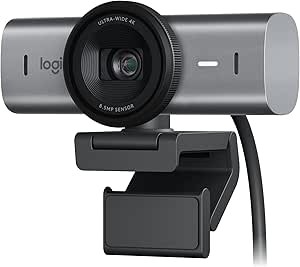
Logitech MX Brio Ultra HD 4K Webcam Collaboration and Streaming – Graphite
The MX Brio is the strongest fit here for meetings where sharing a document or sketch matters as much as looking sharp on camera. Its 4K at 30fps capture, low-light image processing, and manual controls give it more room to adapt than the simpler Brio 101, while Show Mode lets you tilt the camera down to show desk work without repositioning a separate camera. Dual beamforming microphones and a built-in privacy cover round out the business-friendly setup.
That flexibility has a learning curve: users who want a simple plug-in-and-go webcam may prefer the Brio 101 or C920x. The MX Brio also supports 1080p at 60fps, but buyers seeking a wider choice of framing angles should compare it with the Logitech Brio Ultra 4K. Its USB-C connection may also call for an adapter on older computers.
Pros:- 4K at 30fps and 1080p at 60fps offer useful resolution and motion options for meetings.
- Show Mode makes desk demonstrations easier without a separate document camera.
- Manual image controls complement automatic exposure, white balance, and autofocus.
- Integrated privacy cover and dual noise-reducing microphones suit regular work calls.
Cons:- Manual controls and companion software add setup complexity compared with the Brio 101.
- USB-C may require an adapter for computers with USB-A ports only.
- Its collaboration features may be unnecessary for buyers who only need straightforward video calls.
Best for: Presenters and hybrid workers who regularly show physical notes, sketches, or desk-based work during calls and want fine control over their image.
Not ideal for: People who want a basic, low-setup webcam or need a USB-A connection without an adapter.
- Maximum resolution:UHD 4K at 30fps
- Additional video mode:1080p at 60fps
- Focus:Autofocus
- Microphones:Dual beamforming noise-reducing microphones
- Connectivity:USB-C
- Compatibility:Windows, macOS, Chrome OS, Linux
- Privacy:Built-in rotating cover
- Special meeting feature:Show Mode for sharing desk work
Our verdict“Choose the MX Brio if you need detailed video and frequently present physical work; pick a simpler 1080p model for routine calls.”
EMEET NOVA 4K Webcam for PC, Ultra HD, PDAF Autofocus, Dual Omni Mics
The EMEET NOVA brings 4K capture and PDAF autofocus to buyers who want a crisp image without the MX Brio’s deeper manual controls and presentation features. Autofocus is useful when you shift position during a call, and its 73-degree view keeps the frame focused on an individual speaker rather than taking in a large room. Dual omnidirectional microphones and a privacy cover provide practical basics for a personal meeting setup.
There are some workflow catches: the camera defaults to 1080p, so switching to 4K requires software, and it uses USB 2.0. It also lacks Chrome OS support listed for the MX Brio, making compatibility worth checking before buying. Compared with the Logitech C920x, the NOVA offers 4K resolution, but the C920x is the more straightforward choice for users who are content with 1080p.
Pros:- 4K at 30fps provides more image detail than the 1080p Logitech C920x.
- PDAF autofocus helps keep the speaker sharp as they move.
- Dual omnidirectional microphones and a privacy cover cover key meeting needs.
- Compact body and adjustable stand make positioning on a monitor practical.
Cons:- Defaults to 1080p, so users must change software settings to select 4K.
- USB 2.0 is a more limited connection than buyers may expect from a 4K webcam.
- Listed operating-system support excludes Chrome OS, unlike the MX Brio.
Best for: Remote workers on Windows or macOS who want 4K-capable video, autofocus, and a privacy cover in a compact desktop webcam.
Not ideal for: Chrome OS users, or anyone who wants 4K to be the default without changing settings in software.
- Maximum resolution:UHD 4K at 30fps
- Autofocus:PDAF
- Viewing angle:73 degrees
- Microphones:Dual omnidirectional
- Connectivity:USB; USB 2.0 stated in product details
- Operating-system compatibility:Android TV 7.0+, Windows 10/11, macOS 10.14+
- Special features:Auto light correction and privacy cover
- Weight:4.64 ounces
Our verdict“Pick the NOVA for accessible 4K and autofocus on a supported computer, but choose the C920x if dependable 1080p simplicity matters more.”
Logitech C920x HD Pro Webcam Full 1080p/30fps with Dual Mics and Light Correction
The Logitech C920x is the practical pick for office calls where consistent 1080p video matters more than 4K. Autofocus and automatic light correction reduce the amount of adjustment most people need to make, while its stereo microphones give it a more natural audio setup than the Brio 101’s mono microphone. This makes it a balanced option for a standard one-person desk setup without paying for the MX Brio’s higher resolution and Show Mode features.
The tradeoff is an older, more basic meeting experience: full HD tops out at 30fps, and there is no built-in privacy shutter. Background removal and blurring depend on the included XSplit VCam software rather than a camera control. Compared with the Brio 101, the C920x adds stereo sound and autofocus, but the Brio 101 has a privacy shutter and simpler framing for buyers who value that safeguard.
Pros:- Autofocus and automatic light correction reduce routine image adjustments.
- Stereo microphones provide a fuller audio setup than the Brio 101’s mono mic.
- 1080p resolution is well suited to standard business meetings.
- Includes an XSplit VCam license for software-based background removal and blur.
Cons:- No built-in privacy shutter, unlike the Brio 101.
- Full HD video is limited to 30fps.
- Background effects require external software rather than working as a simple camera feature.
Best for: Home-office workers who want dependable 1080p, autofocus, and stereo microphones for regular one-to-one calls.
Not ideal for: People who need a built-in privacy shutter, 60fps video, or 4K detail without relying on software features.
- Maximum resolution:1080p at 30fps
- Focus:Autofocus
- Lens:Glass
- Viewing angle:78 degrees
- Microphones:Stereo
- Connectivity:USB
- Special feature:Automatic light correction
- Weight:5.7 ounces
Our verdict“Choose the C920x for straightforward 1080p meetings with stereo audio, but opt for the Brio 101 if a physical privacy shutter is a priority.”
Logitech Brio 101 Full HD 1080p Webcam for Streaming and Meetings – Black
The Logitech Brio 101 suits buyers who want a no-fuss webcam for routine business calls. Its 1080p video, brightness and shadow adjustments, and built-in privacy shutter cover the basics without asking users to manage the finer image controls found on the MX Brio. The USB-A connection also fits older work computers, and compatibility includes Windows, macOS, and Chrome OS.
Its simplicity comes with limits. Fixed focus is less adaptable than the autofocus on the C920x or EMEET NOVA, particularly if you move around during calls, and its 60-degree viewing angle is narrower than the C920x’s 78 degrees. The mono microphone is another step down from the C920x’s stereo setup. Still, for a single-speaker desk position, the physical shutter and uncomplicated 1080p video can matter more than those upgrades.
Pros:- 1080p video is suitable for typical business meetings.
- Built-in privacy shutter physically blocks the camera between calls.
- USB-A connection works with many older computers.
- Listed support includes Windows, macOS, and Chrome OS.
Cons:- Fixed focus is less flexible than the C920x’s autofocus.
- The 60-degree viewing angle is narrower than the C920x’s 78 degrees.
- Mono audio offers less spatial separation than the C920x’s stereo microphones.
Best for: New remote workers and students who need a simple USB-A webcam with a physical privacy shutter for everyday calls.
Not ideal for: People who move around while speaking, need a wider frame, or want autofocus and stereo microphones.
- Maximum resolution:1080p Full HD
- Focus:Fixed focus
- Viewing angle:60 degrees
- Microphone:Mono
- Connectivity:USB-A
- Operating-system compatibility:Windows 7 and up, macOS 10.10 and up, Chrome OS
- Privacy:Built-in privacy shutter
- Materials:Made with recycled plastic
Our verdict“Choose the Brio 101 for simple 1080p calls and a physical shutter, but pick the C920x if autofocus and stereo audio matter more.”
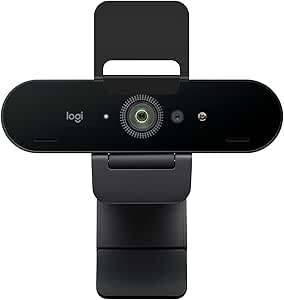
Logitech Brio Ultra 4K HD Webcam for Streaming and Meetings – Black
The Logitech Brio Ultra 4K is a good fit for meeting setups that need more than one framing option. Its three selectable fields of view—65°, 78°, and 90°—let a user tighten the shot for an individual or widen it to include more of a shared workspace. Autofocus, automatic lighting adjustment, HDR, and dual noise-canceling microphones make it better equipped for changing call conditions than the fixed-focus Brio 101.
It differs from the MX Brio in emphasis: the MX model offers manual image controls and Show Mode for desk presentations, while this Brio prioritizes adjustable framing and Windows Hello support. The tradeoffs are that 4K runs at 30fps, and its lightweight build may feel less substantial. Buyers should also check which USB cable or adapter their computer needs, though the camera lists both USB-A and USB-C connectivity.
Pros:- Three field-of-view settings adapt framing to different meeting setups.
- 4K at 30fps, autofocus, and HDR support detailed video in varied lighting.
- Dual noise-canceling microphones are suited to clearer speech in calls.
- Windows Hello support can add convenient sign-in for compatible systems.
Cons:- 4K capture is limited to 30fps.
- Lightweight construction may feel less sturdy than a heavier webcam.
- USB cable or adapter needs may vary by computer setup.
Best for: Professionals who alternate between close-up calls and wider team or workspace framing, especially those using Windows Hello.
Not ideal for: People who want desk-sharing controls like the MX Brio’s Show Mode or need higher frame rates at 4K.
- Maximum resolution:4K at 30fps
- Field of view:65°, 78°, or 90°
- Focus:Autofocus
- Microphones:Dual omnidirectional noise-canceling
- Connectivity:USB-A and USB-C
- Operating-system compatibility:Windows, Mac, ChromeOS
- Special features:RightLight 3, HDR, privacy shutter, Windows Hello support
- Dimensions:1.06 × 4.02 × 1.02 inches
Our verdict“Choose this Brio for 4K meetings with flexible framing and Windows Hello, but pick the MX Brio for manual controls and desk presentations.”

How We Picked
I compared these webcams as tools for real business calls, weighing image quality, ease of setup, and meeting-friendly usability rather than resolution alone. The ranking also accounts for autofocus and light correction, microphone and speaker options, privacy features, and whether a model’s design suits a fixed desk, shared workspace, or presentation setup. A camera that is simple to position and dependable for routine calls can be a better business choice than a more elaborate model whose standout features a buyer will rarely use.
Versatility and tradeoffs shape the order. The Brio 505 leads as a balanced Full HD option; the Link 2 ranks for buyers who specifically benefit from tracking and 4K. Certified business models and straightforward 1080p webcams follow for users who prioritize compatibility or easy setup, while specialized conference, lighting, and high-resolution options serve narrower needs. I distinguish products with similar resolutions by their practical differences, such as privacy controls, built-in audio, and room for more advanced framing—not by treating every 4K label as an automatic upgrade.
| webcams for business meeting | Focus |
|---|---|
| Logitech BCC950 Desktop Video | Autofocus |
| NexiGo N60 1080P Webcam with M | Fixed focus |
| NexiGo N680E Pro 4K Webcam wit | PDAF autofocus |
| Razer Kiyo V2 Webcam for Strea | Autofocus and manual focus |
| Acer A610 1080p Webcam for PC | Fixed focus |
| Logitech C920S HD Pro Webcam F | Autofocus |
| EMEET C960 4K Webcam for PC wi | — |
| Insta360 Link 2 4K Webcam for | Autofocus |
| Logitech C920e HD 1080p Webcam | Autofocus |
| Logitech Brio 505 Full HD 1080 | Autofocus |
| Logitech MX Brio Ultra HD 4K W | Autofocus |
| EMEET NOVA 4K Webcam for PC | — |
| Logitech C920x HD Pro Webcam F | Autofocus |
| Logitech Brio 101 Full HD 1080 | Fixed focus |
| Logitech Brio Ultra 4K HD Webc | Autofocus |
Factors to Consider When Choosing Webcams For Business Meetings
Choosing a webcam for business meetings is mostly about matching the camera to your room and call habits. I’d settle the practical questions—where it will sit, how you sound, and whether your software supports the features—before paying extra for resolution or tracking.
Match Resolution to Your Calls and Connection
Full HD is enough for many desk meetings, particularly when colleagues view the call in a standard-sized window. 4K can provide more detail and framing flexibility, but video-call software may compress the image, and the camera may not send 4K in every app or mode. A frequent mistake is buying for the highest advertised resolution without checking the meeting platform, computer, and network. If you present small text or crop the image, higher resolution can be useful; for a head-and-shoulders view, good lighting and stable framing often matter more. Check the camera’s supported frame rates and the software’s settings, not just the headline resolution. I’d choose the clearest setup your calls can actually use.
Treat Lighting as Part of the Camera Setup
Light placement often matters as much as the webcam sensor. A bright window behind you can leave your face dim, while a monitor in a dark room can produce a harsh, uneven image. Automatic light correction can help with changing conditions, but it cannot fully compensate for poor room lighting. Before upgrading, try facing a window or adding a soft lamp in front of you. Built-in lighting, such as a ring light, can help when the desk location is fixed and ambient light is weak, but it adds another feature to position and manage. For a shared desk or frequent room changes, prioritize adaptable placement over assuming one camera setting will suit every space.
Decide Whether the Webcam Should Handle Audio
Built-in microphones are convenient, not automatically the best choice. They can keep a simple home-office setup tidy, but keyboard noise, room echo, and distance from the camera all affect what colleagues hear. In a quiet room with the webcam close to you, built-in mics may be sufficient; in a larger room or noisy workspace, a headset or separate microphone can give you more control. A speakerphone-style unit may suit a small group gathered around one desk better than a typical monitor webcam. Avoid choosing by microphone count alone, since placement and room acoustics matter too. Check whether your preferred audio device works smoothly with your meeting software before relying on the webcam as an all-in-one solution.
Check Compatibility Before Buying for a Team
Team deployment adds software and support questions that a solo buyer can overlook. Confirm operating-system compatibility, USB connection requirements, and whether the camera’s advertised controls work in the video platform your organization uses. Certification can reduce uncertainty for common meeting tools, but it does not remove the need to check your company’s security and device policies. For a shared fleet, consistent controls and a familiar setup can be more useful than advanced features that vary between models. Also check whether users can adjust exposure, framing, or resolution without installing software they cannot access. A quick compatibility check can prevent a capable webcam from becoming a poorly supported desk accessory.
Choose Privacy and Mounting for Your Workspace
Privacy covers and shutters solve a simple but frequent office concern: they let you block the lens when a call ends without relying on a software indicator. If you move between calls or share a desk, a physical cover can make that habit easy. Mounting deserves similar attention: check whether the webcam can sit securely on your monitor, whether the cable reaches your computer, and whether the camera can point at eye level. A wide or unusual display may call for a tripod option or a different mount. Buyers sometimes focus on image specs and discover too late that the camera blocks a screen edge or sits at an awkward angle. Measure the available space and consider your usual camera position before choosing.
Pay More Only for Features You Will Use
Premium features earn their place when they solve a recurring meeting problem. AI tracking can help a presenter who moves around, while 4K may support detailed demonstrations or flexible crops. For a fixed desk call, those extras may add setup complexity without changing how colleagues see you. A more modest webcam can be the better choice if your priorities are reliable Full HD, straightforward controls, or a privacy cover. Before stepping up, name the specific task the extra feature will improve and check whether your software supports it. This keeps a meeting camera purchase tied to work needs rather than a spec sheet.
Frequently Asked Questions
Is a 4K webcam worth choosing for ordinary video meetings?
Usually only if you have a specific use for the extra detail. For a standard face-to-face call, Full HD is often sufficient, and meeting software can compress higher-resolution video. 4K is more useful when you crop the frame, show fine detail, or want more flexibility for presentations. It can also demand more from your computer and network, depending on the app and settings. I’d first check whether your platform supports the resolution you plan to use and whether your connection is stable.
Should I choose a webcam with built-in microphones or use a headset?
Choose based on your room and how close you sit to the camera. Built-in microphones can keep a quiet home-office desk uncluttered, but they may pick up echo or nearby keyboard sounds. A headset places the microphone close to your mouth and can help in noisy or shared spaces. For a small group around one computer, a speakerphone-style webcam may be more suitable than a personal headset. If clear speech is a priority, test your current room acoustics before treating extra built-in mics as a guarantee of better audio.
Do I need a webcam certified for my meeting platform?
Certification can make a camera a safer pick for workplace deployment, especially when an IT team needs predictable compatibility with a specific platform. It is not a substitute for checking the device’s operating-system support, connection type, or available controls. For personal use, a standard USB webcam may work well if your meeting app recognizes it and exposes the settings you need. For an organization, check approved-device policies before buying in quantity. That small check can matter more than an extra image feature that the company’s software does not use.
Is AI tracking useful for a webcam used at a desk?
AI tracking helps most when the person presenting moves around. It can keep a speaker framed during a demonstration or a standing presentation, but it adds little for someone seated in a fixed position. Tracking can also change the composition as you move, which may feel distracting in a conventional meeting. Check that your video app and computer support the feature as intended. If you mainly need a steady head-and-shoulders view, spend attention on positioning and lighting instead.
What should I check before buying webcams for several employees?
Start with compatibility, consistency, and support. Confirm that the models work with the organization’s computers and meeting platforms, and check whether users can access the needed camera settings. A consistent webcam across desks can simplify setup and troubleshooting, even if a more specialized model would suit one employee better. Review mounting, cable reach, privacy expectations, and whether built-in audio fits the work environment. A short pilot with a few different rooms can reveal glare, connection, or placement problems before a wider rollout.
Conclusion
For most individual office users, I recommend the Logitech Brio 505 as the best overall for its balanced Full HD business features and automatic light correction. Buyers seeking a simple, familiar option can look to the Logitech C920S as a value-minded pick, while the Brio 101 is my choice for beginners who want a straightforward meeting camera. For a premium setup, the Logitech MX Brio suits buyers who specifically want 4K collaboration and streaming capability; the Insta360 Link 2 is a better fit when presenter tracking matters. For a small group sharing one desk, consider the Logitech BCC950’s webcam-and-speakerphone format, while the NexiGo N680E Pro may suit a fixed desk that needs added lighting. Match the pick to your room, software, and speaking setup: those details shape meeting quality more than resolution alone.