
Square Terminal All-in-One Payment Terminal is my best overall pick for small businesses that want a self-contained checkout, while the SumUp Plus Bluetooth Card Reader keeps things simple for mobile sellers and the Square Register suits shops that need a fuller counter setup. The right choice depends on whether you need a standalone terminal, a phone-connected reader, or a complete POS system. Receipt printing, wireless mobility, setup requirements, and how much checkout hardware you want to manage are the main tradeoffs. I compare all 13 options by fit for everyday small-business use, not by feature lists alone. Read on for the full breakdown and a guide to choosing the right setup.

Get business pricing on office and shipping supplies
- Business-only prices and quantity discounts
- Tax-exempt purchasing
- Multiple users, one account, clear invoices
Key Takeaways
- Standalone checkout and phone-connected payment are different jobs: the Square Terminal All-in-One and SumUp Plus Bluetooth Card Reader serve very different workflows, even though both accept payments wirelessly.
- Built-in receipt printing favors counter-ready hardware: the SumUp Terminal Portable POS System, Square Terminal, and several Android handhelds reduce reliance on a separate printer, but add bulk compared with a compact reader.
- A full POS is not automatically a better fit: the Square Register adds a broader counter setup, while a small service business may get more value from a single terminal or reader.
- Connectivity and ecosystem matter as much as portability: options that depend on a smartphone or a particular payment platform can suit lean operations, but may be less flexible than a dedicated device.
- The shortlist divides by business shape: mobile sellers can prioritize handheld readers, while fixed counters should focus on screen size, receipt workflow, and whether the system supports the rest of the checkout routine.
| PAX A60 Smart Card Terminal |  | Best for Flexible Connectivity | Weight: 300 g | Screen: 5-inch touchscreen with PIN on Glass | Card reader: Hybrid; EMV and contactless | VIEW LATEST PRICE | See Our Full Breakdown |
| Square POS Terminal Bundle with Setup and Support |  | Best for Guided Square Setup | Compatibility: New Square accounts activated through Advantage POS Store | Payment methods: EMV chip, contactless, Apple Pay, Google Pay, credit and debit cards | Battery: One included lithium-ion battery | VIEW LATEST PRICE | See Our Full Breakdown |
| SumUp Terminal Portable POS System with Receipt Printer |  | Best for All-in-One Mobile Checkout | Screen: 6.5-inch HD touchscreen with Corning Gorilla Glass | Printer: Built-in 40 mm thermal printer | Connectivity: Wi-Fi and free mobile data via SIM | VIEW LATEST PRICE | See Our Full Breakdown |
| Square Terminal Mobile Credit Card Reader and Receipt Printer |  | Best for Straightforward Square Checkout | Dimensions: 5.6 × 3.4 × 2.5 inches | Weight: 14.7 ounces | Battery: One included lithium-ion battery | VIEW LATEST PRICE | See Our Full Breakdown |
| POS Store H10 Android 14 Handheld POS Terminal with 58mm Thermal Printer and NFC |  | Best for Barcode-Based Mobile Inventory | Operating system: Android 14 | Processor: Octa-core | Memory and storage: 3 GB RAM; 32 GB storage | VIEW LATEST PRICE | See Our Full Breakdown |
| Dejavoo Z8 EMV Contactless Credit Card Terminal |  | Best for Fixed Counters with Wi-Fi | Payment standards: EMV 4.x L1 and L2; NFC contactless | Connectivity: IP and Wi-Fi | Display: 2.4-inch backlit color LCD | VIEW LATEST PRICE | See Our Full Breakdown |
| SumUp Plus Bluetooth Card Reader for Smartphones |  | Best for Low-Commitment Mobile Selling | Connectivity: Bluetooth | Compatible devices: Smartphones and tablets | Operating systems: iOS and Android | VIEW LATEST PRICE | See Our Full Breakdown |
| Square Terminal All-in-One Payment Terminal |  | Best All-in-One Checkout Terminal | Dimensions: 5.6 × 3.4 × 2.5 inches | Weight: 1 pound | Display: Touchscreen | VIEW LATEST PRICE | See Our Full Breakdown |
| Square Register (2nd Generation) Point-of-Sale System |  | Best for High-Interaction Counter Service | Model: A-SKU-0908 | Connectivity: Bluetooth, USB, Wi-Fi | Power source: Corded electric | VIEW LATEST PRICE | See Our Full Breakdown |
| Bisofice Q2 Mobile POS Receipt Printer with 5.5-Inch Touchscreen |  | Best for Mobile Sellers Needing Printed Receipts | Operating system: Android 8.1 | Processor: Quad-core 1.3 GHz MT6580V/WA | Memory and storage: 1 GB RAM; 4 GB NAND flash | VIEW LATEST PRICE | See Our Full Breakdown |
| Square Handheld Portable POS and Credit Card Reader |  | Best for Mobile Selling | Dimensions: 7.04 x 3.12 x 0.62 inches | Weight: 2.11 ounces | Manufacturer: Square | VIEW LATEST PRICE | See Our Full Breakdown |
| 8 Seconds Processing P1 Touchscreen POS Terminal with Receipt Printer |  | Best for Fixed Checkout | Brand: 8 Seconds Processing | Model: Dejavoo P1 | Model number: SPT-1000 | VIEW LATEST PRICE | See Our Full Breakdown |
| Clover Compact Payment Terminal |  | Best for Existing Clover Setups | Power: Plug-in; not battery-powered or mobile | Processing requirement: New merchant processing account through Powering POS | Supported regions: US, Puerto Rico, and US Virgin Islands | VIEW LATEST PRICE | See Our Full Breakdown |
| wireless payment terminals for small businesse | Connectivity | Weight |
|---|---|---|
| PAX A60 Smart Card Terminal | 4G, Wi-Fi, Bluetooth (BLE), GPS | 300 g |
| Square POS Terminal Bundle wit | — | — |
| SumUp Terminal Portable POS Sy | Wi-Fi and free mobile data via SIM | — |
| Square Terminal Mobile Credit | — | 14.7 ounces |
| POS Store H10 Android 14 Handh | Dual-band Wi-Fi, 4G LTE, Bluetooth, USB | 345 g |
| Dejavoo Z8 EMV Contactless Cre | IP and Wi-Fi | — |
| SumUp Plus Bluetooth Card Read | Bluetooth | 142 g |
| Square Terminal All-in-One Pay | — | 1 pound |
| Square Register | Bluetooth, USB, Wi-Fi | 12.5 pounds |
| Bisofice Q2 Mobile POS Receipt | 3G, Wi-Fi 802.11b/g/n, Bluetooth 4.0, Micro USB 2.0, USB OTG | — |
| Square Handheld Portable POS a | — | 2.11 ounces |
| 8 Seconds Processing P1 Touchs | Ethernet, Wi-Fi, 4G LTE, Bluetooth, USB, and USB-C | — |
| Clover Compact Payment Termina | — | — |
More Details on Our Top Picks
PAX A60 Smart Card Terminal
The PAX A60 suits small businesses that need a handheld terminal able to stay connected in more than one way. Its 4G and Wi-Fi options can help keep payments moving when a shop’s wireless network is unreliable, while Bluetooth and GPS add flexibility for mobile operations. The 5-inch touchscreen and hybrid reader support EMV and contactless payments in a paperless setup. Compared with the Square Terminal Mobile Credit Card Reader and Receipt Printer, the A60 puts connectivity variety ahead of an integrated receipt printer. That keeps the device lightweight, but merchants who need paper receipts must add the optional printer base. It also requires a merchant processing account, and debit PIN support depends on compatible encryption, so buyers should confirm processing compatibility before choosing it.
Pros:- Lightweight 300 g design is practical for taking payments away from a counter.
- 4G and Wi-Fi provide more connection options than Wi-Fi-only setups.
- Supports EMV and contactless payments on a 5-inch touchscreen.
- Paperless design avoids carrying receipt rolls unless the optional base is added.
Cons:- A merchant processing account is required, and compatibility needs checking before purchase.
- Receipt printing requires an optional base station rather than being built in.
- Debit card PIN payments depend on compatible encryption.
Best for: Mobile service businesses and small retailers that want a lightweight, paperless terminal with cellular and Wi-Fi connectivity.
Not ideal for: Businesses that need built-in receipt printing or want a terminal without first arranging a compatible merchant processing account.
- Weight:300 g
- Screen:5-inch touchscreen with PIN on Glass
- Card reader:Hybrid; EMV and contactless
- Connectivity:4G, Wi-Fi, Bluetooth (BLE), GPS
- Processor:Cortex A7
- Security:PCI PTS 5.x
- Printer:Optional base station with fast printer and multiple ports
Our verdict“Choose the PAX A60 if connectivity flexibility and a lightweight paperless setup matter more than built-in receipt printing.”
Square POS Terminal Bundle with Setup and Support
This bundle is aimed at merchants who would rather get help configuring a Square terminal than work through onboarding alone. The device arrives preconfigured with account details and key settings, and the seller includes personalized setup assistance and ongoing U.S.-based support. It accepts chip, contactless, and mobile wallet payments, giving it a broad checkout mix for a small shop or mobile business. Compared with the standalone Square Terminal Mobile Credit Card Reader and Receipt Printer, the main distinction here is the included onboarding and support, not a different payment approach. The tradeoff is a narrower path to purchase: it is intended for new Square accounts activated through Advantage POS Store. Existing Square users or merchants who prefer to set up their own account should compare other Square options instead.
Pros:- Preconfiguration can reduce the work involved in getting started.
- Personalized onboarding and remote setup assistance are included.
- Accepts EMV chip, contactless, Apple Pay, Google Pay, credit, and debit cards.
- Can support countertop checkout or mobile business use.
Cons:- Requires a new Square account activated through Advantage POS Store.
- The product information does not specify detailed battery runtime or device dimensions.
- Its support and setup bundle may be unnecessary for merchants comfortable configuring Square themselves.
Best for: Small businesses opening a new Square account that want guided setup and access to ongoing remote support.
Not ideal for: Existing Square account holders or merchants who want to choose their own setup route without activating through Advantage POS Store.
- Compatibility:New Square accounts activated through Advantage POS Store
- Payment methods:EMV chip, contactless, Apple Pay, Google Pay, credit and debit cards
- Battery:One included lithium-ion battery
- Setup:Preconfigured with account information and key settings
- Support:Personalized onboarding, remote setup assistance, ongoing U.S.-based support
- Manufacturer:Advantage POS Store
Our verdict“Pick this bundle if you are starting with Square and want setup assistance more than the flexibility of buying a terminal on its own.”
SumUp Terminal Portable POS System with Receipt Printer
The SumUp Terminal combines payment acceptance, basic sales tools, mobile data, and receipt printing in one handheld unit. Its built-in thermal printer is useful for businesses that issue paper receipts on the spot, while free mobile data and Wi-Fi reduce reliance on a shop network when taking payments elsewhere. The 6.5-inch HD screen also gives more room for catalog and inventory tasks than the smaller PAX A60 display. In return, this is a larger device at 1.79 pounds, so it is less appealing for staff who want the lightest possible reader to carry all day. It handles chip and PIN, contactless, Apple Pay, and Google Pay, and its battery is designed for a full workday. Buyers should still weigh its bulk against the simpler portability of a phone-connected reader.
Pros:- Built-in thermal printer produces receipts without an additional base or printer.
- Free mobile data and Wi-Fi support checkout away from a shop network.
- Accepts chip and PIN, contactless, Apple Pay, and Google Pay.
- Includes catalog, inventory, refund, and sales-tracking functions.
Cons:- At 1.79 pounds, it is heavier than the 300 g PAX A60.
- The built-in printer and larger touchscreen make it a bulkier carry option than a compact card reader.
- The battery is lithium-ion, so it depends on keeping a rechargeable battery charged.
Best for: Market vendors, mobile service providers, and small shops that need receipts and basic inventory tools without relying on a fixed counter.
Not ideal for: Staff who carry a terminal for long shifts and prioritize low weight, or businesses that do not need printed receipts or built-in catalog tools.
- Screen:6.5-inch HD touchscreen with Corning Gorilla Glass
- Printer:Built-in 40 mm thermal printer
- Connectivity:Wi-Fi and free mobile data via SIM
- Payment methods:Chip and PIN, contactless, Apple Pay, Google Pay
- Battery:Lithium-ion; designed for a full workday
- Item weight:1.79 pounds
- Monthly fees:None
Our verdict“Choose the SumUp Terminal if you want a single portable device for payments, paper receipts, and basic sales management.”
Square Terminal Mobile Credit Card Reader and Receipt Printer
Square Terminal is a compact way to combine card acceptance and receipt printing for a business that wants one device at the counter or on the move around a store. Its built-in battery supports cordless use, and the product details cite chip processing in about two seconds—useful when quick handoffs matter at a busy checkout. Unlike the Square POS Terminal Bundle with Setup and Support, this listing does not center on preconfiguration and guided onboarding; its appeal is the all-in-one terminal itself. It is also smaller and lighter than the SumUp Terminal Portable POS System with Receipt Printer, though the supplied details describe fewer built-in sales-management functions. Square payment processing is required, so this is a better fit for merchants already choosing Square than for businesses seeking a processor-independent terminal.
Pros:- Combines payment processing and receipt printing in one device.
- Built-in battery supports cordless checkout around a store.
- Accepts major credit and debit cards.
- Includes fraud prevention and phone support.
Cons:- A payment-processing service is required to accept payments.
- The listing does not provide the wider catalog and inventory feature set described for the SumUp Terminal.
- The product details specify chip processing but do not list the full set of contactless or mobile wallet methods.
Best for: Small Square merchants who want cordless card acceptance and receipt printing in a compact device for counter or in-store checkout.
Not ideal for: Businesses that need a terminal without a payment-processing service or want the broader built-in catalog and inventory functions listed for the SumUp Terminal.
- Dimensions:5.6 × 3.4 × 2.5 inches
- Weight:14.7 ounces
- Battery:One included lithium-ion battery
- Payment processing:Chip card processing in about two seconds
- Manufacturer:Square
- Model number:8.17044E+11
Our verdict“Choose Square Terminal if you want a compact, cordless Square checkout device with receipt printing and do not need a separate processor.”
POS Store H10 Android 14 Handheld POS Terminal with 58mm Thermal Printer and NFC
The H10 is the most feature-dense handheld in this group for businesses that need more than card acceptance: it pairs an integrated 58 mm printer with NFC and a camera that scans 1D and 2D barcodes. That combination can help staff handle checkout and item identification from one device, while Wi-Fi, 4G LTE, Bluetooth, and USB give it several ways to connect. Its up to 14-hour battery runtime also suits long shifts better than a terminal with no stated runtime. Compared with the SumUp Terminal, the H10 adds barcode scanning and a detailed Android specification, but its monochrome thermal output and need for compatible paper rolls are practical limits. Buyers should also confirm that their payment-processing setup and Android apps work with this POS terminal before relying on it.
Pros:- Combines NFC, a thermal printer, and 1D/2D barcode scanning.
- Up to 14 hours of stated runtime supports extended work shifts.
- Wi-Fi, 4G LTE, Bluetooth, and USB offer varied connectivity.
- Android 14, 3 GB RAM, and 32 GB storage support POS apps and local data.
Cons:- Prints monochrome only, so receipts lack color.
- Requires compatible 58 mm thermal paper rolls.
- Payment-processing and app compatibility should be confirmed before deployment.
Best for: Small retailers and mobile sellers that scan barcodes, print receipts, and want cellular connectivity in a single handheld POS.
Not ideal for: Businesses seeking a simple payment-only terminal, color receipt output, or a device they can use without checking app and processing compatibility.
- Operating system:Android 14
- Processor:Octa-core
- Memory and storage:3 GB RAM; 32 GB storage
- Display:720 × 1440 touchscreen
- Printer:58 mm direct thermal, monochrome; 203 × 203 dpi
- NFC and camera:Integrated NFC reader; 5 MP rear camera scans 1D and 2D barcodes
- Battery:6000 mAh; up to 14 hours runtime; 10 W charging
- Connectivity:Dual-band Wi-Fi, 4G LTE, Bluetooth, USB
- Weight:345 g
Our verdict“Choose the H10 if barcode scanning and built-in receipt printing matter as much as taking payments from a handheld device.”
Dejavoo Z8 EMV Contactless Credit Card Terminal
The Dejavoo Z8 suits a small shop that wants a dedicated card terminal with both wired IP and Wi-Fi connectivity. It accepts EMV chip and NFC contactless payments, including mobile wallets, while its backlit color screen keeps prompts visible in dimmer checkout areas. Compared with the SumUp Plus Bluetooth Card Reader, the Z8 is a standalone terminal rather than a reader that depends on a phone or tablet; that can simplify a staffed counter, but the SumUp is the more natural fit for taking payments away from the register.
The tradeoff is a narrower setup: the listed configuration has no dial-up connection, and the product data does not specify a built-in receipt printer or a mobile battery. It also depends on compatible payment-service arrangements, so buyers should confirm processor compatibility before choosing it. I’d pick it for a stable checkout location, not for a business that needs an all-in-one portable POS.
Pros:- Accepts EMV chip and NFC contactless payments, including supported mobile wallets.
- Offers both IP and Wi-Fi connectivity for different counter setups.
- Backlit color display makes payment prompts easier to read in varied lighting.
Cons:- The listed configuration does not include dial-up connectivity.
- The product data does not list a built-in receipt printer or battery-powered operation.
- Processor compatibility should be confirmed before purchase.
Best for: Small retailers with a fixed checkout counter, reliable Wi-Fi or IP access, and a compatible payment processor.
Not ideal for: Mobile sellers who need battery-powered operation, or merchants seeking a built-in receipt printer or phone-free portability.
- Payment standards:EMV 4.x L1 and L2; NFC contactless
- Connectivity:IP and Wi-Fi
- Display:2.4-inch backlit color LCD
- Memory:192 MB (128 MB RAM / 64 MB DDR RAM)
- Processor:32-bit, 400 MHz
- Certification:PCI PTS
- Included items:Terminal and power supply
- Warranty:1 year
Our verdict“Choose the Z8 for a Wi-Fi-connected fixed checkout that needs a dedicated chip-and-contactless terminal, not a portable all-in-one system.”
SumUp Plus Bluetooth Card Reader for Smartphones
The SumUp Plus is the lightest-weight commitment in this group: pair the reader with an iOS or Android phone or tablet, then take payments through the free app. That setup suits market stalls, pop-ups, and service calls where carrying a dedicated terminal and printer would add bulk. Compared with the standalone Dejavoo Z8, SumUp is easier to carry and less tied to a fixed counter, while the Z8 provides a dedicated terminal display and IP connectivity.
The tradeoff is that the reader depends on a compatible mobile device and Bluetooth, so it is not a self-contained checkout. The stated per-transaction fee also means processing costs rise with payment volume; the provided terms list no long-term contract or hidden fees, but sellers should still check current account terms. Unlike the Square Terminal, it has no built-in receipt printer, so digital receipts or a separate solution may be needed.
Pros:- Pairs with iOS and Android smartphones or tablets over Bluetooth.
- Free app supports taking payments on the go.
- Accepts major credit and debit cards.
- Listed with no long-term contract or hidden fees.
Cons:- Requires a compatible smartphone or tablet for checkout.
- The listed in-person processing fee applies to each transaction.
- No receipt printer is included in the listed package.
Best for: Solo vendors, pop-up sellers, and mobile service providers who already carry an iOS or Android device and want a compact card reader.
Not ideal for: Busy fixed counters or businesses that need a standalone terminal, built-in receipt printing, or checkout without a paired phone or tablet.
- Connectivity:Bluetooth
- Compatible devices:Smartphones and tablets
- Operating systems:iOS and Android
- Weight:142 g
- Included items:1 card reader
- Transaction fee:2.6% + 10 cents per in-person transaction
- Model:Plus Card Reader
- Manufacturer:SumUp
Our verdict“Pick the SumUp Plus if portability and using a phone you already own matter more than having a standalone terminal or printer.”
Square Terminal All-in-One Payment Terminal
The Square Terminal brings payment acceptance and paper receipts into one compact device. Its touchscreen and built-in printer make it more self-contained than the SumUp Plus Bluetooth Card Reader, which needs a phone or tablet and has no printer listed. For a small shop, café, or service counter, that difference can cut down on separate checkout hardware and make printed receipts available at the point of payment.
It accepts EMV chip, contactless, and NFC wallet payments, but the setup is tied to a Square account: the listing says equipment ships after signup and account setup is required before deployment. That is less immediate than a reader paired with a device you already own, and the supplied product details do not state its connectivity options or battery life. Compared with the larger Square Register (2nd Generation), the Terminal is more compact and focused on payments, rather than a dual-screen POS station.
Pros:- Built-in receipt printer avoids the need for a separate printer.
- Accepts EMV chip, contactless, NFC wallet, credit, and debit card payments.
- Compact, one-pound design suits counters with limited space.
- Touchscreen combines payment prompts and checkout controls in one device.
Cons:- Requires Square account setup, and the equipment ships after signup.
- The provided specifications do not state connectivity options or battery life.
- It is a payment-focused terminal rather than a dual-screen POS system like Square Register.
Best for: Small retail, restaurant, and service businesses that want a compact Square checkout device with touchscreen payments and printed receipts.
Not ideal for: Businesses that need a terminal immediately without account setup, or buyers who require confirmed wireless and battery specifications before purchasing.
- Dimensions:5.6 × 3.4 × 2.5 inches
- Weight:1 pound
- Display:Touchscreen
- Receipt printer:Built-in
- Payment methods:EMV chip, contactless, NFC wallets, credit and debit cards
- Account requirement:Square account setup required to deploy
- Equipment fulfillment:Ships after signup
Our verdict“Choose Square Terminal for a compact Square-based checkout with printed receipts, provided account setup and the unspecified wireless details fit your needs.”
Square Register (2nd Generation) Point-of-Sale System
The Square Register (2nd Generation) is the most checkout-station-oriented choice here. Its dual touchscreens give staff and customers separate views, while the built-in POS software supports sales, inventory, and customer management. That makes it a better fit for a staffed counter with broader operational needs than the payment-focused Square Terminal, which is smaller and includes a receipt printer but is not described as a dual-screen POS system.
Those added station features come with a clear portability cost: the Register weighs 12.5 pounds and needs corded power. It supports Wi-Fi and Bluetooth, but it is still intended for a fixed checkout rather than roaming sales. Offline selling can help keep transactions moving during a connection interruption, though businesses should check how that function works with their payment setup. Its country-specific hardware approval also limits cross-border flexibility.
Pros:- Dual touchscreens provide separate staff and customer-facing displays.
- Built-in POS software supports sales, inventory, and customer management.
- Supports Wi-Fi, Bluetooth, USB, card payments, and offline selling.
- IP54-rated design helps resist everyday spills and dust.
Cons:- Corded power limits placement and rules it out for roaming checkout.
- At 12.5 pounds, it is substantially less portable than Square Terminal or SumUp Plus.
- Hardware is approved only for use in its intended country.
Best for: Small retailers or food businesses with a permanent staffed counter that want customer-facing checkout and built-in sales and inventory tools.
Not ideal for: Mobile vendors, businesses with no dependable power at the checkout, or operators planning to use the hardware outside its approved country.
- Model:A-SKU-0908
- Connectivity:Bluetooth, USB, Wi-Fi
- Power source:Corded electric
- Weight:12.5 pounds
- Compatible devices:POS, smartphone, tablet
- Screens:Dual touchscreens for staff and customers
- Sales functions:Built-in POS software; offline selling
Our verdict“Choose Square Register for a fixed, staffed counter that benefits from dual screens and broader POS tools, not for mobile payment taking.”
Bisofice Q2 Mobile POS Receipt Printer with 5.5-Inch Touchscreen
The Bisofice Q2 combines a 5.5-inch touchscreen, Android-based software, and a thermal printer in one handheld unit. Its 5,000 mAh rechargeable battery and wireless options make it more suited to moving through a shop, warehouse, or sales route than the corded Square Register. The built-in printer also gives it an advantage over the SumUp Plus when customers need paper receipts without carrying a separate device.
This is a more specialized choice than the Square Terminal: the Q2 offers 3G, Wi-Fi, Bluetooth, and optional configurations with NFC or scanning, but the listing does not establish which configuration is included. Its 1 GB RAM and 4 GB storage are modest for an Android device, and thermal paper is not supplied. Buyers should confirm the included payment features and app compatibility before relying on it as their main terminal.
Pros:- Rechargeable 5,000 mAh battery supports handheld use away from a fixed counter.
- Built-in 58 mm thermal printer produces receipts without ink cartridges or ribbons.
- Offers 3G, Wi-Fi, and Bluetooth connectivity.
- Large 5.5-inch touchscreen supports Android-based POS and printing apps.
Cons:- Thermal paper is not included.
- The listed 1 GB RAM and 4 GB flash storage limit room for apps and data.
- NFC and scanning depend on optional configurations, which buyers should verify.
Best for: Mobile sellers, warehouse operators, and small businesses that need a handheld Android POS with wireless connectivity and on-device receipt printing.
Not ideal for: Businesses seeking a clearly specified, ready-to-run card terminal, or operators who need substantial onboard storage and memory for multiple apps.
- Operating system:Android 8.1
- Processor:Quad-core 1.3 GHz MT6580V/WA
- Memory and storage:1 GB RAM; 4 GB NAND flash
- Display:5.5-inch 1280 × 720 IPS capacitive touchscreen
- Printer:Monochrome thermal; 58 × 35 mm paper
- Connectivity:3G, Wi-Fi 802.11b/g/n, Bluetooth 4.0, Micro USB 2.0, USB OTG
- Battery:7.4 V, 5000 mAh rechargeable
- Camera:8 MP rear camera
- Dimensions and weight:21.5 × 8.6 × 5.3 cm; 462 g
Our verdict“Choose the Q2 when mobile work and built-in receipt printing matter most, after confirming the configuration and payment app support you need.”
Square Handheld Portable POS and Credit Card Reader
Square Handheld is the clearest fit here for businesses that take payments away from a fixed checkout. Its pocketable, lightweight design supports tableside orders, pop-up sales, and barcode scanning, while offline payment capability can help keep transactions moving when connectivity drops. Compared with the Dejavoo P1, which is built around a countertop setup and receipt printer, this Square device puts portability ahead of printed receipts and a physical keypad. Its splash- and dust-resistant construction adds reassurance for busy service settings, but it is not described as drop-proof, and a protective case is optional. Choose it for mobile checkout and scanning; skip it if your workflow depends on on-device receipt printing or a stationary terminal with more connectivity options.
Pros:- Lightweight, pocketable design suits checkout away from a counter
- Barcode scanner supports product lookup and sales workflows
- Offline payment capability can help maintain checkout during connection interruptions
- Splash- and dust-resistant design fits active service environments
Cons:- Protective case for accidental drops is optional
- No built-in receipt printer is listed
- Less suited to fixed checkout workflows than a countertop terminal such as the Dejavoo P1
Best for: Food trucks, market vendors, and small retailers who need a lightweight device for tableside payments or sales across a shop floor
Not ideal for: Businesses that need printed receipts directly from the terminal, a physical keypad, or a built-in drop-protection case
- Dimensions:7.04 x 3.12 x 0.62 inches
- Weight:2.11 ounces
- Manufacturer:Square
- Connectivity feature:Offline payments
- Built-in feature:Barcode scanner
- Protection:Designed to withstand water splashes and dust
Our verdict“Choose Square Handheld for portable, barcode-enabled checkout, but pick a countertop terminal if printed receipts and fixed-station controls matter more.”
8 Seconds Processing P1 Touchscreen POS Terminal with Receipt Printer
The Dejavoo P1 is a practical choice for a small business that wants one countertop terminal to handle varied payment types and print receipts on site. It accepts contactless, chip, magnetic-stripe, and mobile-wallet payments, with Wi-Fi, Ethernet, and 4G LTE giving a shop several ways to connect. The built-in thermal printer means staff do not need a separate receipt device, while the touchscreen and physical keypad offer different ways to complete checkout. Compared with the Square Handheld, the P1 is better equipped for a fixed register but is less convenient for tableside service or roaming sales. Its tradeoffs are its stationary design and the ongoing need to keep thermal paper rolls on hand; it is not the right pick for a business that prioritizes pocketable portability.
Pros:- Accepts contactless, EMV chip, magnetic-stripe, and mobile-wallet payments
- Built-in thermal printer handles receipts at the checkout
- Ethernet, Wi-Fi, and 4G LTE provide several connection options
- Touchscreen and physical keypad support different checkout preferences
Cons:- Designed for fixed checkout locations rather than mobile sales
- Requires thermal paper rolls for receipt printing
- More cumbersome to carry than the Square Handheld
Best for: Small shops and service counters that want an all-in-one fixed terminal with receipt printing and multiple payment methods
Not ideal for: Market sellers, food trucks, and staff who need a battery-powered terminal for tableside or roaming checkout
- Brand:8 Seconds Processing
- Model:Dejavoo P1
- Model number:SPT-1000
- Display:5-inch HD touchscreen
- Operating system:Android
- Payment methods:Contactless, EMV chip, magnetic stripe, and mobile wallets
- Connectivity:Ethernet, Wi-Fi, 4G LTE, Bluetooth, USB, and USB-C
- Printer:Built-in thermal receipt printer
- Warranty:1 year
Our verdict“Pick the Dejavoo P1 for a fixed checkout that needs broad payment acceptance and printed receipts, not for mobile selling.”
Clover Compact Payment Terminal
The Clover Compact makes the most sense as an addition to a business already using compatible Clover equipment, rather than as a standalone wireless terminal. It syncs with Clover Mini and Station through Clover Dashboard, giving owners access to transaction, sales, and business data within that system. That ecosystem fit separates it from the Square Handheld, which is designed for portable checkout, and the Dejavoo P1, which offers several connection types for a fixed register. The Clover unit must plug into power, so it cannot support mobile checkout, and buyers need a new processing account through Powering POS in the listed regions. It also cannot be used with another processor, making processor compatibility a deciding factor before purchase.
Pros:- Syncs with compatible Clover Mini and Station devices
- Clover Dashboard provides access to transaction, sales, and business data
- Can complement an existing Clover setup without replacing its core devices
Cons:- Requires a new merchant processing account through Powering POS
- Cannot be used with a different processor
- Requires an outlet and is not mobile, unlike the Square Handheld
Best for: US, Puerto Rico, and US Virgin Islands businesses already using a compatible Clover Mini or Station and willing to open a Powering POS processing account
Not ideal for: Mobile sellers, businesses outside the supported regions, or merchants who need to keep their current processor
- Power:Plug-in; not battery-powered or mobile
- Processing requirement:New merchant processing account through Powering POS
- Supported regions:US, Puerto Rico, and US Virgin Islands
- Compatibility:Syncs with Clover Mini and Station through Clover Dashboard
- Package dimensions:12 x 8 x 6 inches
- Item weight:5 pounds
- Processor compatibility:Cannot be used with another processor
Our verdict“Choose Clover Compact only if you use compatible Clover hardware and accept its processor and power requirements.”
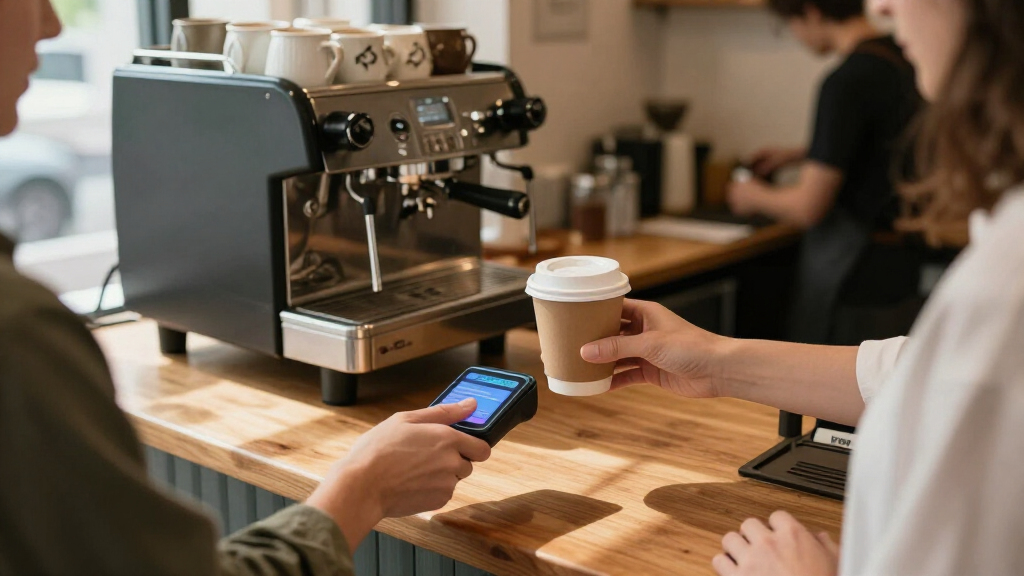
How We Picked
I ranked these wireless payment terminals for small businesses by how well each fits a real checkout workflow: taking card payments reliably, moving around the shop or off-site, and handling receipts without awkward add-ons. I also weighed ease of setup, the role of a phone or separate POS software, device form, and whether the hardware appears suited to a small operation rather than a complex register station.
The order reflects usefulness across common small-business needs, not a claim that one device wins every situation. Self-contained terminals rank ahead for owners seeking a ready checkout, while compact phone-linked readers rank higher for low-bulk mobile use. Larger systems such as the Square Register can be a stronger fit for a staffed counter, but they sit below simpler options for buyers who only need to accept payments. Where product naming or specifications point to a narrower workflow, I treat that as a fit limitation rather than assuming features that are not established.
Factors to Consider When Choosing Wireless Payment Terminals For Small Businesses
Before choosing a terminal, map out how a payment actually moves through your business: where the customer stands, who handles the device, and what needs to happen after approval. The cheapest-looking hardware choice can create extra steps if it depends on a phone, separate printer, or POS system you do not already use.
Choose standalone hardware or a phone-linked reader
A standalone terminal keeps checkout on one dedicated device, which can help when staff share a till or customers pay at a counter. A Bluetooth reader paired with a phone is easier to carry and may suit a market stall, mobile service, or occasional sales. The tradeoff is that a phone-linked setup relies on the phone being charged, available, and compatible with the payment app. A common mistake is buying the smallest reader before checking whether staff can comfortably manage the app and device pairing during busy periods. Think about who owns the phone used for payments and what happens if it is unavailable. For a team-based shop, dedicated hardware may be worth its extra bulk.
Decide whether receipts need to print on the spot
Built-in thermal printing can make checkout more self-contained, especially for businesses where customers expect paper receipts or staff need printed transaction records. It also adds device size and creates an ongoing need to keep compatible paper available. Before paying for a printer-equipped unit, check whether customers can receive digital receipts and whether your workflow requires paper for returns, bookkeeping, or service records. A separate printer can be more flexible, but it adds another device to pair, charge, and troubleshoot. Do not assume that a payment terminal’s printer handles every receipt or reporting task your business needs. Match printing to your actual customer and recordkeeping habits.
Check wireless coverage where payments happen
Wireless payment capability does not tell you which connection a device uses or how well it will work in your space. Review the product’s stated connectivity and confirm it fits your router, mobile coverage, and business location before ordering. A counter with dependable Wi-Fi has different needs from a food truck that moves between service areas. If payments happen in a basement, outdoor stall, or large building, test the network at the point of sale rather than relying on coverage near the office. Ask what the terminal does when the connection drops and whether transactions can be handled safely offline; do not assume offline acceptance is included. Reliable connectivity is a business-continuity issue, not just a convenience.
Match the POS system to the work beyond taking payment
A card terminal may accept payments without managing stock, staff permissions, sales reports, or customer records. A fuller POS system can bring more of those jobs together, but it may require more setup and training than a small business needs. List the tasks you currently handle in separate tools and decide which ones you genuinely want to consolidate. A common mistake is choosing a large register because it looks more capable, then using only its payment function. The opposite mistake is buying a reader and later finding that the business needs itemized sales or shared employee access. Confirm software compatibility and operational fit before treating hardware as a complete POS solution.
Compare the whole ownership and support arrangement
The device itself is only one part of the payment setup: payment processing terms, software requirements, connectivity, accessories, and support can shape the ongoing cost and workload. Check whether the terminal is tied to a particular processor or platform and whether you can keep it if your business changes providers. Ask how software updates, replacements, and troubleshooting are handled, especially if the device is central to daily sales. A bundled setup may be convenient for a new owner, while an experienced operator may prefer to choose hardware and services separately. Avoid comparing devices by purchase cost alone when one option requires extra equipment or services. The better fit is the one whose full setup you can maintain.
Frequently Asked Questions
Should I choose a standalone terminal or a card reader that connects to my phone?
Choose a standalone terminal if you want a dedicated checkout device that staff can use without borrowing a phone. A phone-linked reader is usually a better match for solo operators and mobile sellers who value a compact kit. The phone reader can add a step at checkout, since the phone must be available and connected to the reader. Check app compatibility and how multiple employees would share access before choosing it for a staffed business. If your sales happen at a fixed counter throughout the day, a dedicated terminal is often simpler to manage.
Do I need a terminal with a built-in receipt printer?
Not necessarily: the answer depends on customer expectations and your recordkeeping routine. A built-in printer suits businesses that frequently issue paper receipts and want fewer separate devices at checkout. If most customers accept digital receipts, a smaller terminal or reader may be easier to carry and store. Also account for paper supplies, printer upkeep, and whether the device’s printing workflow fits your sales process. Confirm receipt options with the payment service before relying on digital delivery as a substitute.
Can one wireless terminal work for both a storefront and off-site sales?
Some devices can support both settings, but portability alone does not guarantee that a terminal will work wherever you sell. Check its connection options, battery details, and how it performs when away from your business network. Consider whether you need a printer or other accessories at off-site events, since those can make a portable setup less convenient. For a storefront that occasionally sells at events, a handheld or compact terminal may cover both jobs. If off-site selling is frequent, prioritize tested coverage at those locations and a setup staff can carry comfortably.
Is a full POS register worth it for a very small business?
A full register can make sense if you need a staffed counter, a larger checkout screen, or a system that supports more than payment acceptance. For a business with simple transactions and few employees, a standalone terminal may involve less setup and training. Decide based on the daily tasks you want the system to handle, such as itemized sales, staff access, or reporting. Do not pay for a broader workflow just because it is available if you will not use it. Check software and service requirements before treating the hardware as a complete POS system.
What should I verify before buying a terminal for a location with unreliable internet?
First check the device’s documented connection options and whether your payment provider supports transactions during a connection outage. Offline payment behavior varies, and it can carry limitations or risks, so never assume a terminal will store every transaction for later. Test the signal in the exact area where customers pay, including any outdoor or back-room checkout spots. Ask how the system reports failed connections and what staff should do when a payment cannot be confirmed. A backup connection plan may matter more than choosing a device with a larger screen or more accessories.
Conclusion
For most small businesses wanting a self-contained checkout, I recommend the Square Terminal All-in-One Payment Terminal as best overall. The SumUp Plus Bluetooth Card Reader is my best value-style pick for lean, mobile operations that already have a compatible phone, while the Square Register is the best premium-style choice for a staffed counter that benefits from a fuller POS station. Beginners should start with the Square Terminal or SumUp Terminal Portable POS System if they want dedicated checkout hardware rather than a phone-dependent reader. For frequent off-site sales, look first at compact handheld options such as the Square Handheld or a Bluetooth reader; for paper-heavy workflows, favor a model with an integrated printer. The best fit is the device that matches your checkout routine and connection environment without adding equipment or software you will not use.