
🔍 Read the full analysis: AI, SVG, And Scroll-Based Motion In “TURBINE — WERK 9” on ThorstenMeyerAI.com

Get business pricing on office and shipping supplies
- Business-only prices and quantity discounts
- Tax-exempt purchasing
- Multiple users, one account, clear invoices
TL;DR
TURBINE — WERK 9 presents a physical-feeling industrial space as an interactive web field guide, with a rotor made from SVG paths responding to the visitor’s scroll. The published overview describes the concept but does not identify the team, provide technical implementation details, or report user testing.
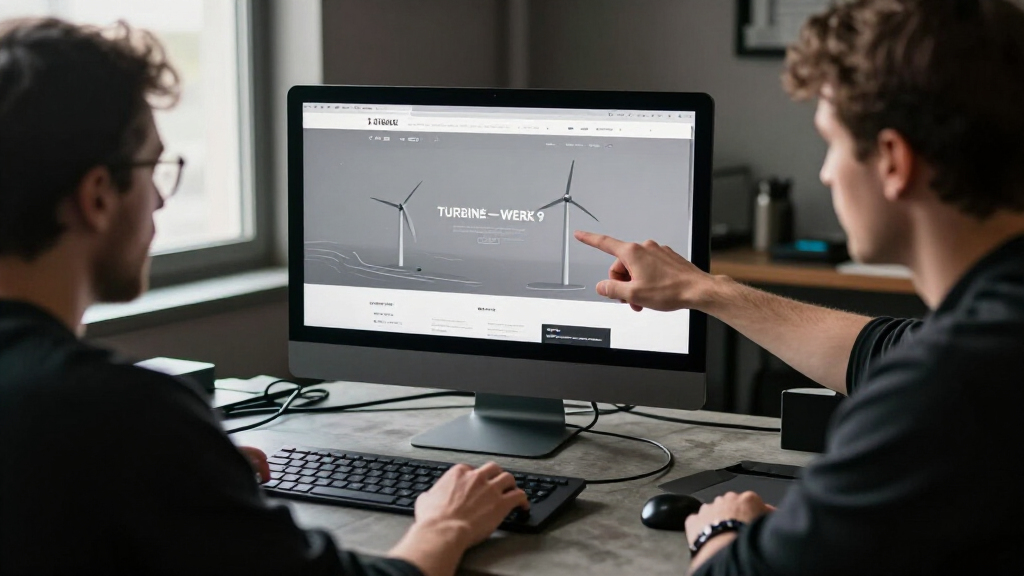
TURBINE — WERK 9 presents an industrial setting as an interactive web field guide, using a scroll-driven SVG rotor to connect movement through the page with the mechanics of the place. The project is described as a live browser experience, though the original analysis does not identify its creators or explain how the interaction is implemented.
The central interaction links a familiar browser input—scrolling—to the motion of a vector rotor. Rather than treating the page as a static brochure, the project frames it as a space to explore: as a visitor moves through the page, the rotor’s movement is intended to make that navigation feel related to the machinery represented in the design.
The overview describes the experience as an interactive field guide and emphasizes the relationship between the interface, a set of carefully constructed vector paths, and the industrial atmosphere. It says the design aims to keep the object visually clear while allowing visitors to explore. The page also points readers to a fuller design teardown and a live version, but offers no specific account of the production process in the overview itself.
Although the project’s title and presentation connect it to AI and automation, the description does not say that generative AI created the rotor, generated the artwork, or controls the interaction. What is described is a browser-based design using SVG and scroll input. Any further claim about AI’s role would go beyond the available details.
Interactive design / project overview
AI, SVG, and Scroll-Based Motion in “TURBINE — WERK 9”
An industrial setting becomes a browser field guide: a vector rotor responds to scrolling, linking movement through the page with the mechanics of the place.
01 / The central idea
Make page movement feel like movement through a machine.
The overview emphasizes the relationship between interface, vector paths, and industrial atmosphere.
TURBINE — WERK 9 presents an industrial environment as an interactive web field guide. As visitors scroll, a rotor made from SVG paths responds to their movement. The design aims to keep the object visually clear while inviting exploration.
“What if a web page behaved less like a brochure and more like a machine you could walk around?”Project description · ThorstenMeyerAI.com
02 / How scroll becomes part of the machine
A familiar browser action becomes a visual cue.
Navigation carries meaning by connecting the visitor’s action to the machinery represented in the design.
Scroll the page
Visitors move through the experience using a familiar browser gesture.
SVG rotor
Carefully constructed vector paths form the central moving object.
Explore the place
The motion links page navigation with the industrial mechanics at the heart of the concept.
03 / The browsing sequence
A field-guide idea, translated into a browser experience.
The published account describes the intended relationship between action, object, and atmosphere.
Enter
Meet an industrial setting through the project’s field-guide framing.
Move
Scroll through the page to explore the experience.
See motion
The SVG rotor responds, connecting navigation to machinery.
Interpret
Page movement takes on a sense of movement through place.
04 / What the overview leaves open
The premise is clear; the production details are not.
The project is best read as a described design experiment, not a tested model or complete technical case study.
People and process: The overview does not name the creators or team, provide a release date, or explain how the paths and scroll response were built.
Interaction behavior: It is unclear whether rotor movement tracks scroll continuously, changes in steps, or varies across devices.
Technical stack: No code, animation library, or browser technique is specified.
Visitor experience: No usability data, accessibility assessment, reduced-motion support, keyboard details, mobile performance findings, or visitor testing are reported.
AI’s role: No particular AI system or use is identified.
Physical reference: The overview does not detail the site or machinery behind the visual system.
05 / Continue exploring
The fuller teardown is the next place to look.
The project page points readers toward a live version and a more detailed design teardown.
Visit the room
Explore the browser experience itself and see the rotor interaction in context.
Look for the details
The teardown is presented as covering rotor motion, visual organization, and translating a physical-feeling space for the browser.
Keep claims bounded
Until more details are available, implementation choices and visitor response remain unconfirmed.
06 / Key questions
What we can—and cannot—say.
What is TURBINE — WERK 9?
An interactive web field guide around an industrial setting, described through a rotor that moves in response to scrolling.
How does the rotor interaction work?
The overview says scroll drives an SVG rotor, but it does not explain the exact code or behavior across devices.
Did AI generate the visuals?
The published overview does not say that AI generated the artwork or controls the interaction.
Where can readers learn more?
The project page points to a live version and a full design teardown about the rotor’s motion and visual system.
How Scroll Becomes Part of the Machine
The project highlights a practical design choice for websites that represent physical environments: page navigation can carry meaning, rather than serving only as a way to move between sections. By tying scroll position to rotor motion, TURBINE — WERK 9 gives visitors a visual cue that connects their action in the browser to the machinery at the center of the experience.
That approach may interest designers working with SVG animation and interactive storytelling, as well as readers curious about how a comparatively simple input can shape a site’s atmosphere. The overview’s emphasis is on the relationship between movement and place, not on a new software tool or a measured performance result. It provides no usability data, accessibility assessment, or comparison with other design approaches, so the project’s value is best understood as a described design experiment rather than a proven model for web interfaces.
Products Worth Considering

Dell UltraSharp U2725QE 27-Inch 4K UHD IPS Black Monitor

Logitech MX Keys S Wireless Keyboard, Graphite

Canon imagePROGRAF PRO-1100 Professional 17-Inch Wireless Inkjet Photo Printer Bundle
As an affiliate, we earn on qualifying purchases.
A Field Guide Built for Browsing
The project is presented as an answer to a design question: what would change if a web page behaved less like a brochure and more like a place a visitor could move around? Its field-guide framing gives the interaction an organizing idea. Instead of describing the experience solely as an animated graphic, the overview positions it as a way to explore an industrial environment through the browser.
SVG is the stated visual format for the rotor, while scrolling is the input that drives its motion. SVG graphics are vector-based, making them suitable for scalable shapes and paths, but the published description does not specify the code, animation library, or browser techniques used here. It also does not detail the physical site or machinery that informed the visual system. Those limits matter: the public account establishes the project’s premise, not a full technical case study.
“What if a web page behaved less like a brochure and more like a machine you could walk around?”
— Project description on ThorstenMeyerAI.com
Details Behind the Rotor Remain Unpublished
The overview does not name the people or team behind TURBINE — WERK 9, give a release date, or explain how the SVG paths and scroll response were built. It is also unclear whether the rotor moves continuously with scroll position, responds in steps, or behaves differently across devices.
No information is provided about accessibility options, reduced-motion support, keyboard interaction, mobile performance, or testing with visitors. The project is described as a live experience, but the overview does not report how many people have used it or whether the design has been evaluated. The connection to AI appears in the project’s broader framing; a specific AI system or role is not identified.
The Full Design Teardown May Add Detail
Readers can follow the overview’s links to the live room and the full design teardown. The teardown is presented as the place to learn more about how the rotor’s motion was shaped, how the visual system was organized, and how the team translated a physical-feeling space into a browser experience. Until those details are available in the published account, the technical choices and any reported user response remain unconfirmed.
Source: ThorstenMeyerAI.com
Key Questions
What is TURBINE — WERK 9?
It is an interactive web field guide presented around an industrial setting. Its description centers on a rotor that moves in response to scrolling.
How does the rotor interaction work?
The overview says a scroll-driven SVG rotor connects movement through the page with the mechanics of the place. It does not explain the precise code or behavior across devices.
Does the project use AI to generate its visuals?
The published overview does not say that AI generated the artwork or controls the interaction. It describes SVG paths and scroll input but gives no specific account of an AI system’s role.
Where can readers learn more?
The project page points readers to a live version and a fuller design teardown. The teardown is described as covering the rotor’s motion and visual system.
Source: ThorstenMeyerAI.com