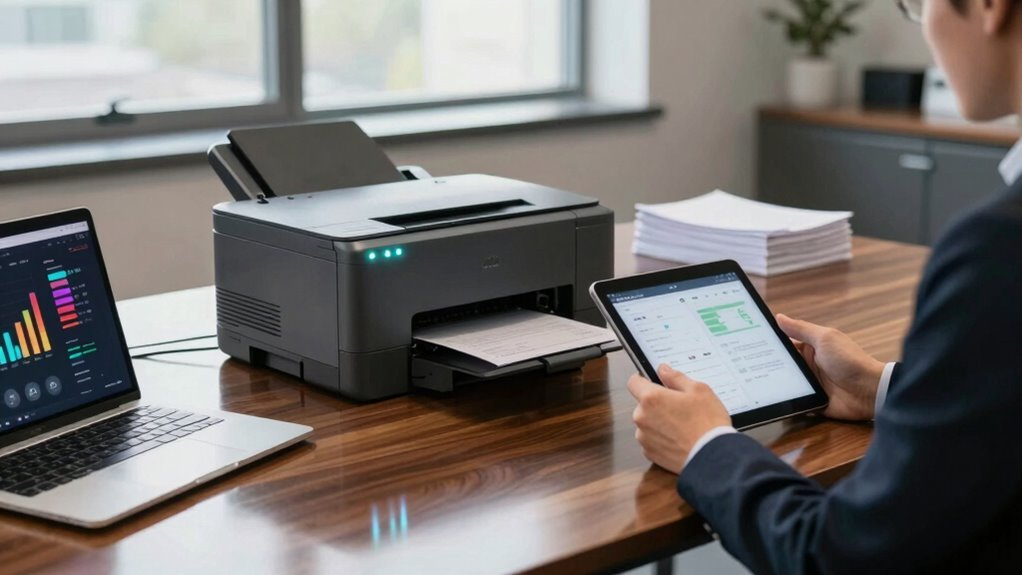

To evaluate your printer strategy in a digital-first business, start by appraising your current setup, including usage patterns, device types, and costs. Focus on supporting remote work needs with multifunction printers and print management solutions to monitor and reduce unnecessary printing. Consider environmental impacts by choosing energy-efficient devices and sustainable practices. Regularly review your fleet to guarantee it aligns with operational goals and supports efficiency. Continue exploring ways to optimize your approach for long-term savings and sustainability.
Key Takeaways
- Assess current printing volume, device types, and usage patterns to identify inefficiencies and opportunities for digital alternatives.
- Evaluate the environmental impact of printers, focusing on energy efficiency, eco-friendly features, and sustainable procurement practices.
- Conduct a total cost of ownership analysis, including maintenance, supplies, and energy costs, to optimize device deployment.
- Gather user feedback to understand workflow needs and ensure printing resources support productivity without excess.
- Regularly review and adapt the printer strategy using data-driven insights to align with a digital-first, sustainable approach.

In a digital-first business environment, evaluating your printer strategy is essential to ensuring it aligns with your overall operational goals. As technology advances and remote work becomes more common, the role of printers shifts from being central to daily operations to supporting specific needs. You need to assess whether your current printer setup maximizes cost efficiency and minimizes environmental impact. This means reviewing your printing volume, device types, and usage patterns to identify areas where you can cut costs without sacrificing productivity. For example, investing in multifunction printers that combine printing, scanning, and copying can reduce the number of devices needed, lowering maintenance and energy costs. Also, consider implementing print management solutions that monitor usage, enforce print policies, and encourage digital alternatives, all of which contribute to reducing unnecessary printing and controlling expenses.
Next, think about the environmental impact of your printer strategy. Printing consumes energy and paper, both of which have ecological consequences. To evaluate this aspect, examine whether your printers are energy-efficient and if they support eco-friendly features like duplex printing, which reduces paper usage. Additionally, assess whether your organization adopts sustainable practices, such as recycling toner cartridges and paper. Transitioning to more sustainable printing options can significantly lower your environmental footprint while aligning with corporate responsibility goals. Green certifications for printers or devices with Energy Star ratings can guide your choices and ensure you’re selecting equipment that meets environmental standards. Incorporating sustainable practices into your procurement process can further enhance your organization’s environmental responsibility. Staying informed about emerging green technologies can help future-proof your printing strategy and ensure ongoing compliance with evolving eco-standards. Moreover, understanding the total cost of ownership of your printers can provide a clearer picture of long-term sustainability and efficiency.
Evaluate your printers’ energy efficiency and eco-friendly features like duplex printing to reduce environmental impact and support sustainability goals.
Furthermore, consider the long-term costs and benefits of your printer strategy. While initial investments in new technology might seem high, they often lead to savings through lower operational costs and reduced waste. Conduct a cost-benefit analysis that includes not just purchase price but also maintenance, energy consumption, and supplies. Regularly reviewing your printer fleet ensures you’re not over-invested in outdated equipment or underutilizing high-efficiency devices. When evaluating vendors or service providers, look for those committed to sustainable practices and offering support for energy-efficient equipment, as this can streamline your transition and ongoing management. It’s also useful to track printing patterns over time to identify unnecessary or excessive printing habits that can be optimized or eliminated.
Finally, keep your team’s needs in mind. A strategy that accounts for user requirements, workflow efficiency, and ease of access ensures your printing resources support productivity rather than hinder it. Regularly seek feedback to identify pain points or unnecessary printing habits. By doing so, you create a balanced approach that emphasizes cost efficiency and environmental responsibility while maintaining operational effectiveness. Overall, an intentional, data-driven review of your printer strategy helps you adapt to a digital-first landscape, reducing costs and environmental impact while supporting your business’s growth.

Brother DCP-L2640DW Wireless Compact Monochrome Multi-Function Laser Printer with Copy and Scan, Duplex, Mobile, Black & White | Includes Refresh Subscription Trial(1), Works with Alexa
- Ideal for Small Businesses: All-in-one monochrome laser printer, scanner, copier
- High-Speed Printing and Scanning: Prints up to 36 ppm, scans at 23.6/7.9 ipm
- Automatic Document Feeder: 50-page capacity for multi-page scanning and copying
As an affiliate, we earn on qualifying purchases.
As an affiliate, we earn on qualifying purchases.
Frequently Asked Questions
How Does Printer Strategy Impact Cybersecurity in a Digital-First Business?
Your printer strategy impacts cybersecurity by influencing vulnerabilities and data protection. If you neglect secure configurations, you leave cybercriminals open to exploiting vulnerabilities in network-connected printers. Properly managing printer access, updating firmware, and encrypting data guarantees sensitive information stays protected. A strong printer strategy minimizes cybersecurity vulnerabilities, safeguards data, and maintains your business’s reputation by preventing data breaches and unauthorized access through connected devices.
What Are the Hidden Costs of Maintaining Traditional Printers?
You might not realize it, but traditional printers hide costs beyond the upfront price tag. Conducting a thorough cost analysis reveals hidden expenses like high maintenance costs, frequent repairs, and consumables. These maintenance expenses can add up over time, draining your budget. Staying vigilant about these unseen costs helps you make smarter decisions, ensuring your business isn’t caught off guard by ongoing printer-related expenses.
How Can Print Management Support Remote or Hybrid Work Models?
Print management supports remote or hybrid work models by enabling seamless remote collaboration through cloud printing solutions. You can securely print documents from any device or location, reducing the need for physical proximity to printers. This flexibility streamlines workflows, enhances productivity, and minimizes delays. With centralized management, you maintain control over printing activities, optimize resource use, and guarantee data security—making your remote team more efficient and connected.
What Environmentally Sustainable Practices Can Be Integrated Into Printer Strategy?
Did you know that printing accounts for about 10% of global carbon emissions? To make your printer strategy more eco-friendly, focus on eco-friendly printing practices like using sustainable materials and setting printers to draft mode when possible. Incorporate energy-efficient models and encourage double-sided printing. These sustainable materials and practices reduce waste, save energy, and support your company’s commitment to environmental responsibility, making your digital-first approach greener.
How Often Should a Printer Strategy Be Reviewed and Updated?
You should review and update your printer strategy at least annually, especially as your business evolves. Regular assessments guarantee your print technology aligns with current needs and sustainability goals. Focus on workflow optimization to identify inefficiencies and adapt your strategy accordingly. Staying proactive helps you incorporate the latest innovations, improve efficiency, reduce costs, and maintain a sustainable, effective print environment that supports your digital-first approach.

Print Checks Pro – Check Printing Software for Windows 10/11
- Training Videos Access: Dozens of training videos included
- Automatic Updates: Automatically detects and installs latest version
- Check Printing Compatibility: Print checks with inkjet or laser printer
As an affiliate, we earn on qualifying purchases.
As an affiliate, we earn on qualifying purchases.
Conclusion
Ultimately, your printer strategy isn’t just about ink and paper; it’s the heartbeat of your digital-first approach. By regularly evaluating your needs, technology, and costs, you guarantee your print environment supports growth rather than hinders it. Think of your strategy as a compass—guiding you through the digital landscape. Don’t let outdated printers anchor your progress—embrace smart, adaptable solutions that propel your business forward with purpose and confidence.
Brother DCP-L2640DW Wireless Compact Monochrome Multi-Function Laser Printer with Copy and Scan, Duplex, Mobile, Black & White | Includes Refresh Subscription Trial(1), Works with Alexa
- Ideal for Small Businesses: All-in-one monochrome laser printer, scanner, copier
- High-Speed Printing and Scanning: Prints up to 36 ppm, scans at 23.6/7.9 ipm
- Automatic Document Feeder: 50-page capacity for multi-page scanning and copying
As an affiliate, we earn on qualifying purchases.
As an affiliate, we earn on qualifying purchases.
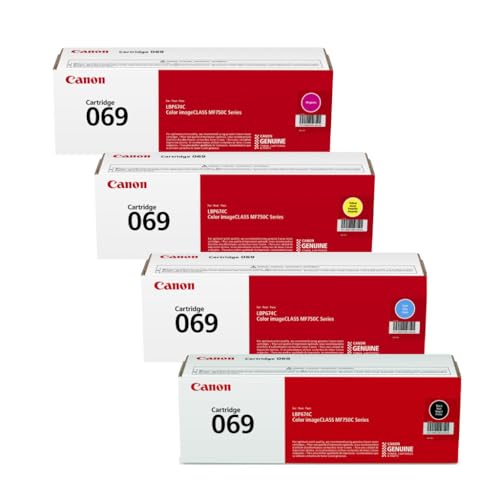
Canon 069 Toner Cartridge Set – 4 Pack (Black, Cyan, Magenta, Yellow) | Compatible Color imageCLASS MF753Cdw, MF653Cdw, LBP674Cdw, LBP633Cdw | Standard Yield Toner Replacement Set
- 4-Color Toner Set: Includes Black, Cyan, Magenta, Yellow
- Compatible with Multiple Models: Works with Canon MF753Cdw, MF653Cdw, LBP674Cdw, LBP633Cdw
- High Page Yield: Up to 1,900 pages per cartridge
As an affiliate, we earn on qualifying purchases.
As an affiliate, we earn on qualifying purchases.