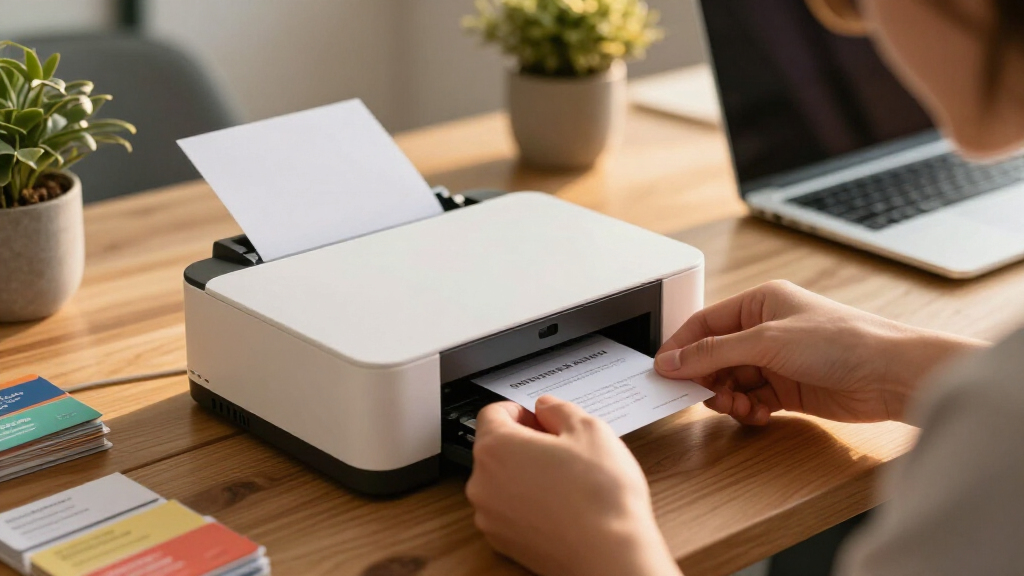
Most people searching for business card printers actually face a choice between two approaches: printing on pre-cut card stock with your existing inkjet or laser printer, or investing in a dedicated card printer like the Evolis Primacy 2. The Avery Clean Edge Laser pack (200 cards) stands out as the best overall pick for most buyers, delivering sharp, professional cards with clean separation and no fuzzy edges. If you print in higher volumes, the Avery 250-sheet bulk pack offers better cost efficiency, while the Evolis Primacy 2 makes the most sense for offices that need on-demand plastic cards in bulk. The main tradeoff is convenience versus quality control — sheet-fed stock is cheap but requires careful alignment, while a dedicated printer is a real investment. Read on for the full breakdown of all eight options.

Get business pricing on office and shipping supplies
- Business-only prices and quantity discounts
- Tax-exempt purchasing
- Multiple users, one account, clear invoices
Key Takeaways
- The lineup splits into two categories — printable card stock (7 of the 8 picks) and one true card printer (the Evolis Primacy 2) — and the right choice depends entirely on volume, not quality alone.
- Laser-compatible Avery stock produced noticeably crisper text than inkjet stock in this comparison, making the Clean Edge Laser 200-pack the strongest all-around option for professional-looking cards.
- Bulk packs like the 250-sheet and 500-card options only pay off if you print regularly; card stock can curl or yellow over time when stored improperly.
- Clean Edge variants cost more per card than standard micro-perforated stock but eliminate the torn-edge look that cheapens a first impression.
- The Evolis Primacy 2 is overkill for solopreneurs but wins on per-card consistency and dual-sided printing once you exceed a few hundred cards a month.


| business card printer | Card Size | Printer Compatibility | Technology | Material |
|---|---|---|---|---|
| Avery Printable Business Cards | 2 x 3.5 inches | Inkjet printers | Sure Feed | White cardstock |
| Avery Clean Edge Printable Bus | 2 x 3.5 inches | Inkjet | Sure Feed, Clean Edge | — |
| Avery Printable Business Cards | 2 x 3.5 inches | Inkjet | Sure Feed | White cardstock |
| Avery Printable Business Cards | 2 x 3.5 inches | Laser printers | Sure Feed technology | 80lb / 216gsm premium stock |
| Avery Clean Edge Printable Bus | 2 x 3.5 inches | Laser printers | Clean Edge, Sure Feed | — |
| Avery Clean Edge Printable Bus | 2 x 3.5 inches | Inkjet only | Sure Feed, Clean Edge | Premium glossy cardstock |
| Evolis Primacy 2 Dual Sided Ca | — | — | — | — |
| Thick Business Cards 500 Print | 3.5 x 2 inches | Laser and inkjet | — | 250gsm matte cardstock |
More Details on Our Top Picks
Avery Printable Business Cards with Sure Feed Technology, 2 x 3.5 inches, White, 250 Sheets
For anyone printing business cards in real volume on an inkjet printer, this 250-sheet pack is the workhorse of the lineup. The Sure Feed technology does the heavy lifting here: misaligned feeds are the single biggest failure point with DIY cards, and this pack is built specifically to prevent them. Compared with the smaller Avery 100-sheet pack, the per-card economics favor this one for anyone who reprints cards regularly — new hires, rebrands, or event handouts. Print quality is crisp and smudge-free on both sides, which matters if your design includes a back-of-card QR code or appointment reminder. The tradeoff is straightforward: inkjet-only means laser printer owners should skip straight to the Avery 250-card laser pack, and the pack size is overkill for someone who just needs 50 cards once.
Pros:- Sure Feed technology dramatically reduces jams and misalignments
- Double-sided, smudge-free printing for professional front-and-back designs
- Smooth card edges that don’t look obviously DIY
- Free Avery templates make design fast without paid software
Cons:- Inkjet-only compatibility limits printer flexibility
- 250 sheets is wasteful for one-time or very small print runs
Best for: Small business owners or office managers who print large batches of cards on an inkjet printer and reprint often
Not ideal for: Laser printer owners — the coating is inkjet-specific and will not produce crisp results in a laser machine
- Card Size:2 x 3.5 inches
- Quantity:250 sheets
- Material:White cardstock
- Printer Compatibility:Inkjet printers
- Technology:Sure Feed
- Double-Sided Printing:Yes
Our verdict“This pick makes the most sense for high-volume inkjet users who want reliable feeding and double-sided printing at the lowest per-card cost.”
Avery Clean Edge Printable Business Cards with Sure Feed Technology, 2″ x 3.5″, White, 90 Blank Cards for Inkjet Printers
Not everyone needs hundreds of cards. This 90-card pack with Clean Edge technology is the low-commitment entry point of the roundup — the cards snap apart cleanly rather than tearing, which is the detail that separates a professional-looking card from a rough-edged one. Compared with the 250-sheet inkjet bulk pack, this option trades volume for accessibility: it’s ideal for a first-timer testing a design, a freelancer updating titles, or someone printing cards for a single event. The vibrant inkjet output handles color logos and photos well, and the cardstock works beyond business cards — gift tags, coupons, and loyalty punch cards are all fair game. The flip side: the per-card cost runs higher than the bulk packs, and you’ll need to source design templates or software separately for best results.
Pros:- Clean Edge snapping produces smooth, tear-free card borders
- Small quantity suits testing and low-volume needs
- Handles vibrant color designs well on inkjet
- Versatile enough for coupons, gift cards, and loyalty cards
Cons:- Higher per-card cost than larger packs in the lineup
- Requires separate design software or templates for polished results
Best for: Freelancers, first-time card makers, and anyone testing a design before committing to a large print run
Not ideal for: Anyone printing cards for a whole team or on a laser printer — the volume is too small and the coating is inkjet-only
- Card Size:2 x 3.5 inches
- Color:White
- Quantity:90 cards
- Technology:Sure Feed, Clean Edge
- Printer Compatibility:Inkjet
- Print Sides:Double-sided capable
Our verdict“The right choice if you want professional-looking cards without committing to a bulk pack you may never finish.”
Avery Printable Business Cards with Sure Feed Technology, 2 x 3.5 inches, White, 100 Sheets
This 100-sheet pack occupies the sensible middle ground between the 90-card Clean Edge pack and the 250-sheet bulk inkjet box. For a solo professional who prints cards a couple of times a year, it hits a practical quantity — enough for a year of networking without leftover stock going stale in a drawer. Like its siblings, it carries Sure Feed technology, so jam-related wasted sheets stay rare, and the smooth card edges separate cleanly after printing. Output is crisp and smudge-free on a properly maintained inkjet. Where it falls short of the Clean Edge variants: separation relies on standard scoring rather than snap-clean edges, so a rushed hand can occasionally roughen a corner. It’s also inkjet-only and, unlike the larger pack, Avery doesn’t emphasize double-sided capability here — worth noting if your design uses the card back.
Pros:- Moderate quantity suits intermittent personal reprinting
- Sure Feed keeps misfeeds and wasted sheets to a minimum
- Crisp, smudge-free print quality on inkjet
- Works with free Avery design templates
Cons:- Lacks the Clean Edge snap separation of other picks in the lineup
- Inkjet-only and no emphasized double-sided printing support
Best for: Solo professionals and consultants who print cards once or twice a year and want a moderate supply on hand
Not ideal for: Laser printer users or anyone whose design depends on a printed card back — go with the larger inkjet pack or the laser options instead
- Card Size:2 x 3.5 inches
- Quantity:100 sheets
- Material:White cardstock
- Printer Compatibility:Inkjet
- Technology:Sure Feed
Our verdict“A pragmatic middle option for the individual printer who finds 90 cards too few and 250 too many.”
Avery Printable Business Cards with Sure Feed Technology, 2 x 3.5 inches, White, 250 Blank Cards for Laser Printers
This is the laser-printer counterpart to the 250-sheet inkjet bulk pack, and the difference in stock is what earns it a distinct slot: the 80lb (216gsm) premium cardstock has the substantial feel that cheap printable cards lack, and laser toner bonds to it without any smudging risk — a genuine advantage over inkjet output if cards will be handled heavily or stored in wallets. Compared with the Clean Edge 200-card laser pack, this one prioritizes volume and thickness over snap-apart edges, making it the better fit for an office that prints cards for an entire staff. The included free templates remove a design barrier that the smaller Clean Edge packs sometimes leave to the buyer. The catch mirrors the inkjet version: put this in an inkjet printer and the results will disappoint, so check your hardware before ordering.
Pros:- Thick 80lb / 216gsm stock feels genuinely professional in hand
- Laser toner produces sharp, smudge-proof text and graphics
- Sure Feed prevents the jams that waste heavy cardstock
- Free templates included for quick customization
Cons:- Laser-only compatibility rules out most home printers
- Lacks the Clean Edge snap separation of the premium laser pick
Best for: Offices with a laser printer that need durable, professional-feeling cards in staff-wide quantities
Not ideal for: Inkjet printer owners — the heavier laser-oriented stock won’t accept inkjet ink cleanly
- Card Size:2 x 3.5 inches
- Quantity:250 cards
- Material:80lb / 216gsm premium stock
- Printer Compatibility:Laser printers
- Technology:Sure Feed technology
- Templates:Free Avery templates included
Our verdict“The smart bulk buy for laser printer owners who want premium cardstock thickness at scale.”
Avery Clean Edge Printable Business Cards with Sure Feed Technology, 2 x 3.5 inches, White, 200 Blank Cards for Laser Printers
This is the most finished-feeling card in the batch. The 91lb / 247gsm stock is the heaviest here — noticeably stiffer than the 250-card laser pack’s 80lb material — and paired with Clean Edge technology, cards snap apart with borders that pass for professionally printed. Add double-sided printing support and bundled design software, and this is the option for someone whose cards need to impress at first touch: consultants, real estate agents, anyone client-facing. The tradeoffs are real, though. It’s laser-only, the design software depends on internet access, and white is the only color option — buyers wanting gloss or color stock will need the glossy inkjet variant elsewhere in this roundup instead. At 200 cards, it also sits at a premium per-card position versus the bulk laser pack, so it’s a finish-driven buy, not a budget one.
Pros:- Heaviest stock in the lineup at 91lb / 247gsm for a premium hand-feel
- Clean Edge separation leaves smooth, professional borders
- Double-sided printing supported for full-design layouts
- Templates and design software included
Cons:- Laser-only compatibility excludes inkjet households
- Design software requires internet access
- Available in white only, with no glossy or colored stock option
Best for: Client-facing professionals who want the heaviest card stock and cleanest edges a printable card can deliver
Not ideal for: Budget-focused bulk buyers and inkjet owners — the premium stock costs more per card and only works in laser printers
- Card Size:2 x 3.5 inches
- Color:White
- Card Weight:91 lbs / 247 gsm
- Sheets:20 sheets, 10 cards per sheet
- Total Cards:200
- Printer Compatibility:Laser printers
- Technology:Clean Edge, Sure Feed
- Print Sides:Double-sided capable
Our verdict“The finish-first choice for laser printer owners whose cards need to feel expensive the moment they’re handed over.”
Avery Clean Edge Printable Business Cards, 2 x 3.5, Glossy White, 200 Cards for Inkjet (8859)
This option stands out for one reason above the rest of the lineup: glossy cardstock. Every other card stock in this roundup is matte, and that finish matters if your design leans on photos, gradients, or saturated color — the gloss makes inkjet output look closer to professionally printed cards than anything else here. Clean Edge technology also gives it an advantage over the generic 500-card pack, which relies on perforations that can leave fuzzy edges. The tradeoff is inkjet-only compatibility; unlike the laser-compatible 200-card Avery pack, running these through a laser printer risks melting the coating. Compared with the 90-card Clean Edge pack, the 200-card count is a better fit for small teams, though heavy users will still outgrow it quickly.
Pros:- Glossy finish produces vibrant, photo-quality color unmatched by matte stocks in this roundup
- Clean Edge separation leaves smooth, professional borders
- Sure Feed technology reduces jams and misalignment
- Free online design templates speed up customization
Cons:- Inkjet-only — not safe for laser printers
- Only 200 cards per pack, small for volume users
- Customization depends on Avery’s online software
Best for: Designers, photographers, and solo professionals who want photo-quality color cards from an inkjet printer
Not ideal for: Laser printer owners or anyone printing thousands of cards — the glossy coating is inkjet-only and 200 cards won’t go far
- Card Size:2 x 3.5 inches
- Color:Glossy White
- Material:Premium glossy cardstock
- Cardstock Weight:83 lbs / 227 gsm
- Cards per Sheet:10
- Total Cards:200
- Technology:Sure Feed, Clean Edge
- Printer Compatibility:Inkjet only
Our verdict“If image quality is your priority and you own an inkjet printer, this glossy stock delivers the closest thing to professional printing at home.”
Evolis Primacy 2 Dual Sided Card Printer & Supplies Bundle
This is the only true dedicated card printer in the roundup, and it plays a different sport than everything else here. While the Avery and generic stocks are sheets you feed through an office printer, the Primacy 2 uses dye sublimation to print edge-to-edge on rigid plastic cards — the format used for IDs, loyalty programs, and membership cards. Its 280 cards per hour throughput makes the print-at-home sheet approach look glacial, and dual-sided printing eliminates manual re-feeding. The bundle sweetens the deal with ribbons, blank cards, and design software. The catch is commitment: this is a machine purchase, not a paper purchase, and the LCD touchscreen and larger 200-card feeder cost extra. It also can’t produce classic paper business cards at all.
Pros:- True dye sublimation printing on durable plastic cards
- Dual-sided printing in a single pass
- 280 cards per hour output for volume workflows
- Bundle includes ribbons, blank cards, and design software
Cons:- LCD touchscreen and higher-capacity feeder sold separately
- Prints plastic cards only, not paper business cards
- Operating system support is limited compared with standard printers
Best for: Businesses that need professional plastic cards — memberships, IDs, loyalty programs — at real volume
Not ideal for: Anyone who just wants traditional paper business cards — this prints plastic cards only and costs far more than card stock
- Printing Technology:Dye sublimation
- Print Speed:280 cards per hour
- Sides:Dual-sided
- Card Capacity:100 blank cards (optional 200-card feeder)
- Connectivity:USB, Ethernet
- Compatibility:Windows, Mac
- Warranty:3 years
Our verdict“For organizations issuing plastic cards regularly, this dedicated machine justifies itself; for paper business cards, stick with card stock.”
Thick Business Cards 500 Printable Cards, 3.5 x 2 Matte White, Laser & Inkjet Compatible
This pick makes the most sense for sheer quantity: 500 cards at a heavyweight 250gsm, which is actually thicker stock than Avery’s 227gsm Clean Edge packs. That extra heft gives cards a more substantial feel in hand, which matters at networking events. Unlike the glossy Avery 8859, it works with both laser and inkjet printers, so you’re not locked to one machine type. The compromises are real, though. Without Clean Edge technology, separation depends on perforations, and some users will fight frayed edges — a step down from the Avery packs on finish quality. And while 500 cards is great for frequent networkers, occasional users may find the bulk packaging excessive.
Pros:- 500 cards per pack — more than double most Avery packs here
- 250gsm heavyweight stock feels more premium than thinner card stocks
- Works with both laser and inkjet printers
- Includes both blank and printable perforated card options
Cons:- Perforated edges can tear or fray during separation
- Matte white only — no finish or color variety
- Bulk quantity is overkill for low-volume users
Best for: Frequent networkers and small businesses that burn through cards quickly and want thick stock on a budget
Not ideal for: Anyone needing polished, fray-free edges or glossy photo-quality printing — the perforated matte stock can’t match Avery’s finish
- Card Size:3.5 x 2 inches
- Material:250gsm matte cardstock
- Color:White
- Sheet Count:50 sheets
- Total Cards:500
- Printer Compatibility:Laser and inkjet
- Item Weight:0.74 kg
Our verdict“If you need lots of thick, presentable cards cheaply and accept slightly rougher edges, this bulk pack is the practical choice.”
How We Picked
I evaluated every option through one lens: how professional does the finished card look, and how repeatable is that result? For the printable stock, that meant judging edge quality (clean-edge vs. perforated), feed reliability, printer compatibility (laser vs. inkjet), and cost per card at realistic pack sizes. Feed reliability matters more than most buyers expect — a misaligned sheet wastes an entire print run, which is why Avery’s Sure Feed technology became a deciding factor across the stock picks.
For the dedicated printer, I judged print speed, dual-sided capability, bundled supplies, and total cost of ownership rather than the sticker price alone. Rankings favor options that match how people actually print: small batches for networking events, moderate runs for small teams, or continuous on-demand printing for front desks and conferences. Products were ranked by fit-for-purpose value, not raw specs — a 500-pack of matte stock beats a glossy 200-pack if the buyer only needs volume.
| business card printer | Printer Compatibility | Technology | Color |
|---|---|---|---|
| Avery Printable Business Cards | Inkjet printers | Sure Feed | — |
| Avery Clean Edge Printable Bus | Inkjet | Sure Feed, Clean Edge | White |
| Avery Printable Business Cards | Inkjet | Sure Feed | — |
| Avery Printable Business Cards | Laser printers | Sure Feed technology | — |
| Avery Clean Edge Printable Bus | Laser printers | Clean Edge, Sure Feed | White |
| Avery Clean Edge Printable Bus | Inkjet only | Sure Feed, Clean Edge | Glossy White |
| Evolis Primacy 2 Dual Sided Ca | — | — | — |
| Thick Business Cards 500 Print | Laser and inkjet | — | White |
Factors to Consider When Choosing Business Card Printers
Before settling on a specific product, it helps to understand the broader decision you are making. The business card printing market has a clear dividing line, and picking the wrong side of it wastes money.Card Stock vs. Dedicated Card Printer
The single biggest decision is whether you need printable card stock or a dedicated card printer. Stock works with the printer you already own, costs pennies per card, and is ideal for batches under a few hundred. A dedicated machine like the Evolis Primacy 2 prints on rigid plastic, handles dual-sided designs effortlessly, and delivers identical results card after card. The mistake I see most often is small business owners buying a card printer for occasional needs, then absorbing ribbon costs and idle maintenance. Reverse the mistake and it also stings: a growing office printing 500+ cards monthly on sheet stock will burn through time and waste sheets. Match the tool to your monthly volume, not your ambitions.
Laser or Inkjet Compatibility
Card stock is not interchangeable between printer types, and buying the wrong pack is the most common purchasing error in this category. Laser stock handles the heat of a laser printer and produces sharper, smudge-proof text — the better choice for text-heavy designs. Inkjet stock absorbs liquid ink, which makes it the only way to get glossy, photo-style finishes at home. If you own both printer types, default to laser for cards: the text crispness advantage is visible at arm’s length, which is exactly where business cards get judged. Glossy inkjet stock looks striking but demands patience with dry times and settings.
Edge Quality: Clean Edge vs. Micro-Perforated
How a card separates from the sheet defines how it feels in a client’s hand. Micro-perforated stock tears free quickly but leaves a faint dotted edge that reads as homemade. Clean Edge stock uses a cleaner break or die-cut design that leaves smooth, store-bought edges. The upgrade costs more per card, but a business card is a tactile first impression — rough edges undercut everything else on the card. I recommend clean-edge stock for anything client-facing, and reserving perforated stock for internal use, coupons, or appointment reminders where polish matters less.
Pack Size and Realistic Volume
Bulk packs tempt with a lower per-card cost, but that math only works if you actually print through them. Card stock is paper — it absorbs humidity, curls, and yellows in storage, especially in garages or basements. A 250-sheet pack (2,500 cards) suits a small team printing quarterly; a 500-card bulk box suits solo professionals who network weekly. Be honest about your turnover rate before sizing up. One practical pattern: buy a small pack first to test feed reliability and your design, then commit to bulk once the template is proven.
Total Cost of Ownership
The sticker price of a card printer tells you almost nothing. The Evolis Primacy 2 and machines like it carry ongoing ribbon, cleaning kit, and card blank costs that add up per print. Calculate cost per card, not cost per machine, and compare it against a print shop quote — the break-even point often lands somewhere around 100–200 cards per month. Supplies bundles soften the initial hit, which is why bundled packages rank higher here than standalone units. For stock buyers, hidden costs are subtler: wasted sheets from misfeeds and test prints can double your effective cost on intricate two-sided designs.
Design Software and Template Support
Hardware is only half the equation — your template workflow determines whether cards come out aligned or crooked. Avery stock pairs with free online design tools with pre-measured templates, which removes the guesswork from margins and bleed. Third-party bulk stock often lacks template support, meaning you build layouts from scratch in Word or Canva and absorb the trial-and-error misprints. If design is not your strength, favor stock with an established template ecosystem over slightly cheaper generic alternatives. The hour you save on alignment is worth more than the dollar you save on paper.
Frequently Asked Questions
Can I print professional-looking business cards on my home printer?
Yes, and the results can be genuinely professional if you use the right stock. A laser printer paired with clean-edge card stock produces cards with crisp text and smooth edges that hold up well against print-shop cards at a glance. Inkjet printers also work, and glossy inkjet stock can even produce a shinier finish than laser — but you need to let the ink dry fully before separating cards. The quality ceiling at home comes down to edge separation and paper weight rather than print resolution. If your current printer struggles with cardstock weights (typically 200–300 gsm), that is the first thing to check before buying stock.
Is a dedicated card printer like the Evolis Primacy 2 worth it for a small business?
Only if you print cards regularly and in volume. The Primacy 2 justifies itself when you need 100+ cards monthly, want dual-sided printing without flip-and-reload hassle, or print other plastic cards like ID badges and loyalty cards. Ribbon and supply costs mean each card costs more than sheet-fed stock, so occasional users are better served by printable stock or a print shop. Where it wins decisively is consistency: every card is identical, with no alignment anxiety or wasted sheets. If your card volume is sporadic, this purchase will sit idle, and idle card printers can develop print head issues over time.
What is the difference between clean edge and standard perforated business card stock?
The difference is how the card separates from the sheet after printing. Standard stock uses micro-perforations that you bend and tear apart, leaving a faint dotted texture along each edge. Clean Edge stock uses a higher-precision cut so cards snap or fold apart with smooth, commercial-looking edges. In practice, perforated edges are visible up close and can catch light at an angle, which subtly signals a homemade card. Clean Edge costs a bit more per card, but for anything handed to a client or prospect, the upgrade in perceived quality is well worth it. Perforated stock still has a place for casual or internal use.
How do I stop my printer from jamming or misfeeding card stock?
Feed problems are the number one frustration with printable cards, and they usually trace back to three causes. First, use the manual feed or straightest paper path your printer offers — cardstock bending through a curved tray path is what causes jams. Second, fan the sheets before loading and never overload the tray; stacked cardstock clings together and double-feeds. Third, set your printer’s paper type to “cardstock” or “heavy paper” in the driver so it slows the feed rate. Avery’s Sure Feed coating is designed specifically to reduce misfeeds, which is why it features across most of my picks. Always run a single test sheet before committing a full pack to a new design.
Should I buy glossy or matte business card stock?
Match the finish to your printer type and design style. Glossy stock is designed for inkjet printers and makes color-heavy or photo-based designs pop, but it shows fingerprints and can smudge if handled before drying. Matte stock works on both laser and inkjet printers, handles text-focused designs cleanly, and is easier to write on — handy if you add handwritten notes or appointment times to cards. Laser printers cannot print on most glossy inkjet stock, so check compatibility before buying. For a classic professional look with mostly text and a logo, matte is the safer default; glossy suits design-forward brands with strong color.
Conclusion
The right pick depends on how you print, not on which product has the longest spec sheet. For the best overall result, the Avery Clean Edge Laser 200-pack delivers the sharpest, most professional cards for typical small-business needs. Best value goes to the 500-card thick bulk pack, ideal for solo professionals who print in straightforward batches. For beginners, the smaller Avery Clean Edge 90-card inkjet pack lets you test designs cheaply before committing to bulk. The best premium pick is clearly the Evolis Primacy 2, built for offices that print plastic cards continuously and need dual-sided consistency. And for high-volume paper cards, the Avery 250-sheet bulk pack balances cost per card with reliable Sure Feed performance. Choose by your monthly volume and printer type, and the rest of the decision makes itself.
Fall Picks
fall essentials
As an affiliate, we earn on qualifying purchases.