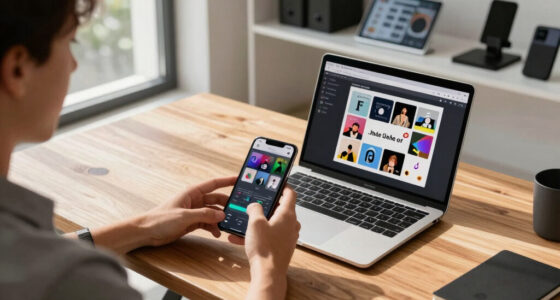
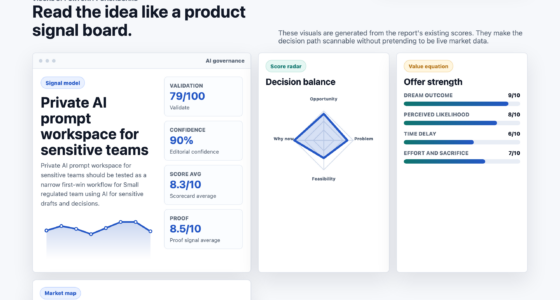
📊 Full opportunity report: Are You Overlooking Eye Strain? Try Webcam Blink-Rate Monitoring on IdeaNavigator AI — validation score, market gap, and execution plan.
TL;DR
A webcam-based blink-rate tracker is being tested to help remote workers reduce eye strain by providing real-time break nudges. The app estimates blink rate on-device, aiming to improve eye comfort without data transmission. The pilot will assess effectiveness and user adherence.
A new webcam application designed to monitor blink rate and prompt breaks has been announced as a potential tool to combat eye strain among remote workers. The app, currently in the prototype stage, aims to provide real-time feedback without transmitting video data, addressing a common issue for those spending over 8 hours daily at a laptop.
The proposed webcam app uses computer vision technology to estimate blink rate directly on the user’s device, avoiding privacy concerns associated with video data transmission. It will log daily eye comfort scores and issue break reminders based on blinking patterns, especially when blink rate drops below healthy levels. The initial plan involves a two-week pilot with twenty remote knowledge workers, who will track their eye comfort and break adherence, providing feedback on the tool’s effectiveness.
This initiative responds to the increased screen time driven by remote and hybrid work arrangements, which have led to more reports of dry, tired eyes, and headaches. Experts note that many workers are unaware of their blinking habits or whether they are taking adequate breaks, making objective monitoring a promising approach.
According to IdeaNavigator AI, the app will be sold via per-seat subscriptions to individuals and small remote teams, with the goal of creating a scalable solution for digital eye strain prevention. The technology leverages existing webcam hardware and on-device computer vision, eliminating privacy risks while providing actionable insights.
Potential Impact on Remote Work Eye Health
If successful, this webcam blink-rate monitoring could significantly improve eye health for millions of remote workers by providing an objective, easy-to-use tool that encourages regular breaks. It could reduce the prevalence of dry eyes, headaches, and other symptoms associated with prolonged screen use. Additionally, it offers a privacy-conscious solution that fits seamlessly into existing remote work routines, making eye health management more accessible and routine.

BRAINWAVZ 2-Pack 4” Small Floating Shelf Bluetooth Speaker Stand, Adhesive & Screw Wall Mount, Anti Slip, for Cameras, Baby Monitors, Webcam, Router & More, Universal Holder (SHELF11 White)
SQUARE UNIVERSAL FLOATING SHELF WALL MOUNT HOLDER: Designed to look good on any wall, ideal for small Bluetooth…
As an affiliate, we earn on qualifying purchases.
As an affiliate, we earn on qualifying purchases.
The shift to remote work has led to increased daily screen time, with many workers exceeding 8 hours at their laptops. Reports of digital eye strain have surged, prompting calls for better monitoring and preventive tools. Currently, most workers only notice symptoms once they become severe, lacking objective feedback on their blinking habits or break adherence. Prior efforts to address this have focused on user education, but technology-based solutions like blink-rate tracking are emerging as more effective options.
Previous research indicates that blinking less frequently leads to dry eyes and discomfort, yet most workers are unaware of their blinking patterns. The new webcam app aims to fill this gap by providing real-time, objective data, and nudges to promote healthier screen habits.
“Monitoring blink rate on-device offers a promising way to reduce eye strain without compromising user privacy.”
— an anonymous researcher

Under-Eye Red Light Therapy Device, & Microcurrent Eye Massager, Puffiness, Eye Bags – Red Light Therapy Glasses for Reducing Wrinkles and Fine Lines
Under Eyes Red Light Massager Glasses: Gentle and safe for all skin types. Tightens puffy eyes, minimizes stubborn…
As an affiliate, we earn on qualifying purchases.
As an affiliate, we earn on qualifying purchases.
Uncertainties About Effectiveness and Adoption
It is not yet clear how effective the blink-rate monitoring will be in improving eye comfort, as the pilot results are pending. Additionally, user acceptance and adherence to break prompts remain uncertain, particularly over longer periods. Privacy concerns, even with on-device processing, could also influence adoption rates. Further research and larger-scale trials are needed to validate the approach’s efficacy and scalability.

ORBIT x Glasses – Find Your Glasses and Apple Find My (iOS only), Glasses Tracker – Android not Supported
Ultra-Compact Design: Engineered to seamlessly integrate with a wide range of eyeglass styles, ensuring a discreet and comfortable…
As an affiliate, we earn on qualifying purchases.
As an affiliate, we earn on qualifying purchases.
Upcoming Pilot and Evaluation Timeline
The initial pilot involving twenty remote workers is expected to begin within the next few weeks, with data collection over two weeks. Results will assess whether the tool improves eye comfort and break adherence sufficiently to justify broader deployment. Based on pilot outcomes, developers may refine the app’s features and consider commercial rollout, potentially integrating it into existing remote work platforms.
LEONTOOL Strain Relief Crimper, Strain Relief Bushing Pliers Anti-Rust Low Carbon Steel Electrical Pliers Power Cable Fasten Wire Cable Tool for Assembly Electrical Strain Relief Bushing Wire Grommet
Application: Used to install the strain reliefs easily without breakages, and prevent the wire being scratched by the…
As an affiliate, we earn on qualifying purchases.
As an affiliate, we earn on qualifying purchases.
Key Questions
How does the webcam blink-rate tracker work?
The app uses computer vision algorithms to estimate blink rate directly on the user’s device, without transmitting video data externally. It tracks blinking patterns and issues reminders to take breaks when blinking drops below healthy levels.
Is this technology safe for privacy?
Yes, the app performs all processing on the device, ensuring that no video footage or images are sent outside. This design aims to address privacy concerns associated with webcam monitoring.
When will the app be available for general use?
The app is currently in the pilot testing phase. If pilot results are positive, a broader rollout could occur within the next year, pending further validation and development.
Can this tool replace traditional eye health advice?
While it can be a helpful supplement, it is not a substitute for professional eye care. Users should continue to follow ergonomic guidelines and consult eye health professionals as needed.
Will the app work with all webcams?
The prototype is designed to work with standard webcams that support basic computer vision functions. Compatibility will depend on specific hardware and software requirements, which are still being finalized.
Source: IdeaNavigator AI