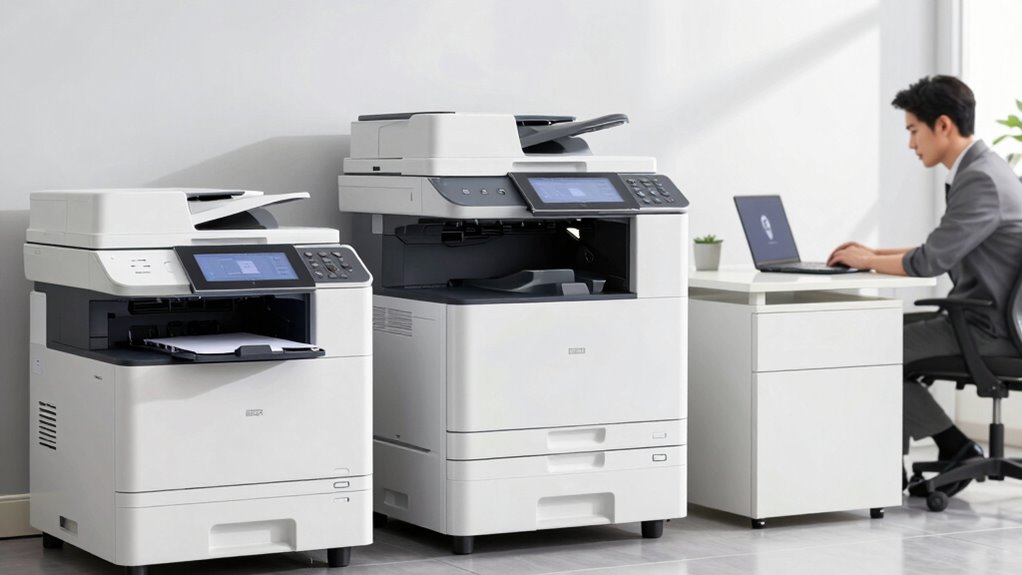
To decide between office printers, MFPs, and outsourcing, evaluate your printing volume, document sensitivity, and budget. In-house printers and MFPs give you quick access and control, ideal for sensitive or frequent printing, but consider ongoing maintenance costs. Outsourcing can be more cost-effective for fluctuating or occasional high-volume jobs, saving space and reducing responsibilities. Understanding these factors will help you choose the best solution—more details can guide you toward making a confident decision.
Key Takeaways
- Assess your printing volume and document sensitivity to determine if in-house equipment or outsourcing better suits your needs.
- Consider security requirements; in-house printers offer greater control over sensitive data compared to external providers.
- Analyze total costs, including hardware, supplies, maintenance, and potential hidden expenses of both options.
- Evaluate office space and flexibility needs to decide if in-house devices or scalable outsourcing services are more practical.
- Factor in maintenance support, downtime, and long-term efficiency when choosing between managing equipment internally or outsourcing.

Deciding whether to invest in office printers, multifunction printers (MFPs), or outsource your printing needs can considerably impact your business’s efficiency and costs. When making this choice, you should carefully evaluate your printing volume, the types of documents you produce, and your team’s workflow. A key factor to ponder is digital security—especially if you handle sensitive information. In-house printers and MFPs give you direct control over your print data, reducing the risk of security breaches that can occur with external providers. But, you’ll need to implement strict security protocols, like user authentication and encrypted data transmission, to safeguard your information.
Conducting a thorough cost analysis is essential before deciding. In-house printers come with upfront costs for purchasing equipment, ongoing expenses for supplies such as toner and paper, and maintenance costs. If your printing volume is high, investing in a durable MFP might make sense, but it’s important to compare these costs against outsourcing options. Outsourcing printing can sometimes be more cost-effective, especially when you factor in the hidden costs of managing in-house equipment—like downtime, repairs, and staff time. Plus, with outsourcing, you often pay per job or page, making expenses more predictable and aligned with actual usage.
Another aspect to weigh is flexibility. In-house printers and MFPs offer immediate access and quick turnaround for printing, copying, and scanning, which benefits fast-paced environments. However, if your needs fluctuate or you have occasional high-volume jobs, outsourcing might be better suited, as it allows you to scale services up or down without investing in additional hardware. This approach can also free up valuable office space that would otherwise be occupied by bulky printers and supplies.
You should also evaluate the ease of maintenance and technical support. Managing your own printers involves regular upkeep, troubleshooting, and replacing parts—all of which can be time-consuming. Outsourcing providers often include maintenance and support in their service agreements, reducing your internal workload. This can enhance overall efficiency, especially if your staff’s primary focus should be on core business tasks rather than printer management.
Ultimately, your decision hinges on balancing security, costs, flexibility, and maintenance. Carefully analyzing your printing needs and comparing in-house capabilities with outsourcing options will help you select the most efficient, cost-effective solution for your business. Making an informed choice means understanding not only the immediate expenses but also the long-term impacts on productivity and data security.
office multifunction printer MFP
As an affiliate, we earn on qualifying purchases.
As an affiliate, we earn on qualifying purchases.
Frequently Asked Questions
What Are the Environmental Impacts of Each Printing Option?
You’ll find that all printing options impact the environment differently. Office printers often waste paper and consume high energy during frequent use, especially if not energy-efficient models. MFPs reduce paper waste with duplex printing and can lower energy consumption by consolidating functions. Outsourcing minimizes your direct energy use and paper waste, but the environmental impact depends on the printing provider’s sustainability practices. Consider these factors to lessen your overall environmental footprint.
How Secure Are Outsourced Printing Services Compared to On-Site Devices?
Outsourced printing services are generally secure, especially with data encryption and access controls in place. When you choose a reputable provider, they implement strong encryption protocols to protect your data during transmission and storage. Access controls restrict who can print or view documents, adding an extra layer of security. While on-site devices may offer more direct control, outsourcing allows for professional security measures that reduce risks of data breaches.
Can Hybrid Solutions Combine MFPS and Outsourcing Effectively?
Yes, hybrid solutions can combine MFPs and outsourcing effectively through hybrid integration, allowing you to optimize costs while maintaining flexibility. You can handle sensitive or high-volume printing on-site with MFPs, and outsource overflow or specialized jobs to external providers. This approach balances security, cost efficiency, and scalability, giving you greater control over your printing environment while reducing expenses and meeting diverse business needs seamlessly.
What Are the Hidden Costs Associated With Each Option?
You should consider hidden costs like maintenance expenses, which can escalate unexpectedly for office printers and MFPs, especially if they break down often. For outsourcing, the ongoing service fees may seem predictable but can add up over time. Conduct a thorough cost analysis for each option, factoring in not just initial costs but also these hidden expenses to make an informed decision that aligns with your budget.
How Do Future Technological Advancements Influence the Decision?
Future technological advancements, like AI integration and improved cloud connectivity, profoundly impact your decision. AI can make printing smarter and more efficient, reducing waste and costs, while cloud connectivity allows seamless document access and management from anywhere. You’ll want to choose solutions that adapt to these innovations, ensuring your office stays competitive and efficient. Stay ahead by selecting equipment or services that support evolving technologies, making your workflow more streamlined and secure.
laser printer for small business
As an affiliate, we earn on qualifying purchases.
As an affiliate, we earn on qualifying purchases.
Conclusion
Choosing between office printers, MFPs, and outsourcing might seem intimidating, but remember—you’re steering the ship through a sea of options. By evaluating your needs, budget, and growth plans, you’ll find the perfect solution that keeps your office running smoother than a well-oiled machine. Whether you go with in-house devices or outsource, you’re in control of the print game. Make the right choice, and watch your office productivity soar to heights as epic as a skyscraper!
office document security scanner
As an affiliate, we earn on qualifying purchases.
As an affiliate, we earn on qualifying purchases.
business outsourcing printing services
As an affiliate, we earn on qualifying purchases.
As an affiliate, we earn on qualifying purchases.